
Large projects, agency engagements, and content campaigns often require a team of specialists rather than a single contractor. Employers might need three copywriters, two mobile app developers, or a pool of translators working concurrently on the same initiative.
The Multi Hire module enables employers to specify the exact number of open positions when creating or editing a job. Instead of closing after the first hire, the job remains open for candidates until all positions are filled, creating separate, independently managed order workspaces for each hired freelancer.
This is a Gigneo Pro module and requires a minimum Starter License or higher.
Enable the Module
Before creating multi-hire jobs, ensure your Gigneo Pro license is activated.
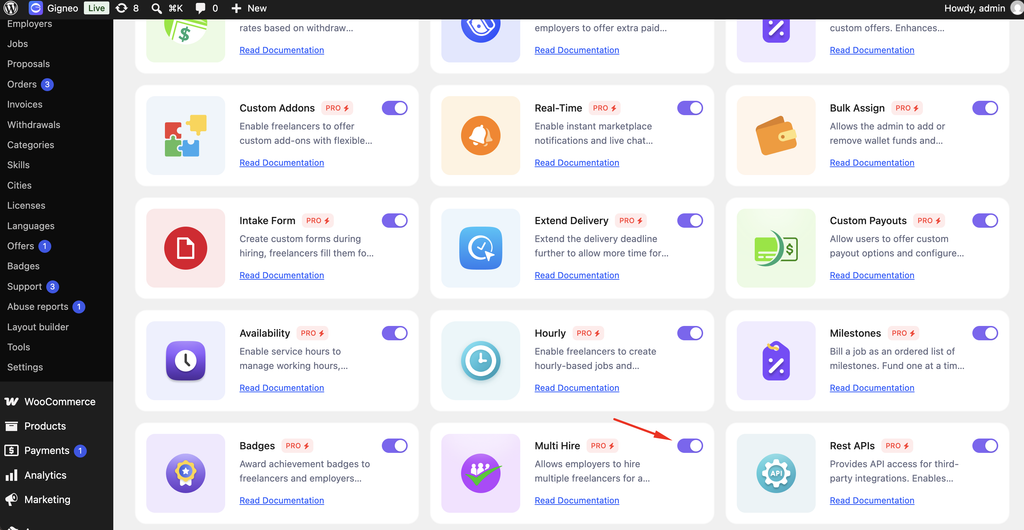
- Navigate to WP Admin → Gigneo → Modules.
- Locate the Multi Hire module card.
- Toggle the module On.
How Multi Hire Works
To keep contracts clean and financially secure, the Multi Hire module implements the following rules across the platform:
- Configurable Positions: Employers can set the number of open positions when creating or editing a job (up to 50 positions by default).
- Budget is Per Hire: The budget defined on a job (or hourly rate for hourly jobs) applies per hire rather than being split among workers. Each freelancer you hire is contracted, escrowed, and paid separately based on their individual proposal agreement.
- Continuous Candidate Review: Hiring the first freelancer moves the job to active progress but keeps proposal submissions and hiring open until the full quota of open positions is reached.
- Independent Order Workspaces: Each hired freelancer receives their own distinct order record. Delivery countdowns, work submissions, revision requests, chats, and milestone approvals happen independently for each freelancer.
- Automatic Slot Reopening: If an active hire order is cancelled or refunded before delivery, the system automatically decrements the filled count, reopening the vacant position so the employer can review remaining proposals and hire a replacement.
Employer Workflow: Posting a Multi-Hire Job
Setting up a multi-hire project takes place directly within the standard job creation process:
Step 1: Specify Open Positions
- Navigate to Dashboard → Post a Job (or edit an existing draft/published job).
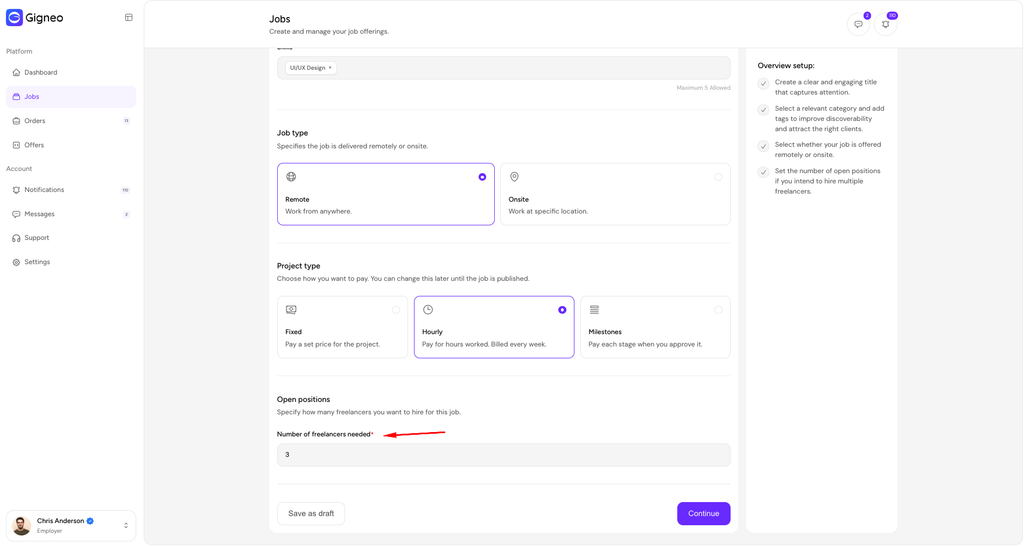
- In the basic job details section, locate the Open positions field.
- Enter the number of freelancers required for the project (for example, 3 or 5).
A helper notice confirms that your project budget is calculated per hire, ensuring transparent expectations for applicants.
Step 2: Public Job Display
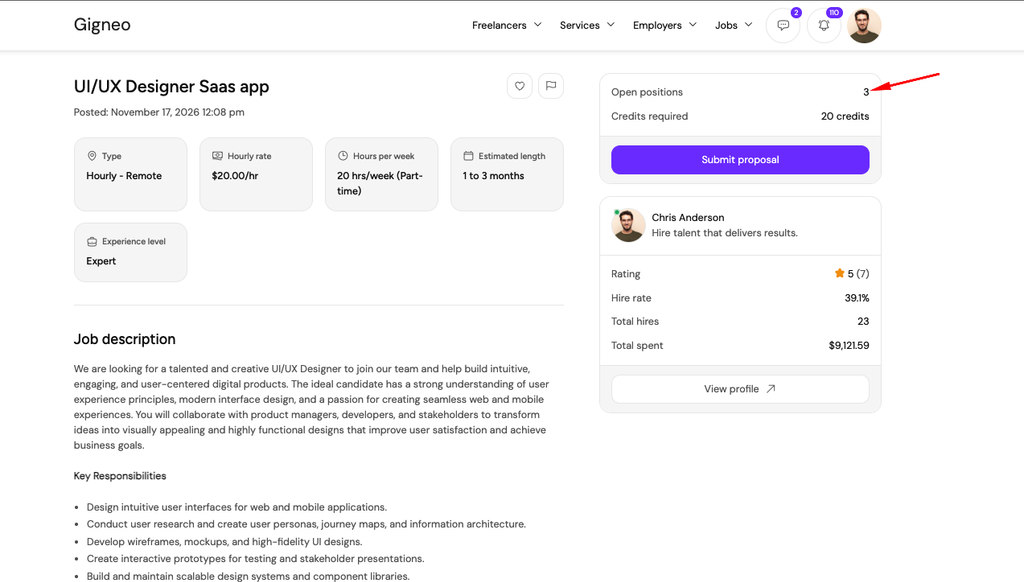
On the public job details page and job search directory, a dedicated Open positions indicator shows prospective freelancers that multiple opportunities are available. This encourages higher proposal submission rates from qualified candidates.
Reviewing Proposals & Hiring Candidates
Employers evaluate applicants and build their team through the proposals management screen:
Step 1: Track Hiring Progress
- Go to Dashboard → My Jobs.
- Open the Proposals tab.
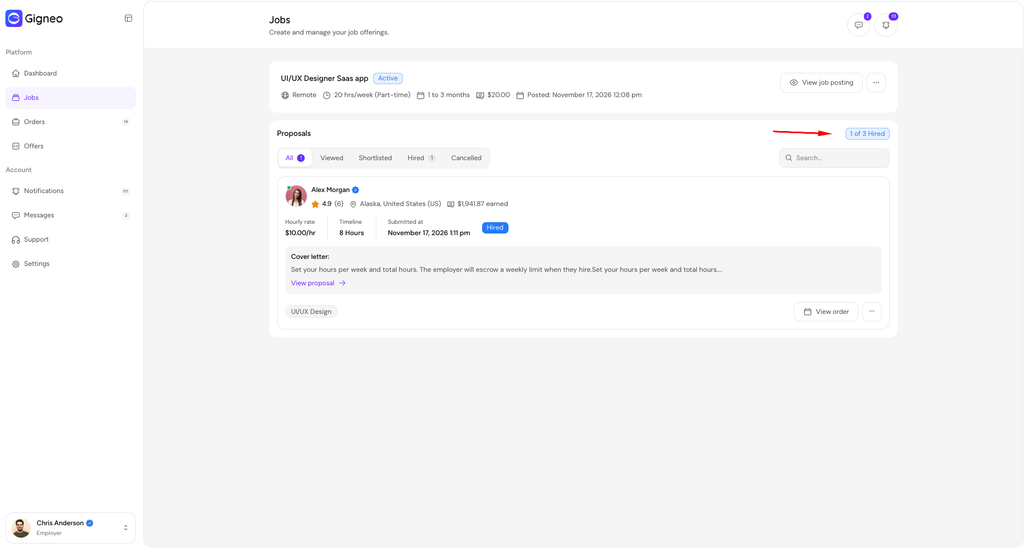
- At the top of the proposal list, a live hiring status indicator displays your current progress (for example, Hired: 1 of 3).
Step 2: Hiring Multiple Freelancers
- Employers can hire candidates one by one as suitable proposals arrive.
- Clicking Hire on a proposal opens the standard secure checkout step, placing that specific freelancer’s proposal amount into escrow.
- After the order is placed, the proposal status updates to Hired, the progress counter increments, and the Hire button remains active on other applicant proposals.
- Once all open positions are filled (Hired: 3 of 3), the remaining unhired proposals are locked against further hiring, and the job status transitions to fully staffed.
Managing Multi-Hire Orders
To maintain complete organizational clarity across multiple simultaneous hires:
Each hired team member has an independent order details page with their own timeline, file uploads, and milestone progress or hourly based on job type.