
The Map Module integrates Google Maps throughout your marketplace, allowing freelancers and employers to add precise locations to their profiles, services, and jobs.
With location data enabled, users can discover nearby services, jobs, and professionals using map-based and radius-based searches.
This is a Gigneo Pro module and requires a minimum Professional License or higher.
Enable the Module
Before using the Map Module, make sure your Gigneo Pro license is activated.
Navigate to:
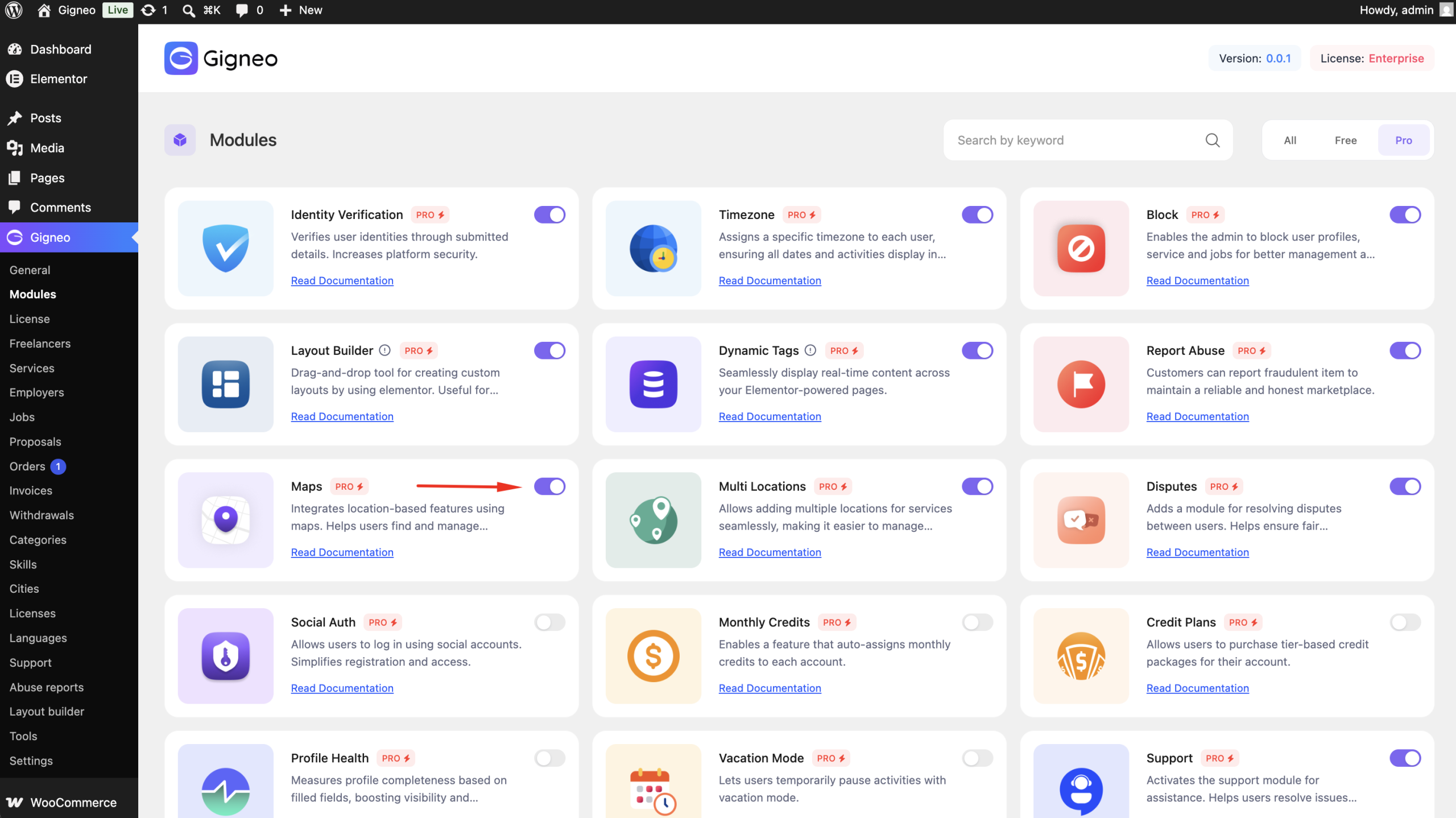
WP Admin → Gigneo → Modules
Enable the Map module.
Configure Google Maps
To use Google Maps features, you must first configure your Google Maps API key.
Navigate to:
WP Admin → Gigneo → Settings → Others.
Enter your Google Maps API key and save the settings.
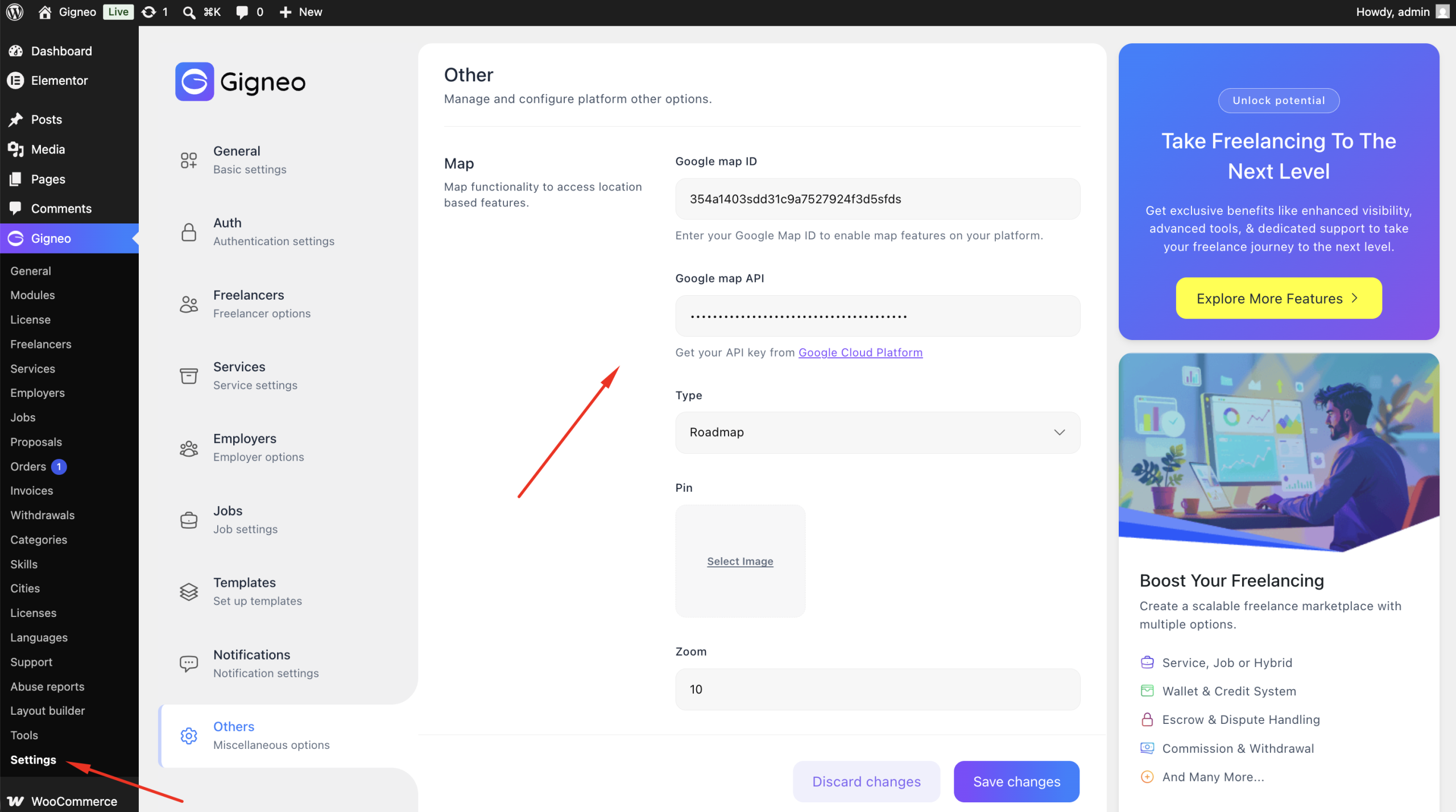
Once configured, Google Maps will be available across the marketplace.
Add Locations to Profiles
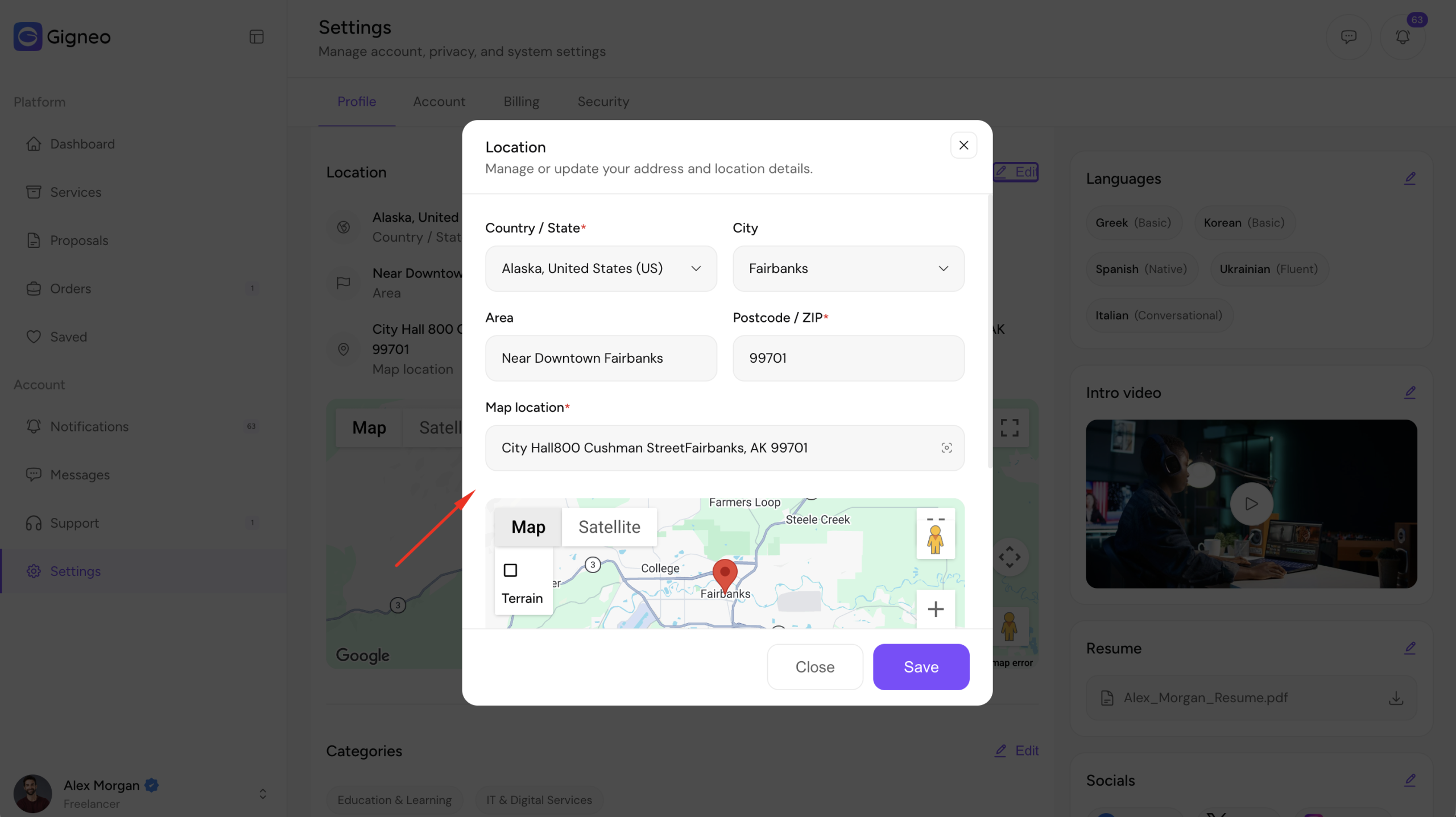
Freelancers and employers can add their business or service location from:
Dashboard → Settings → Profile
Users can search for an address or select a location directly from the interactive Google Map.
Add Locations to Services
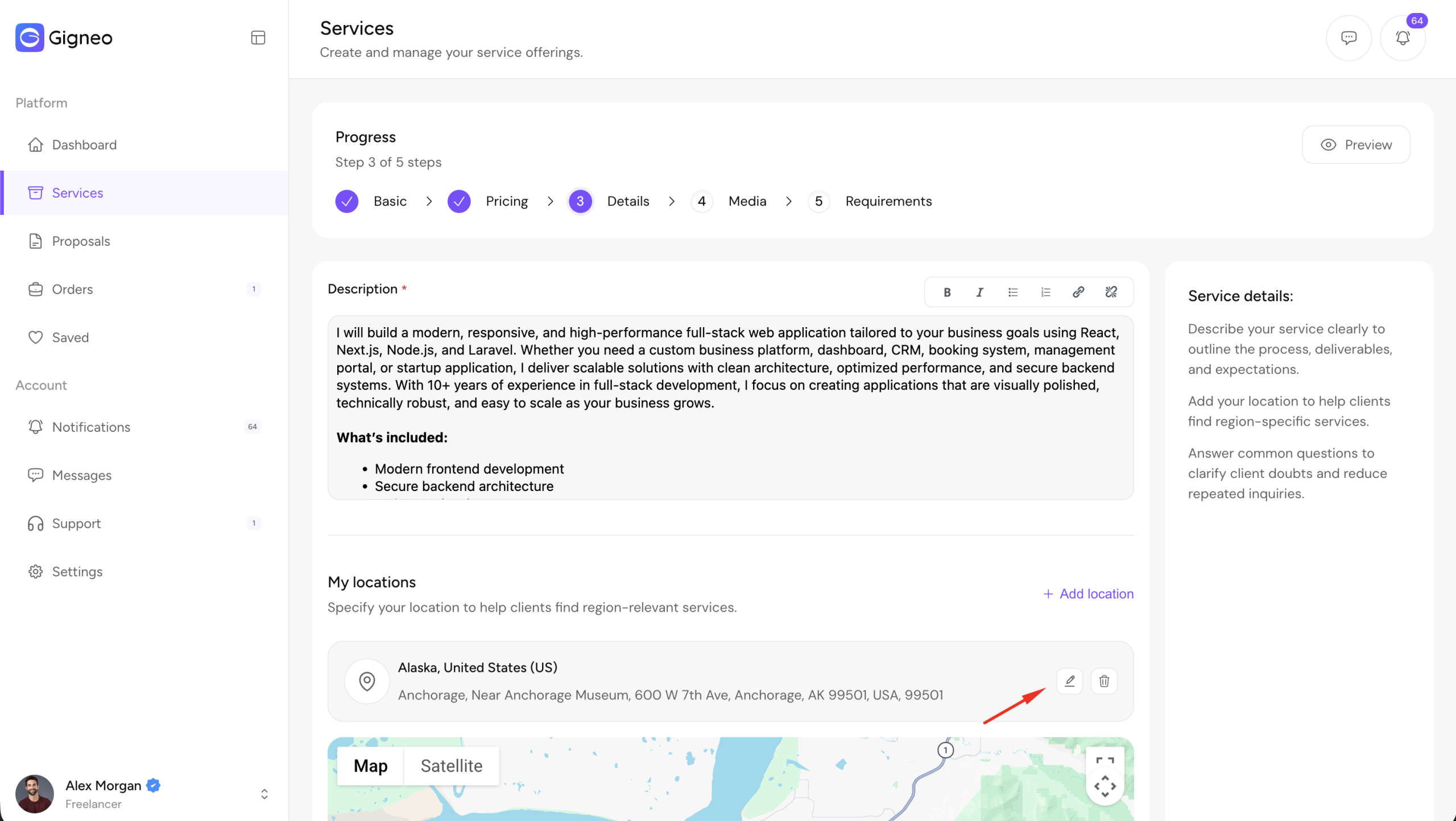
When creating or editing a service, freelancers can specify the service location using Google Maps.
The selected location is displayed on the service page and can be used for location-based search.
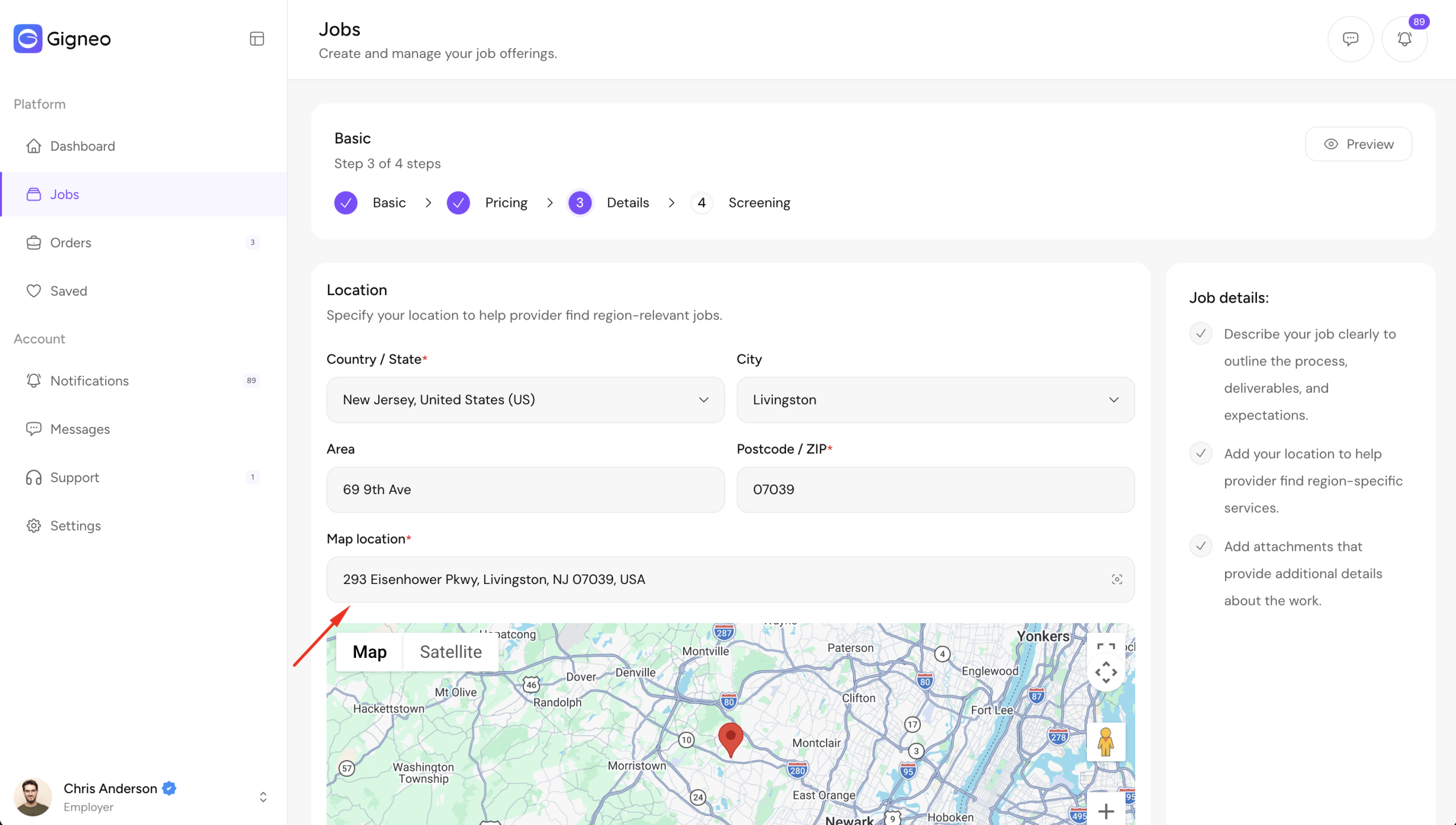
Add Locations to Jobs
Employers can also assign a location when creating a job.
This helps freelancers discover nearby opportunities and makes location-based hiring easier.
Location-Based Search
Once locations have been added, users can search for:
- Services
- Jobs
- Freelancer Profiles
- Employer Profiles
using addresses, cities, or map locations.
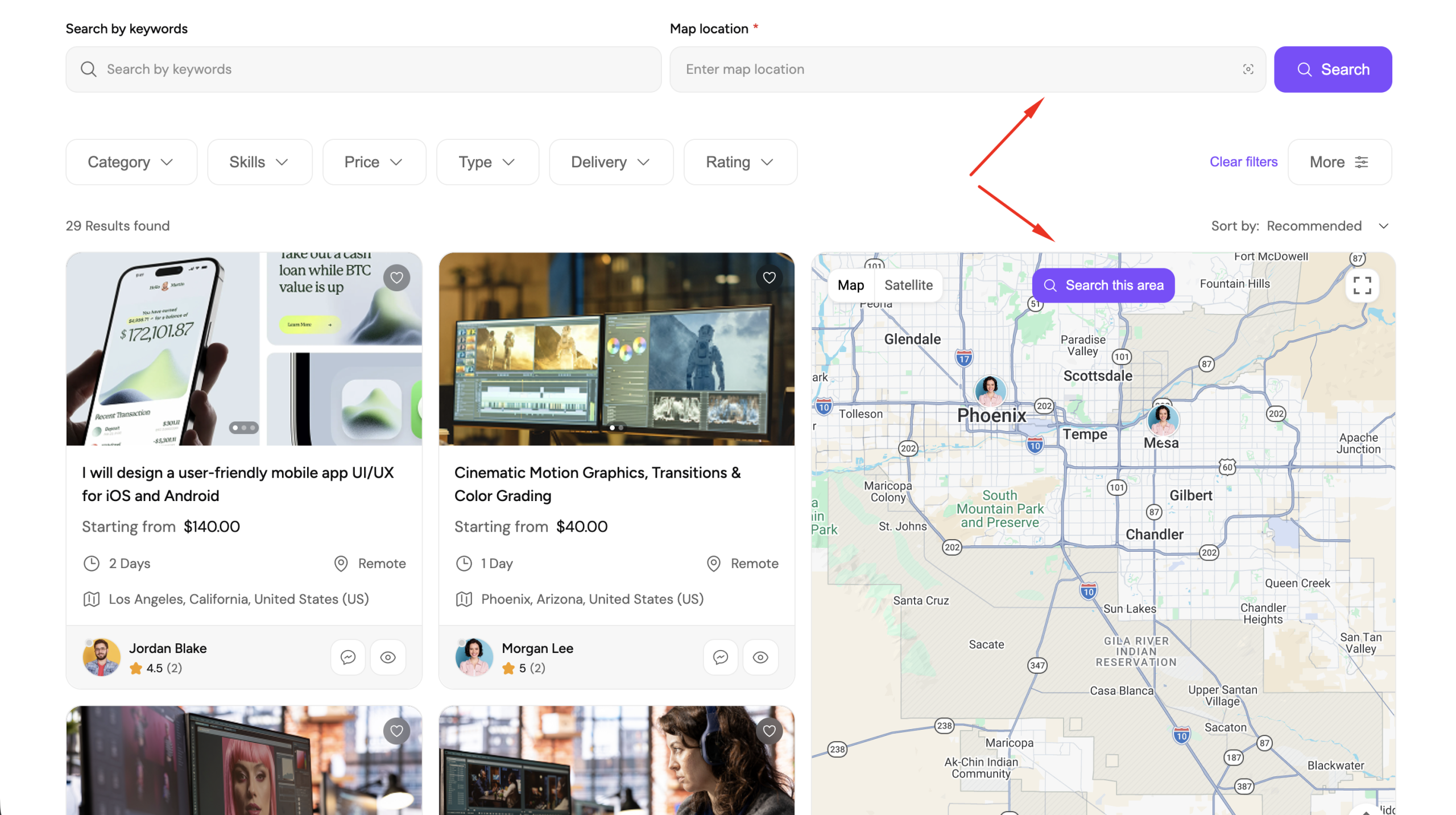
Search results can also be filtered by distance to help users find nearby opportunities.
Distance-Based Service Pricing
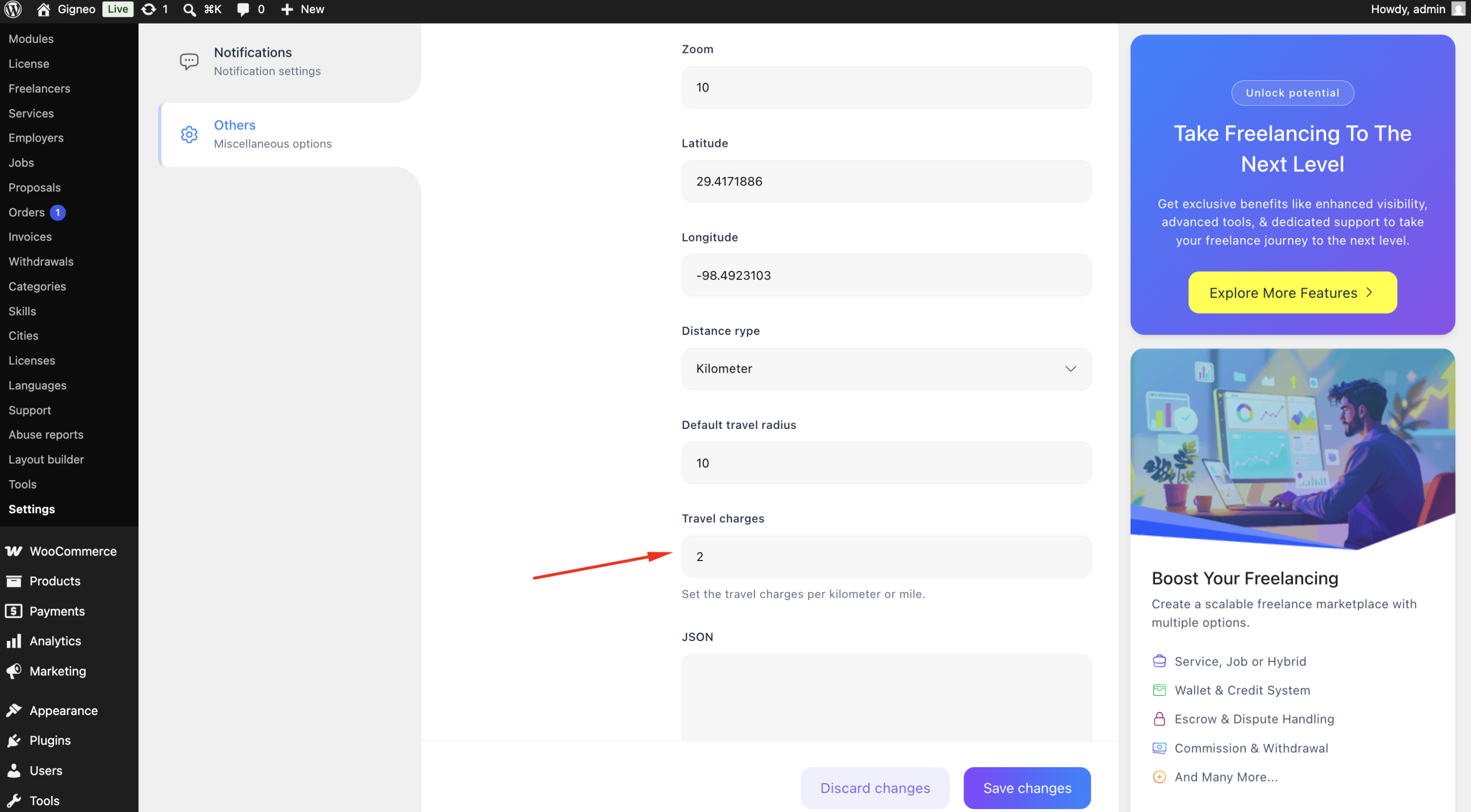
For onsite services where the freelancer travels to the employer’s location, Gigneo supports distance-based travel charges.
Marketplace administrators can configure the travel rate per kilometer from the map settings.
When an employer books an onsite service, Gigneo automatically calculates the travel distance and applies the additional travel fee based on the configured rate.
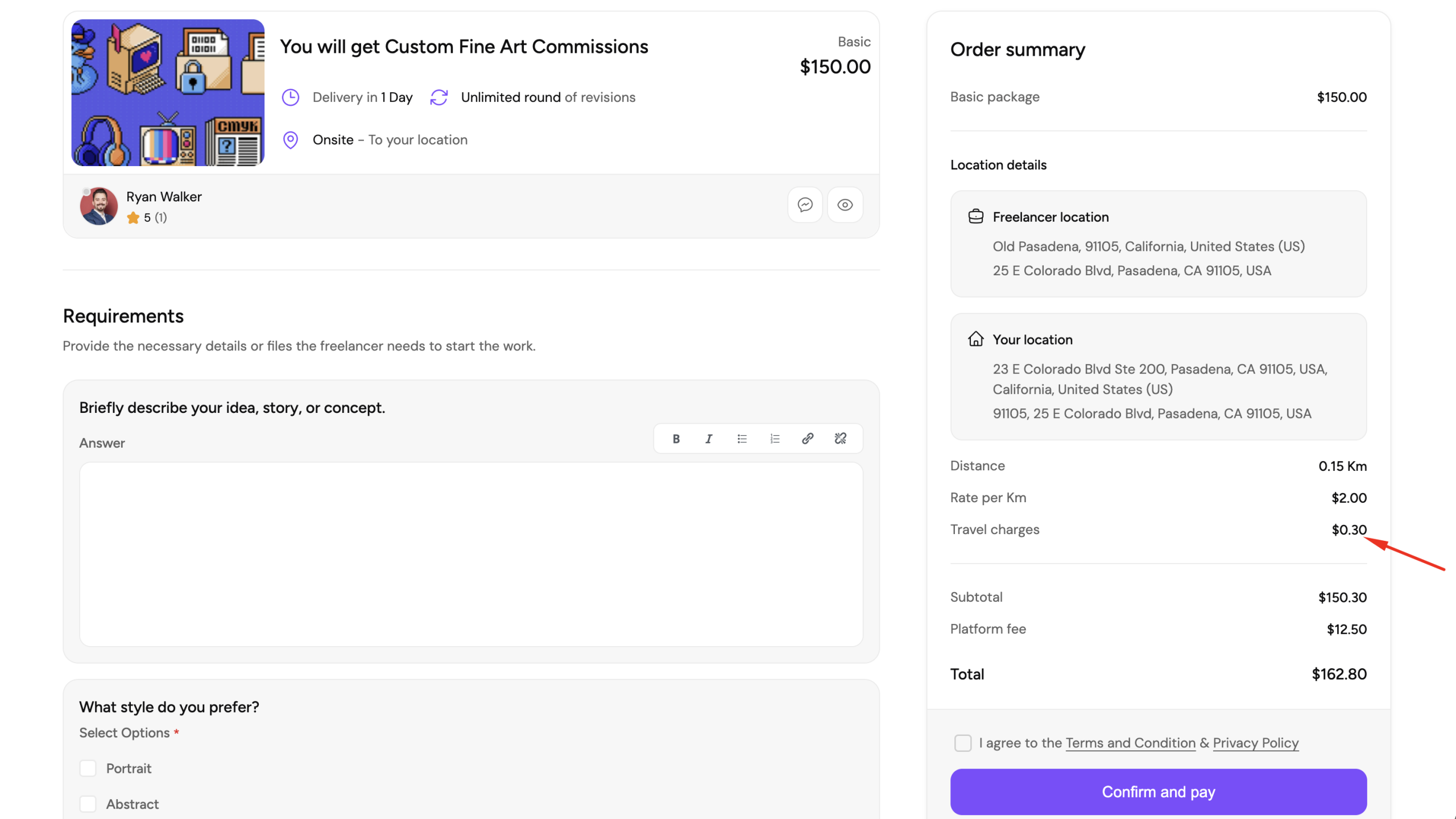
This ensures freelancers are fairly compensated for travel while providing transparent pricing for employers.