
The credit system in Gigneo is used to control access to specific marketplace actions.
Credits can be required for activities such as service creation, job posting, and proposal submission, depending on how the marketplace owner has configured the platform.
If these actions are configured as paid, users must have sufficient credits in their account before they can complete them.
Credit Rate Setup
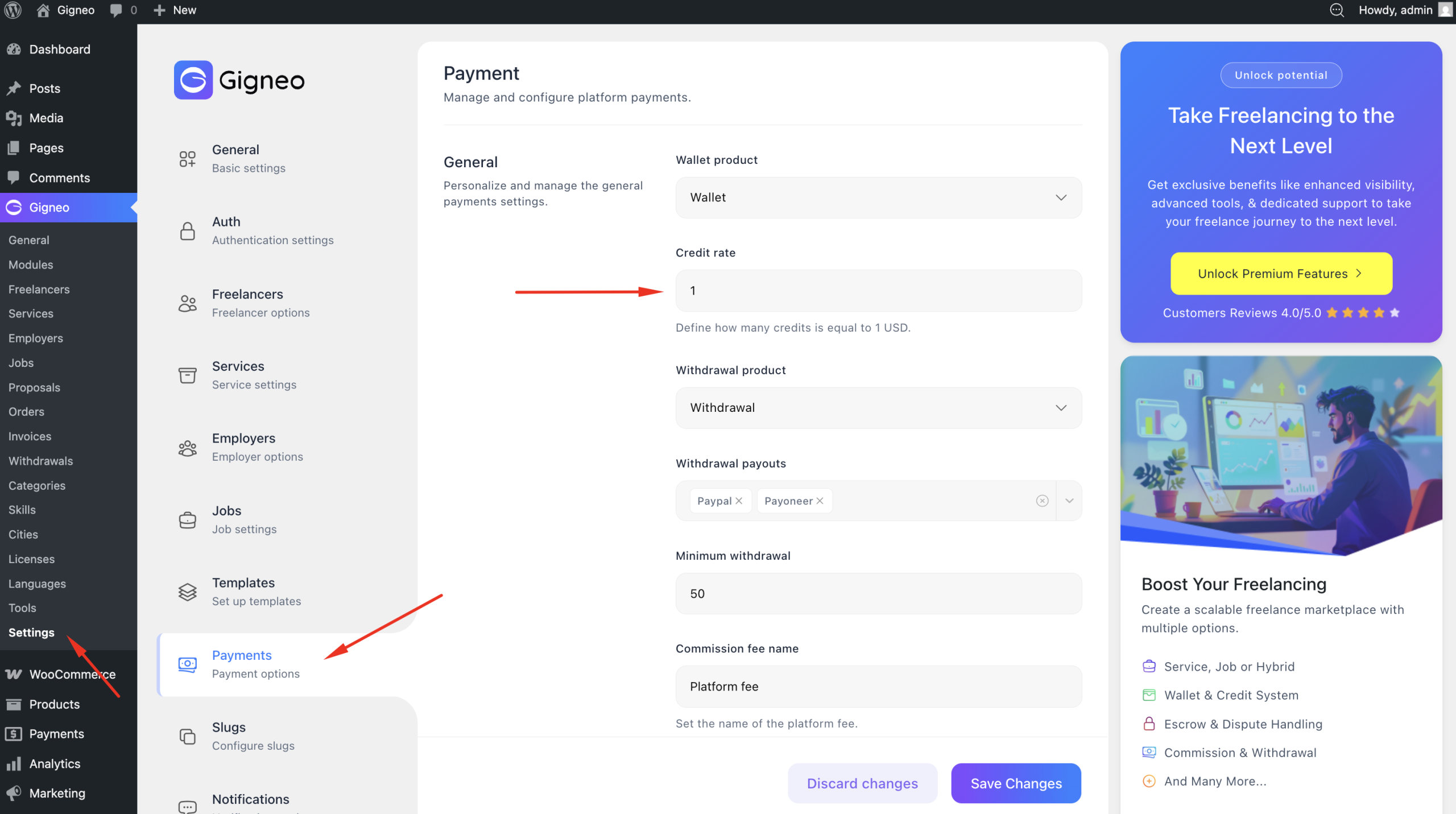
Marketplace owners can configure credit pricing by navigating to WP Admin → Gigneo → Payments.
From there, you can define the credit rate used across the platform.
This setting controls how much wallet balance is required to purchase credits.
Purchasing Credits
Users can purchase credits directly from their dashboard using available wallet balance.
To purchase credits, navigate to the credits section from the user dashboard and select the amount of credits you want to purchase.
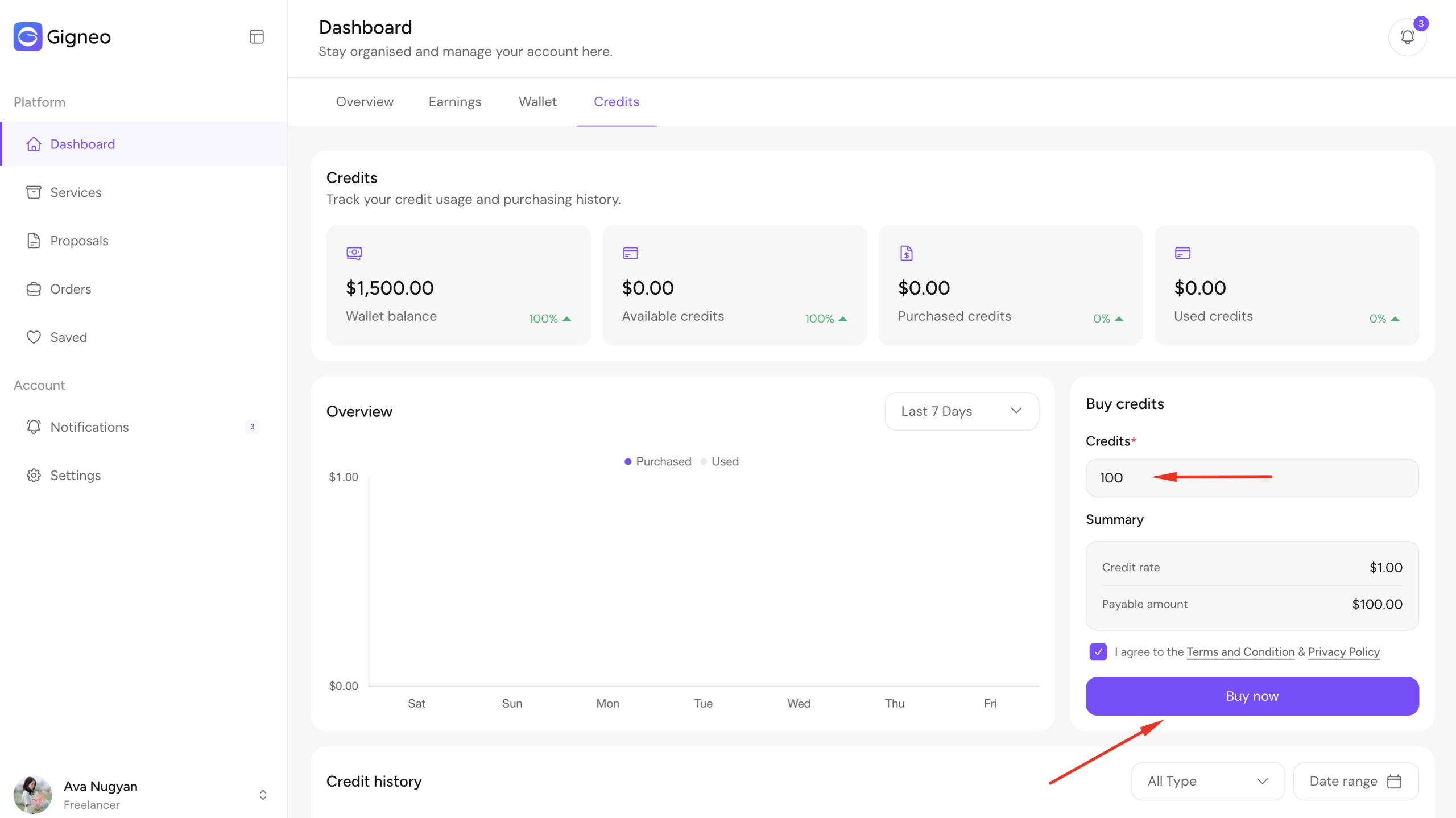
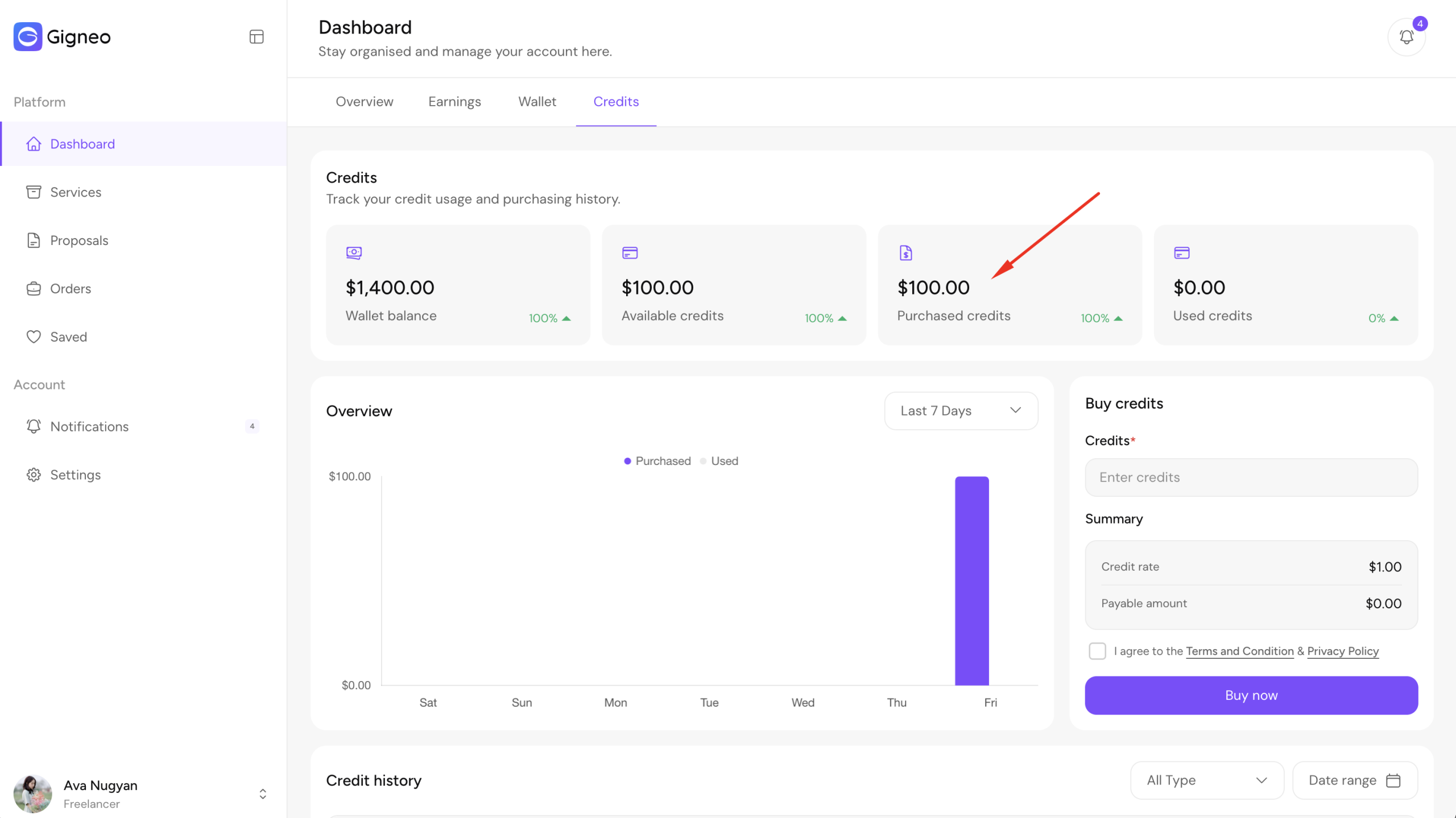
Once the purchase is confirmed, the required wallet amount will be deducted automatically and the credits will be added instantly to the user’s credits page, where the updated balance can be viewed.
Using Credits
Purchased credits can be used wherever credit-based actions are enabled across the marketplace.
For example, credits may be required for publishing services, posting jobs, or submitting proposals depending on platform configuration.
This system allows marketplace owners to monetize marketplace activity while giving users a simple and flexible way to access premium platform actions.