
The Report Abuse module helps maintain a safe and trustworthy marketplace by allowing users to report inappropriate or suspicious content.
Freelancers and employers can report user profiles, services, and job listings, while administrators can review each report and take appropriate action.
This is a Gigneo Pro module and requires a minimum Starter License or higher.
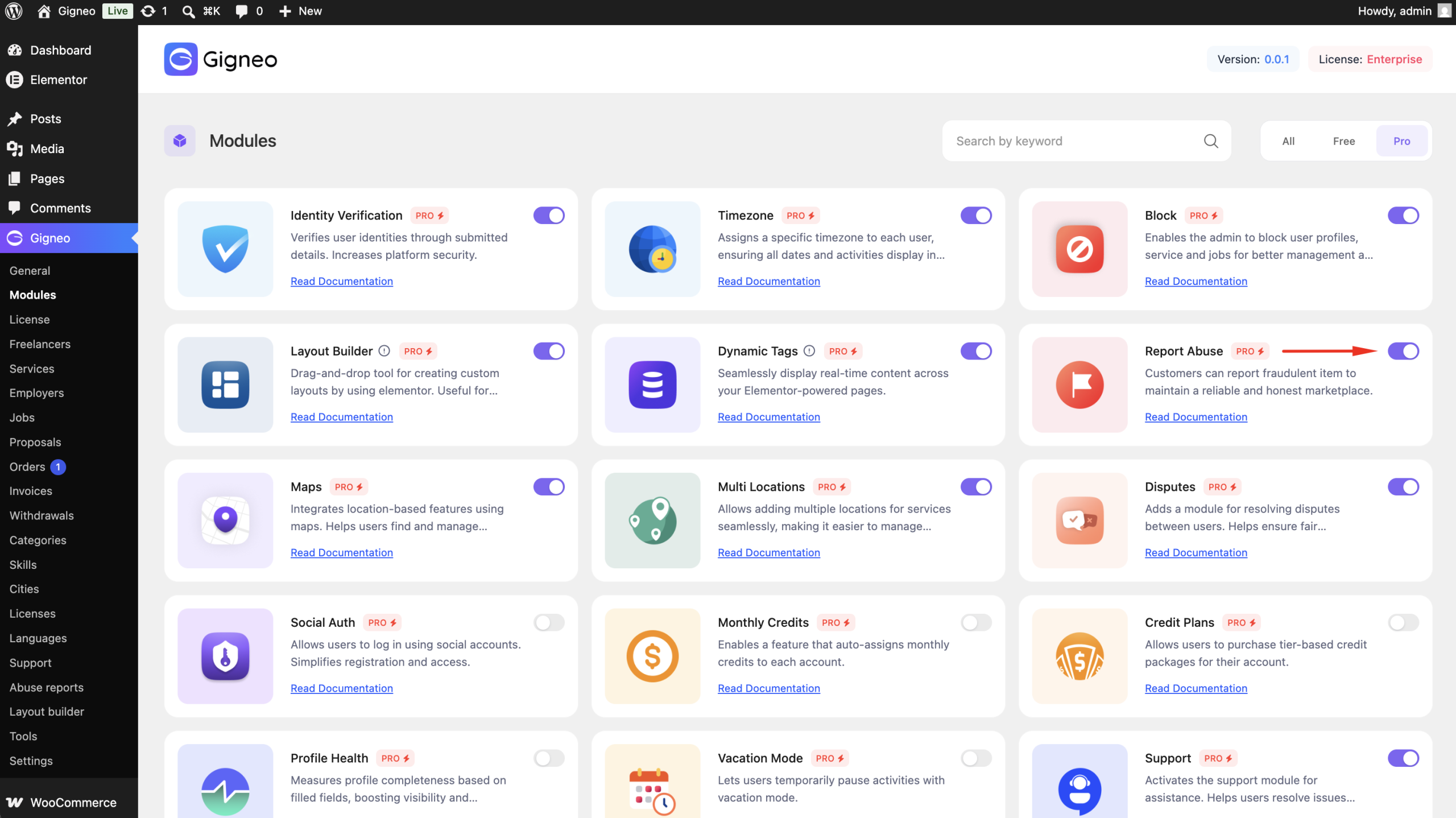
Enable the Module
Before using the Report Abuse module, make sure your Gigneo Pro license is activated.
Navigate to:
WP Admin → Gigneo → Modules
Enable the Report Abuse module.
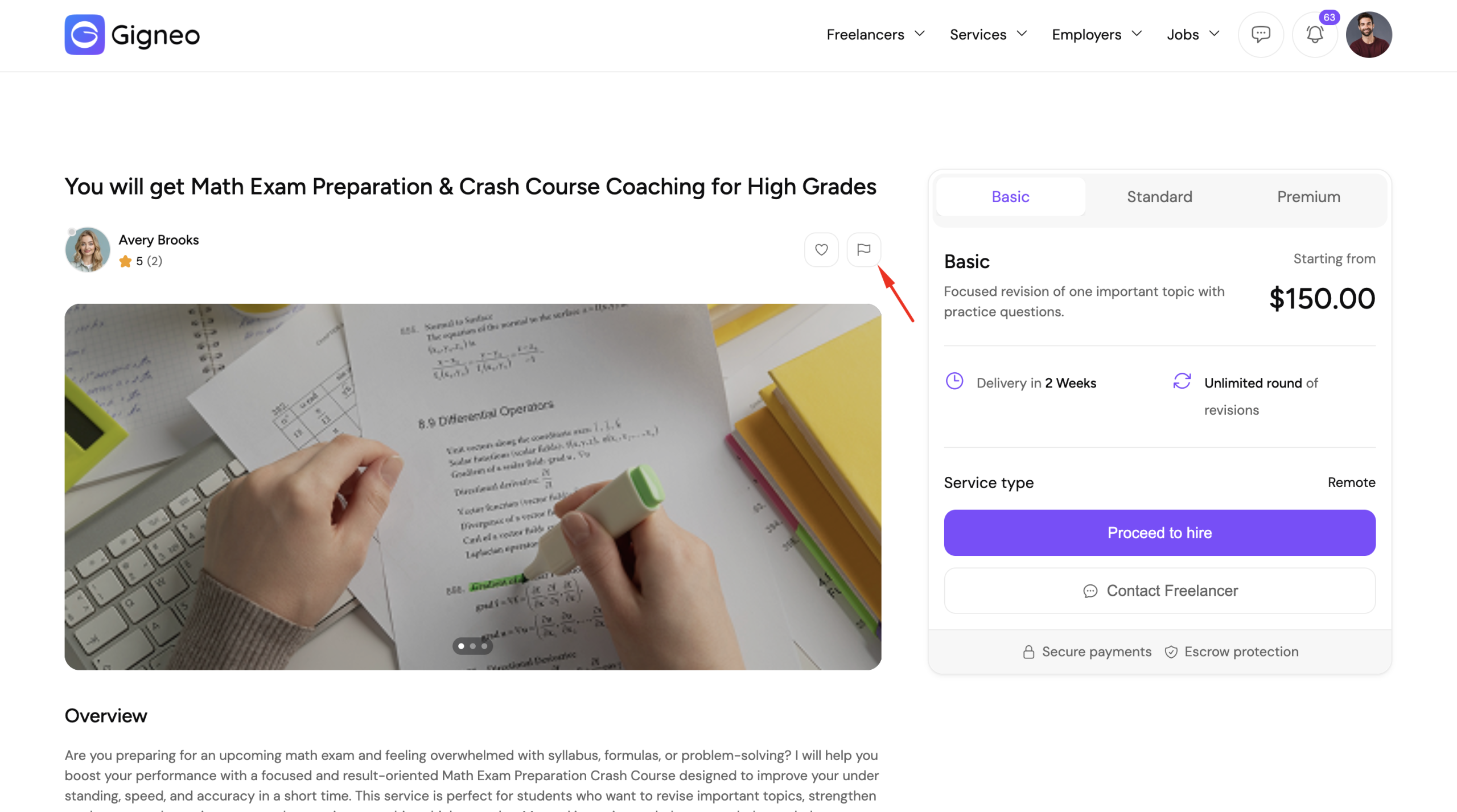
Submit a Report
When a user clicks Report Abuse, a report form will appear.
Users can select a report reason and provide additional details explaining the issue before submitting the report.
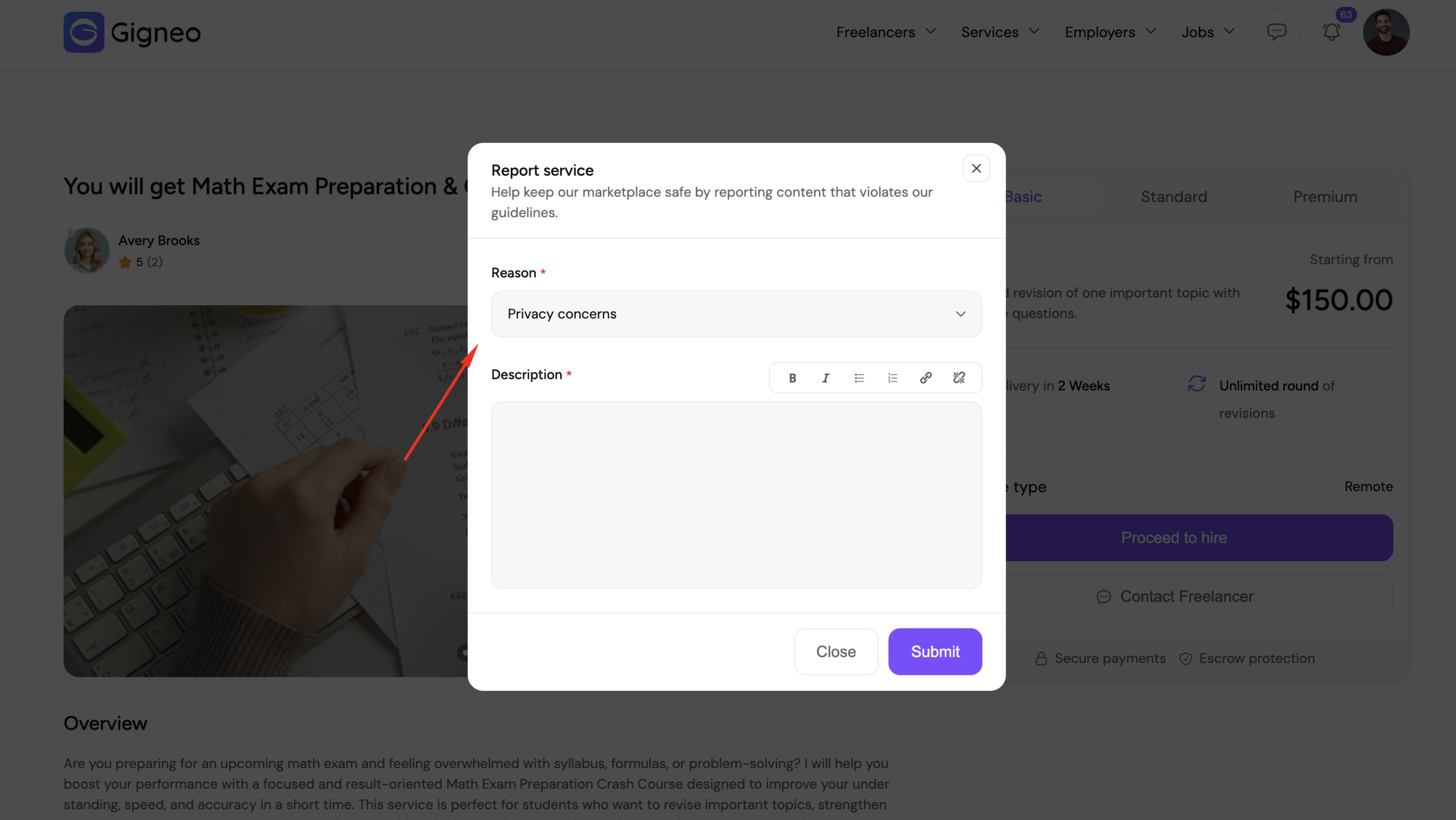
After submission, the report is sent to the administrator for review.
Review Reports
Administrators can manage all submitted reports by navigating to:
WP Admin → Gigneo → Report Abuse
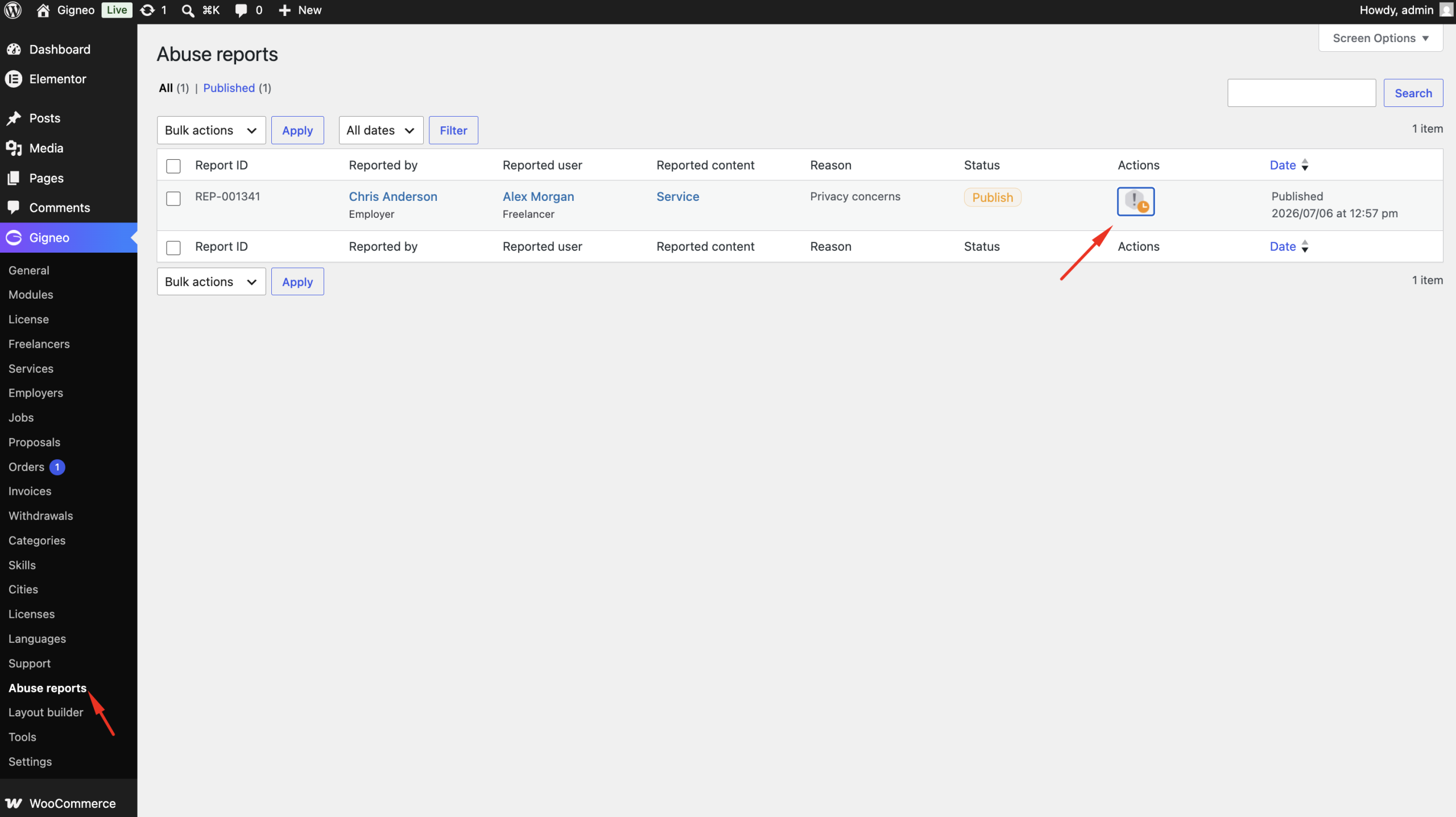
From this page, administrators can:
- View reported profiles, services, and jobs
- Review the selected report reason
- Read the user’s comments
- Identify the reporting user
- Review the reported content
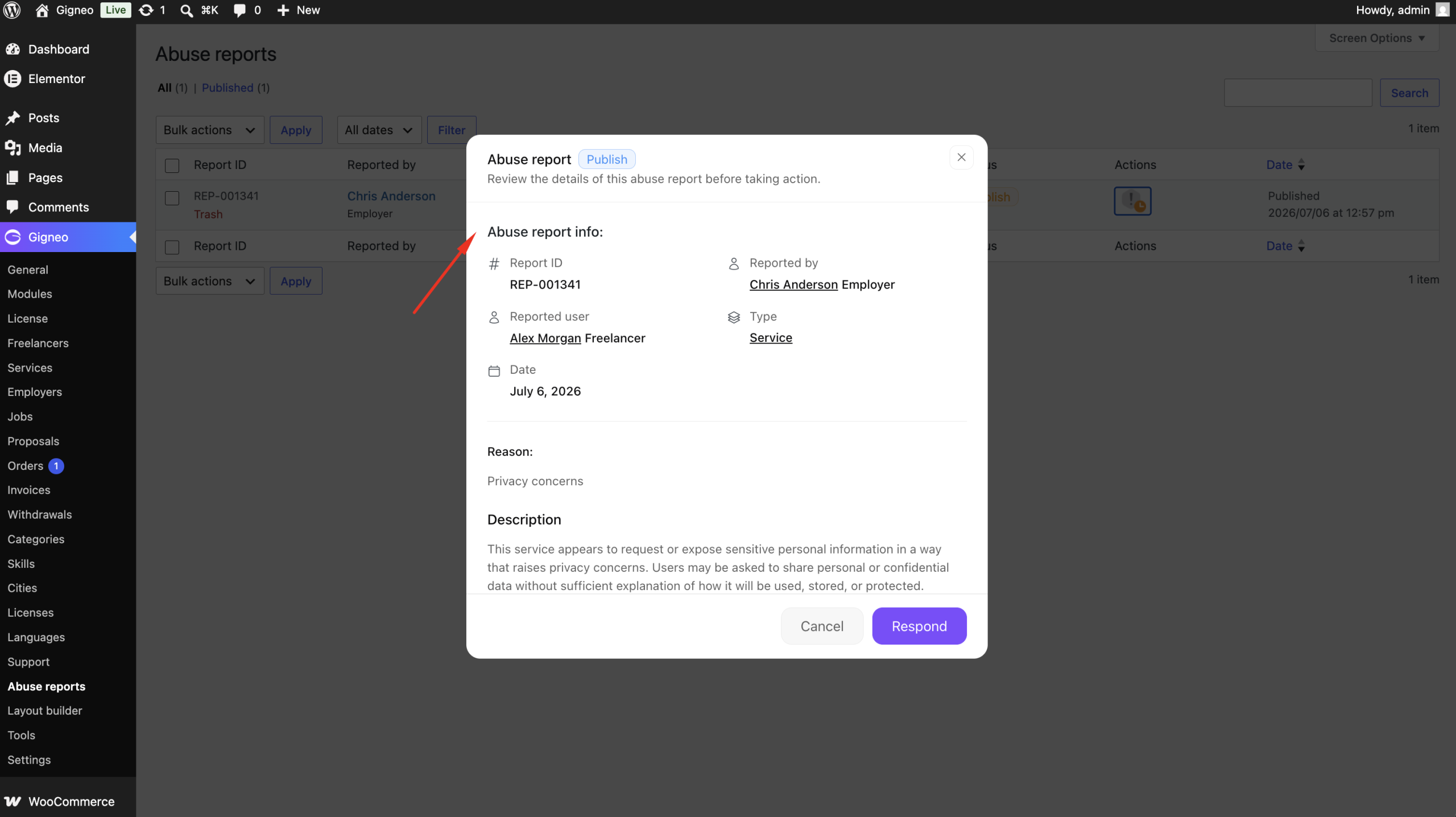
Take Action
After reviewing a report, administrators can decide whether further action is required.
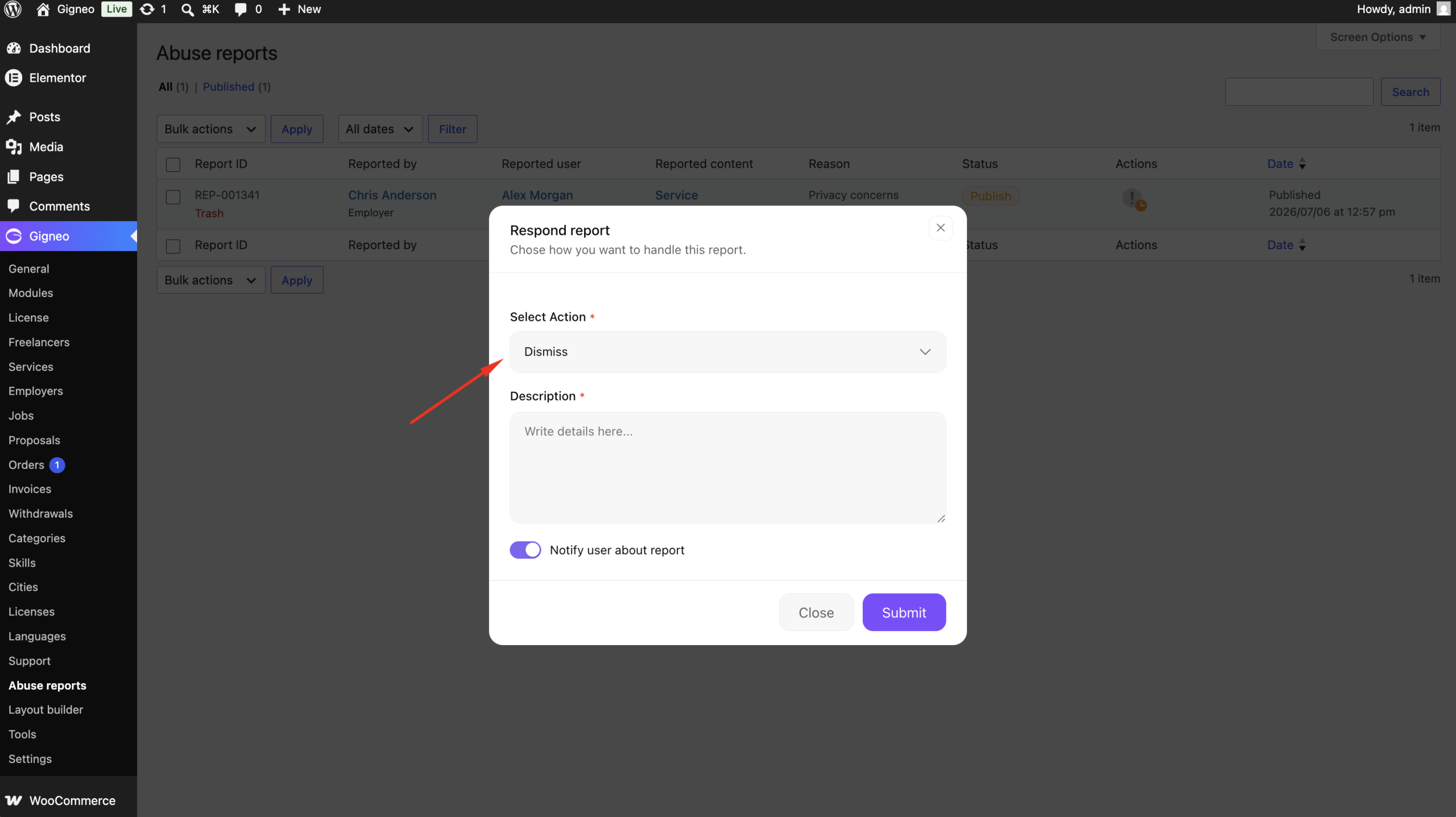
This allows administrators to moderate the marketplace and enforce community guidelines.
Benefits
The Report Abuse module helps you:
- Encourage community moderation
- Identify inappropriate content quickly
- Review reports from a central dashboard
- Maintain a safe and trusted marketplace
- Improve the overall user experience
This moderation workflow enables administrators to respond efficiently to reported content while keeping the marketplace professional and secure.