
Gigneo allows freelancers to apply for jobs by submitting proposals, while employers can review those proposals and hire the most suitable freelancer.
This creates a structured hiring workflow for project-based collaboration across the marketplace.
Submit Proposal
Freelancers can apply for available jobs directly from the job details page.
To apply, open the desired job posting and click the Submit Proposal button.
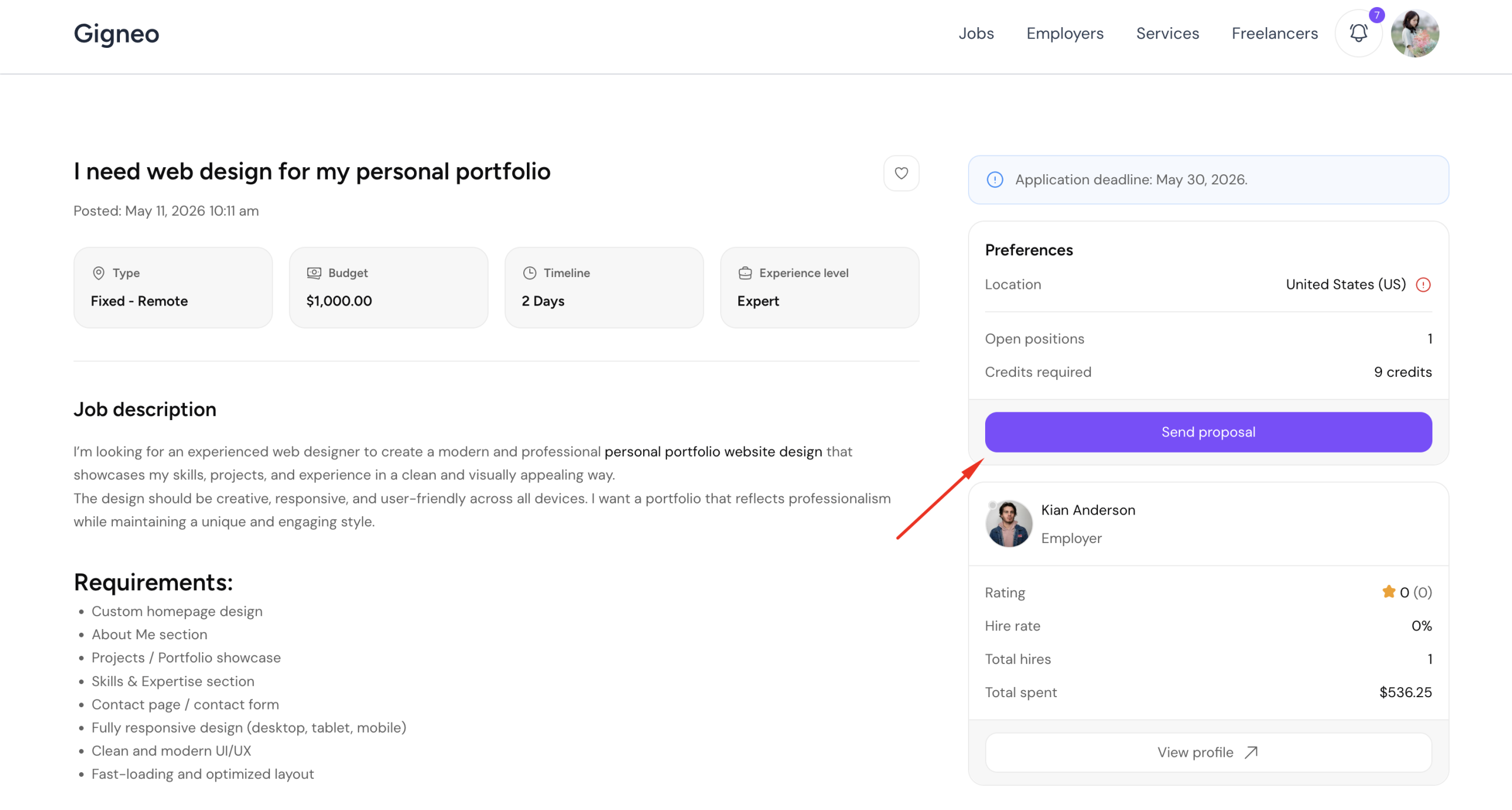
This will open the proposal submission page.
When submitting a proposal, freelancers must provide the required project details including bid amount, project duration and cover letter.
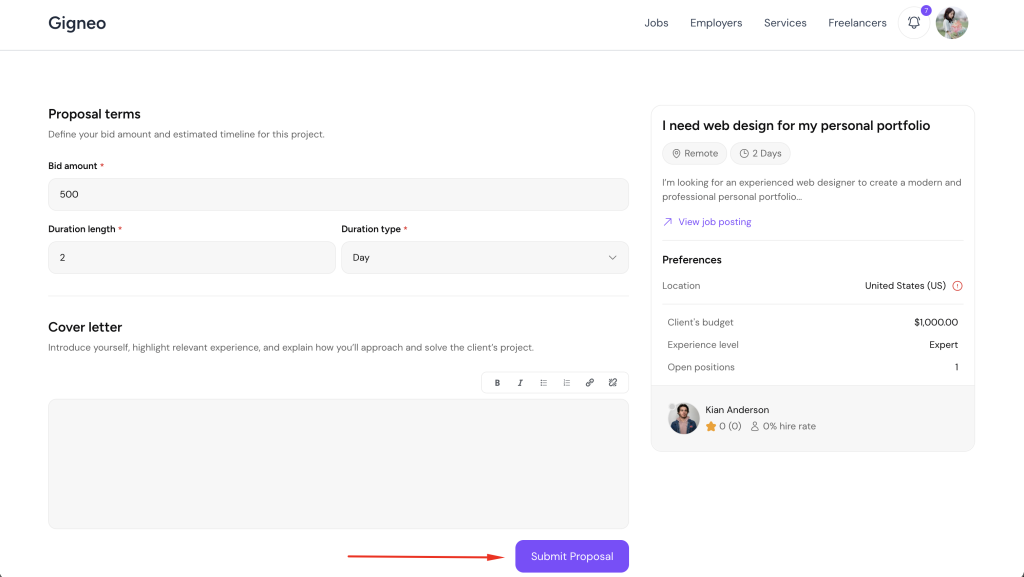
The bid amount represents the freelancer’s proposed budget for completing the project.
The duration defines the estimated completion timeframe.
The cover letter allows freelancers to explain their approach, relevant experience, and why they are the right fit for the project.
Attachments can also be added to provide supporting files, references, or work samples.
Submitting a complete and detailed proposal improves the chances of being selected.
Proposal Submission Credits
The marketplace administrator can require credits for proposal submission.
This setting is configured from Gigneo → Settings → Jobs.
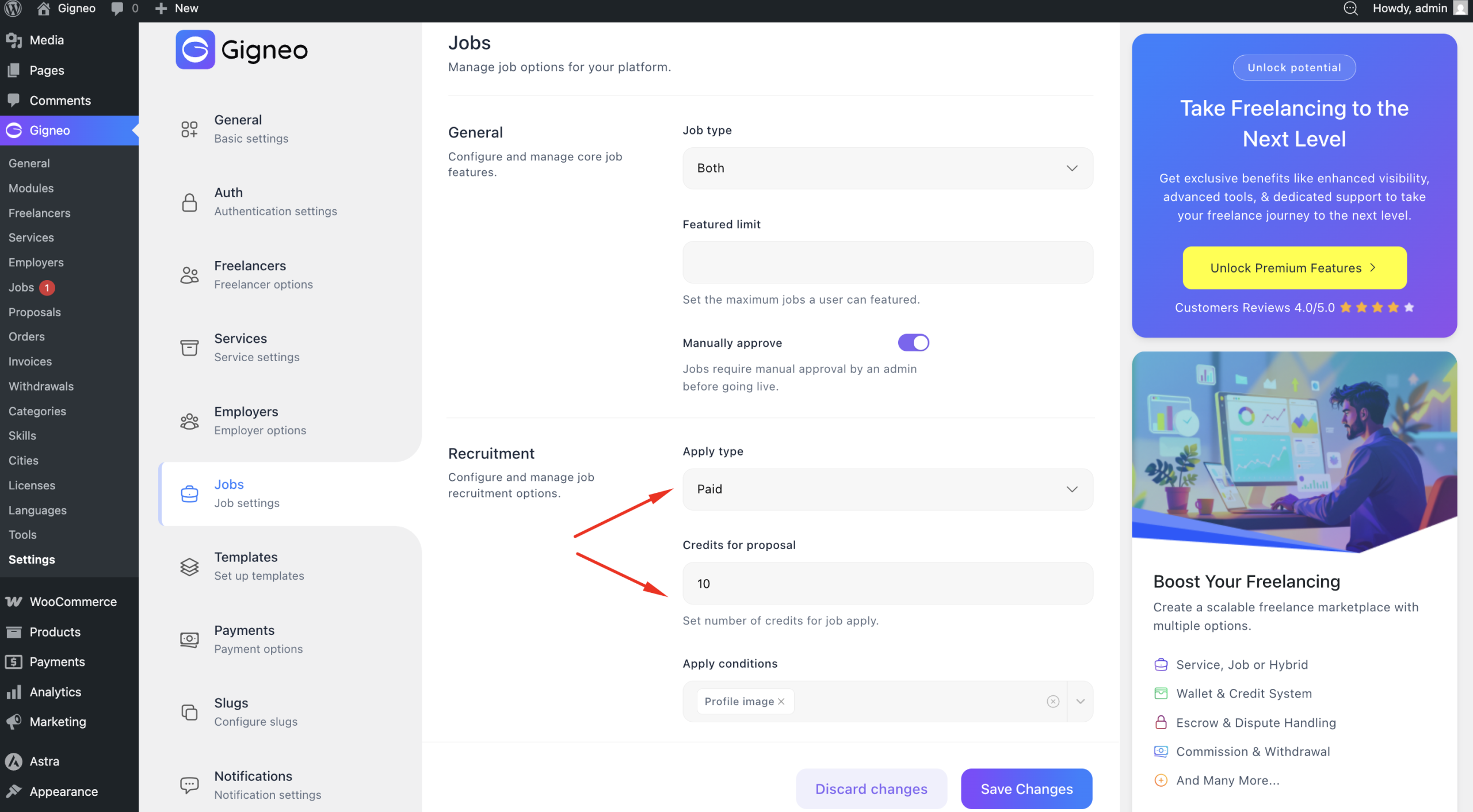
If enabled, the required number of credits will be deducted automatically when the proposal is submitted.
Freelancers must have sufficient credits available before applying.
If there are not enough credits available, the proposal cannot be submitted.
In that case, freelancers must purchase credits before proceeding.
For complete instructions on purchasing credits, please refer to the detailed Credit System guide.
Employer Proposal Review
Once proposals are submitted, employers can review all received applications from their dashboard.
To access proposals, navigate to Dashboard → Jobs.
From the jobs list, employers can use the available job actions to open the View Proposals page for a specific job.
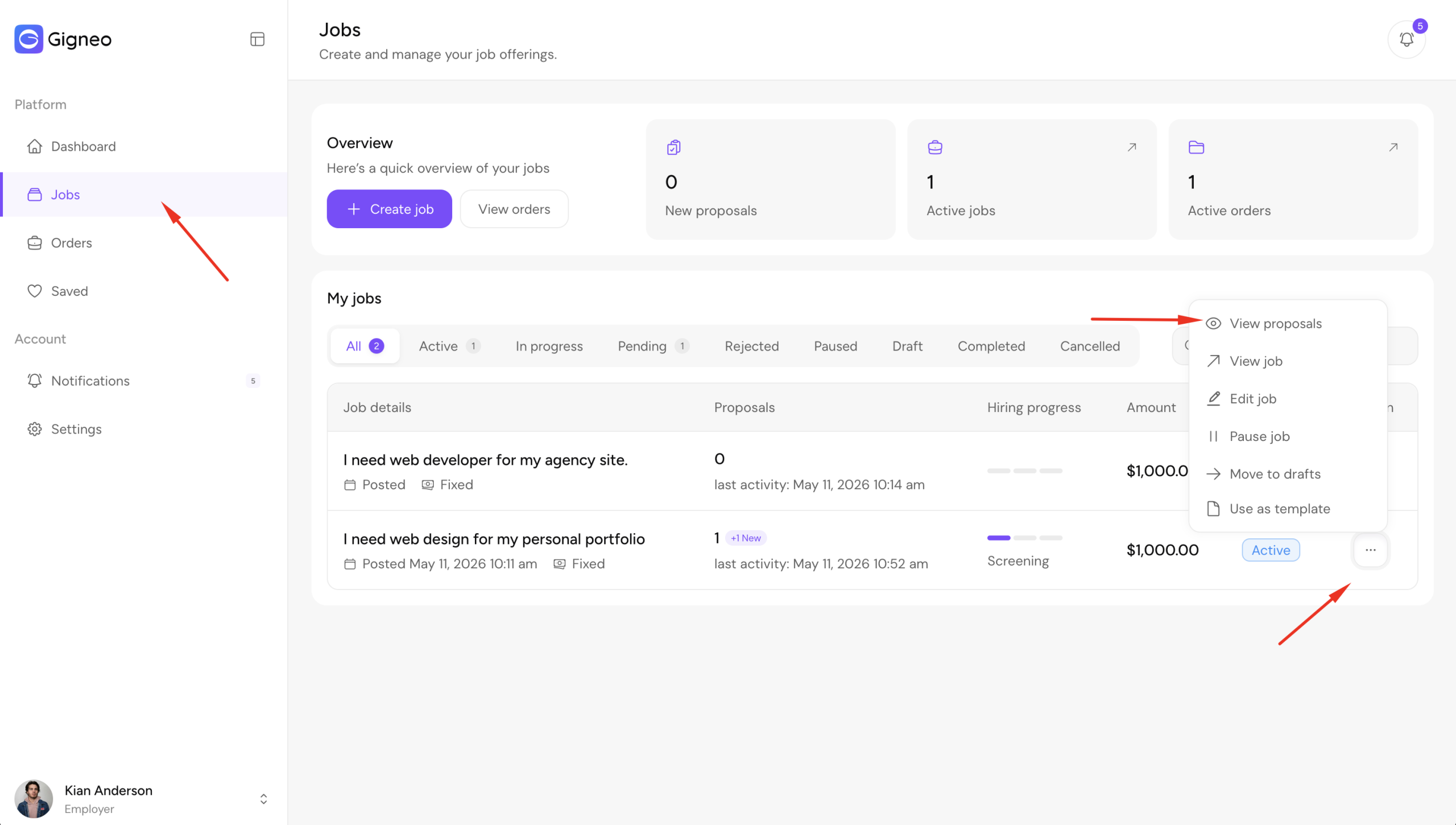
The View Proposals page displays all submitted proposals for the selected job.
Here, employers can see the complete proposal list with quick proposal details.
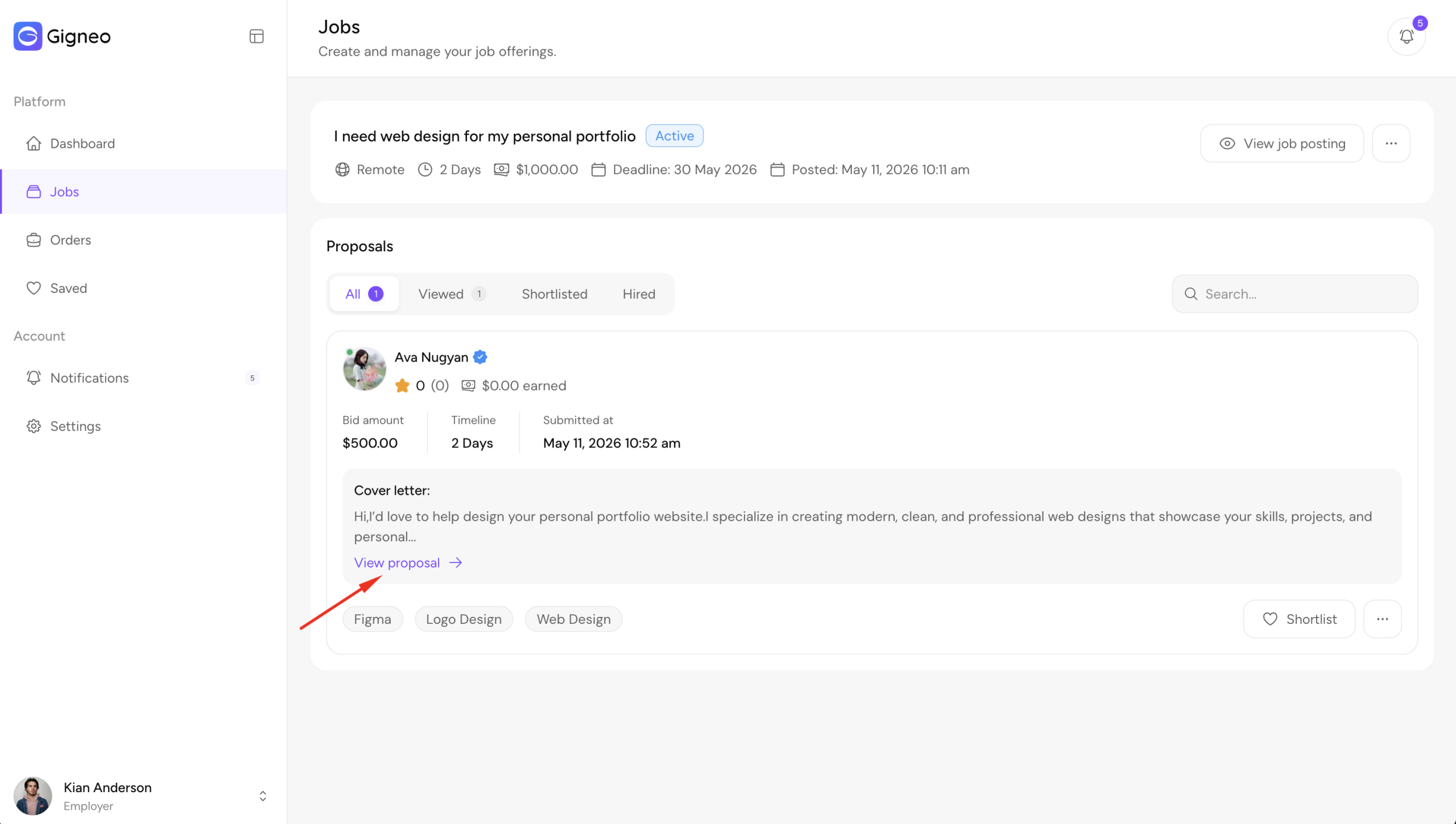
From this list, employers can open and view any individual proposal in detail.
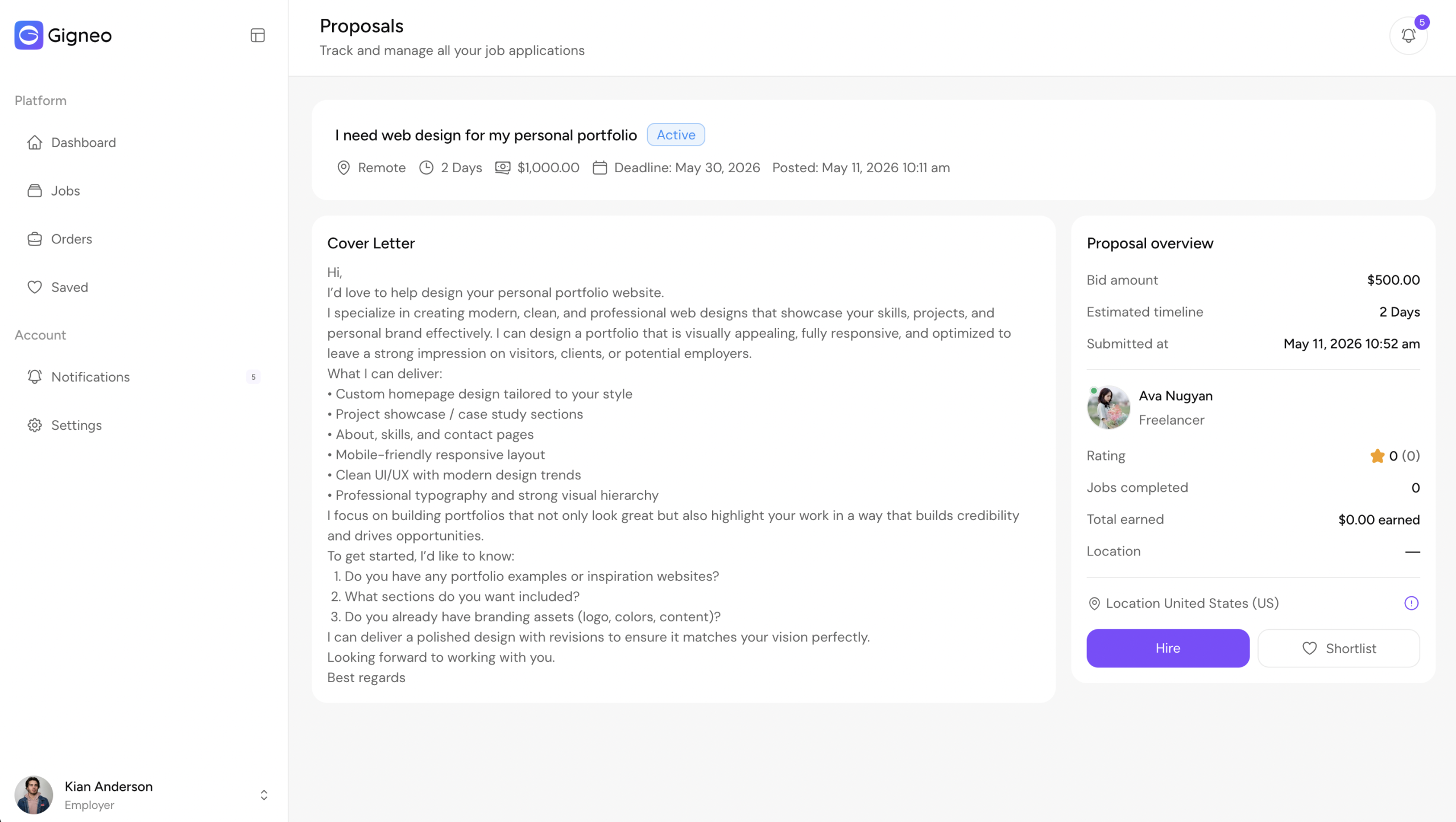
The proposal details page allows employers to review all submitted information including the freelancer’s bid amount, project duration, cover letter, attachments, and freelancer profile details.
This allows employers to carefully compare applicants and evaluate which freelancer best matches the project requirements before making a hiring decision.
Hiring a Freelancer
After reviewing proposals, the employer can hire the preferred freelancer directly from the proposal details page.
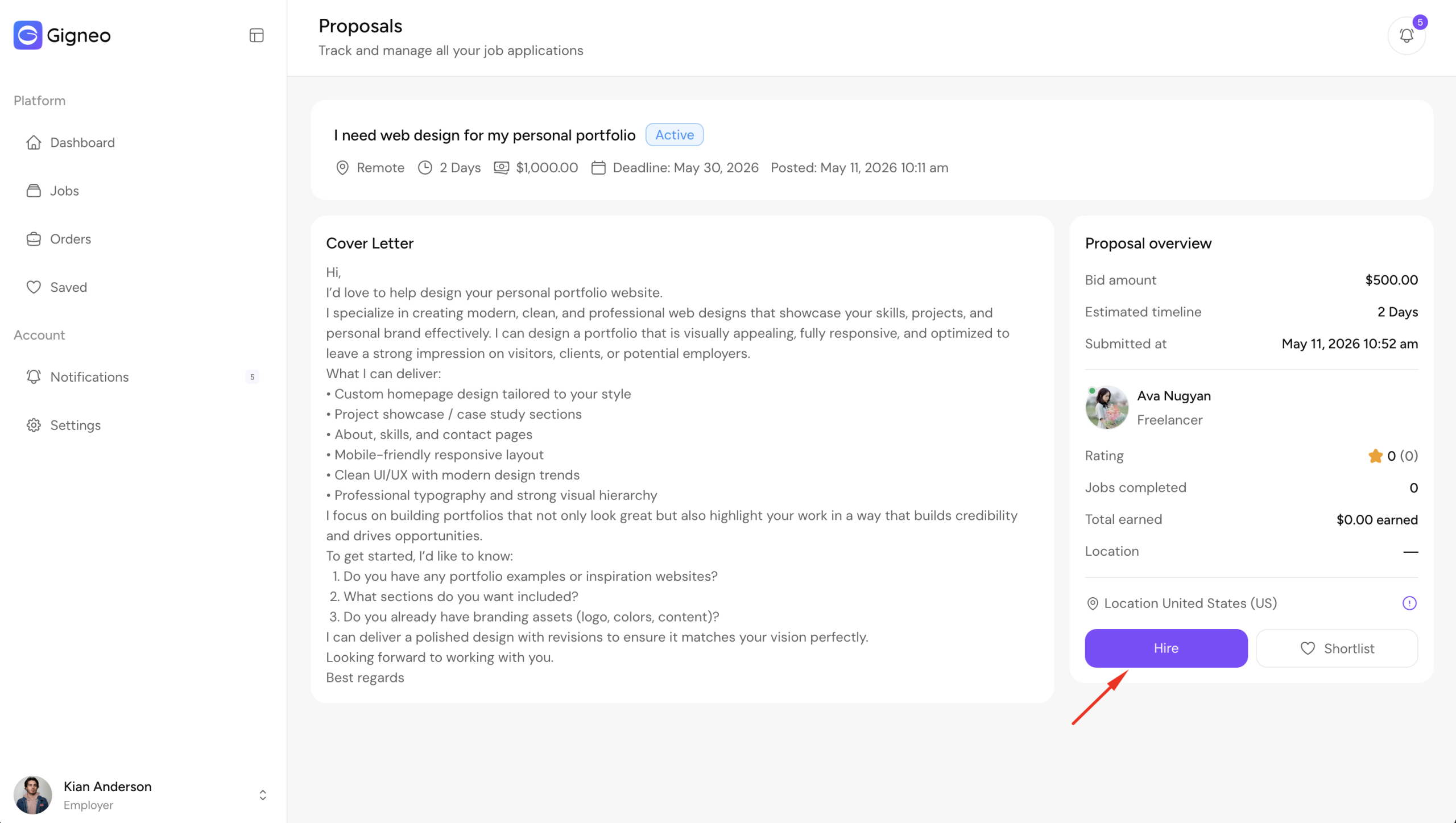
Once the employer confirms the hiring, the proposed project amount will be deducted directly from the employer’s wallet balance.
Since Gigneo uses the wallet system for marketplace transactions, employers must have sufficient funds available before hiring.
If the wallet balance is insufficient, please refer to the detailed Wallet System guide to add funds before proceeding.
After successful payment confirmation, the job order will be created automatically and both the employer and freelancer will be redirected to the order details page.
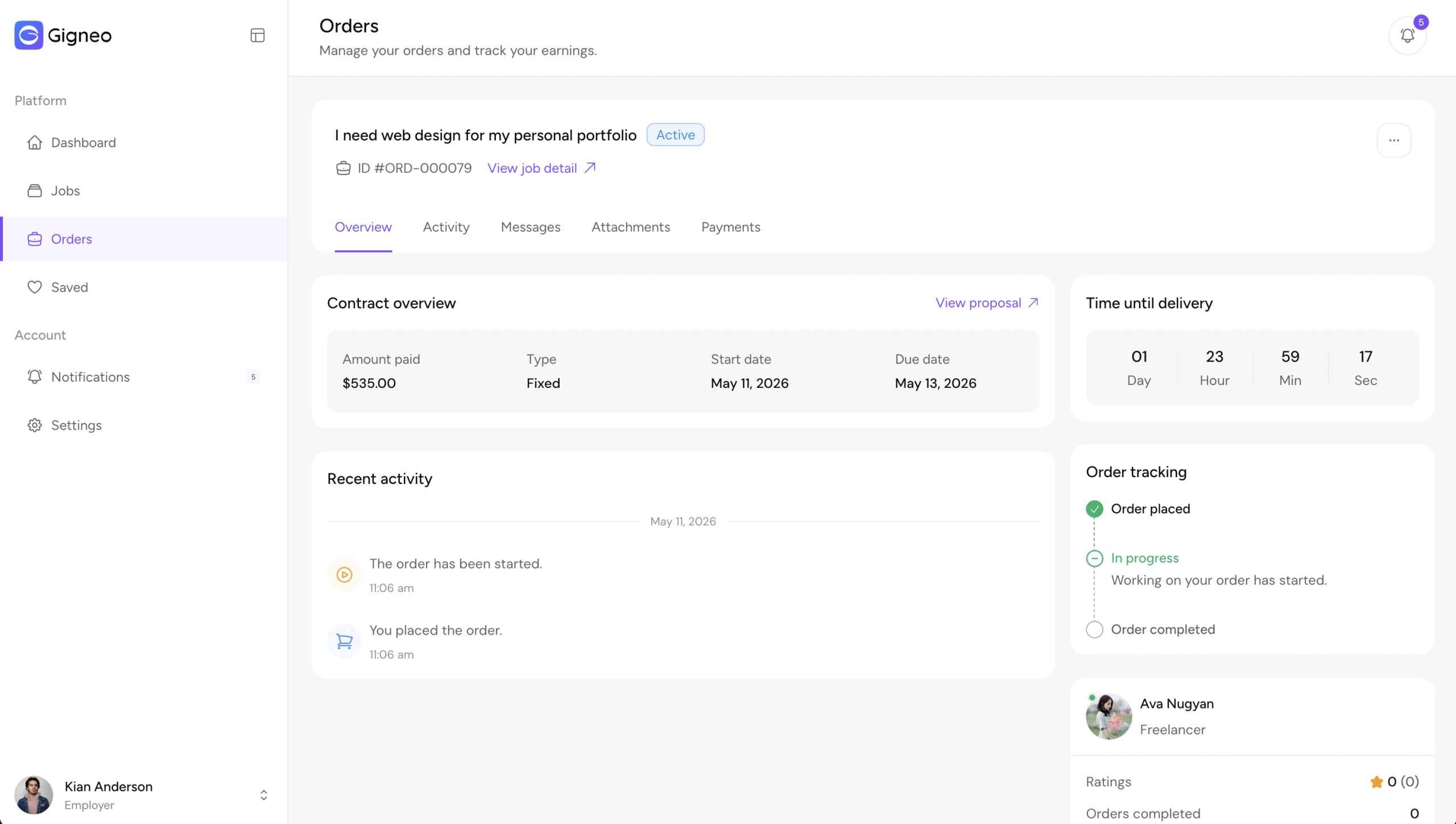
From there, project communication, delivery, revisions, and order completion can be managed.
For complete instructions on order workflow and management, please refer to the dedicated Manage Orders guide.