
The User Settings section allows freelancers and employers to manage their profile information, account preferences, billing details, and security settings.
Users can access all settings by navigating to Dashboard → Settings.
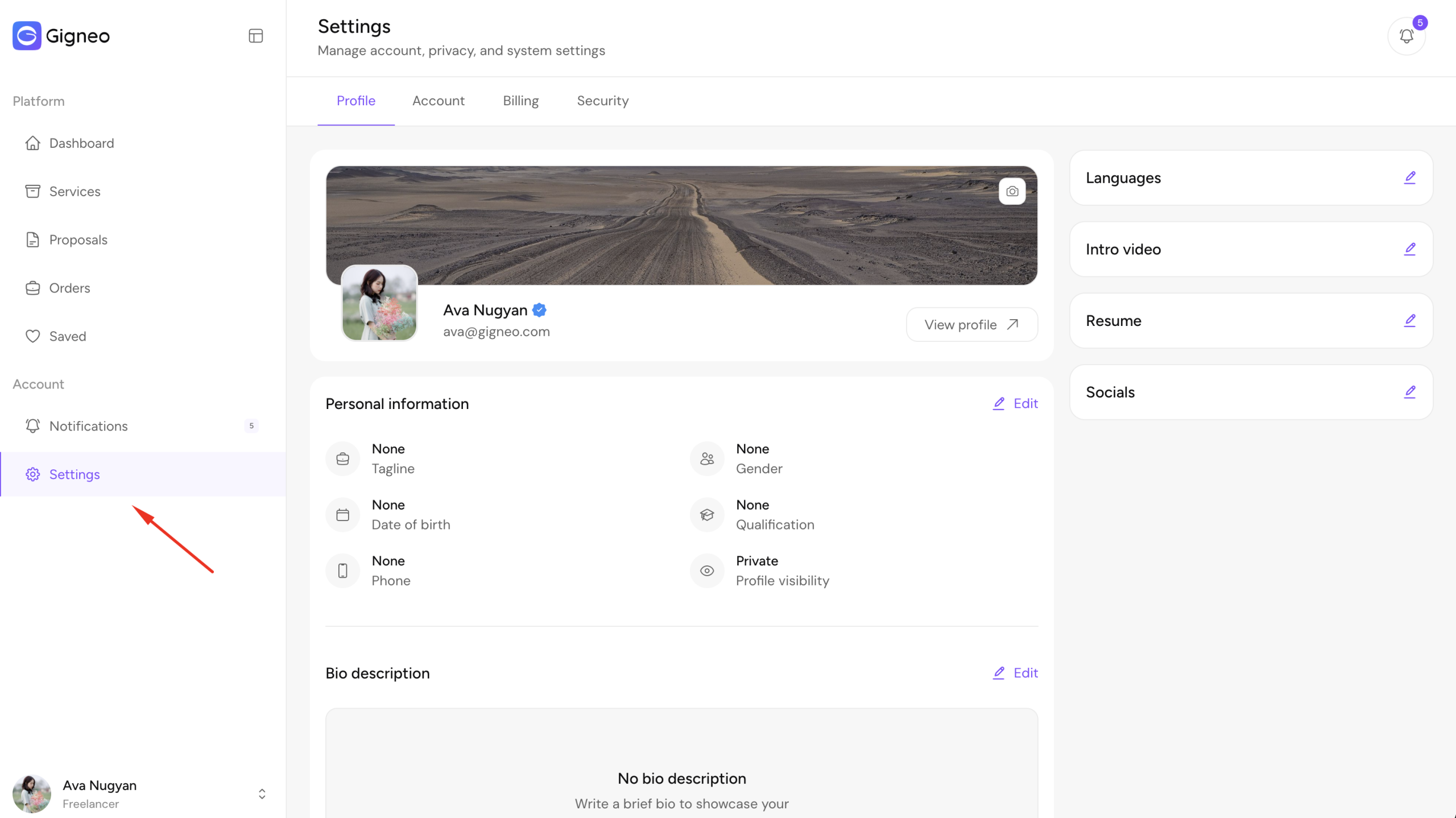
The settings area is divided into four tabs: Profile, Account, Billing, and Security.
Profile Settings
The Profile tab allows freelancers and employers to build and manage their public marketplace profile.
From here, users can update profile information such as profile image, cover image, personal information, bio, address, and location.
Users can also manage professional details including categories, skills, portfolio, education, experience, awards, licenses, certificates, FAQs, spoken languages, intro video, and resume.
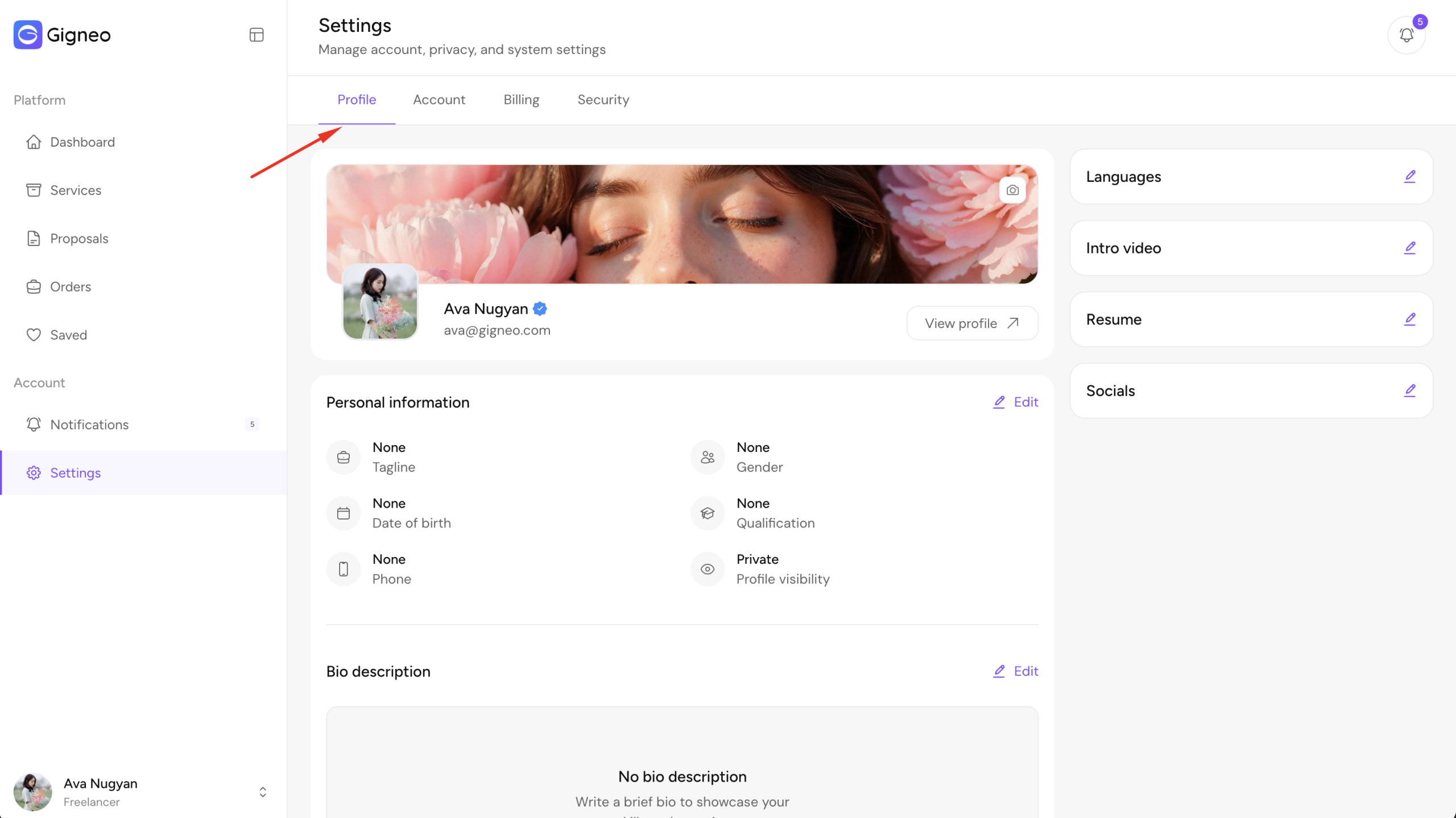
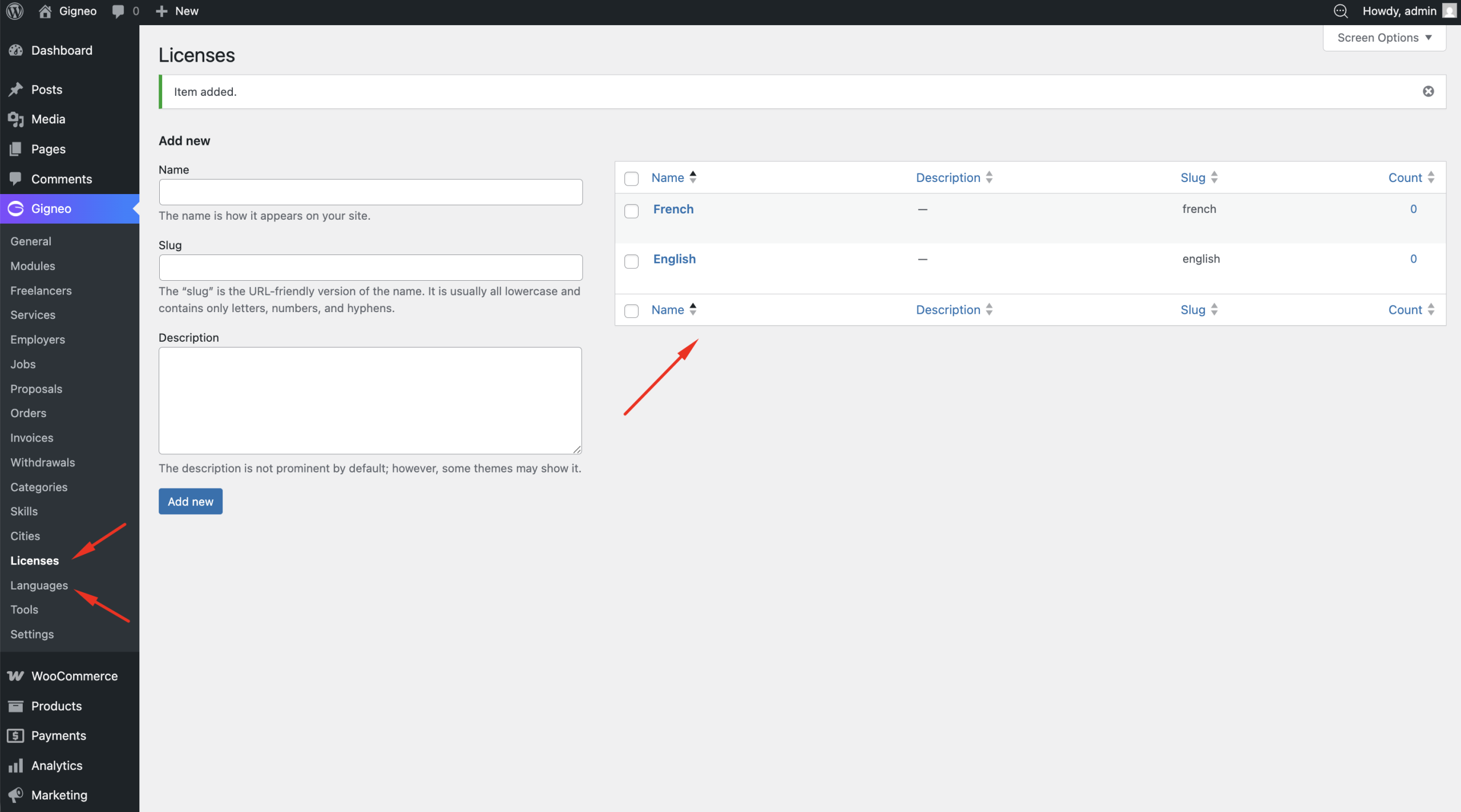
Languages and licenses are selectable fields managed by the marketplace administrator.
Administrators must first create available options from Gigneo → Languages and Gigneo → Licenses before users can select them.
Keeping profile information complete and updated helps improve marketplace visibility and creates a stronger professional presence for both freelancers and employers.
Account Settings
The Account tab allows users to manage their core account information.
From here, freelancers and employers can update WordPress account details such as nickname and other account-related information.
Users can also manage notification preferences by enabling or disabling onscreen notifications.
Additional account management options are available here, including setting account status to offline, deactivating the account, or permanently closing it.
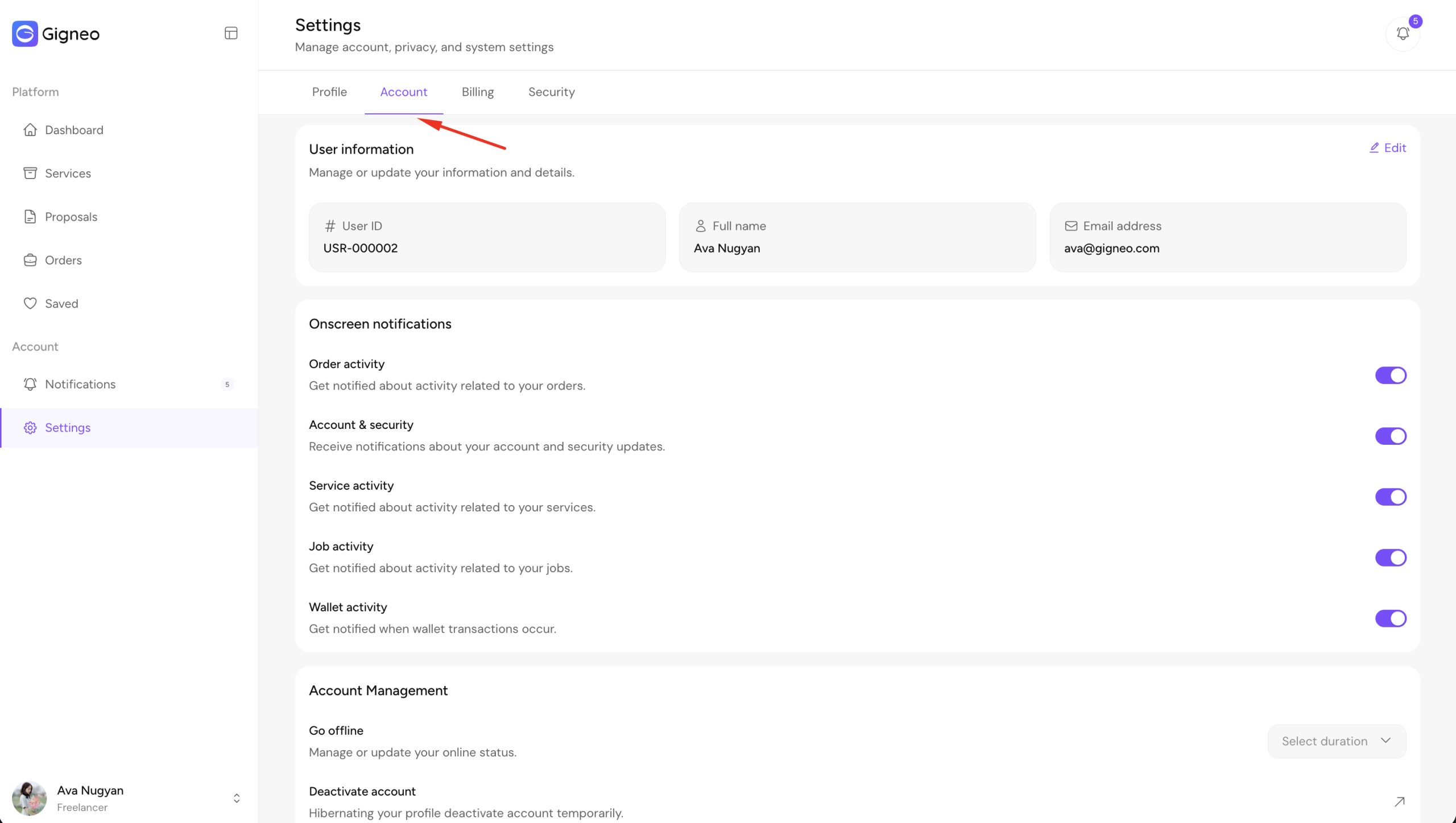
These options give users full control over how their account appears and behaves across the marketplace.
Billing Settings
The Billing tab allows users to manage billing details and configure payout methods for withdrawals.
Users can add their billing information and set up payout accounts using enabled payout methods configured by the marketplace administrator.
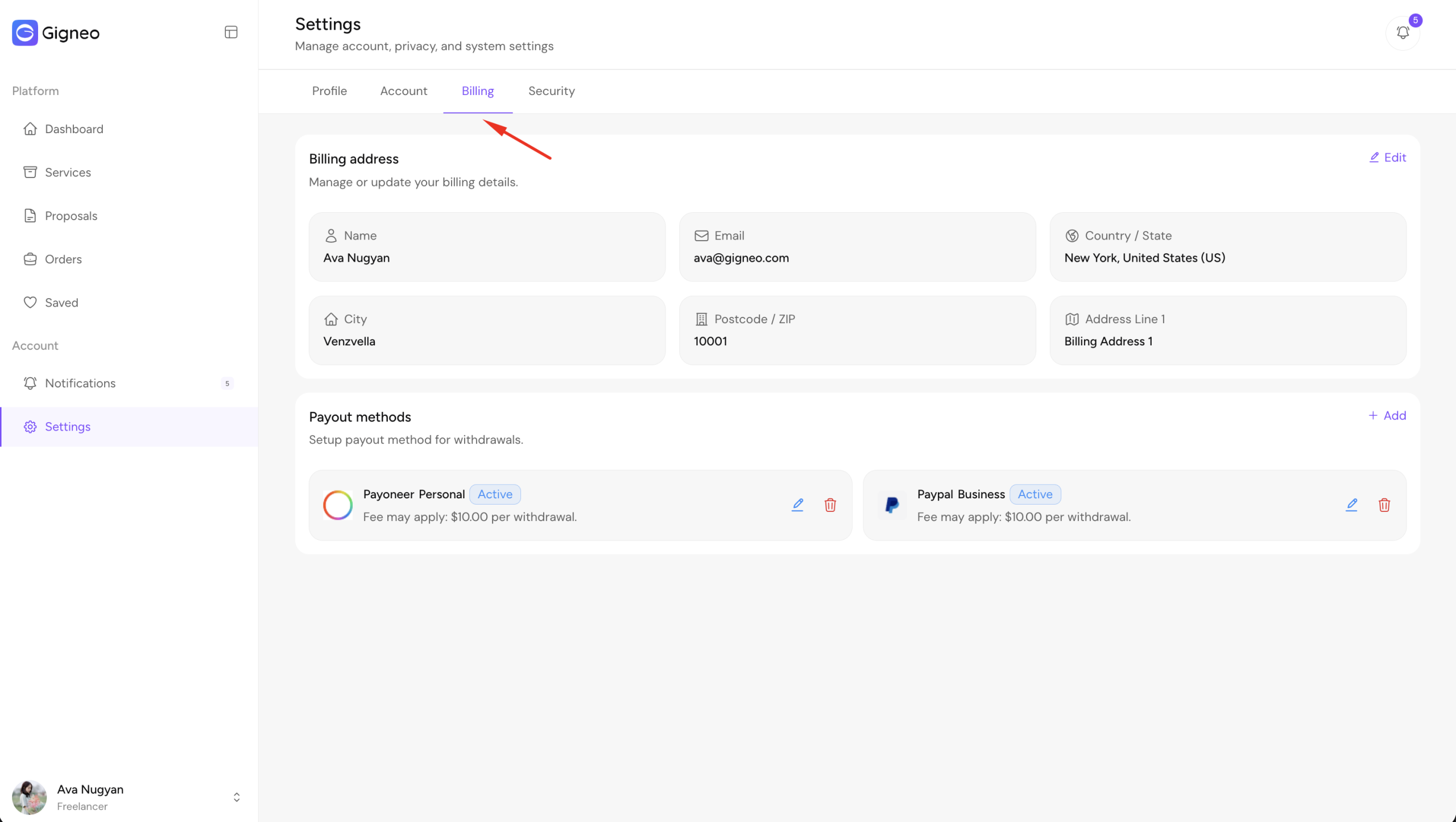
Proper billing and payout setup is required for smooth withdrawal processing. For detailed instructions on how withdrawals work, please refer to the dedicated Withdrawal System guide.
Security Settings
The Security tab provides account protection and session management options.
From here, users can change their account password at any time.
Users can also view all currently logged-in sessions and terminate active sessions if needed.
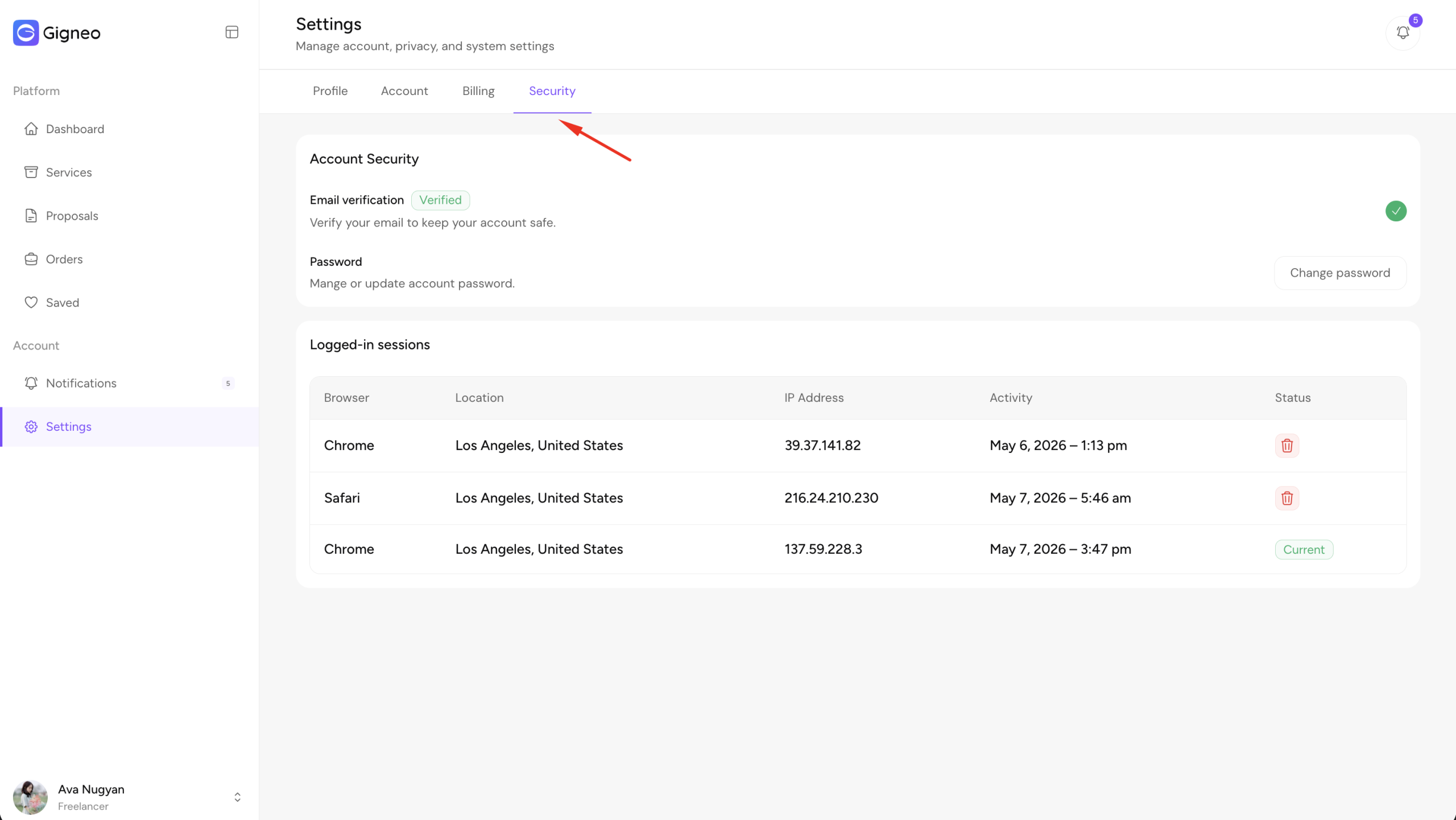
These security tools help users protect their account and maintain full control over account access across devices.