
After installing Gigneo Pro, you need to activate your license to unlock the premium modules and features included with your purchased plan.
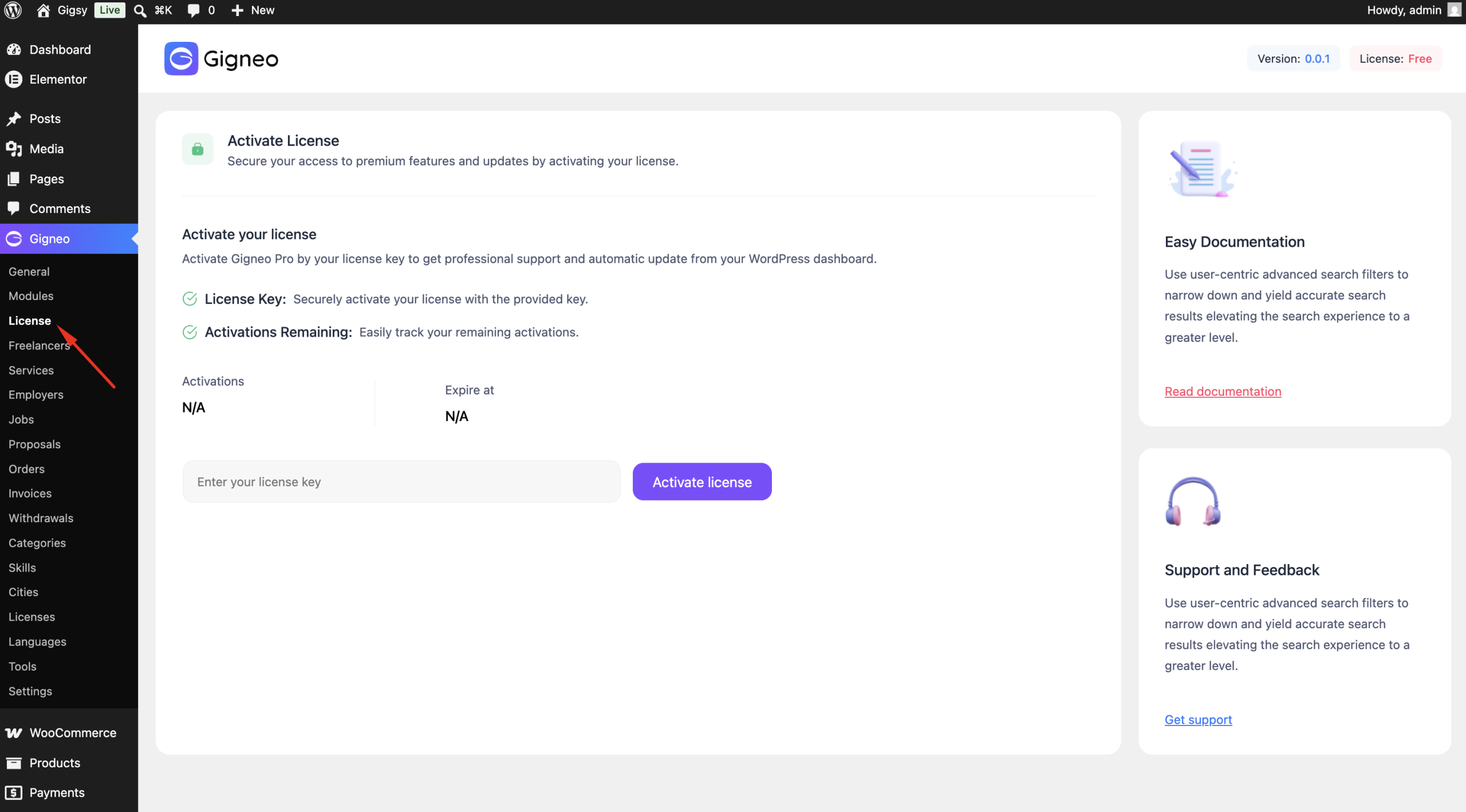
Open the License Page
Navigate to:
WP Admin → Gigneo → License
This page allows you to activate or deactivate your Gigneo Pro license.
Find Your License Key
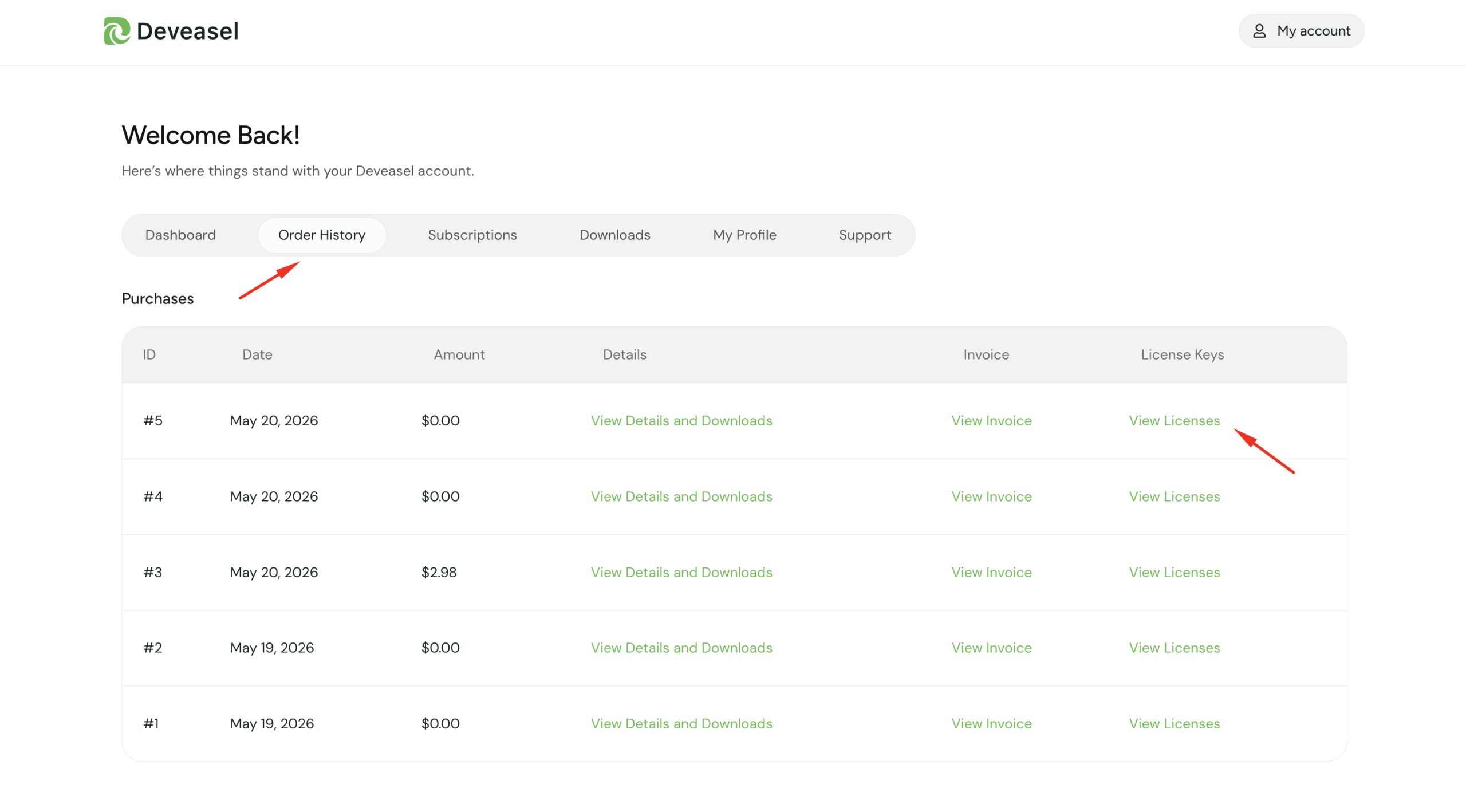
You can find your license key in your Deveasel Customer Dashboard.
Navigate to:
Deveasel Account → Order History → View Licenses
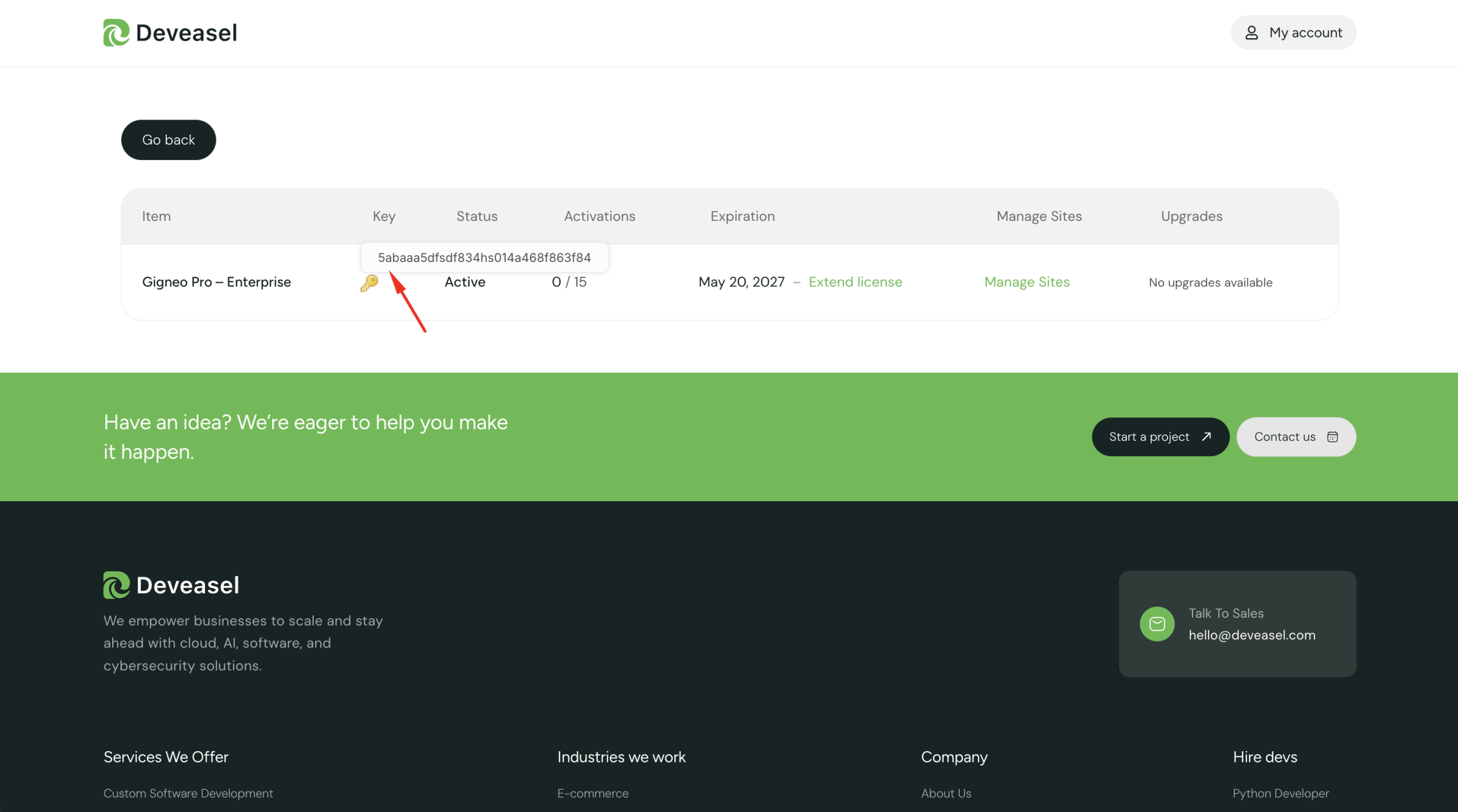
Open your purchased license to view and copy your license key.
Activate Your License
Return to your WordPress dashboard and paste the copied license key into the License Key field.
Click Activate License.
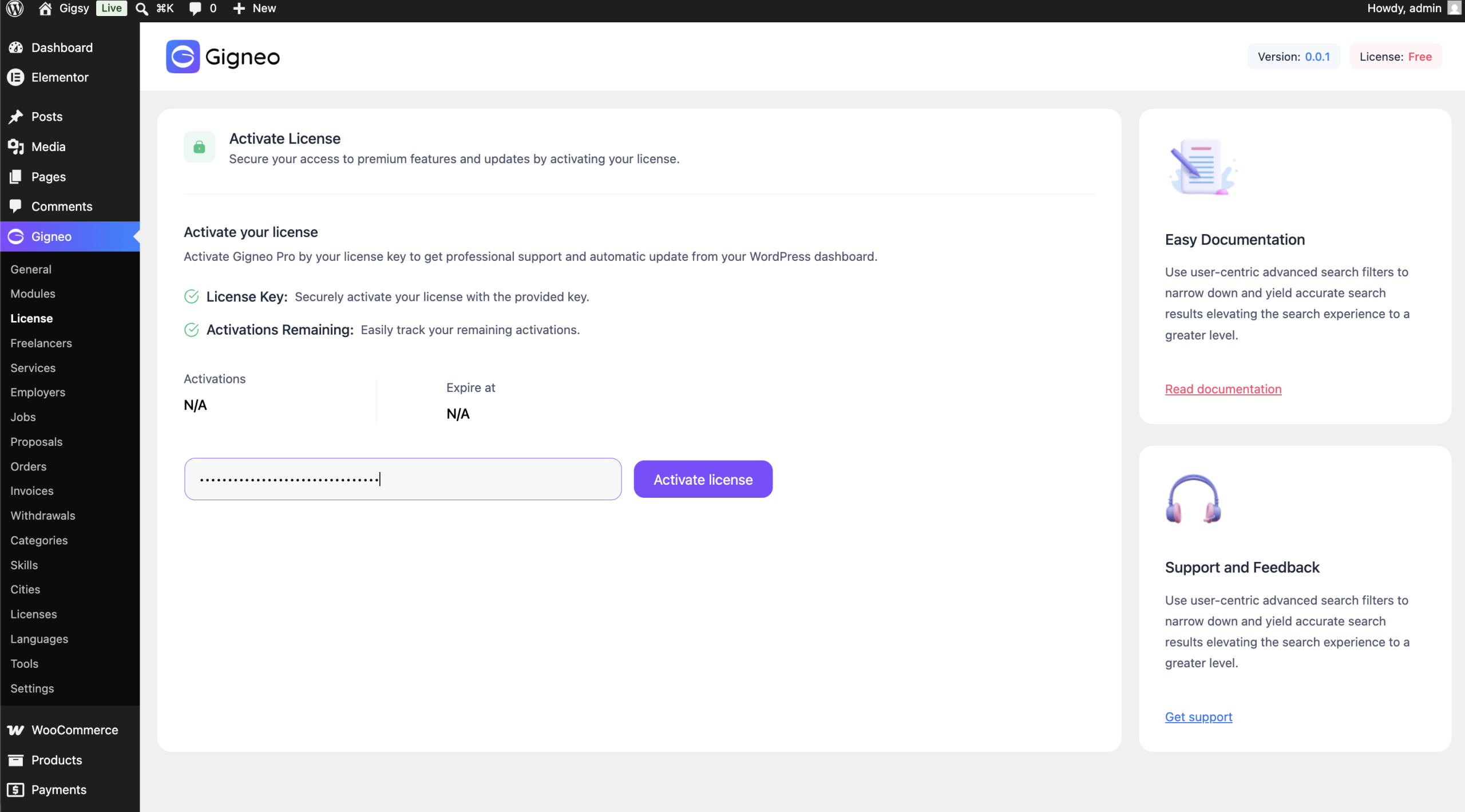
Once activated, your website will be connected to your Deveasel account and all premium modules included with your license will become available.
What’s Next?
After activating your license, continue with:
- Subscription Management
- Premium Modules
- Updating Gigneo Pro