
The Social Authentication module allows users to register and log in to your marketplace using their social media accounts.
Supported providers include Google, Facebook, and LinkedIn, making the registration and login process faster and more convenient.
Users can also connect or disconnect their social accounts later from their account settings.
This is a Gigneo Pro module and requires a minimum Professional License or higher.
Enable the Module
Before using Social Authentication, make sure your Gigneo Pro license is activated.
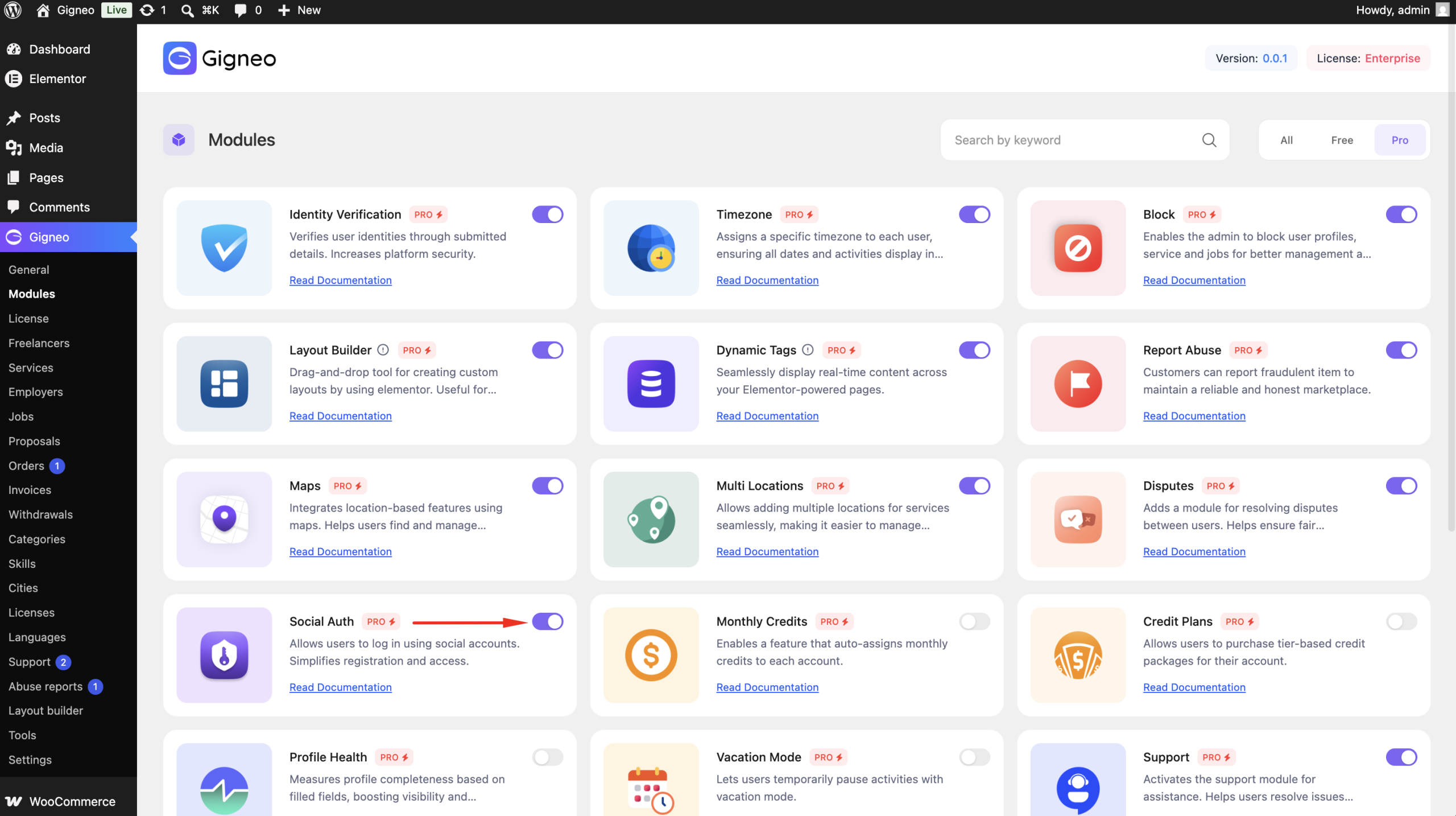
Navigate to:
WP Admin → Gigneo → Modules
Enable the Social Authentication module.
Configure Social Login
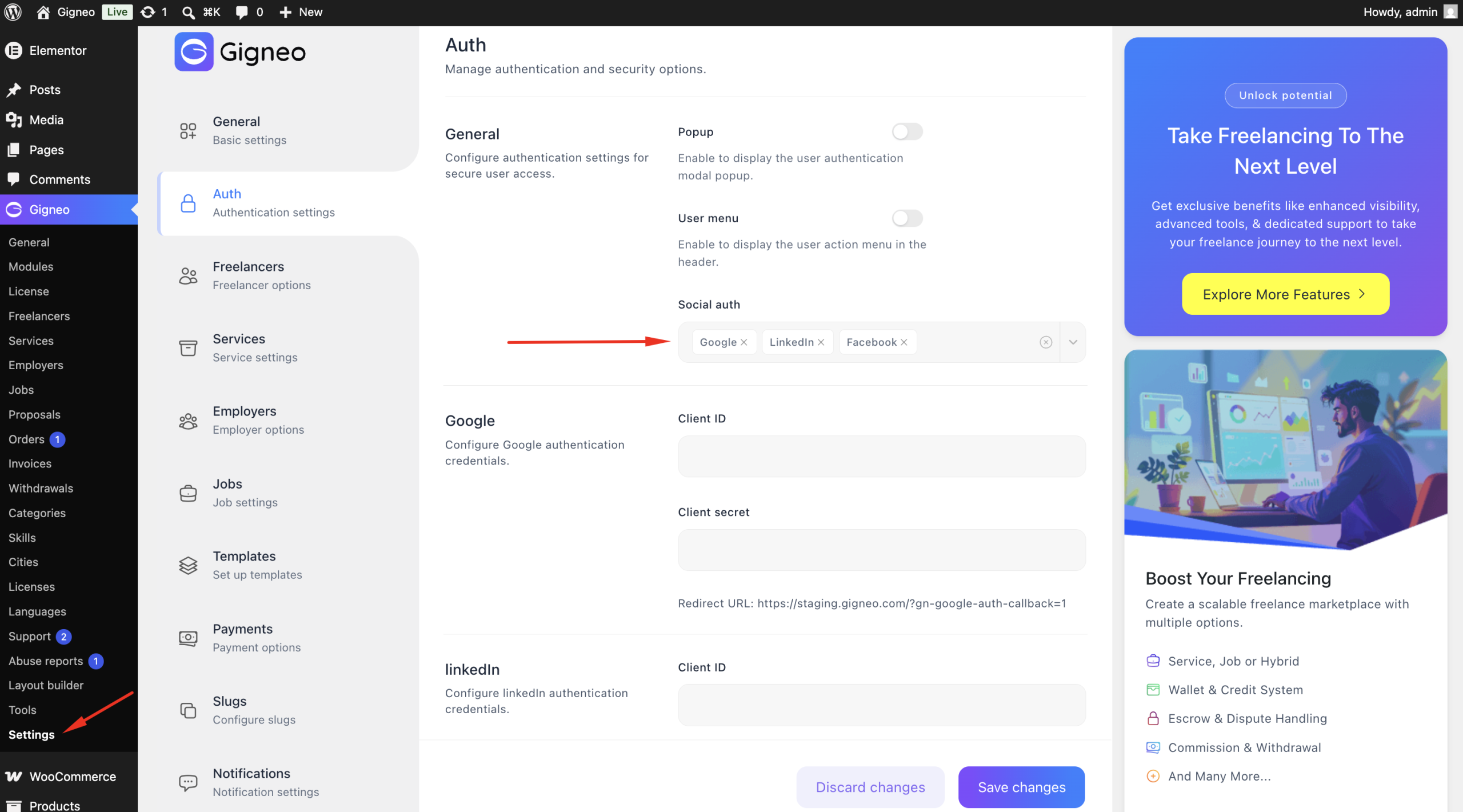
Navigate to:
WP Admin → Gigneo → Settings → Auth
From here, administrators can configure the available social login providers.
Supported providers include:
For each provider, enter the required API credentials and enable the login or register option.
Login & Register with Social Accounts
Once configured, the selected social login buttons will appear on the marketplace login and registration pages.
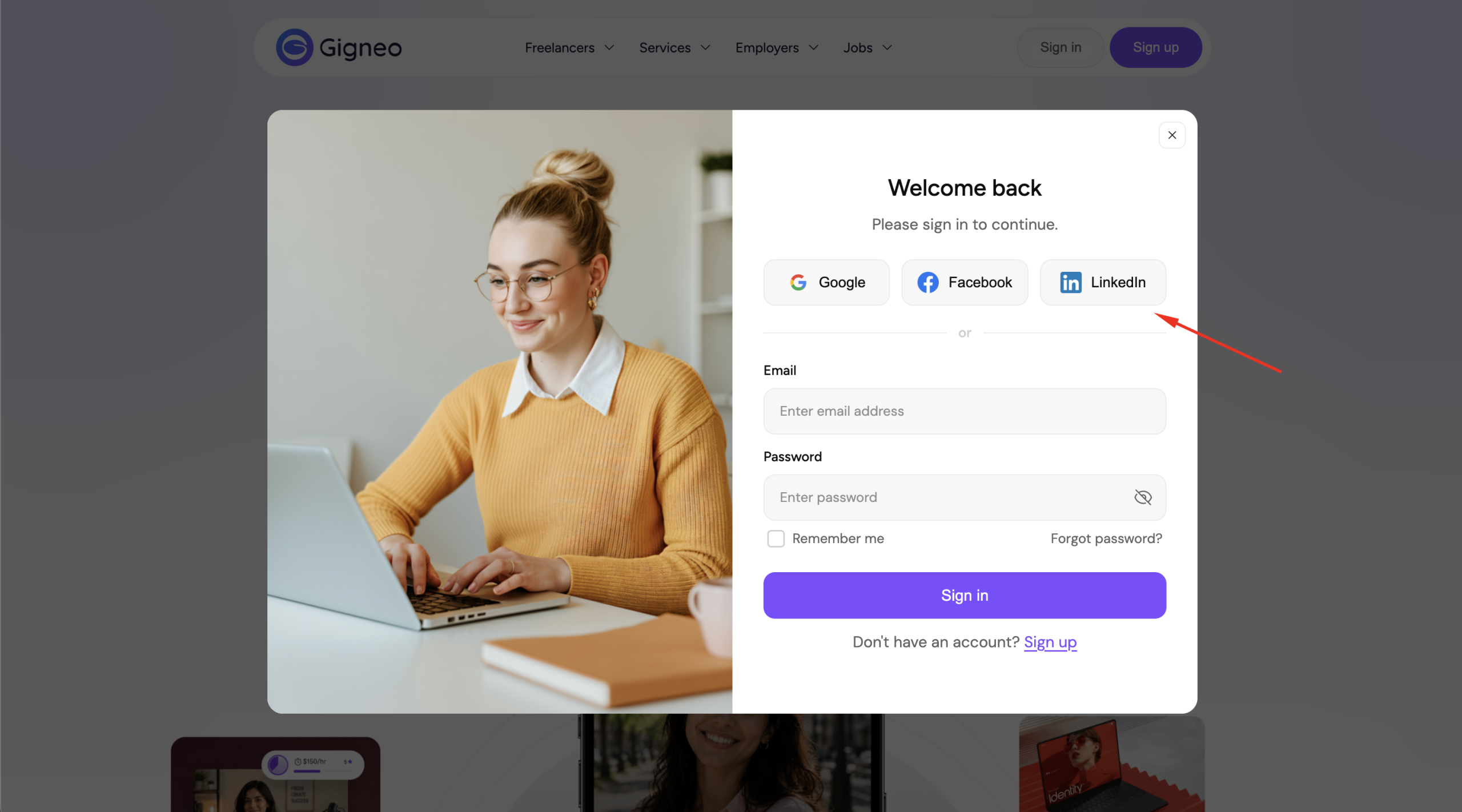
Users can choose their preferred provider to quickly create an account or sign in without entering a password.
Connect Social Accounts
Users can manage their connected social accounts after logging in.
Navigate to:
Dashboard → Settings → Account
From the Connected Accounts section, users can:
- Connect a Google account
- Connect a Facebook account
- Connect a LinkedIn account
- Disconnect previously connected accounts
Connecting a social account allows users to use that provider for future logins.
Benefits
The Social Authentication module helps you:
- Simplify user registration and login.
- Support Google, Facebook, and LinkedIn authentication.
- Reduce password-related issues.
- Allow users to connect or disconnect social accounts at any time.
- Improve the overall onboarding experience.
This module provides a faster and more convenient authentication experience while giving users full control over their connected social accounts.