
Gigneo includes a built-in commission system for both service orders and job orders. Marketplace administrators can configure commissions separately for freelancers and employers using fixed amounts, percentage rates, or a combination of both.
The Commission Tiers module extends this functionality by allowing you to create multiple commission tiers based on the order amount.
This is a Gigneo Pro module and requires a minimum Business License or higher.
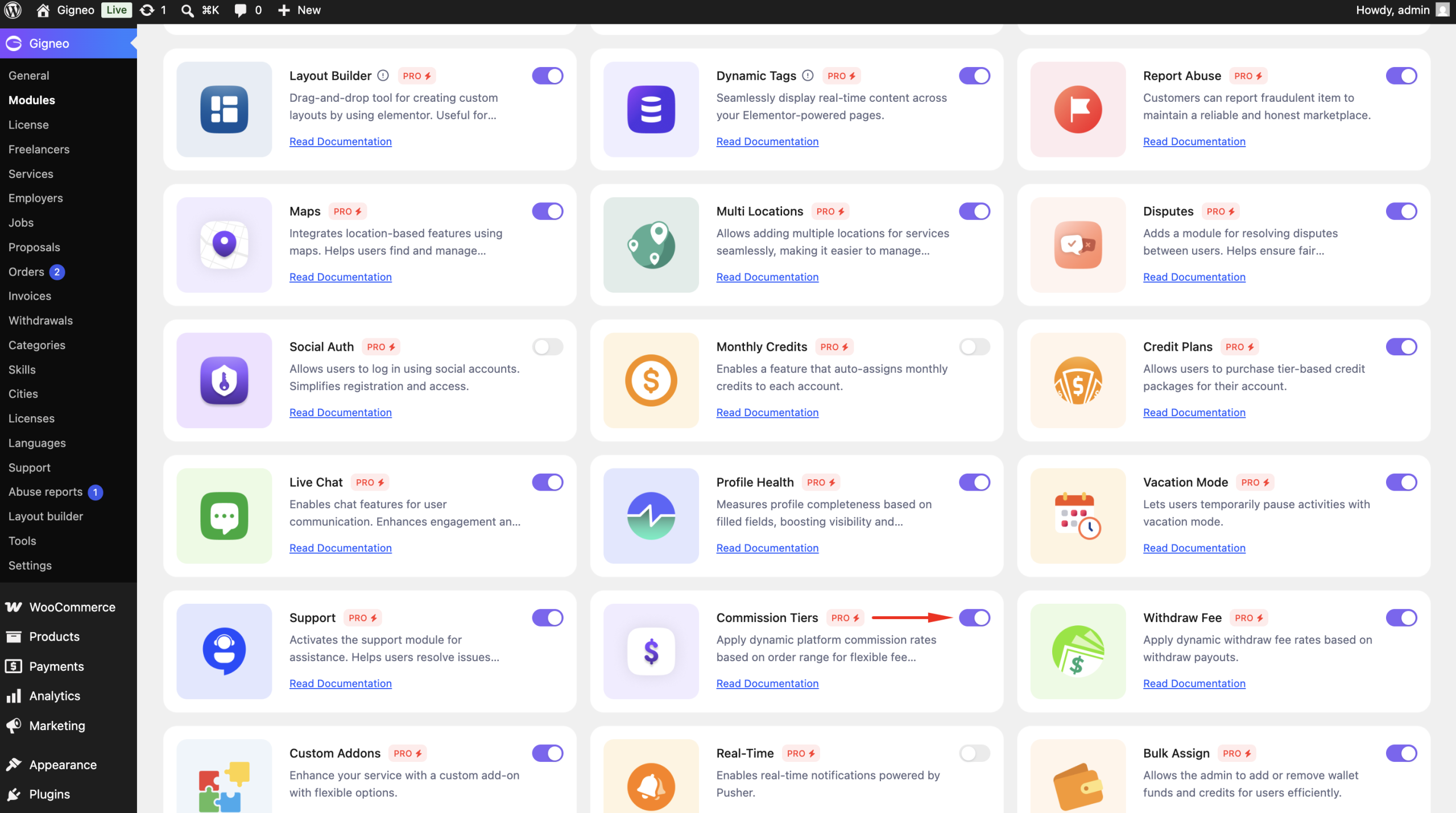
Enable the Module
Before using the Commission Tiers module, make sure your Gigneo Pro license is activated.
Navigate to:
WP Admin → Gigneo → Modules
Enable the Commission Tiers module.
Default Commission Settings
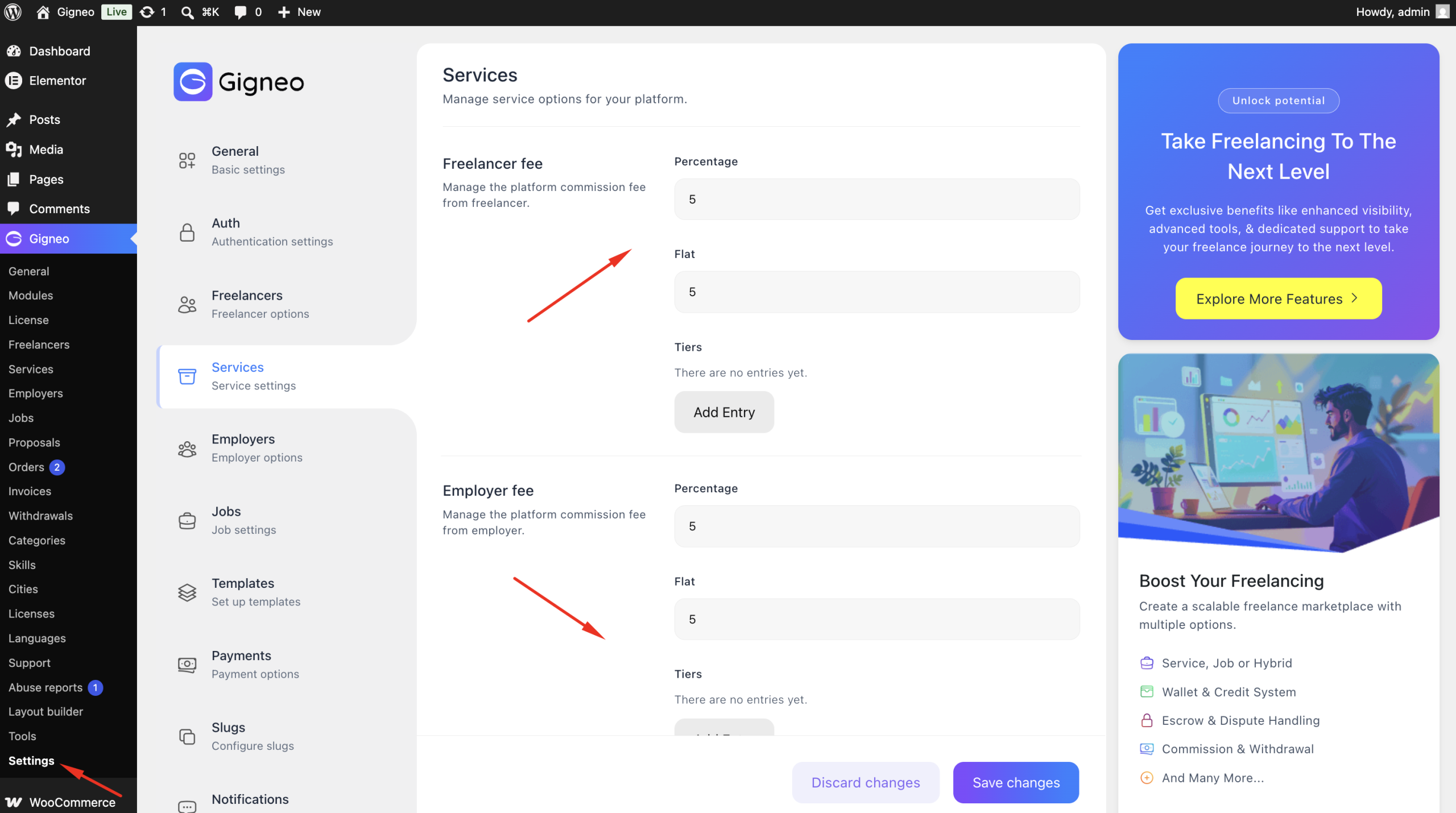
Gigneo allows administrators to configure default commission rules by navigating to:
WP Admin → Gigneo → Settings → Services / Jobs
Commission can be configured separately for:
- Freelancers
- Employers
Each commission can use:
- Fixed Amount
- Percentage
Create Commission Tiers
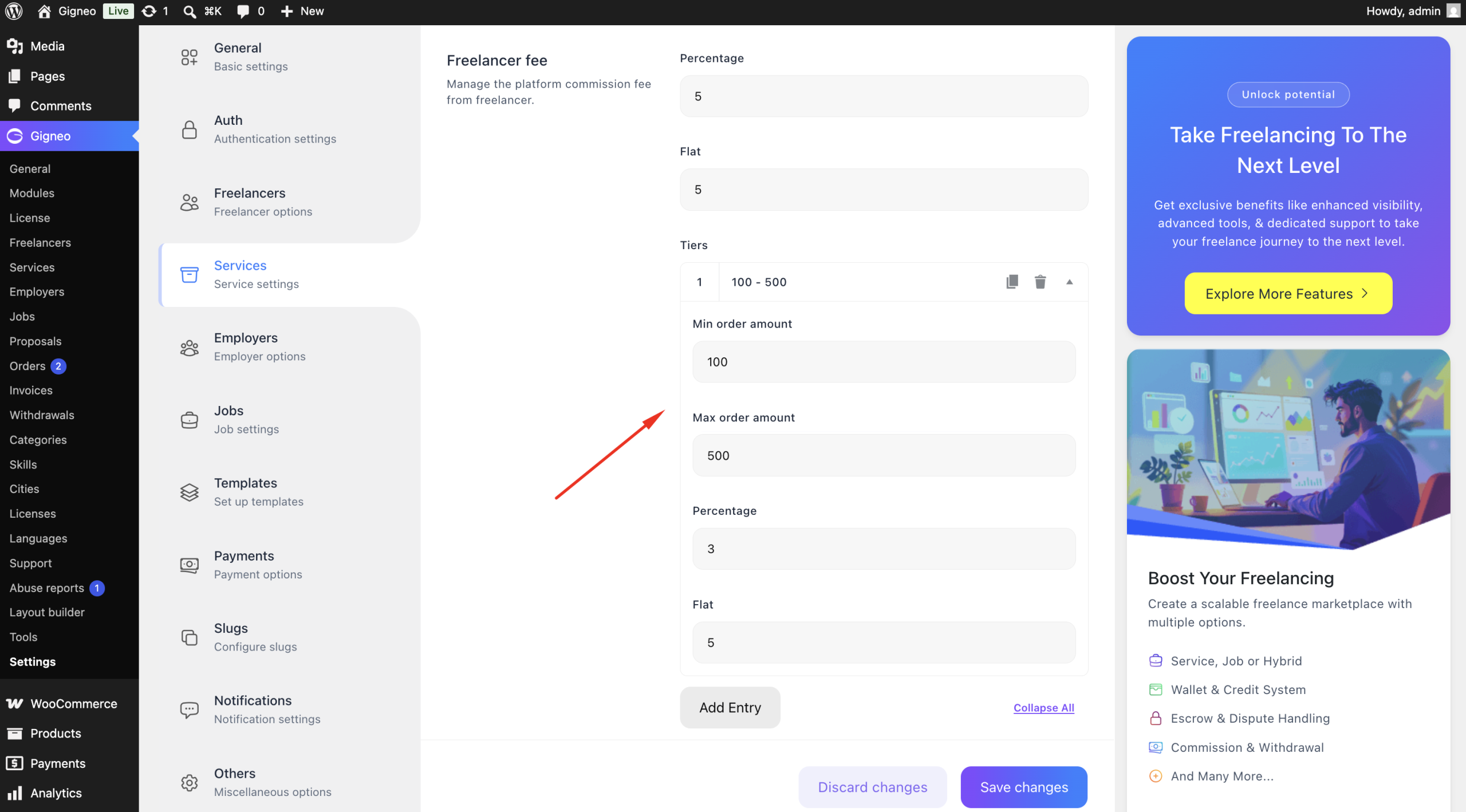
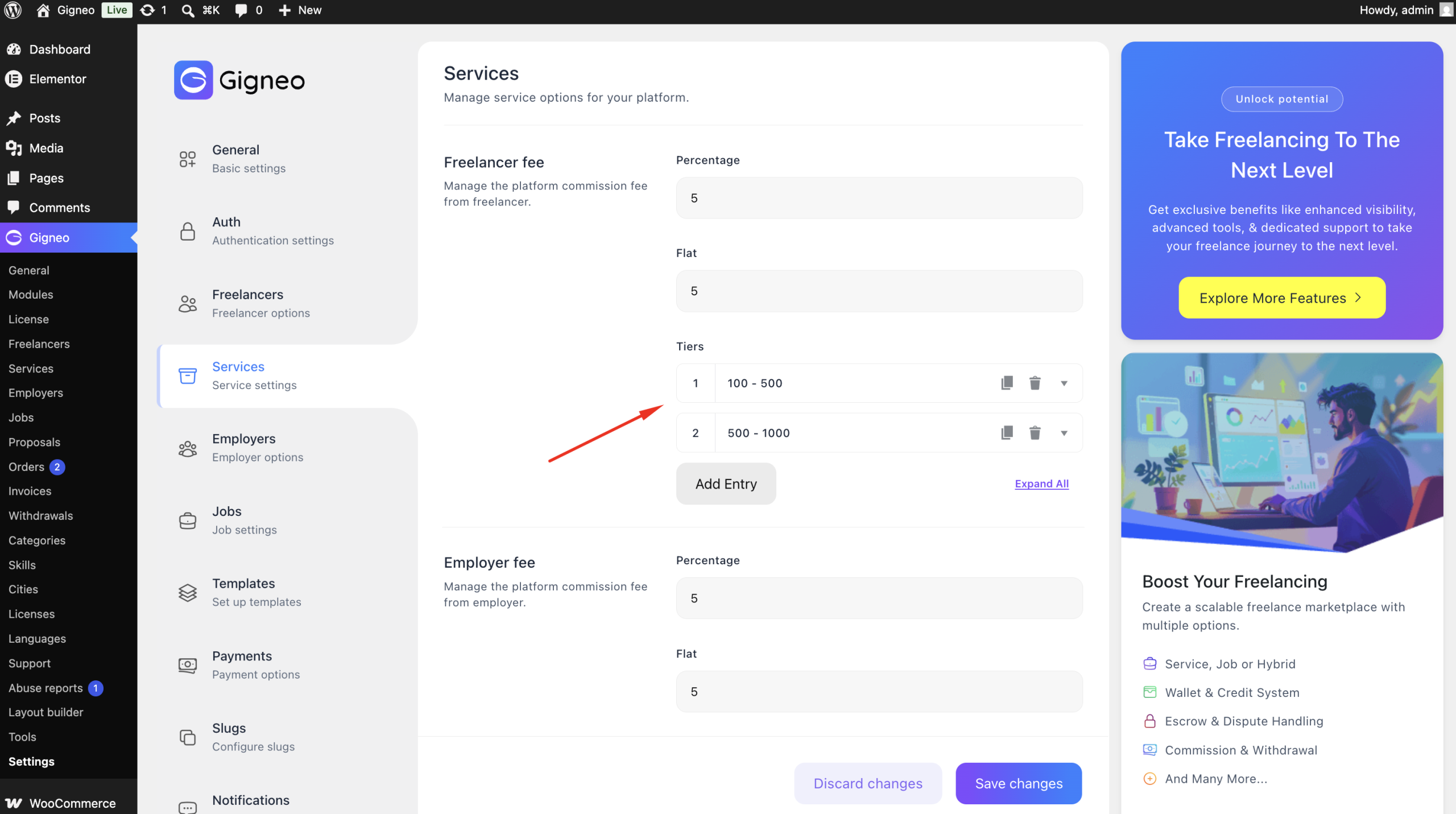
With the Commission Tiers module enabled, administrators can create multiple commission ranges.
Each tier consists of:
- Minimum Order Amount
- Maximum Order Amount
- Fixed Commission
- Percentage Commission
For example:
| Order Amount | Commission |
|---|---|
| $0 – $100 | $5 + 5% |
| $101 – $500 | $10 + 4% |
| $501+ | $20 + 3% |
When an order is placed, Gigneo automatically applies the commission tier that matches the order value.
Global Commission Tiers
Administrators can create commission tiers that apply to the entire marketplace.
These global rules are used automatically unless a user has custom commission settings assigned.
User-Specific Commission Tiers
Commission tiers can also be configured individually for freelancers and employers.
Navigate to:
- WP Admin → Gigneo → Service / Jobs
Open a user’s profile and configure custom commission tiers.
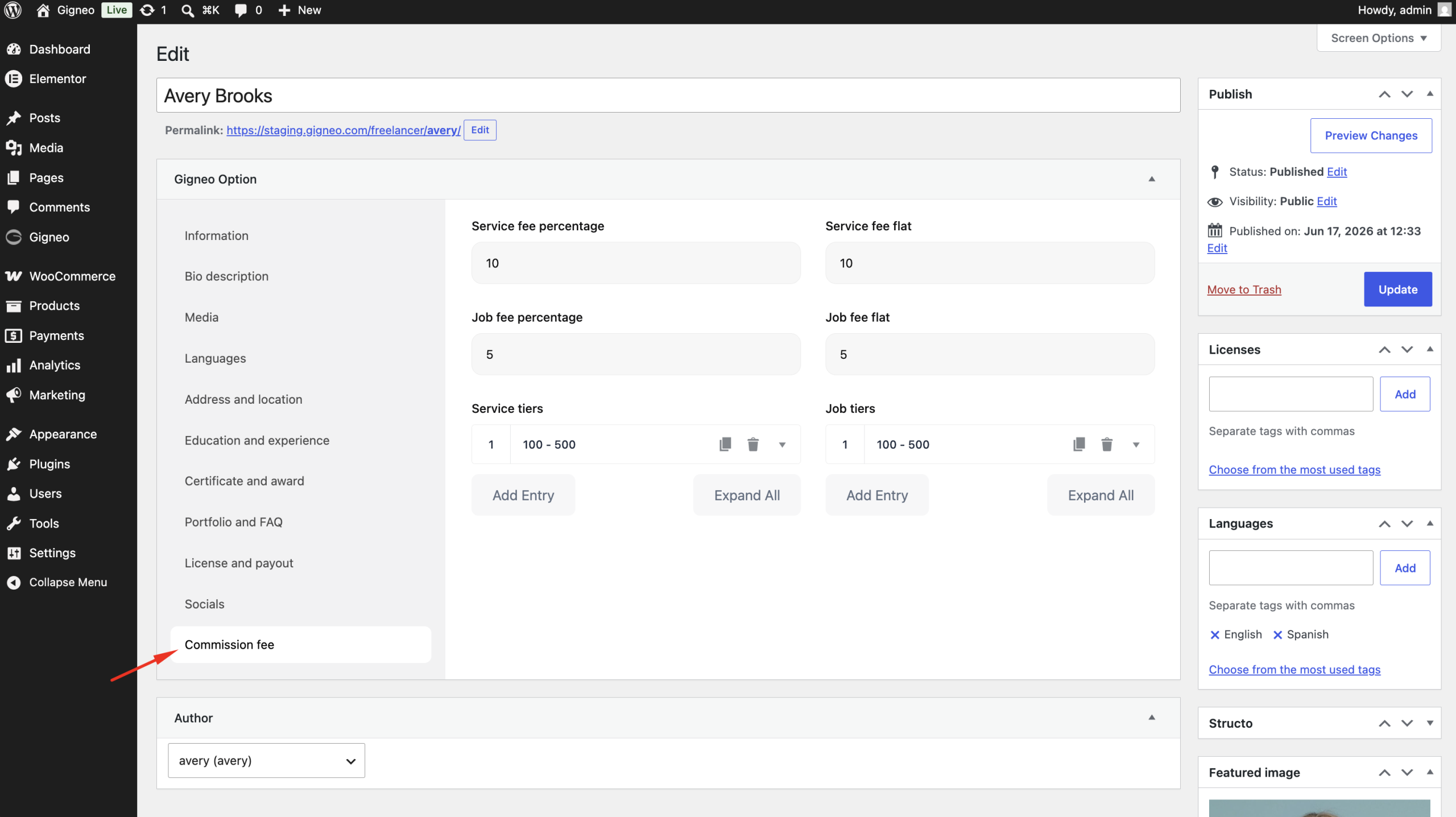
These user-specific rules override the global commission settings.
Automatic Commission Calculation
When a service or job order is completed, Gigneo automatically:
- Checks the order amount.
- Finds the matching commission tier.
- Calculates the configured fixed and percentage commission.
- Applies the commission to the order automatically.
No manual calculation is required.
Benefits
The Commission Tiers module allows you to:
- Create commission tiers based on order value.
- Configure fixed, percentage, or combined commissions.
- Set separate rules for freelancers and employers.
- Apply rules globally or per individual user.
- Automate commission calculations for every order.
This module gives marketplace owners complete flexibility to implement advanced commission strategies while rewarding higher-value transactions with customized commission rates.