
The Custom Addons module allows freelancers to offer optional extras for their services.
Each addon can have its own title, price, and additional delivery time, giving employers the flexibility to customize their order by selecting the extras they need.
This is a Gigneo Pro module and requires a minimum Enterprise License or higher.
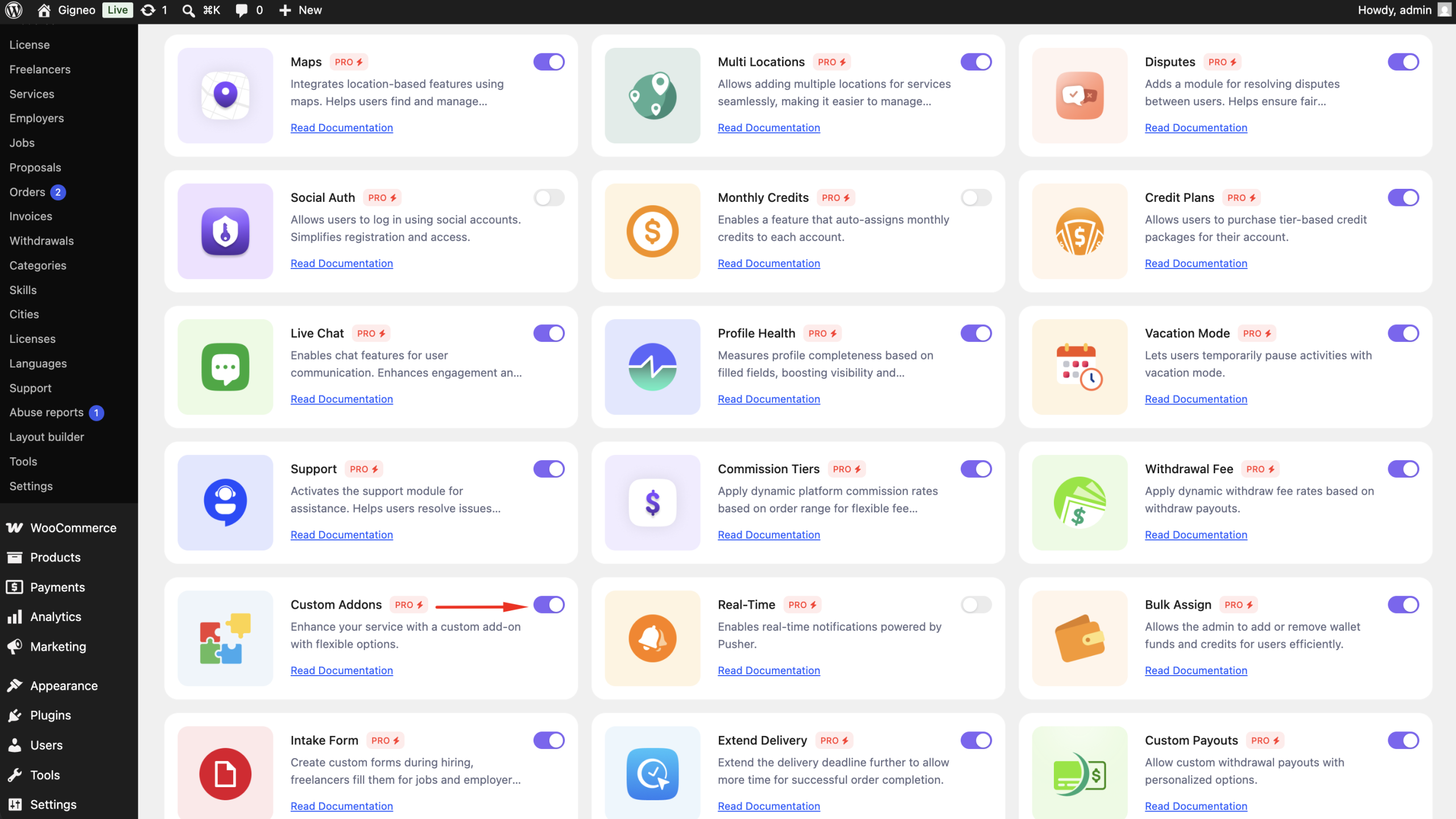
Enable the Module
Before using the Custom Addons module, make sure your Gigneo Pro license is activated.
Navigate to:
WP Admin → Gigneo → Modules
Enable the Custom Addons module.
Create Service Addons
When creating or editing a service, freelancers can add optional addons from the Custom Addons section.
For each addon, users can configure:
- Addon Title
- Description
- Additional Price
- Additional Delivery Time
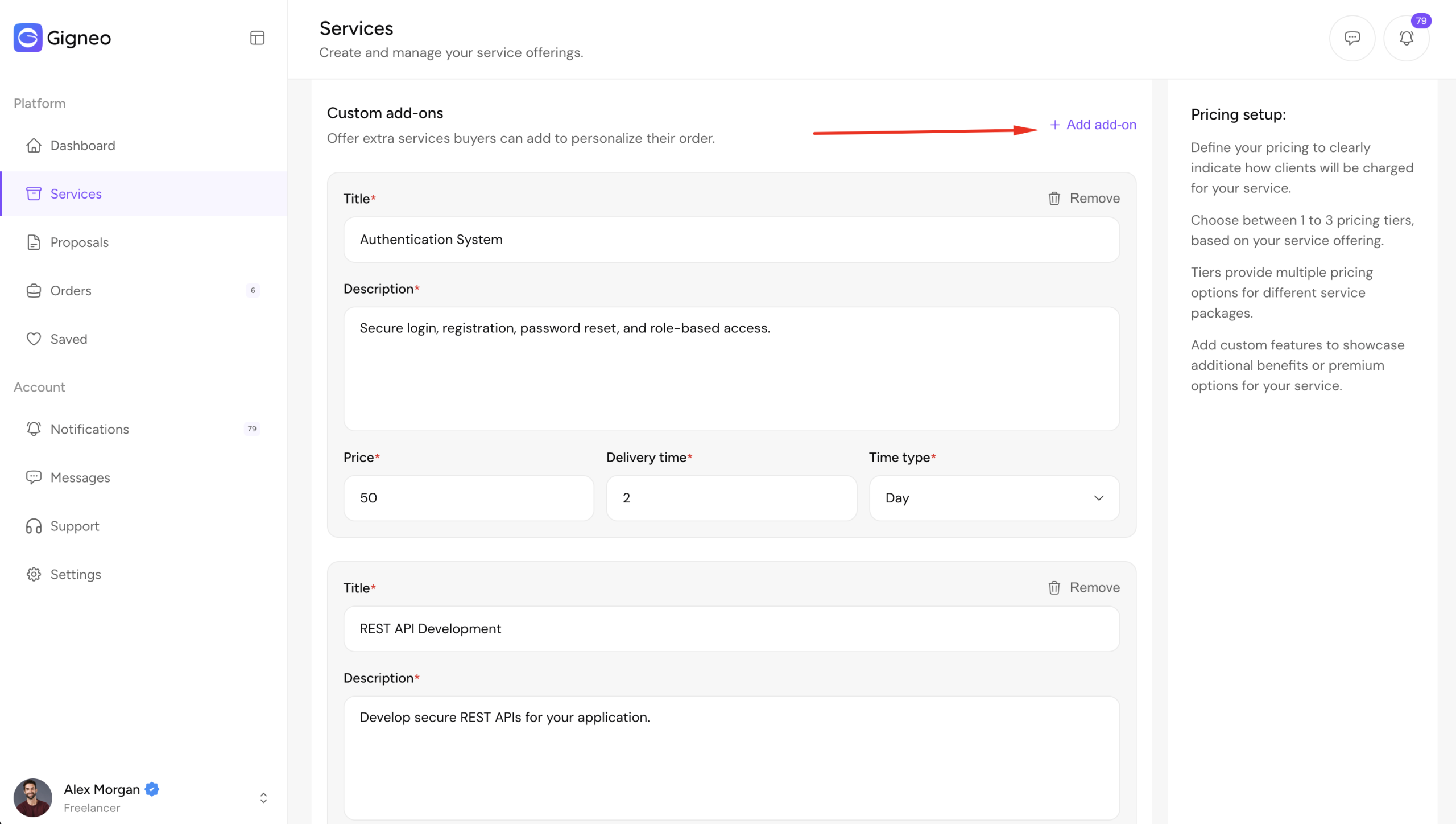
Multiple addons can be created for a single service.
Purchase Addons
When an employer places a service order, all available addons are displayed during checkout.
The employer can select one or more addons based on their project requirements.
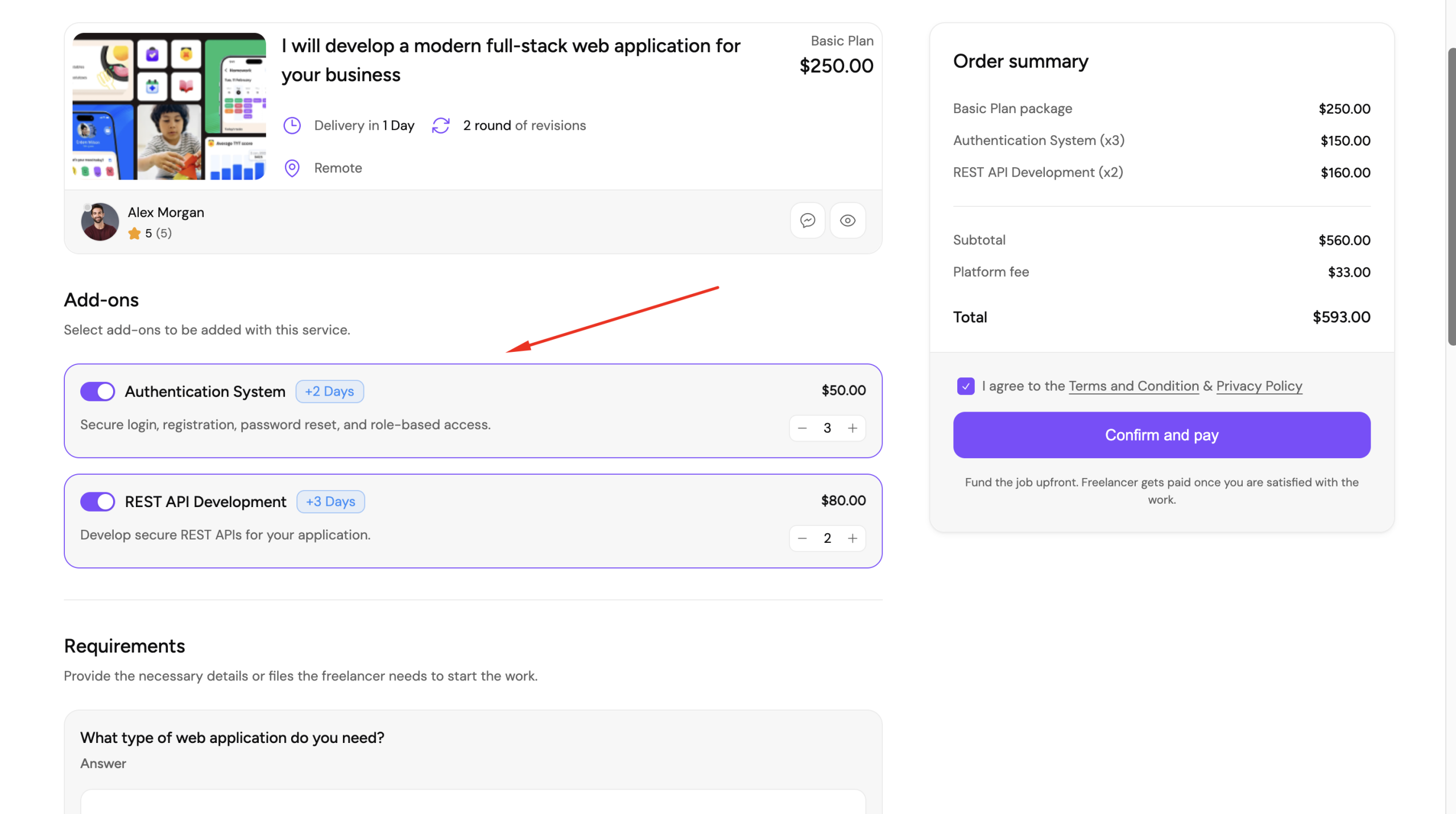
The addon price is automatically added to the service total, and any additional delivery time is included in the final delivery schedule.
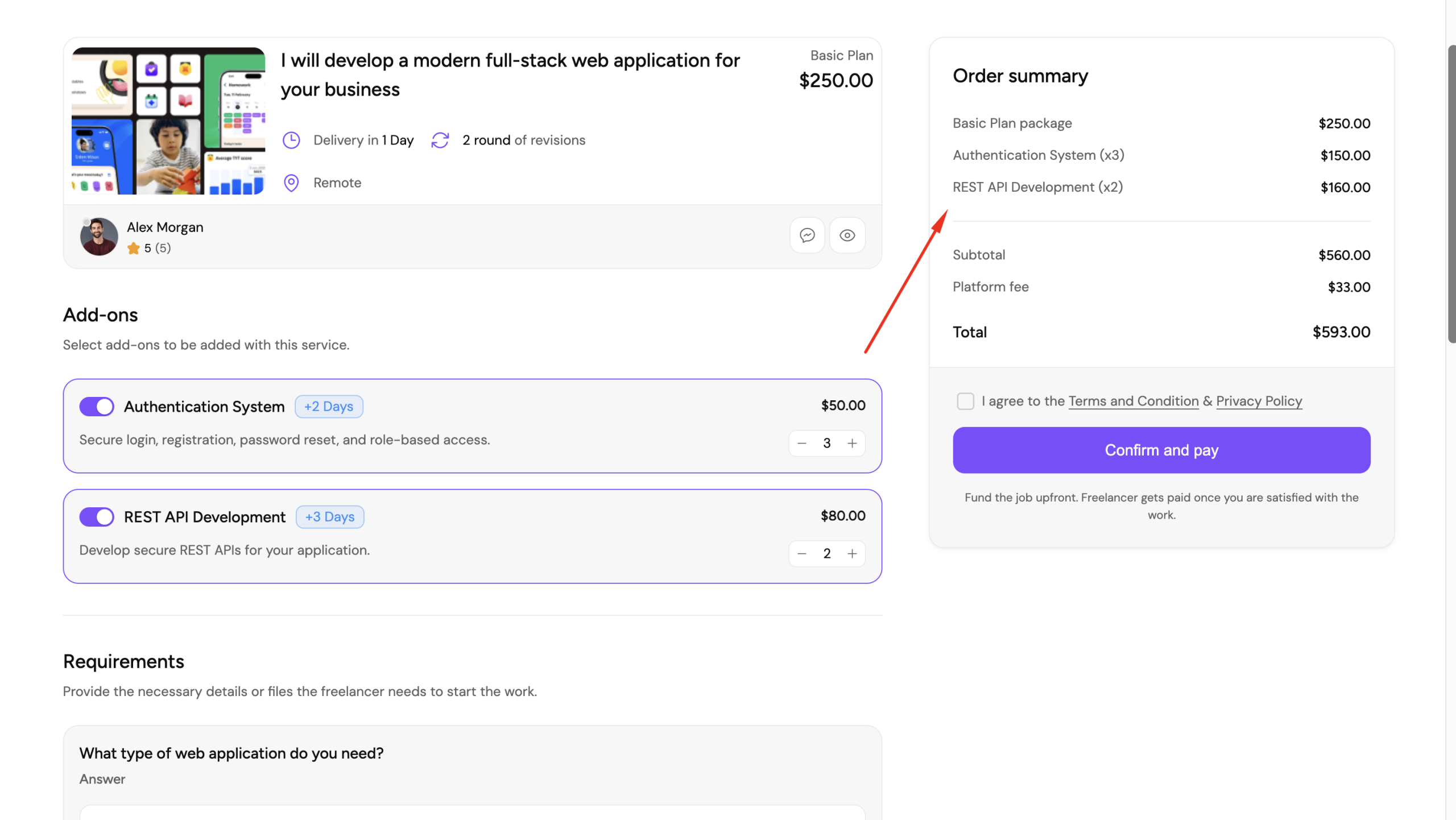
Order Summary
After placing the order, the selected addons are included in the order details for both the freelancer and employer.
This ensures both parties can clearly see which optional services were purchased.
Benefits
The Custom Addons module allows you to:
- Offer optional service extras.
- Set a custom price for each addon.
- Add additional delivery time when required.
- Let employers customize their orders.
- Increase the value of service orders with optional upgrades.
This module provides freelancers with an easy way to upsell additional services while giving employers more flexibility when placing an order.