
Large, multi-phase projects carry financial and delivery risks when handled as a single lump-sum contract. Clients hesitate to commit large budgets upfront, while freelancers need assurance that substantial phases of work will be paid upon completion.
The Milestones module provides phased project management and sequential escrow billing for marketplace jobs. Employers can break a project into an ordered schedule of distinct milestones, funding only one milestone at a time. As each milestone deliverable is reviewed and approved, funds are released to the freelancer, and the subsequent milestone is funded from the client’s wallet.
This is a Gigneo Pro module and requires a minimum Starter License or higher.
Enable the Module
Before creating or managing milestone-based jobs, ensure your Gigneo Pro license is activated.
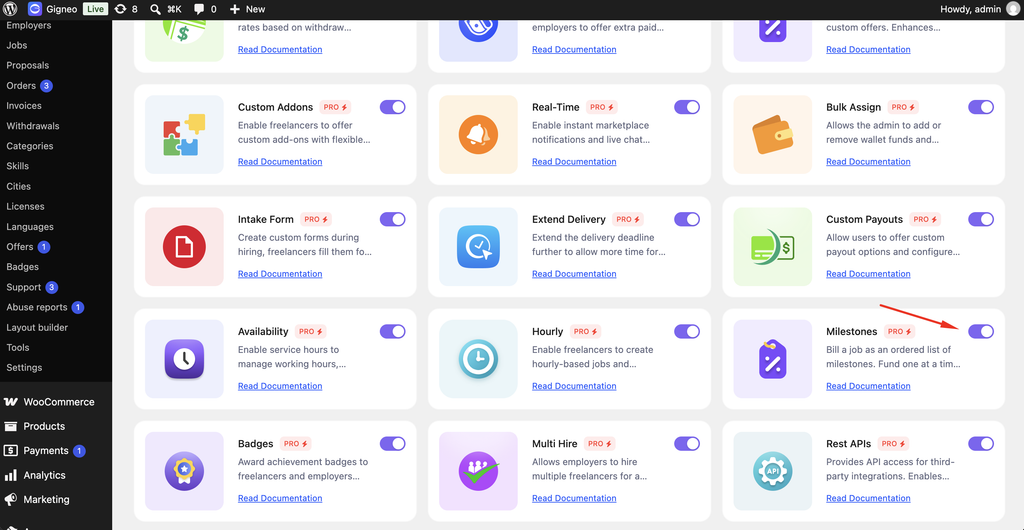
- Navigate to WP Admin → Gigneo → Modules.
- Locate the Milestones module card.
- Toggle the module On.
How Milestone Billing Works
Milestone billing is designed around structured, sequential funding to minimize risk for both parties:
- Sequential Escrow (One at a Time): Unlike fixed-price contracts where the entire budget is escrowed upfront, hiring a milestone job only charges and escrows funds for the first milestone (plus applicable platform fees).
- Linear Progression: Freelancers work on and deliver one funded milestone at a time. Subsequent milestones remain in a pending, unfunded state until the preceding phase is approved.
- Per-Milestone Delivery & Revisions: Deliverable files and work notes are submitted specifically for the active milestone. The employer can request revisions or approve the work.
- Instant Payout on Approval: When an employer approves a milestone, the escrowed funds for that specific phase are immediately transferred to the freelancer’s wallet.
- Automated Next-Milestone Funding: Approving a milestone automatically charges the employer’s wallet to fund the next scheduled milestone, allowing work to continue without administrative delays.
- Project Completion: When the final scheduled milestone is approved and paid out, the entire project order automatically transitions to Completed.
Employer Workflow: Posting a Milestone Job
Employers can configure milestone schedules directly while creating or editing a job:
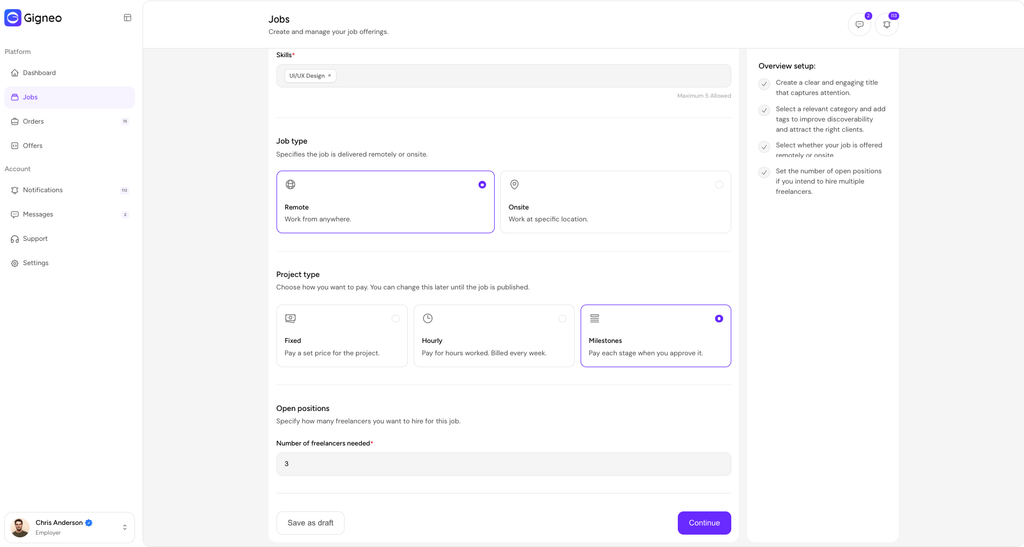
Step 1: Select Milestone Billing
- Navigate to Dashboard → Post a Job (or edit an existing draft job).
- In the pricing and budget section, select Milestones as the project billing type.
Step 2: Define Milestone Rows
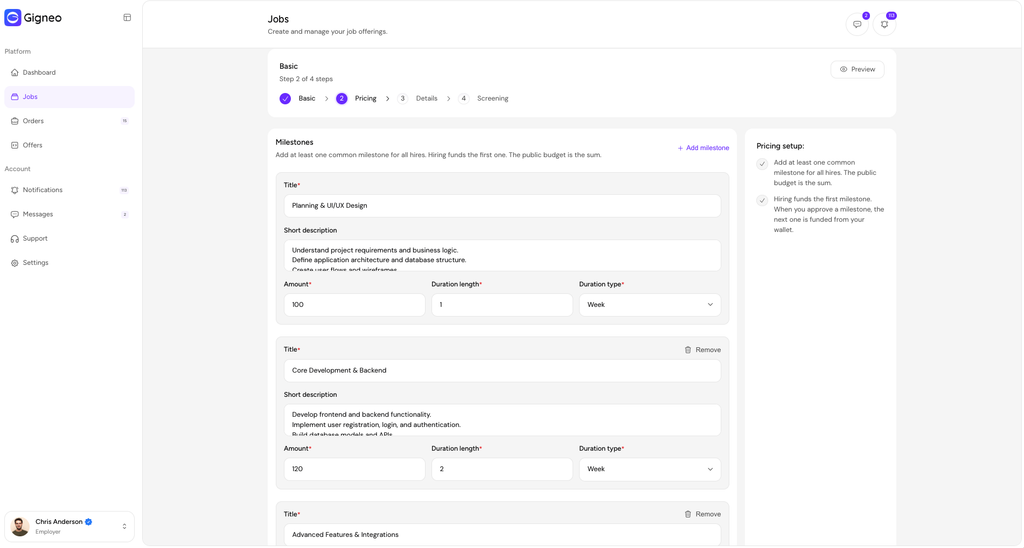
Click Add milestone to build the project schedule (up to 50 milestones per job):
- Title (Required): Clear name for the phase (for example, Wireframes & Information Architecture or Database Schema & Backend Setup).
- Short Description (Optional): Detailed deliverable expectations and acceptance criteria for that milestone.
- Amount (Required): The monetary value allocated to this phase.
- Duration Length & Type (Required): The expected completion timeframe (for example, 5 Days or 2 Weeks).
The total public project budget is automatically calculated as the sum of all milestone rows.
Step 3: Public Job Listing Display
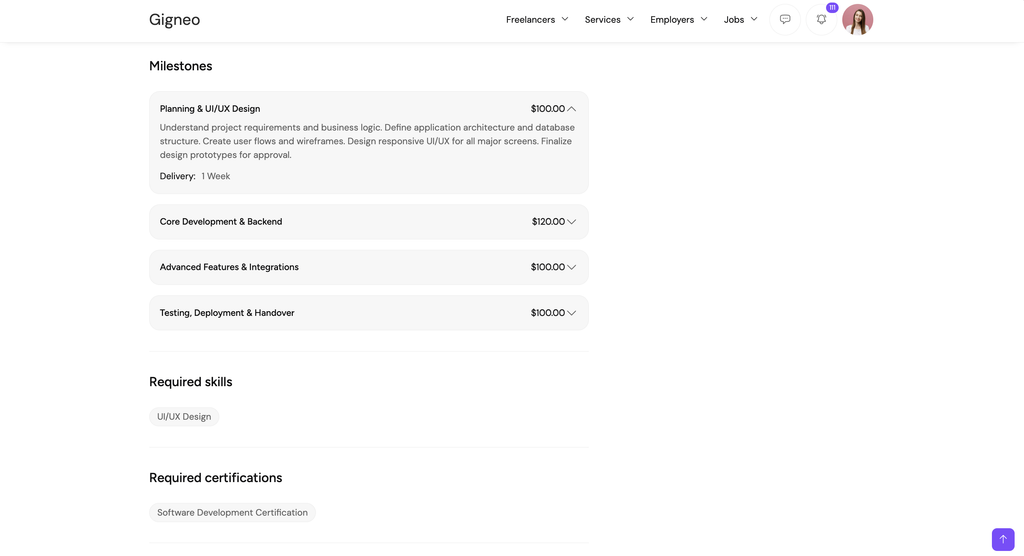
On the public job page, the milestone schedule is displayed in an organized breakdown table. Prospective freelancers can inspect each phase, duration, and compensation amount before preparing their proposal.
Proposal & Hiring Process
- Proposal Review: Freelancers submitting proposals on milestone jobs can accept the employer’s schedule or propose customized milestone phases, amounts, and durations.
- Hiring & Checkout: When an employer clicks Hire on an accepted proposal, the checkout step calculates escrow solely for Milestone 1. The employer pays for the first phase, and the agreed milestone schedule is locked into the order workspace.
Managing Milestones on Active Orders
Inside the order details screen, a dedicated Milestones tab provides full oversight of project progress:
Milestone Statuses
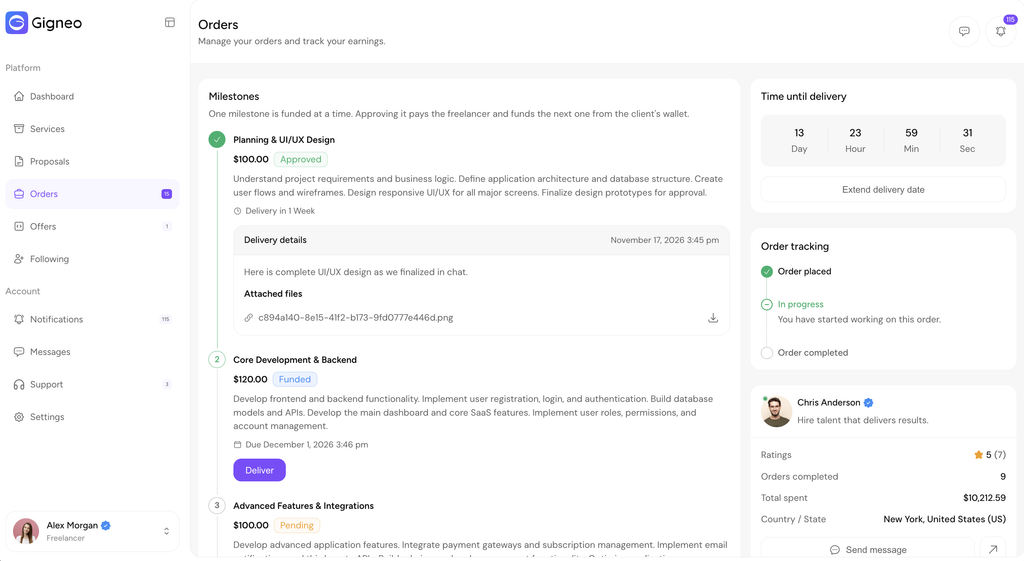
- Funded: The milestone is paid for and held in escrow. The freelancer is actively working on this phase.
- Delivered: The freelancer has submitted the work files and is awaiting employer review.
- Revision: The employer requested modifications to the deliverables.
- Approved: The employer accepted the phase, and funds were paid out to the freelancer.
- Pending: A scheduled future milestone waiting for previous phases to conclude before funding.
- Proposed: A newly added milestone waiting for freelancer acceptance.
Delivery, Revision & Approval Workflow
- Freelancer Delivery: On the active funded milestone, the freelancer clicks Deliver milestone, uploads completion files, writes a summary message, and submits. The milestone status updates to Delivered.
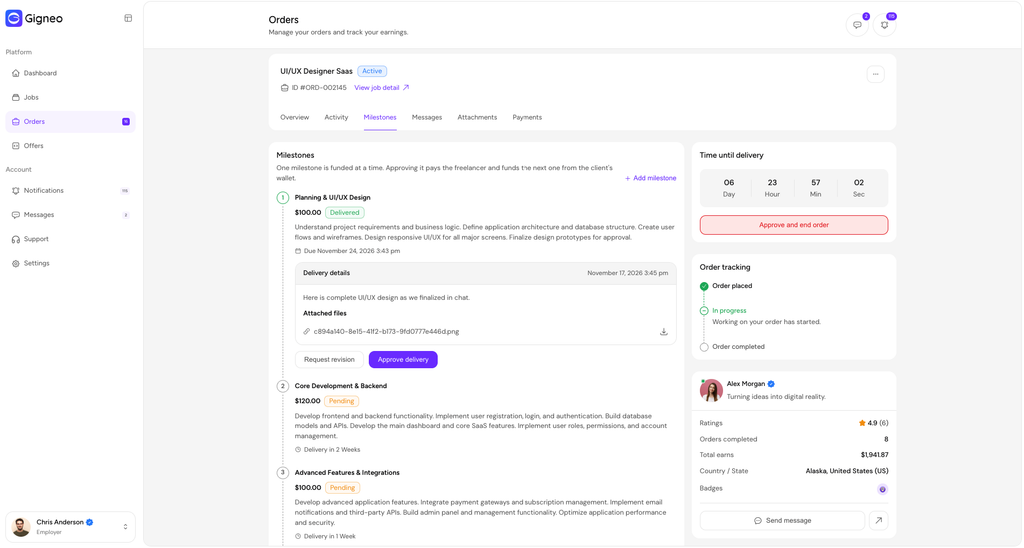
- Employer Review: The employer inspects the submission. If adjustments are required, clicking Request revision sends the deliverable back with feedback notes.
- Approval & Rollover: When the employer clicks Approve milestone, funds are released to the freelancer. The system checks the employer’s wallet balance:
- Sufficient Balance: The next milestone is funded instantly (Funded), and the order timeline logs the transition.
- Insufficient Balance: The next milestone enters an awaiting-funds state. The employer is prompted to deposit funds into their wallet and click Fund milestone.
Adding & Adjusting Milestones During an Order
Projects frequently evolve, and clients often need to expand deliverables:
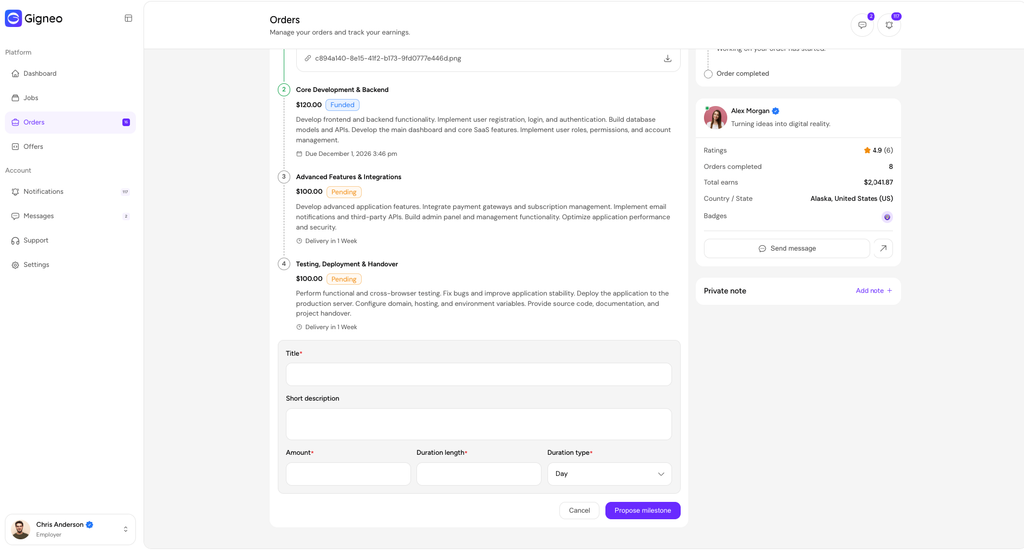
- Proposing New Milestones: While an order is active, the employer can click Add milestone to propose extra phases. The new phase appears with a Proposed badge.
- Freelancer Acceptance: The freelancer reviews the proposed title, amount, and timeframe, and can click Accept or Decline.
- Withdrawing Proposals: Employers can withdraw a proposed milestone at any point before the freelancer accepts. Once accepted, it joins the queue of pending milestones.
Ending Milestone Contracts Early
If project requirements change or both parties agree to conclude the contract before all scheduled phases are completed:
- No Active Deliveries: If the current funded milestone has not been worked on, the employer can request to end the contract. The funded escrow is refunded to the employer’s wallet, remaining pending milestones are closed, and the order completes.
- Work Delivered: If a milestone has been delivered, the employer can approve the final delivered work and conclude the project simultaneously, releasing payment for completed work and cancelling remaining unstarted phases.