
Employers can hire services directly from the service details page.
After browsing available services, the employer can open any service to view its complete details, pricing packages, delivery information, and included features.
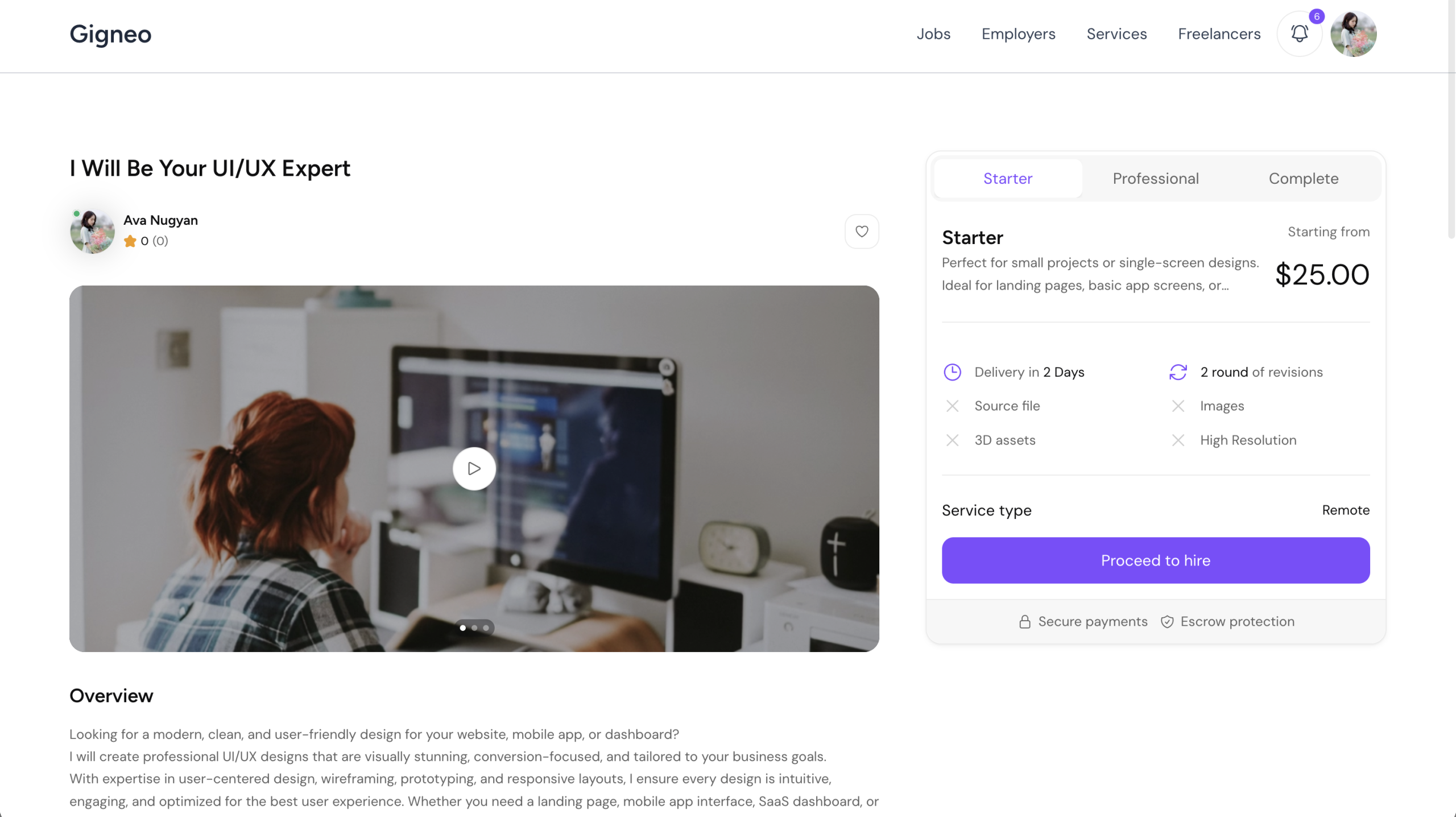
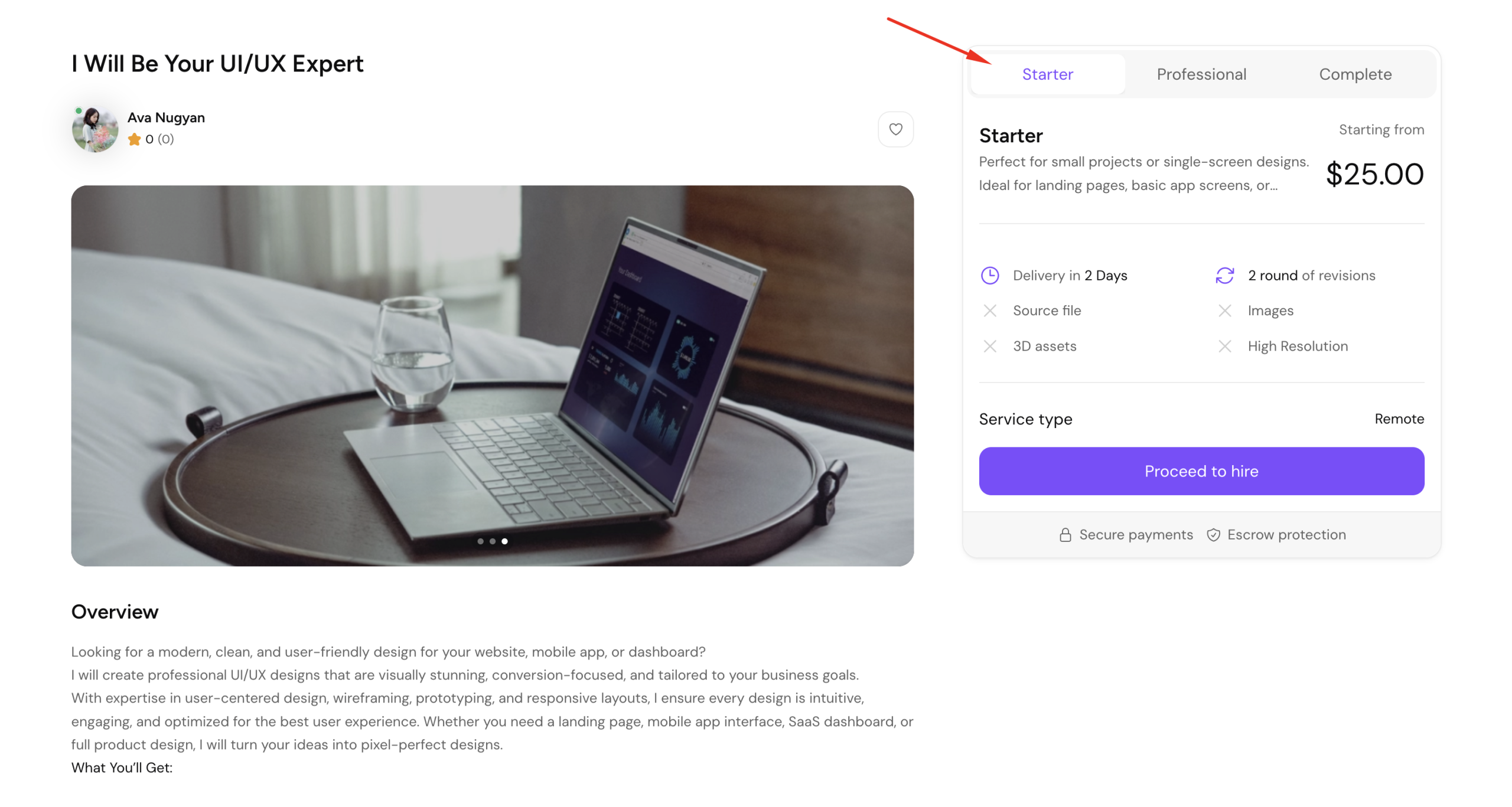
To hire a service, the employer must first select the desired pricing tier.
The available pricing options depend on how the freelancer configured the service during creation.
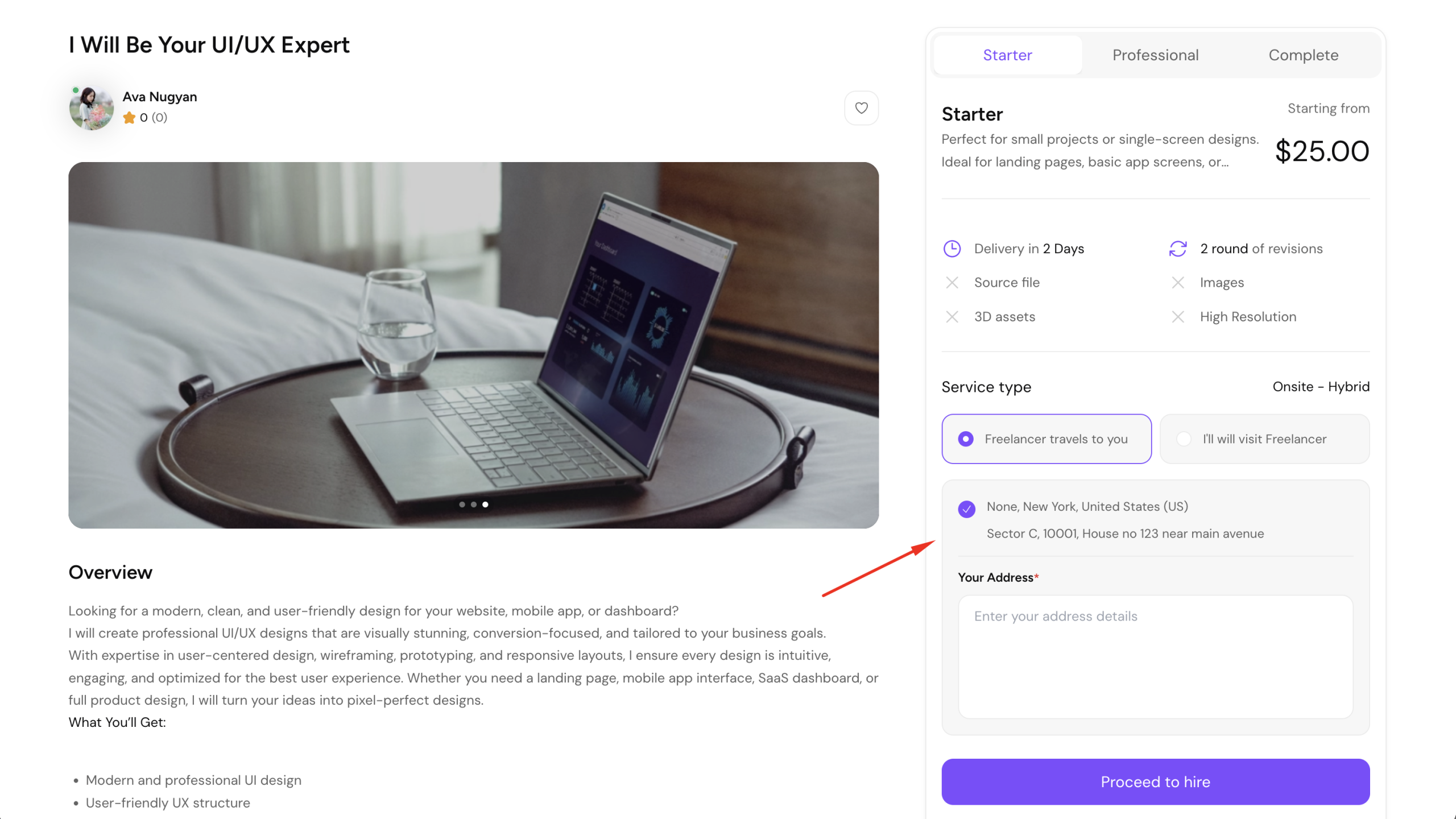
If the selected service is configured as onsite, the employer must provide address and location details before continuing.
If the freelancer has enabled both onsite service options, the employer can choose whether the freelancer travels to the employer’s location or the employer travels to the freelancer’s location.
This allows greater flexibility for location-based services before proceeding to hire.
Once all required information is completed, click Proceed to Hire.
The employer will then be redirected to the hire page.
Order Summary
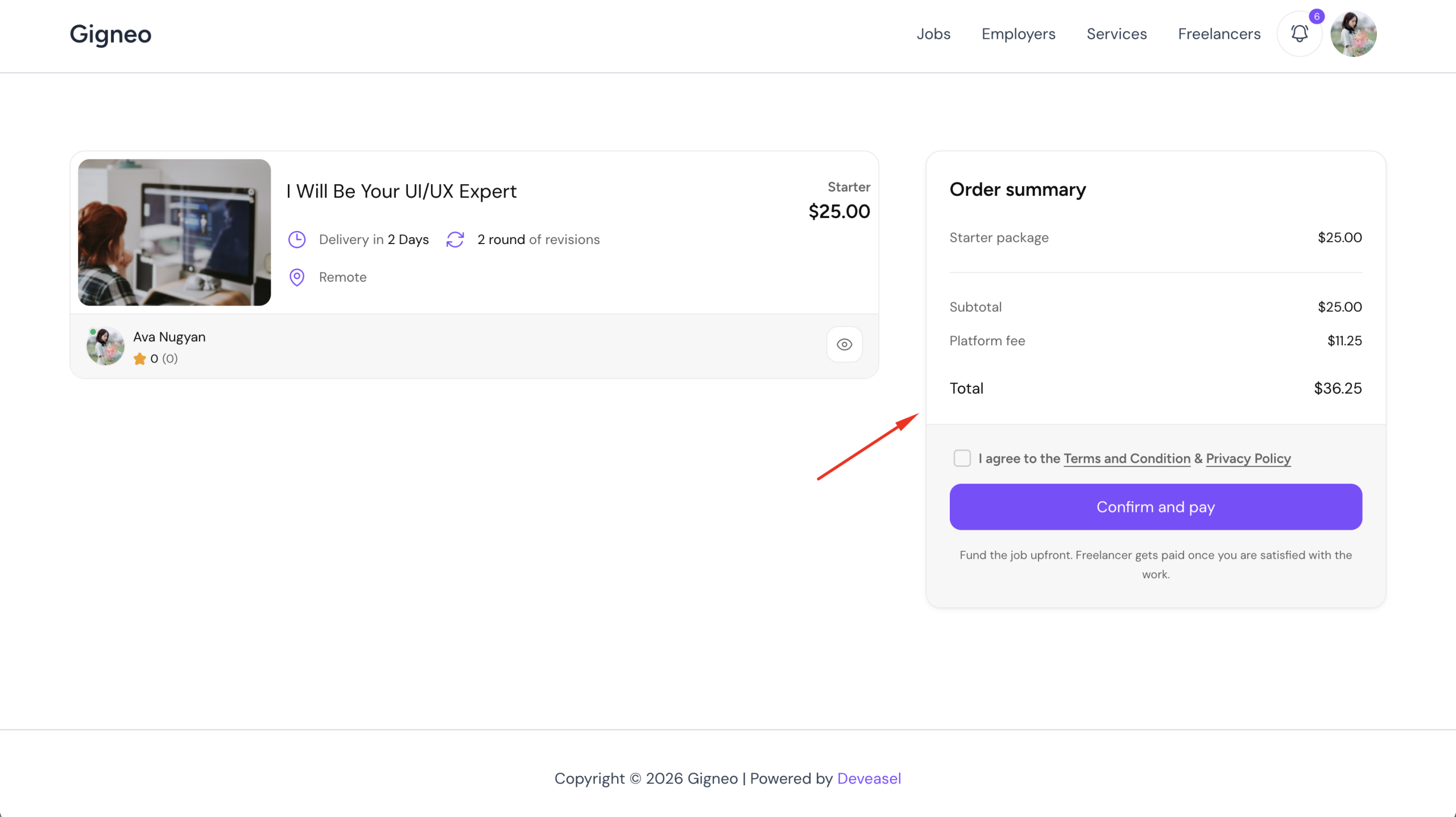
On the hire page, the employer can review the complete order summary before confirming the purchase.
This summary includes the selected service pricing and any applicable platform commission.
Marketplace commission settings are configured by the administrator from Gigneo → Settings → Services.
Administrators can define commission charges for both freelancers and employers.
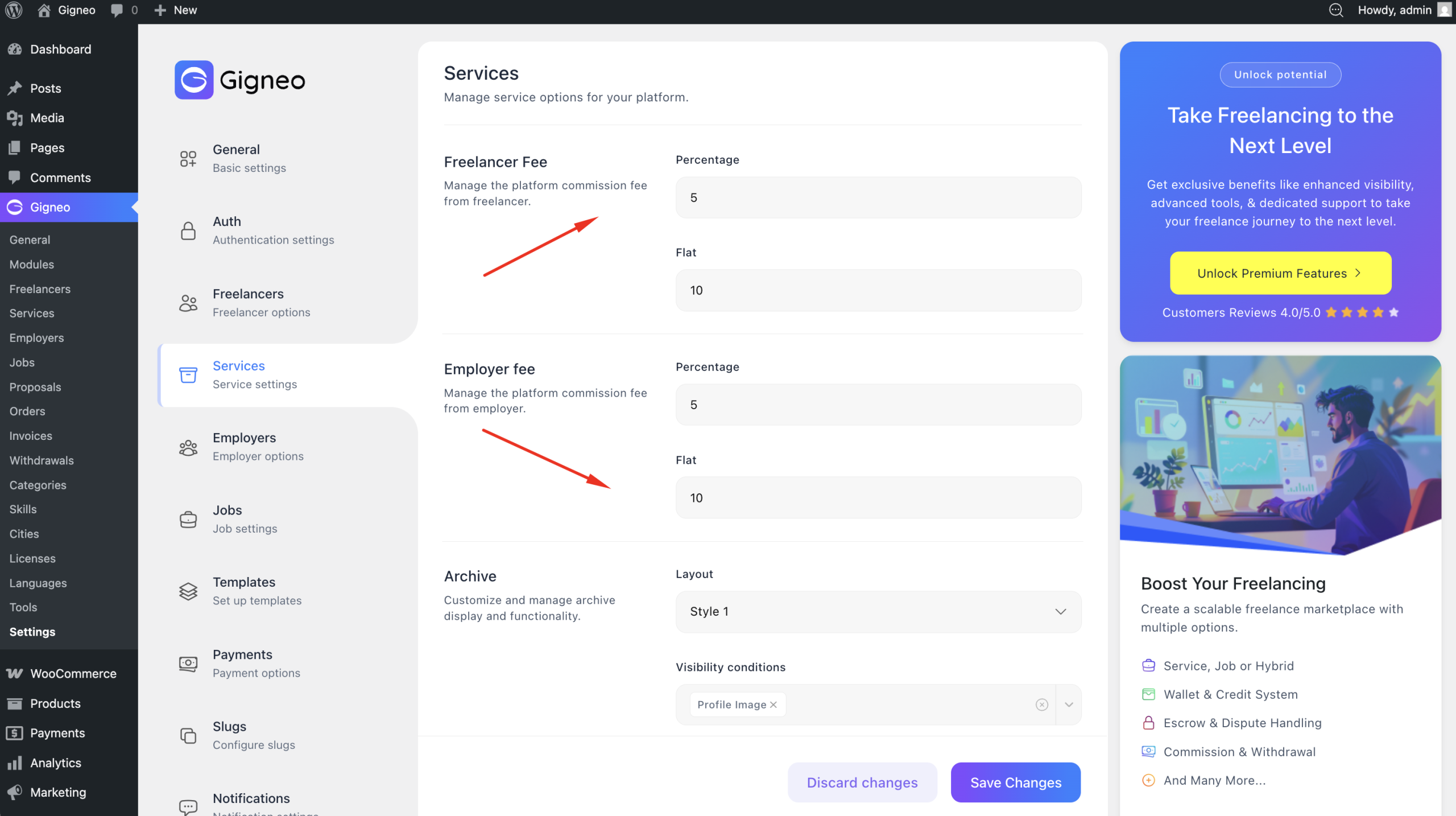
This allows marketplace owners to monetize service transactions across the platform.
Confirm Payment
Before completing the order, the employer must review the details and agree to the service terms.
Once confirmed, click Confirm and pay to complete the transaction.
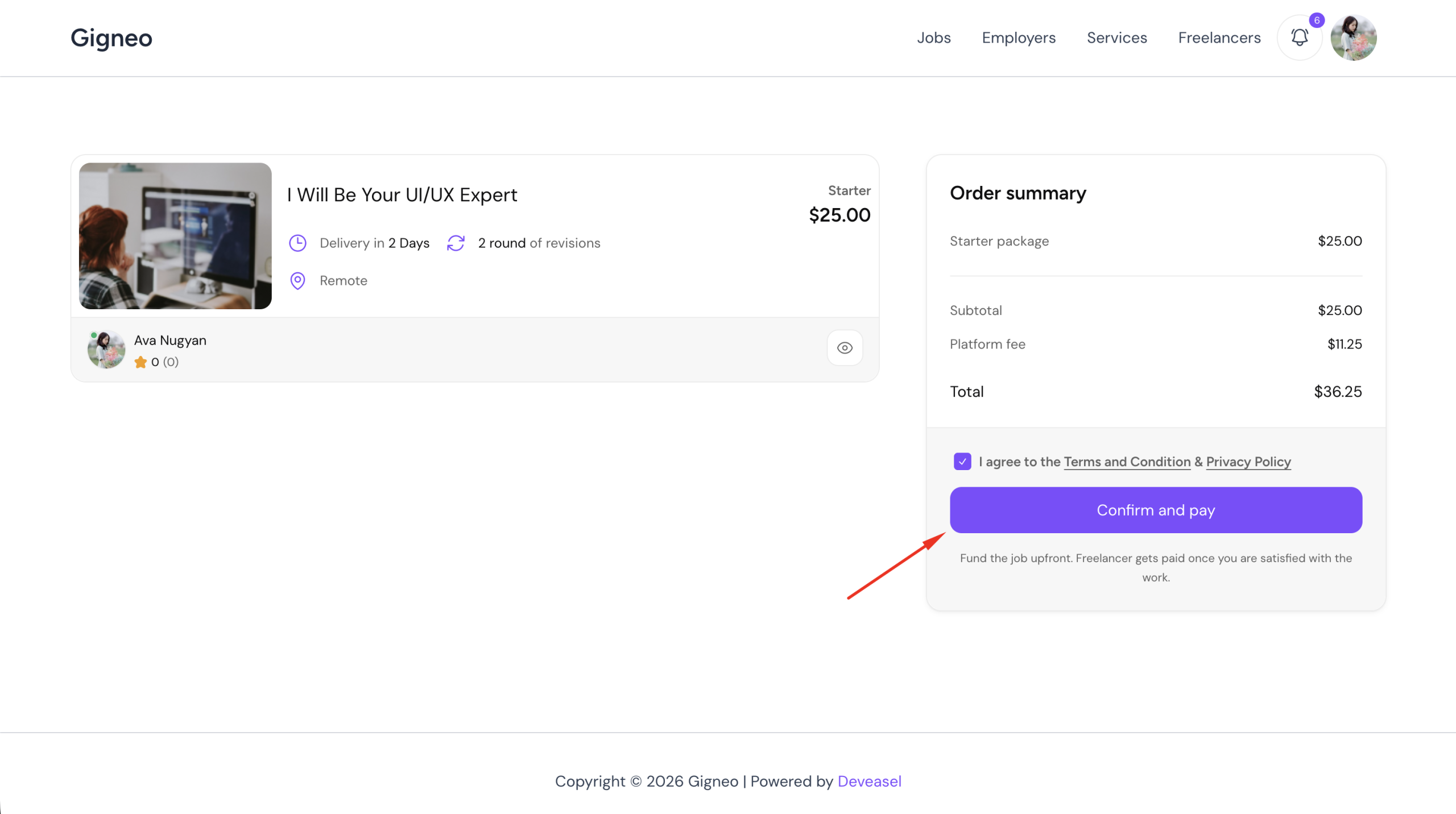
Since Gigneo uses the wallet system for marketplace transactions, the required amount will be deducted directly from the employer’s wallet balance once the payment is confirmed.
If the employer does not have sufficient wallet balance, please refer to the detailed Wallet System documentation to learn how to add funds before proceeding with the hire.
After successful payment, the service will be hired successfully and the employer will be redirected to the order details page.
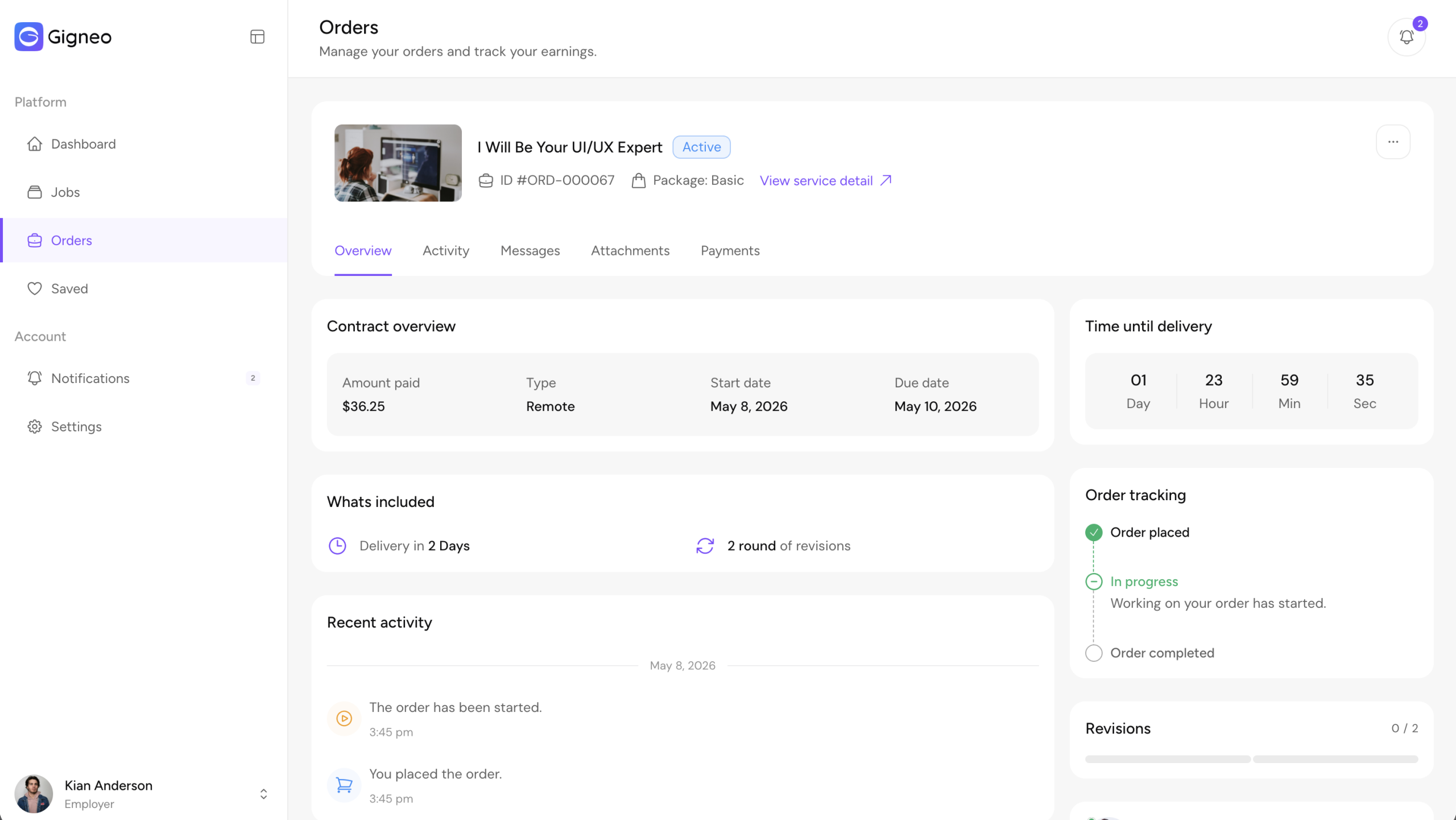
The order details page allows both the employer and freelancer to manage service progress, communication, revisions, and delivery.