
Gigneo offers flexible marketplace structures that allow platform owners to build their marketplace based on different business models.
The platform supports one-to-many, many-to-one, and many-to-many marketplace systems, giving administrators complete control over how users interact within the platform.
A one-to-many setup allows a single provider to offer services to multiple employers or clients. This model is ideal when the platform owner or a single business acts as the primary service provider while multiple users access the platform to hire services.
A many-to-one setup allows multiple providers to interact with a single employer or organization. This structure is useful for internal recruitment systems, agency-based platforms, or company-managed service ecosystems.
A many-to-many setup allows both providers and employers to register freely and interact with each other across the marketplace. This is the most common marketplace model for public service platforms.
Create Freelancer or Employer Profile
For controlled marketplace structures such as one-to-many or many-to-one, administrators may need to create freelancer or employer profiles manually.
To do this, navigate to Users from your WordPress admin dashboard.
Inside the users table, you will find Gigneo action icons for creating freelancer and employer profiles.
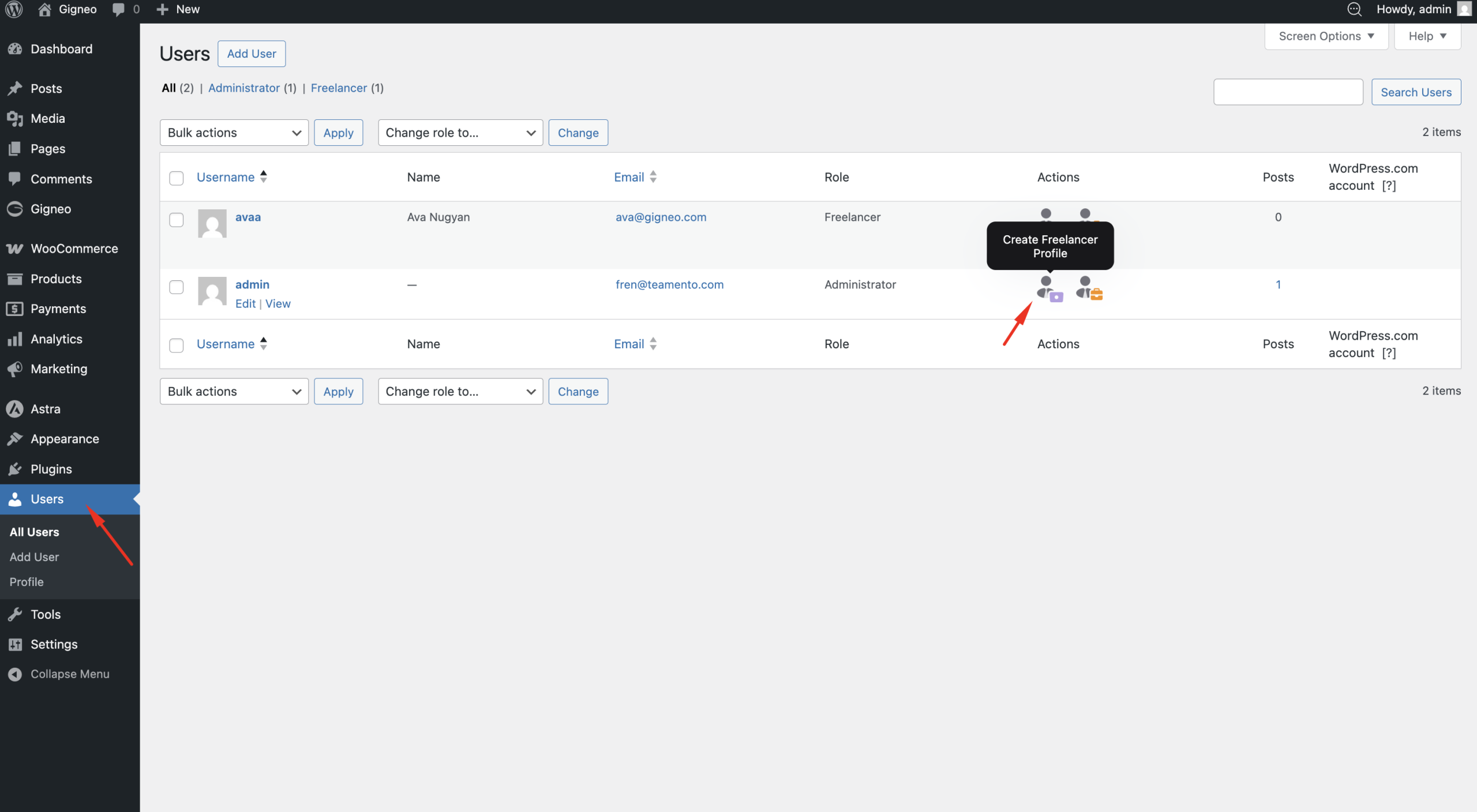
Clicking the relevant action icon will create the selected profile for that user.
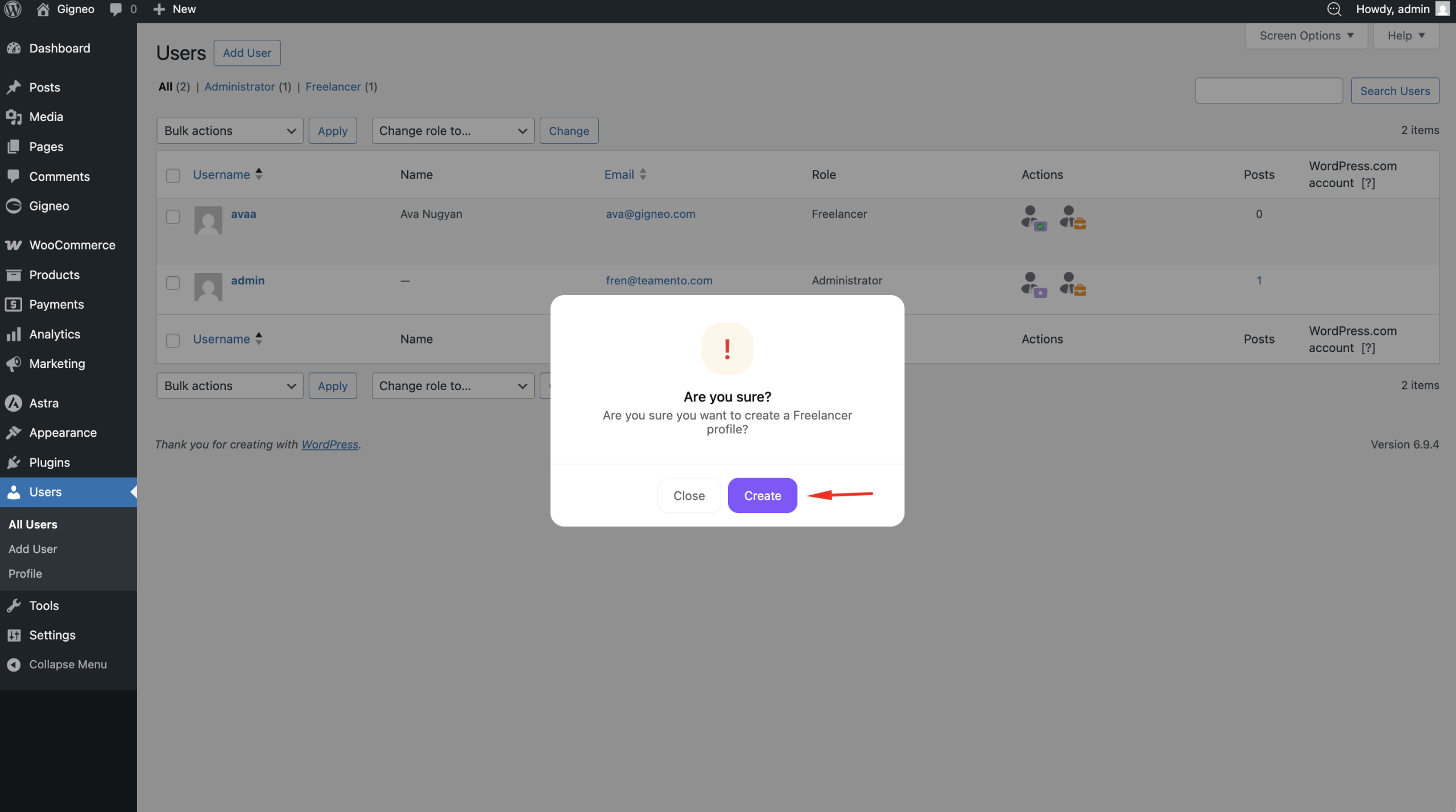
Once the profile is created, clicking the action will redirect you to the corresponding dashboard where profile information can be managed and completed.
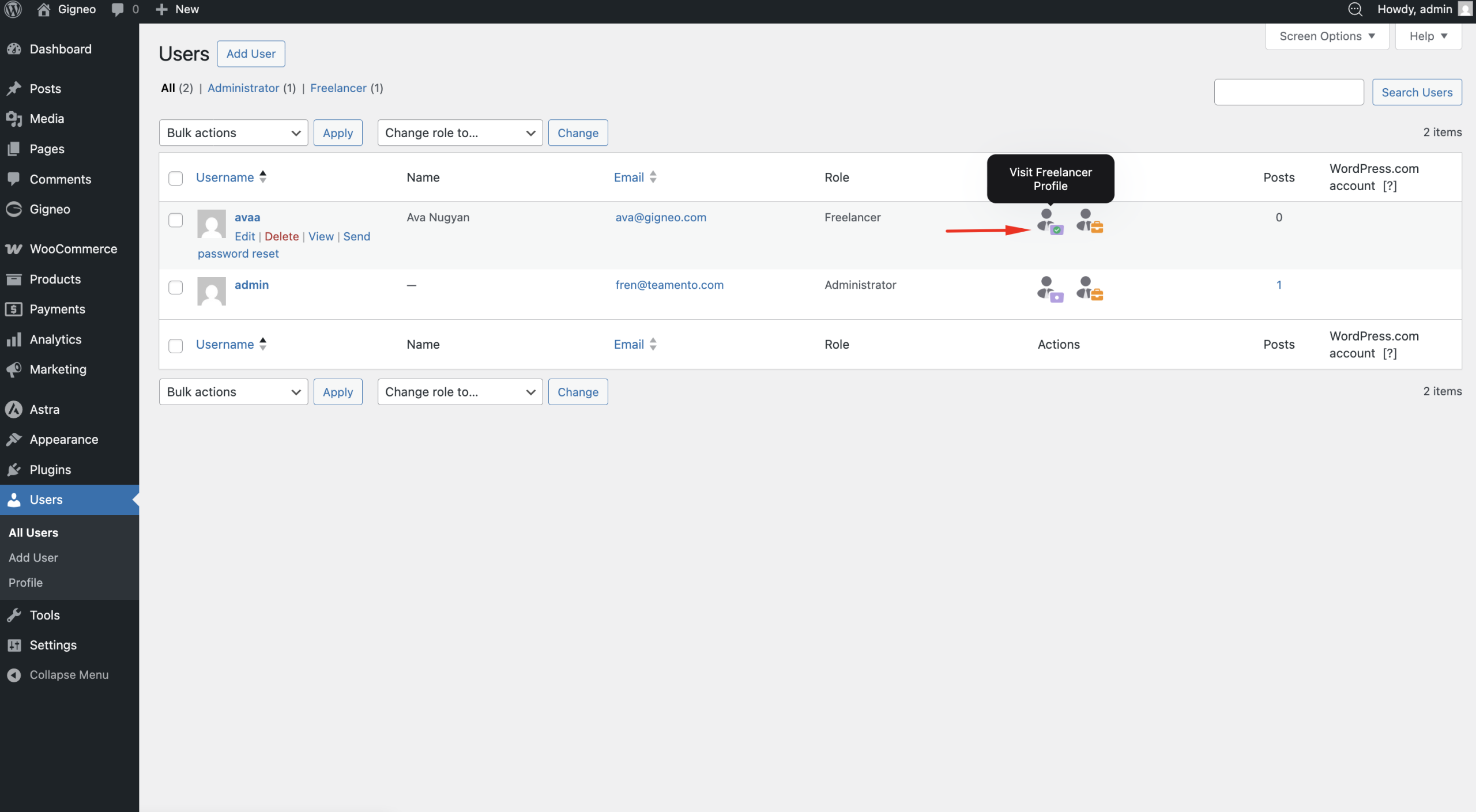
This allows marketplace owners to manually control which users participate in the marketplace.
For these marketplace models, administrators can also disable role selection during user registration.
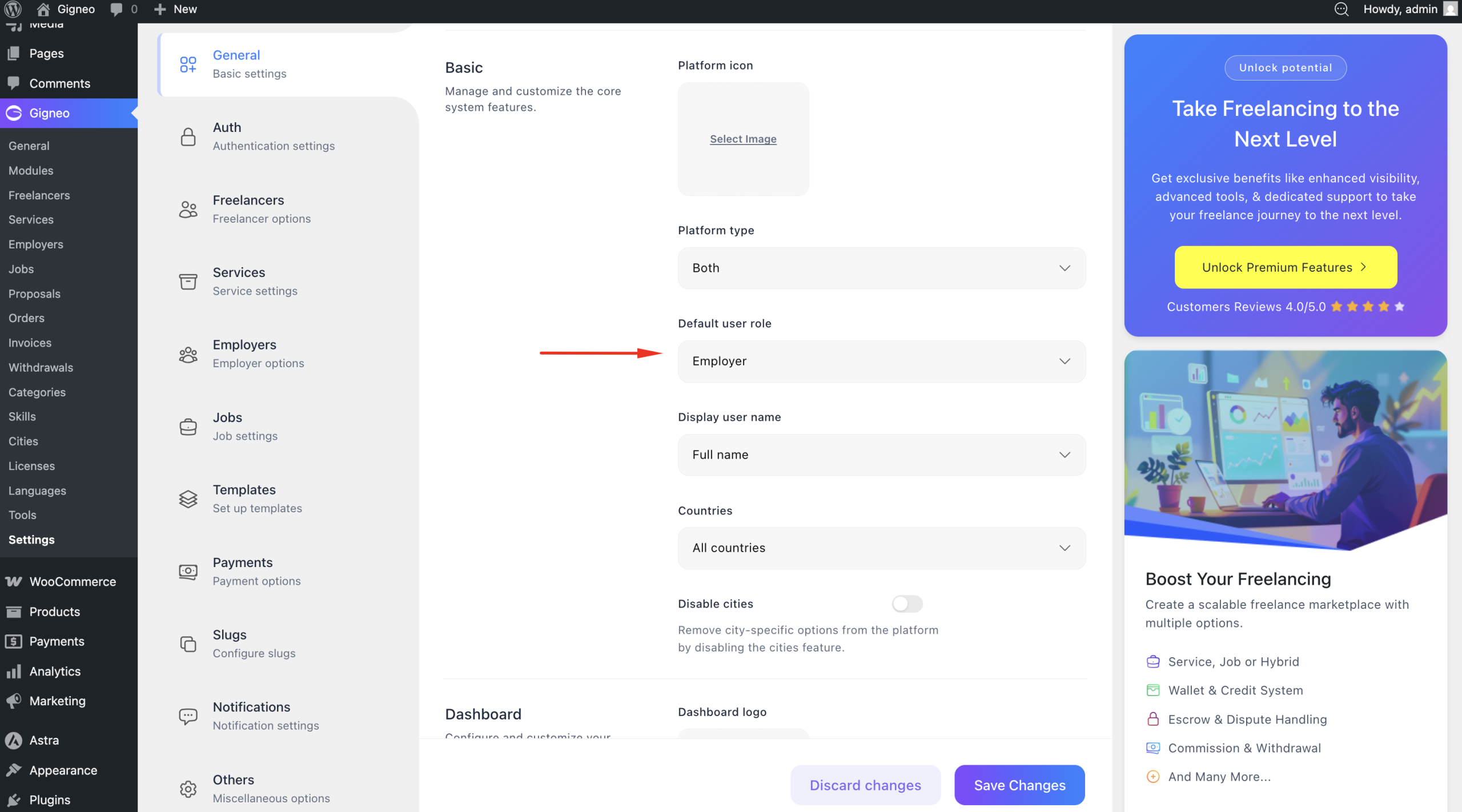
This is useful when users should only register under a specific role while the opposite role is managed manually by the platform owner.
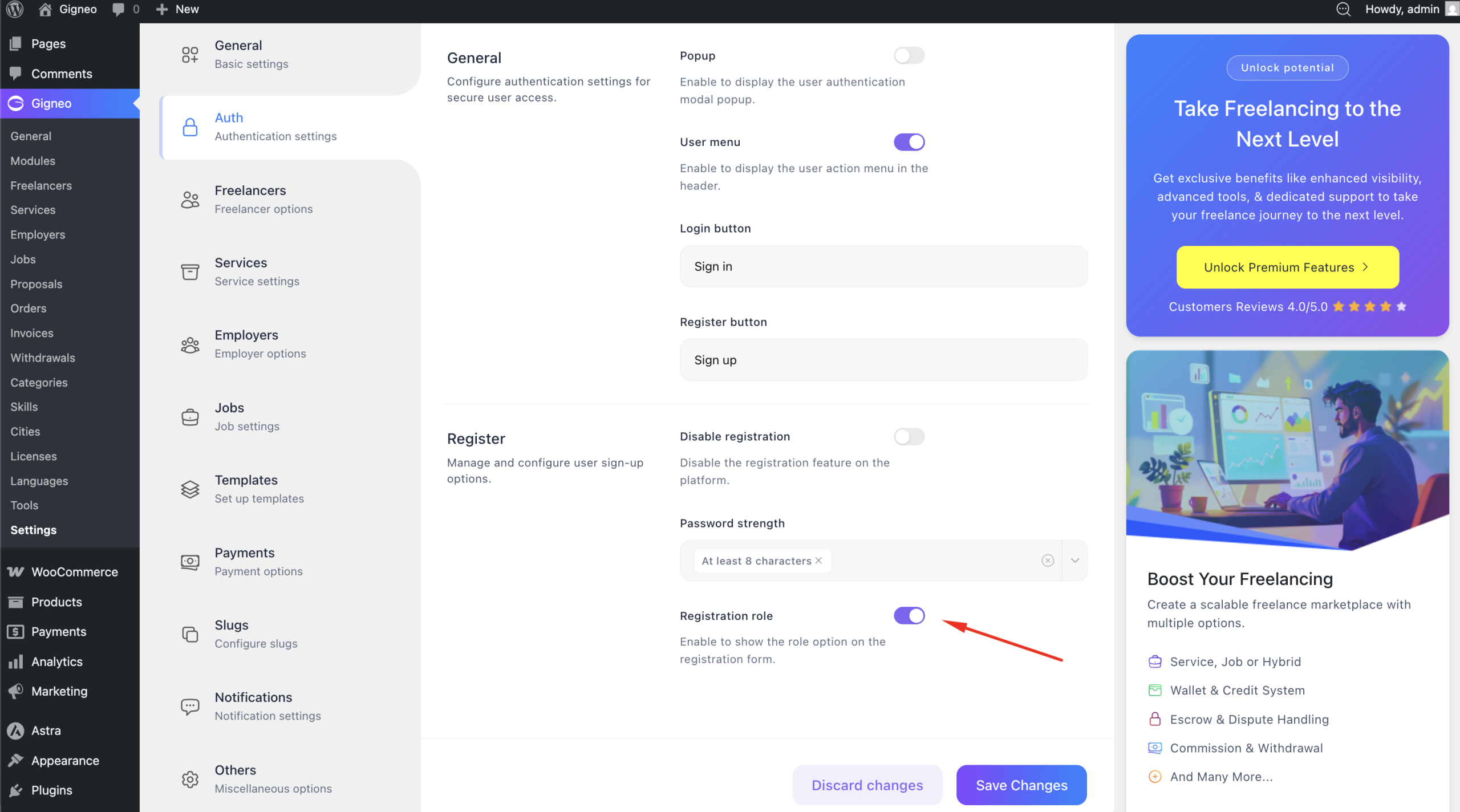
For example, in a one-to-many marketplace where the platform owner is the only provider, role selection can be disabled so users can only register as employers or freelancer.
Many-to-Many Registration
If your platform is configured as a many-to-many marketplace, administrators do not need to manually create provider or employer profiles.
Users can register directly through the website and create their own accounts based on the roles enabled during registration.
This creates an open marketplace environment where users join and interact independently.
The complete registration process and user authentication workflow will be explained in detail in the next article.