
The Extend Delivery module allows freelancers to request additional time to complete an active service or job order.
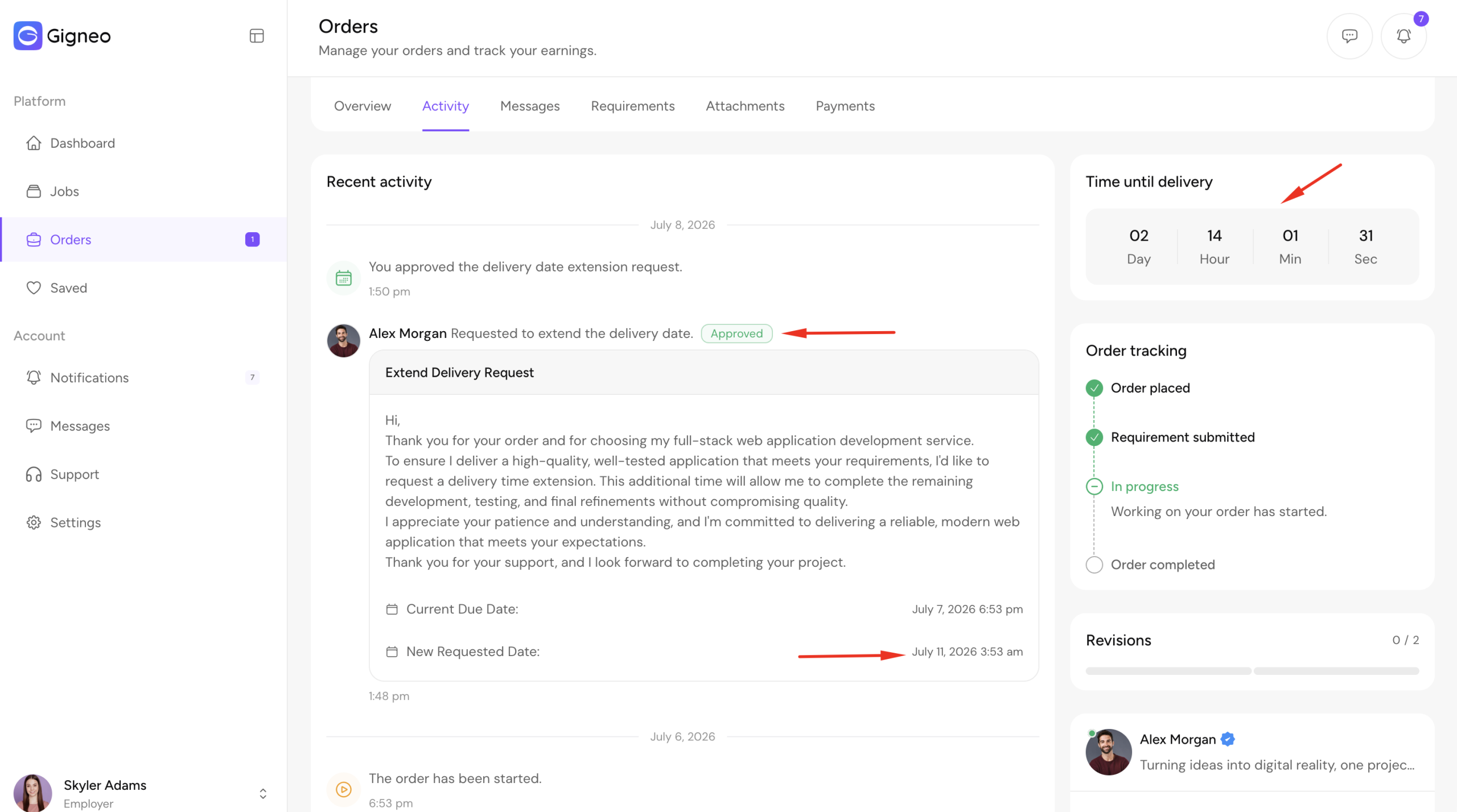
If more time is needed, the freelancer can send a delivery extension request to the employer, helping ensure the project is completed successfully without missing the original deadline.
This is a Gigneo Pro module and requires a minimum Enterprise License or higher.
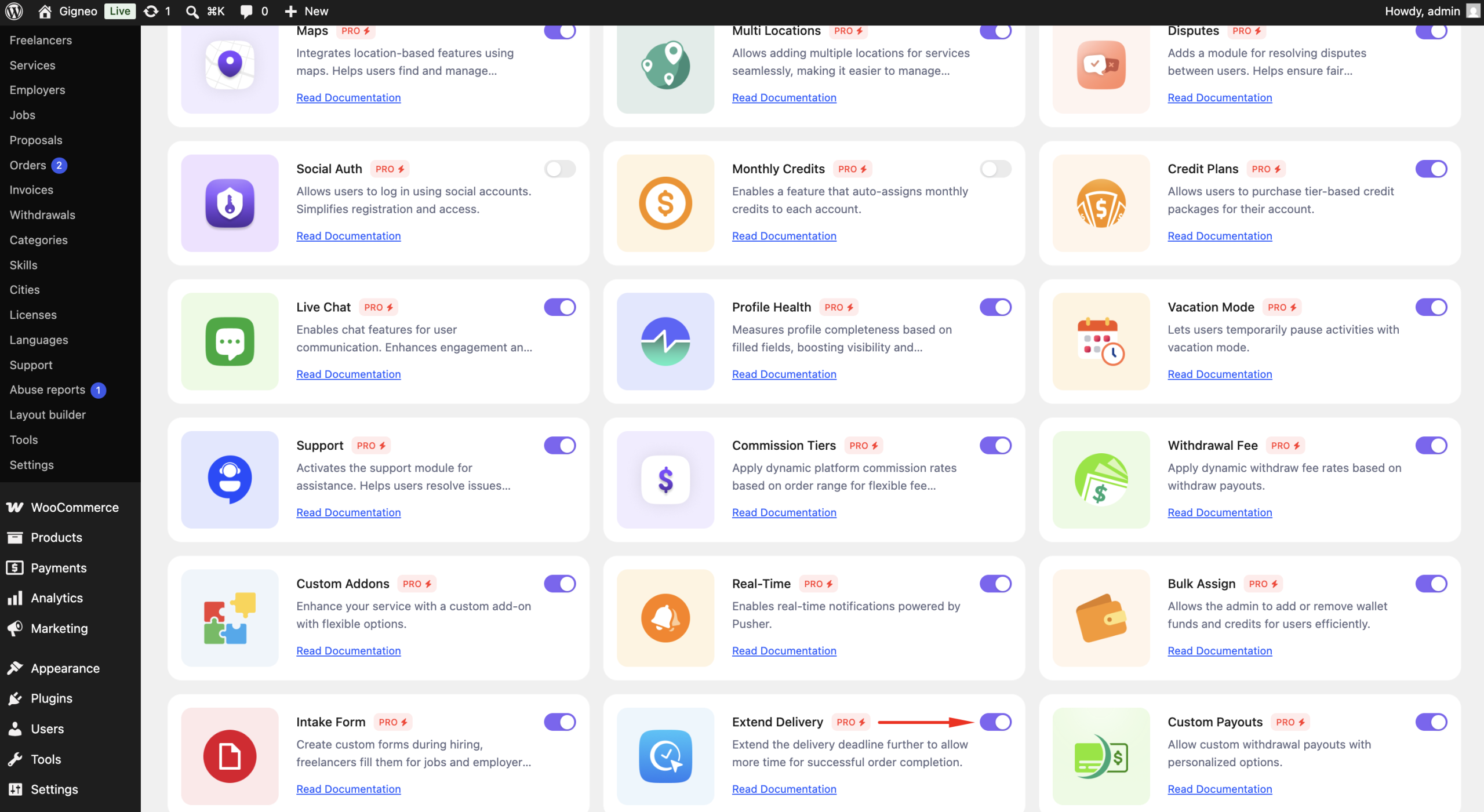
Enable the Module
Before using the Extend Delivery module, make sure your Gigneo Pro license is activated.
Navigate to:
WP Admin → Gigneo → Modules
Enable the Extend Delivery module.
Request a Delivery Extension
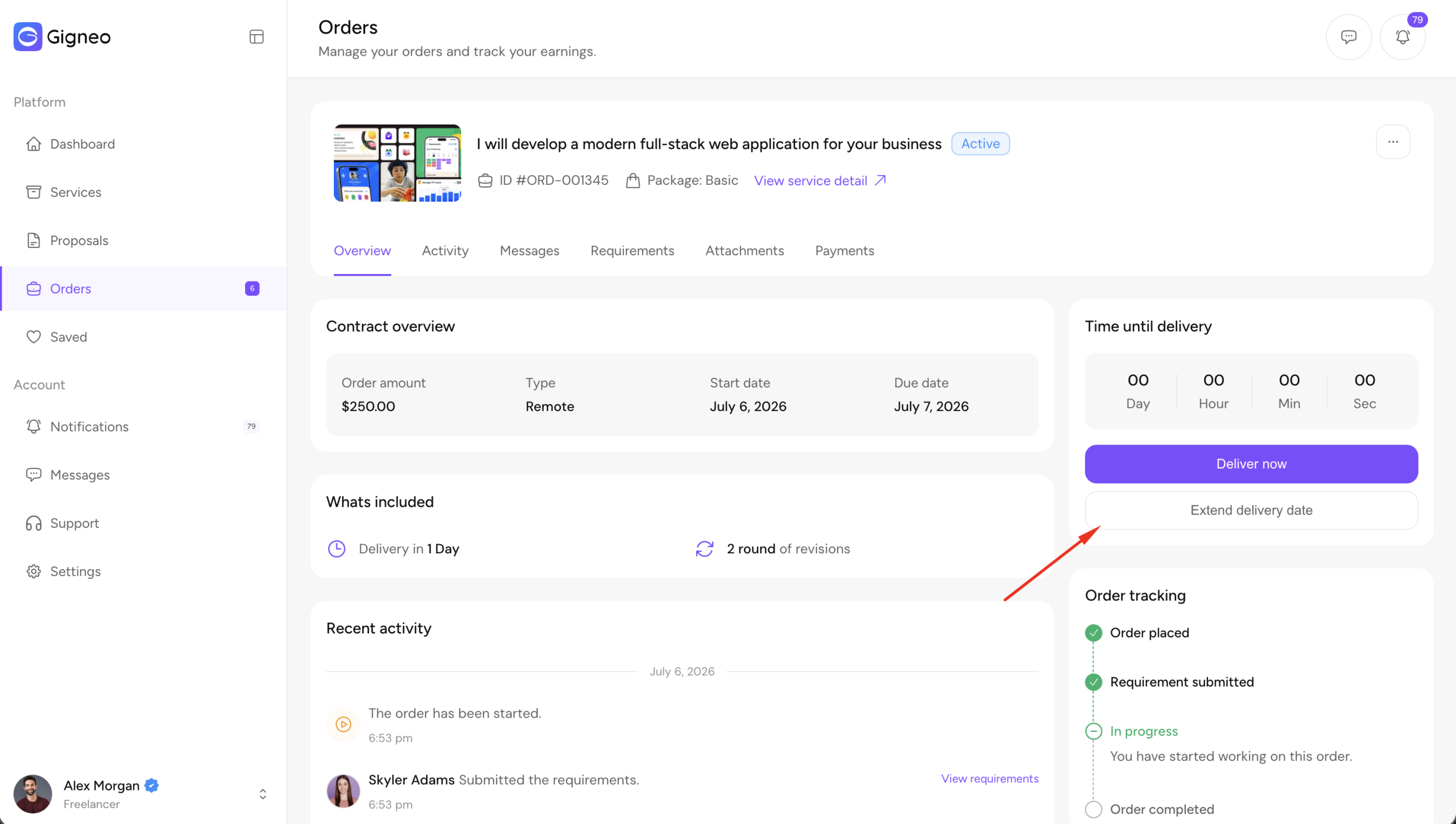
During an active order, freelancers can request additional delivery time from the order details page.
Click the Extend Delivery button.
The freelancer can specify:
- Number of additional days
- Reason for the extension request
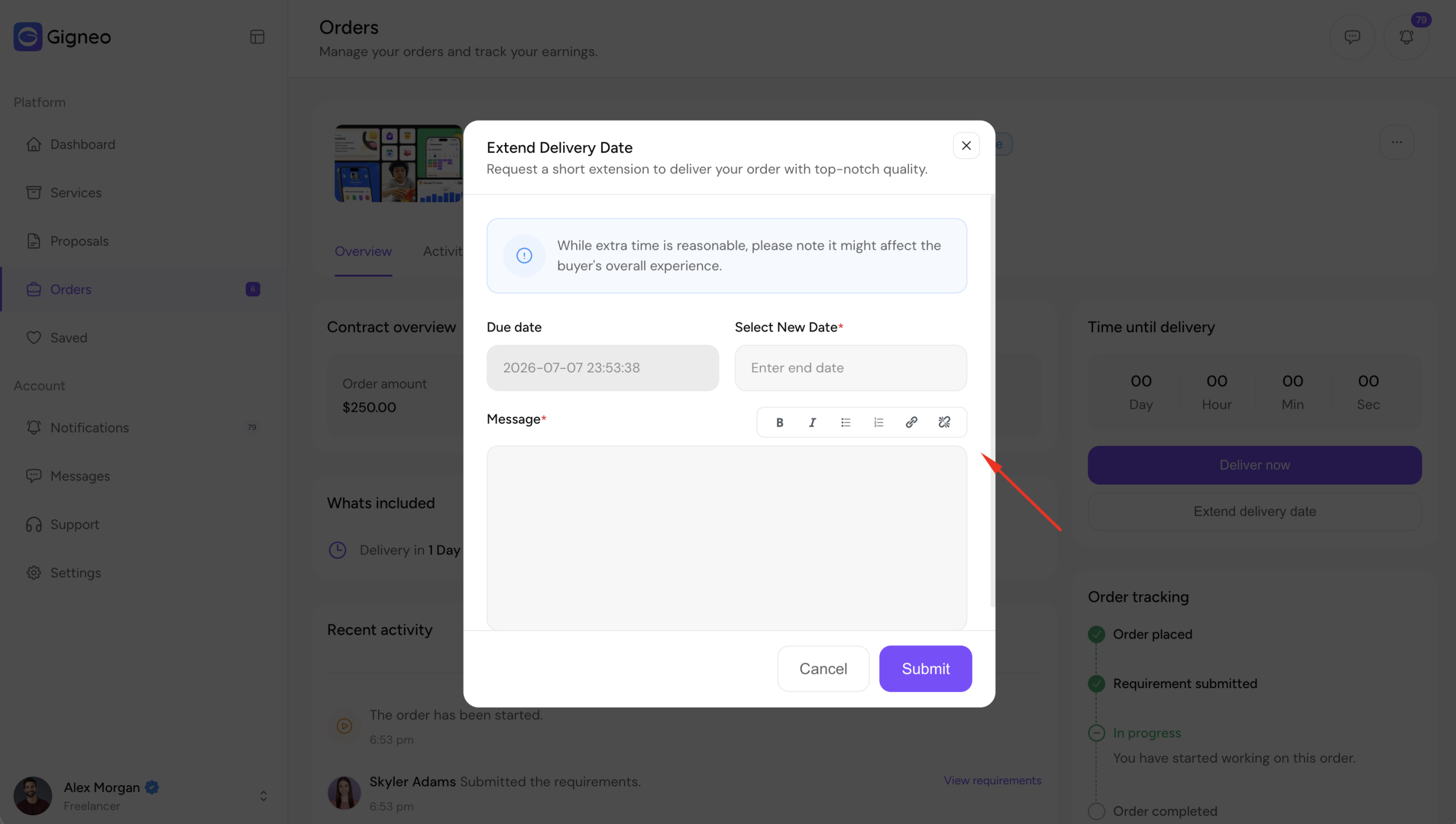
Once submitted, the request is sent to the employer for review.
Employer Review
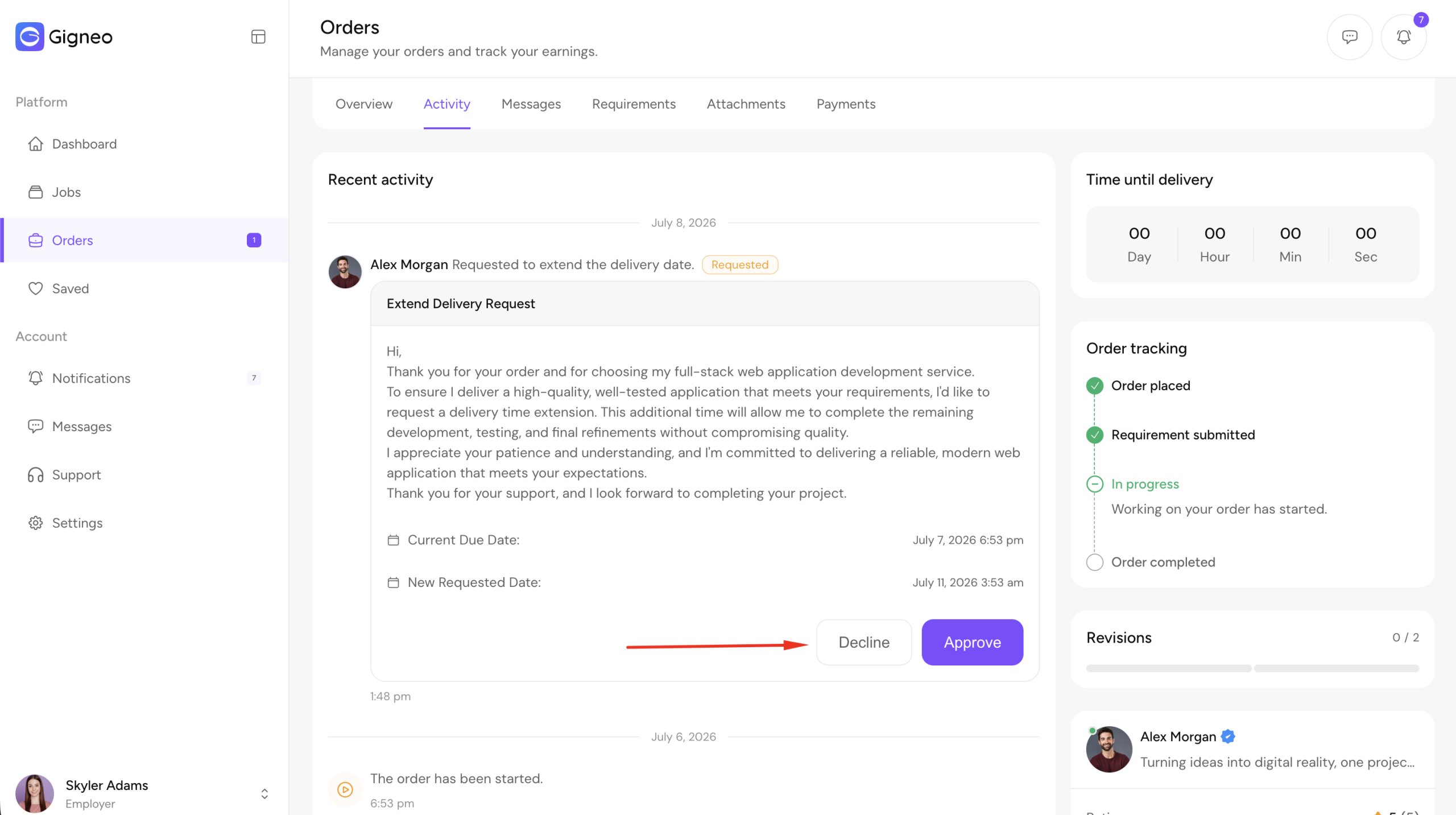
The employer receives the delivery extension request and can review the requested delivery period along with the reason provided by the freelancer.
The employer can then:
- Approve the request
- Reject the request
Updated Delivery Date
If the employer approves the request, the order delivery deadline is updated automatically with the new delivery date.
If the request is rejected, the original delivery date remains unchanged.
Both parties are notified of the decision.
Benefits
The Extend Delivery module allows you to:
- Request additional delivery time when needed.
- Send delivery extension requests directly from the order page.
- Allow employers to approve or reject requests.
- Automatically update the delivery deadline after approval.
- Improve collaboration and reduce missed deadlines.
This module provides a simple and transparent way for freelancers and employers to manage delivery schedule changes while keeping projects on track.