
The Real-Time module enables instant notifications and live messaging across your marketplace using Pusher.
Instead of manually refreshing the page, users receive new notifications and chat messages in real time, creating a faster and more interactive marketplace experience.
This is a Gigneo Pro module and requires a minimum Enterprise License or higher.
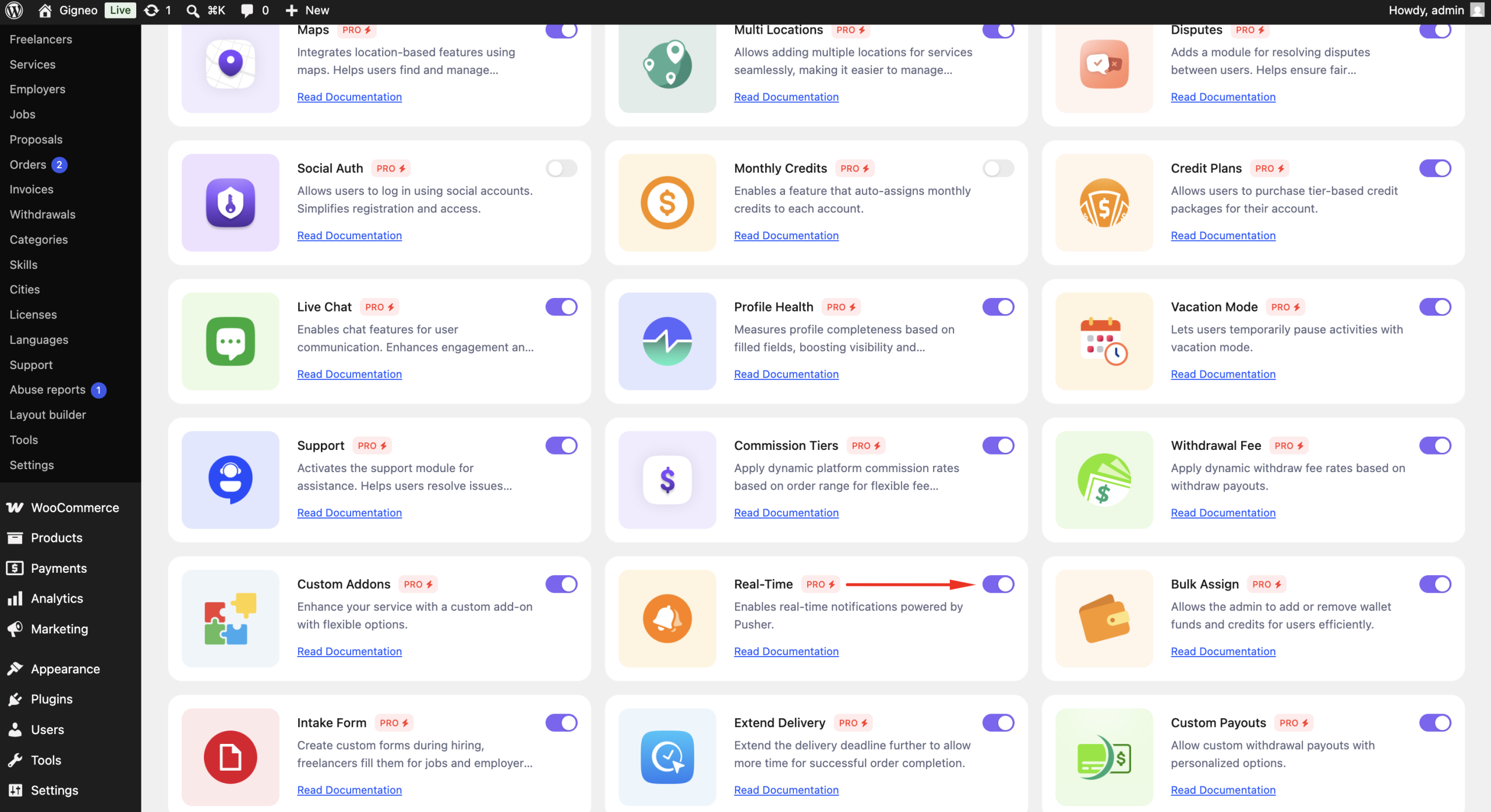
Enable the Module
Before using the Real-Time module, make sure your Gigneo Pro license is activated.
Navigate to:
WP Admin → Gigneo → Modules
Enable the Real-Time module.
Configure Pusher
Navigate to:
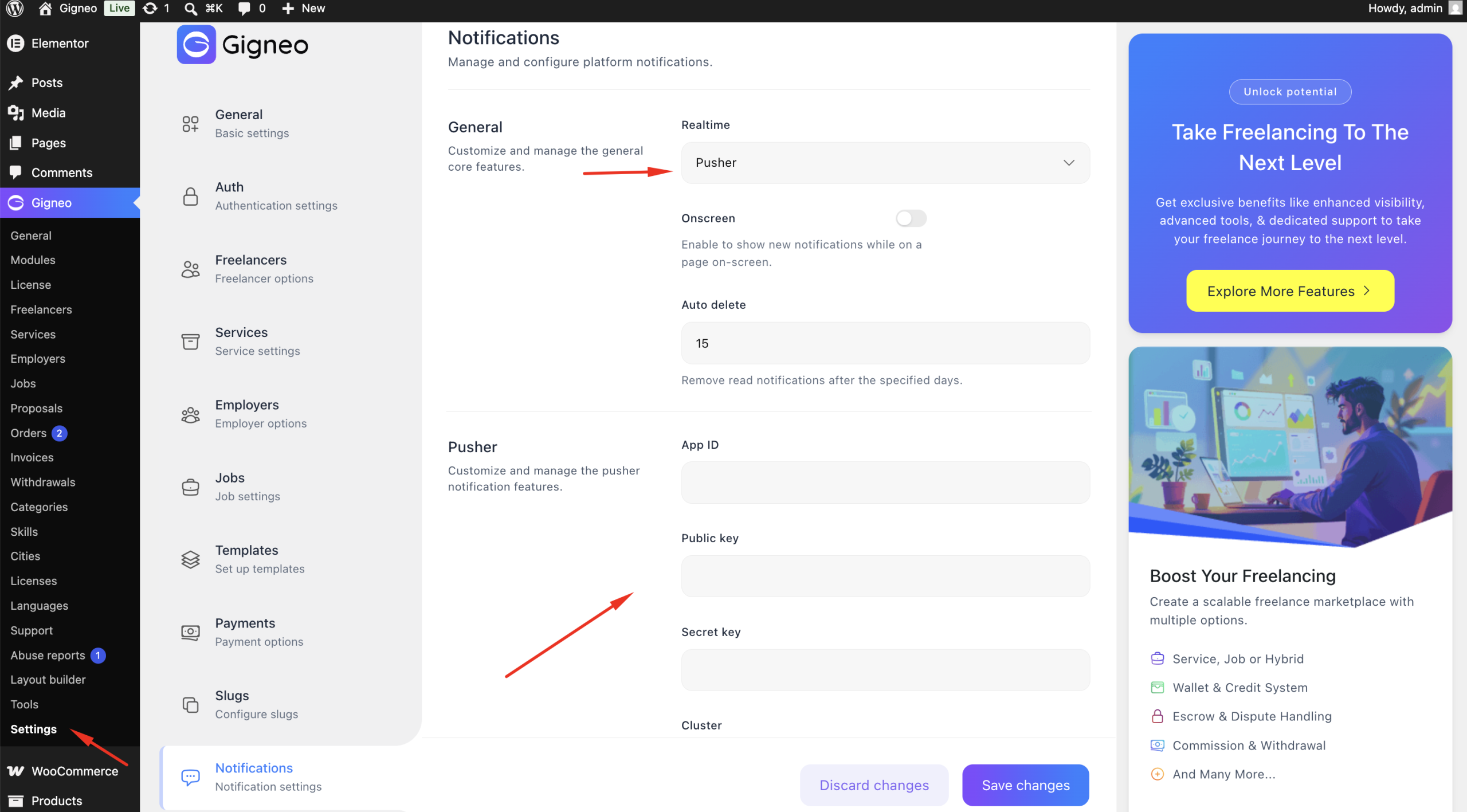
WP Admin → Gigneo → Settings → Notifications
Enter your Pusher credentials, including:
- App ID
- App Key
- App Secret
- Cluster
Save the settings to activate real-time communication.
Real-Time Notifications
Once configured, marketplace notifications are delivered instantly without requiring users to refresh the page.
Examples include:
- New order notifications
- New proposal notifications
- Wallet updates
- Support ticket updates
- Order status changes
- Other marketplace notifications
Live Chat Updates
The Real-Time module also enhances the Live Chat module.
New chat messages appear instantly for both freelancers and employers, providing a smooth real-time conversation experience.
Benefits
The Real-Time module allows you to:
- Connect your marketplace with Pusher.
- Deliver notifications instantly.
- Receive chat messages in real time.
- Eliminate the need for manual page refreshes.
- Improve user engagement and responsiveness.
This module creates a modern, real-time marketplace experience by keeping users instantly connected to new messages and marketplace activities.