
Gigneo includes a built-in withdrawal fee system that allows administrators to charge a fixed fee, percentage fee, or a combination of both for withdrawal requests.
The Withdrawal Fee module extends this functionality by allowing you to configure different withdrawal fees for each payout method.
This is a Gigneo Pro module and requires a minimum Business License or higher.
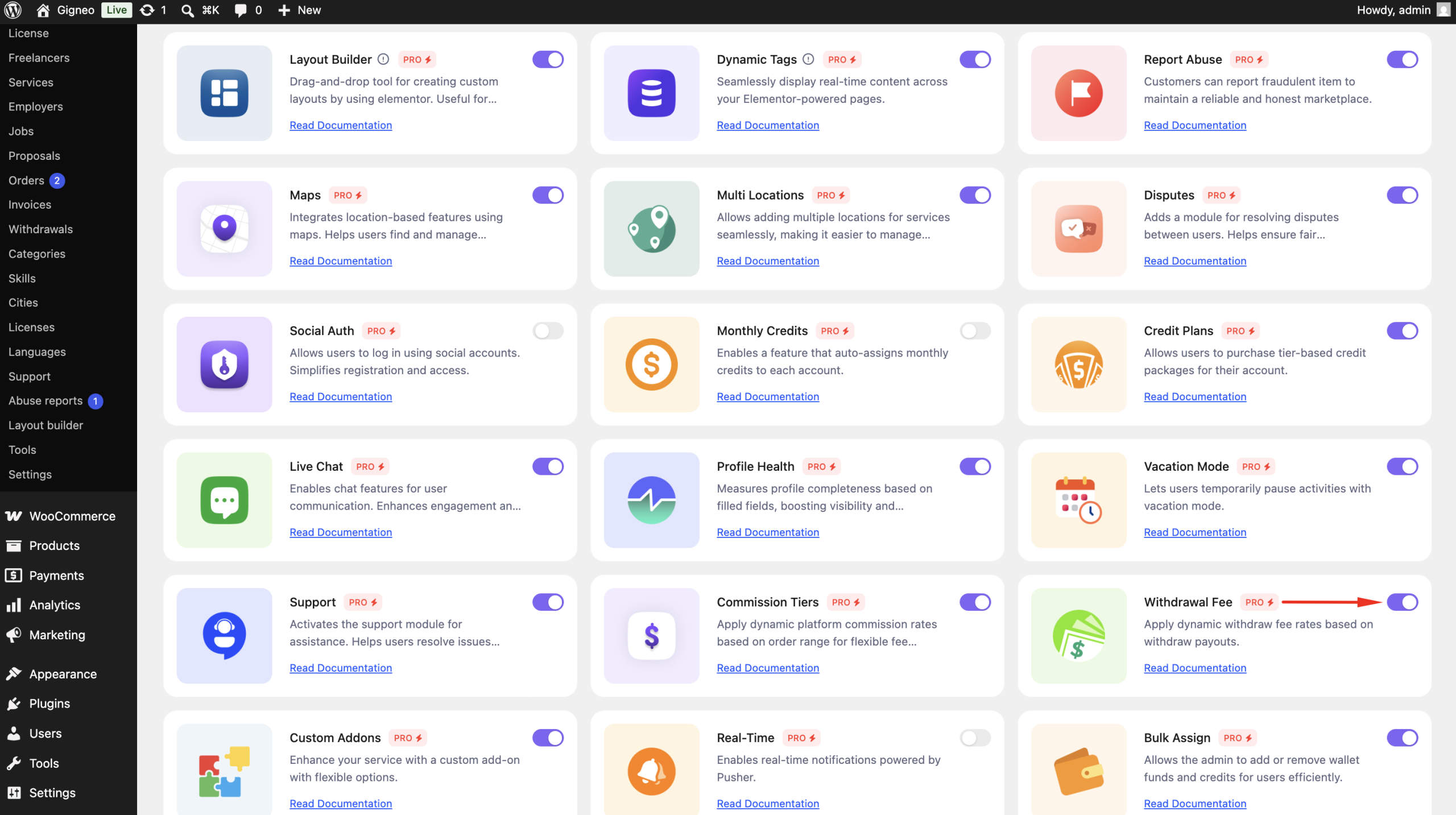
Enable the Module
Before using the Withdrawal Fee module, make sure your Gigneo Pro license is activated.
Navigate to:
WP Admin → Gigneo → Modules
Enable the Withdrawal Fee module.
Default Withdrawal Fee
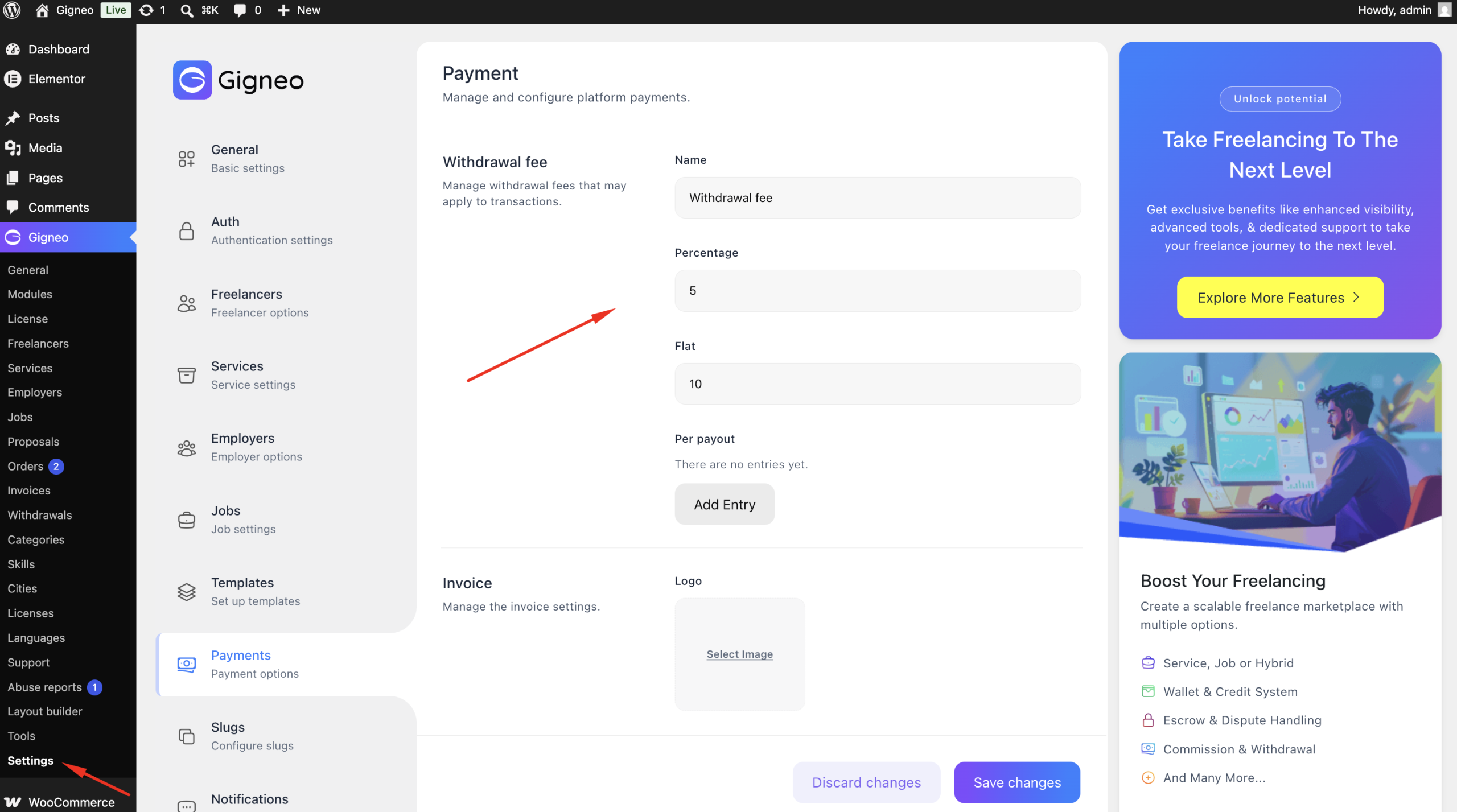
By default, withdrawal fees are configured globally.
Navigate to:
WP Admin → Gigneo → Settings → Payment
From the Withdrawal section, you can configure:
- Fixed Fee
- Percentage Fee
These settings apply to all payout methods by default.
Configure Fees Per Payout Method
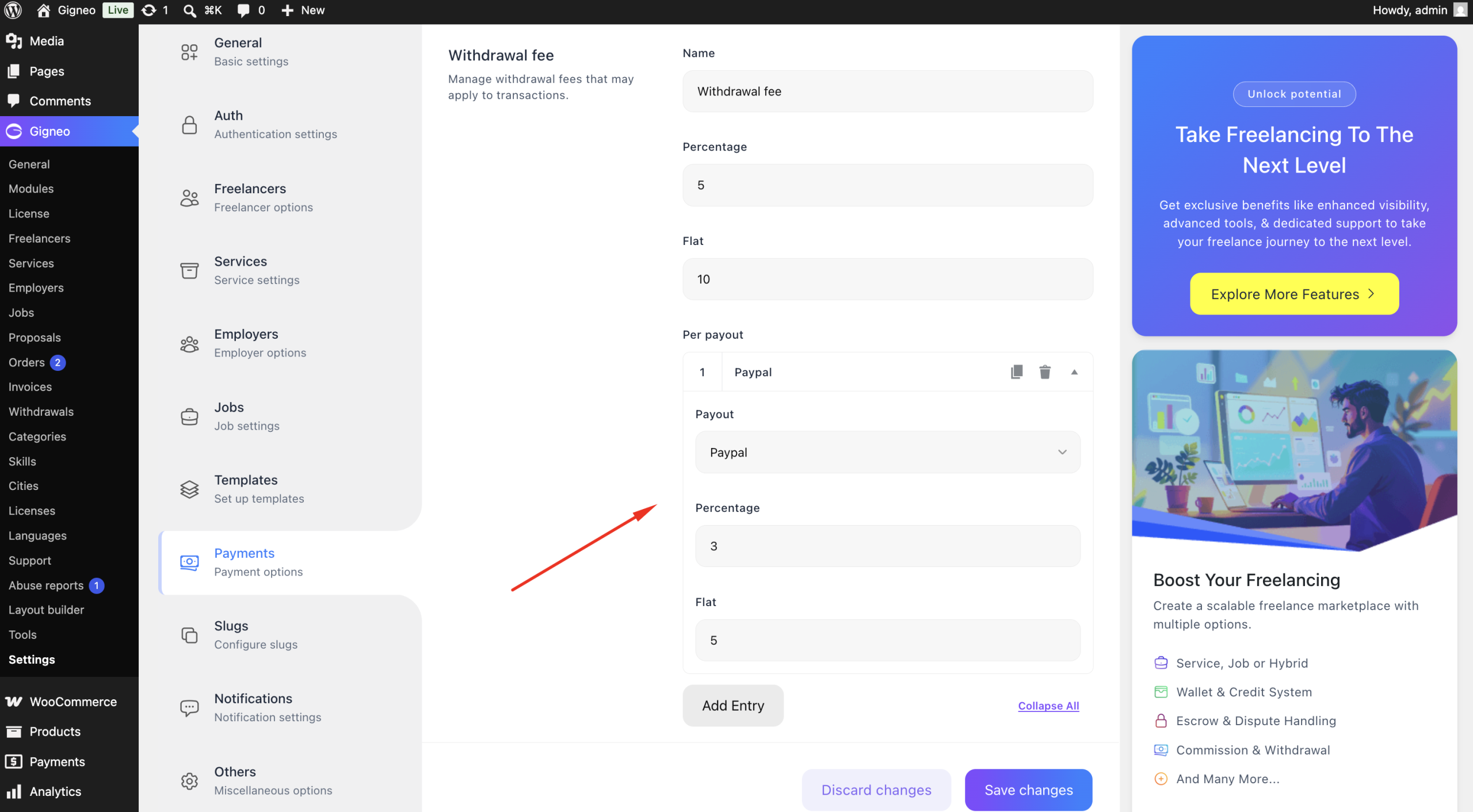
After enabling the Withdrawal Fee module, each payout method can have its own withdrawal fee.
For example:
| Payout Method | Withdrawal Fee |
|---|---|
| Default | $5 + 5% |
| PayPal | $3 + 2% |
| Payoneer | $10 + 1% |
| Bank | $4 + 3% |
Simply edit the desired payout method and configure its own fixed and percentage fee.
Automatic Fee Calculation
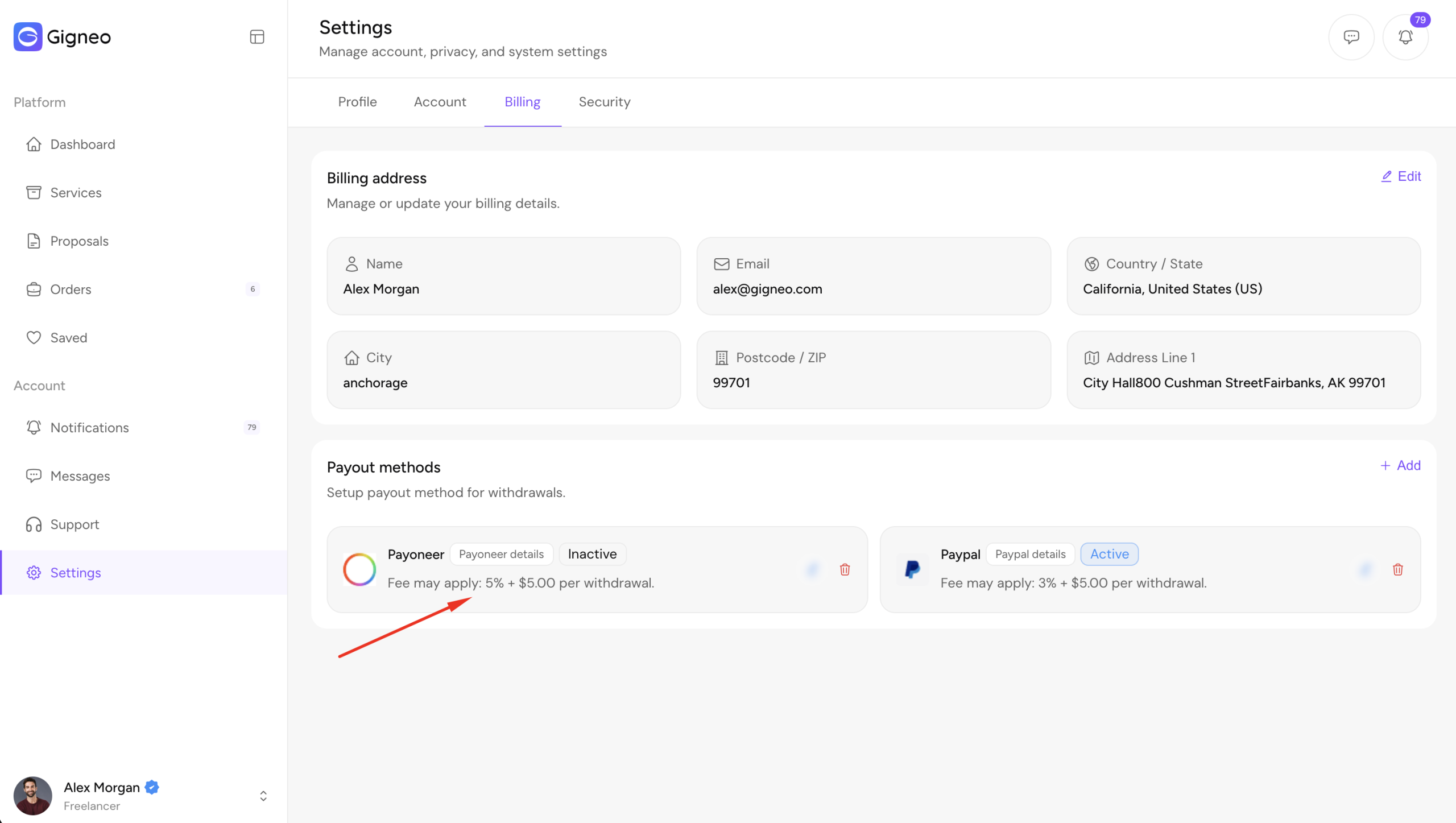
When a user submits a withdrawal request, Gigneo automatically:
- Detects the selected payout method.
- Applies the configured withdrawal fee for that method.
- Calculates the final withdrawal amount automatically.
Users can review the fee breakdown before submitting their withdrawal request.
Benefits
The Withdrawal Fee module allows you to:
- Configure different fees for each payout method.
- Use fixed, percentage, or combined fee calculations.
- Override the default withdrawal fee for specific payout methods.
- Automatically calculate fees during withdrawal requests.
- Create flexible payout pricing for your marketplace.
This module gives marketplace owners greater control over withdrawal costs while supporting different processing fees for different payout providers.