
The Support module provides a built-in ticketing system that allows freelancers and employers to contact the marketplace administrator whenever they need assistance.
Users can create support tickets, track their progress, and communicate directly with the administrator until the issue is resolved.
This is a Gigneo Pro module and requires a minimum Business License or higher.
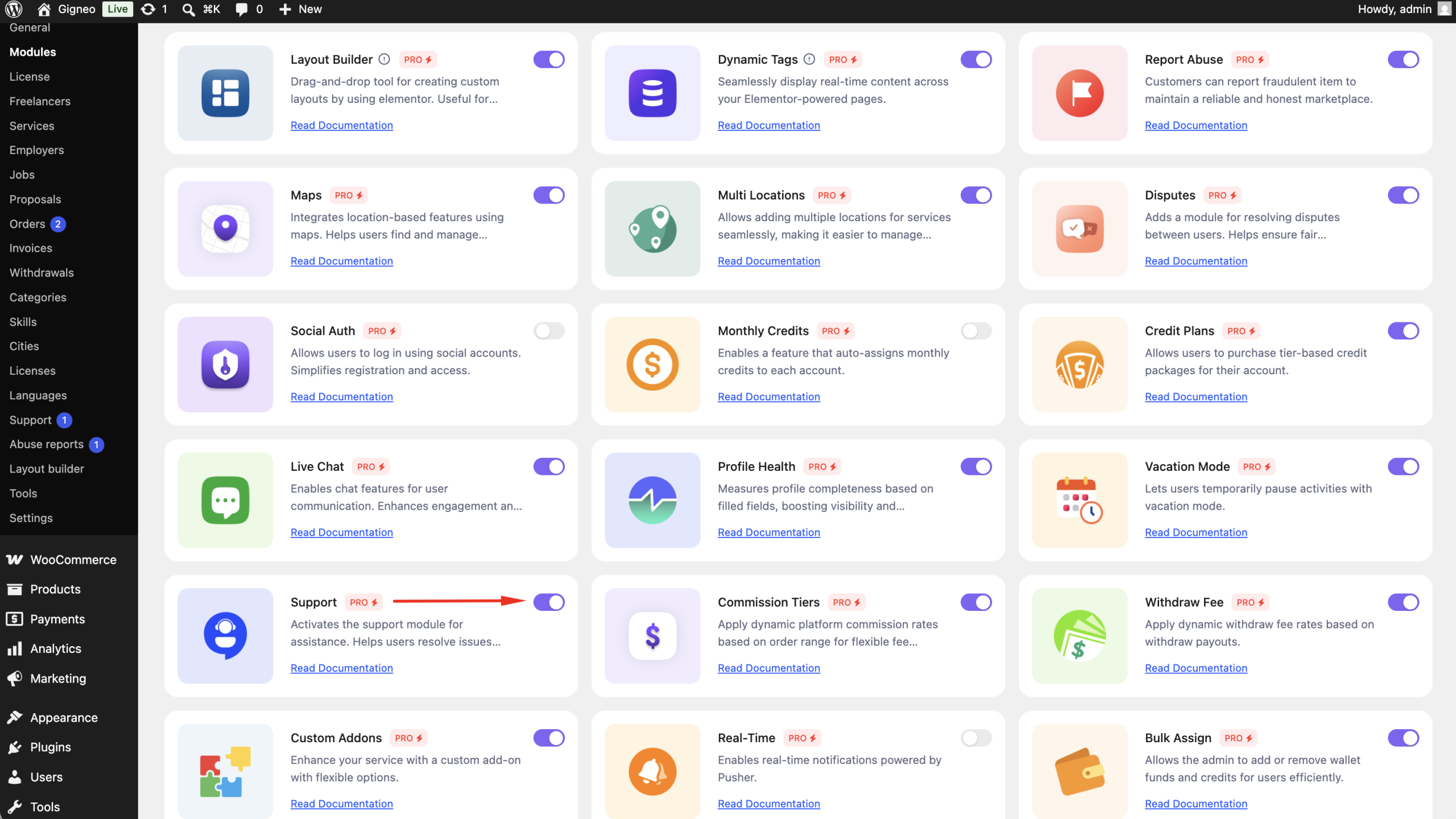
Enable the Module
Before using the Support module, make sure your Gigneo Pro license is activated.
Navigate to:
WP Admin → Gigneo → Modules
Enable the Support module.
Create a Support Ticket
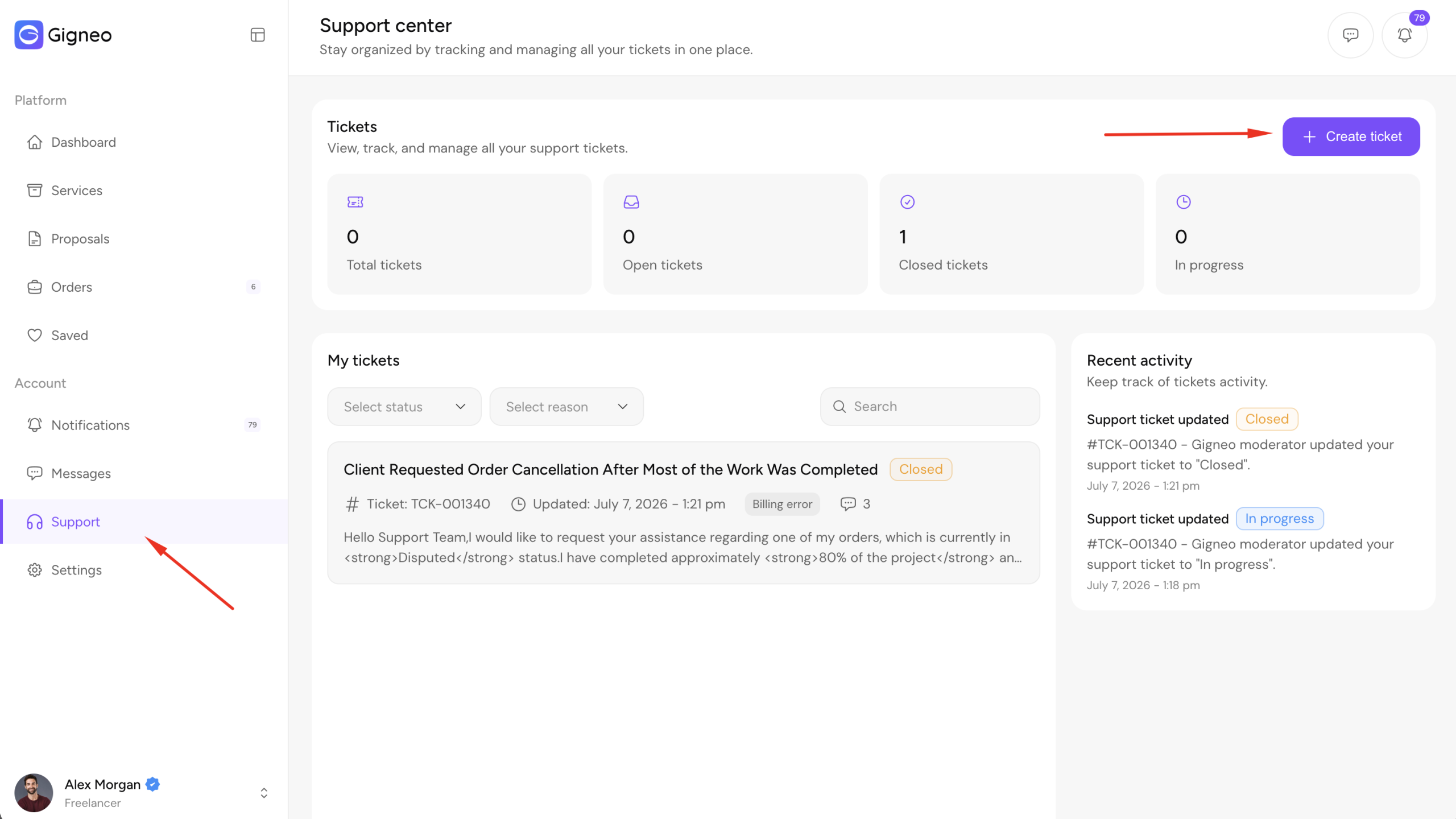
Users can create a new support ticket by navigating to:
Dashboard → Support
Click Create Ticket.
When creating a ticket, users can provide:
- Ticket subject
- Category (if enabled)
- Priority
- Description
- Attachments (if enabled)
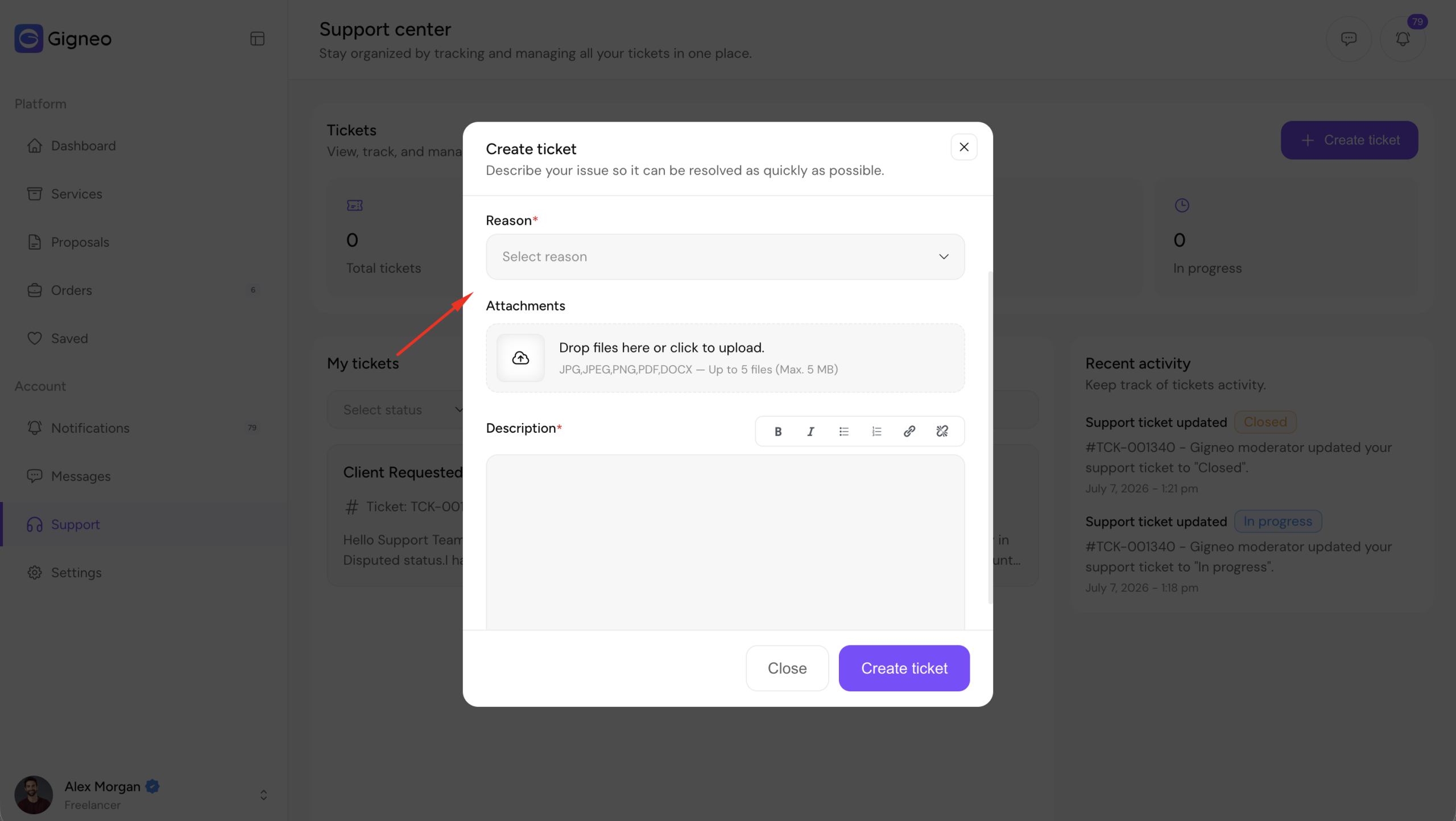
Once submitted, the ticket is sent to the marketplace administrator for review.
View Ticket Status
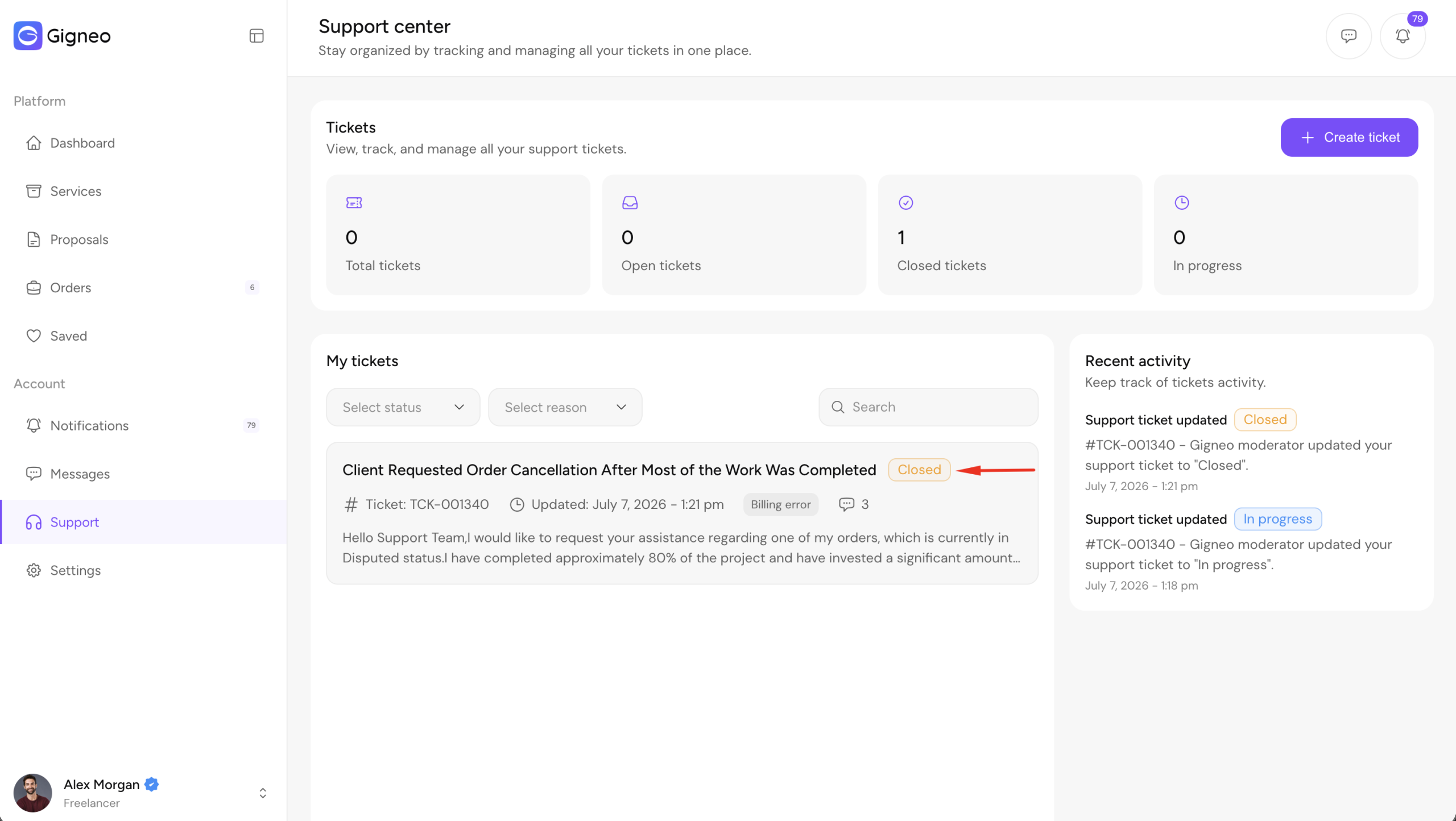
Users can view all of their support tickets from:
Dashboard → Support
Each ticket displays its current status, priority, and latest replies.
Users can open any ticket to continue the conversation with the administrator.
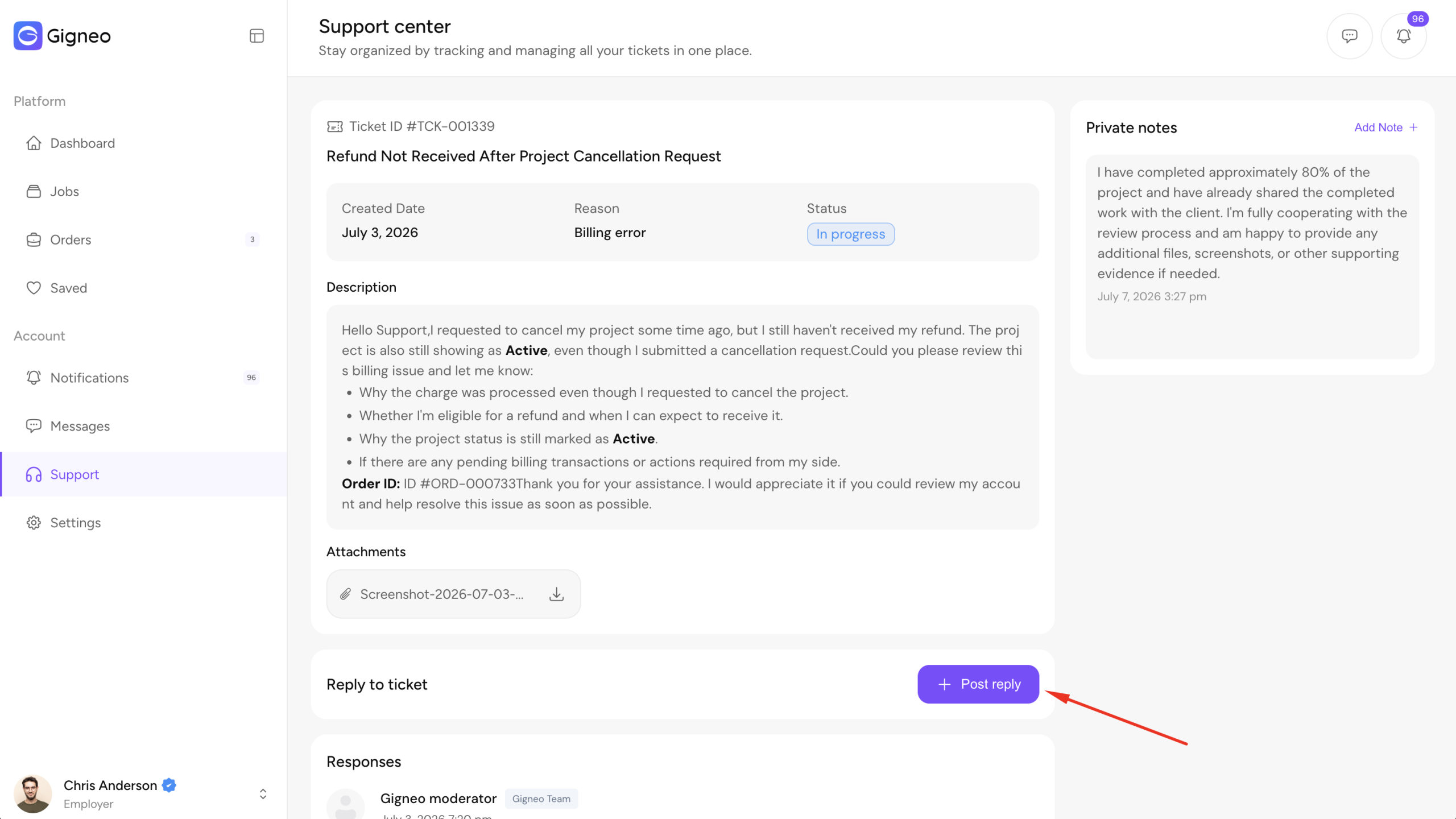
Reply to Tickets
Both users and administrators can reply to support tickets throughout the conversation.
Replies are displayed in chronological order, allowing both parties to easily track the discussion until the issue is resolved.
Private Notes
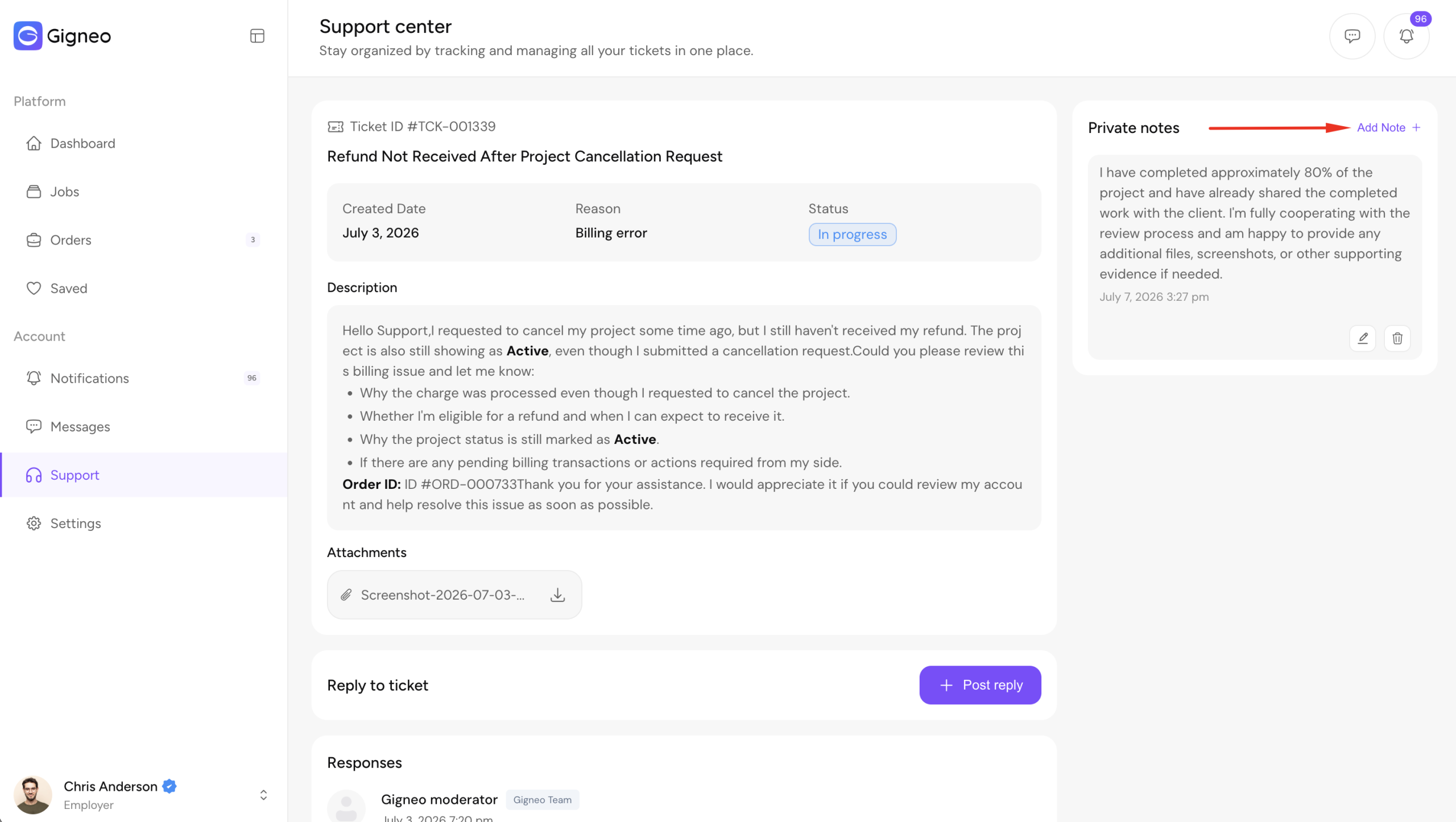
In addition to public replies, both administrators and users can add Private Notes to a support ticket.
Private notes are only visible to the person who created them and are never shown to the other party.
This allows users and administrators to keep personal reminders, internal notes, or additional information without sharing it in the conversation.
Manage Support Tickets
Marketplace administrators can manage all support requests by navigating to:
WP Admin → Gigneo → Support
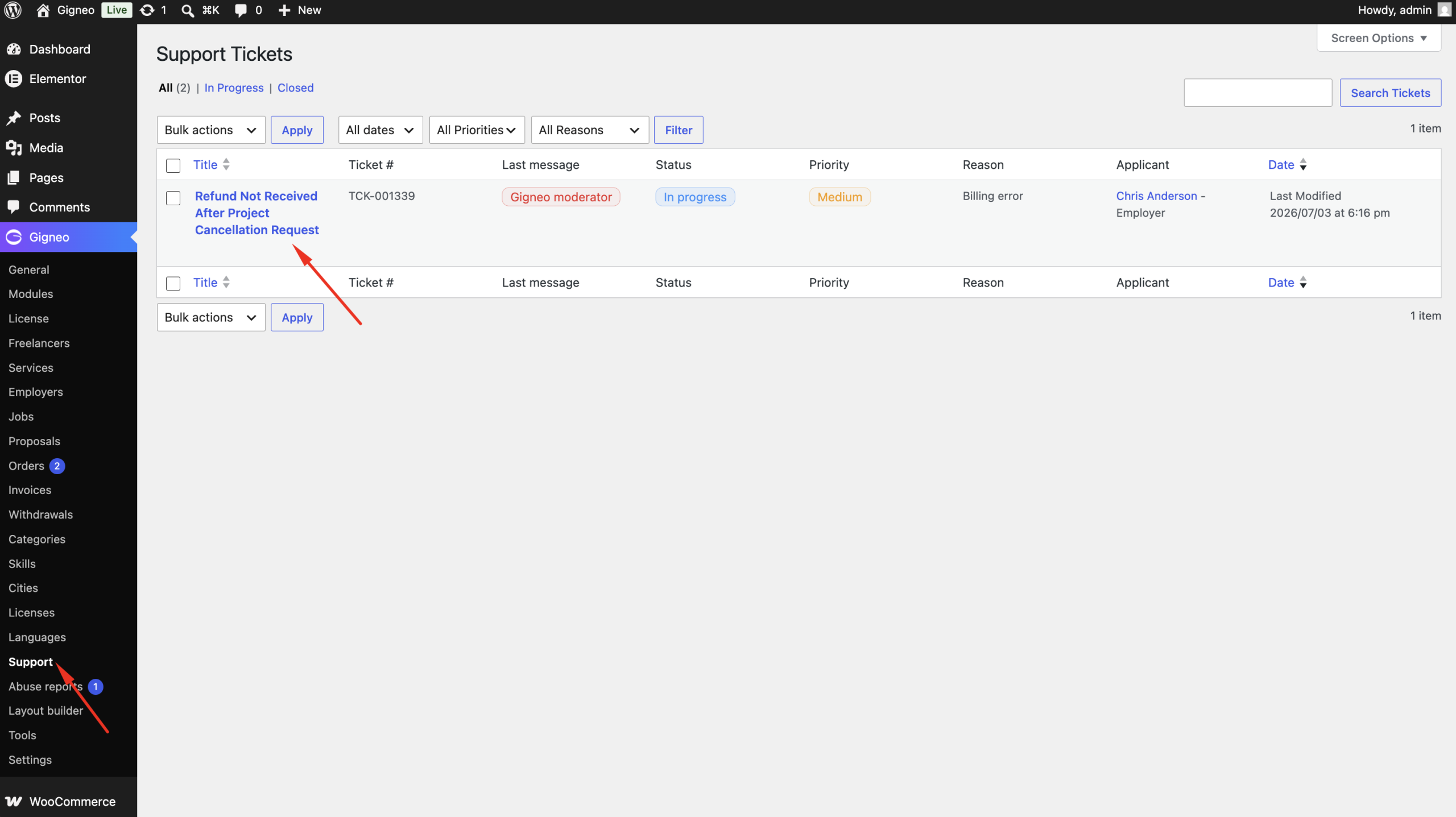
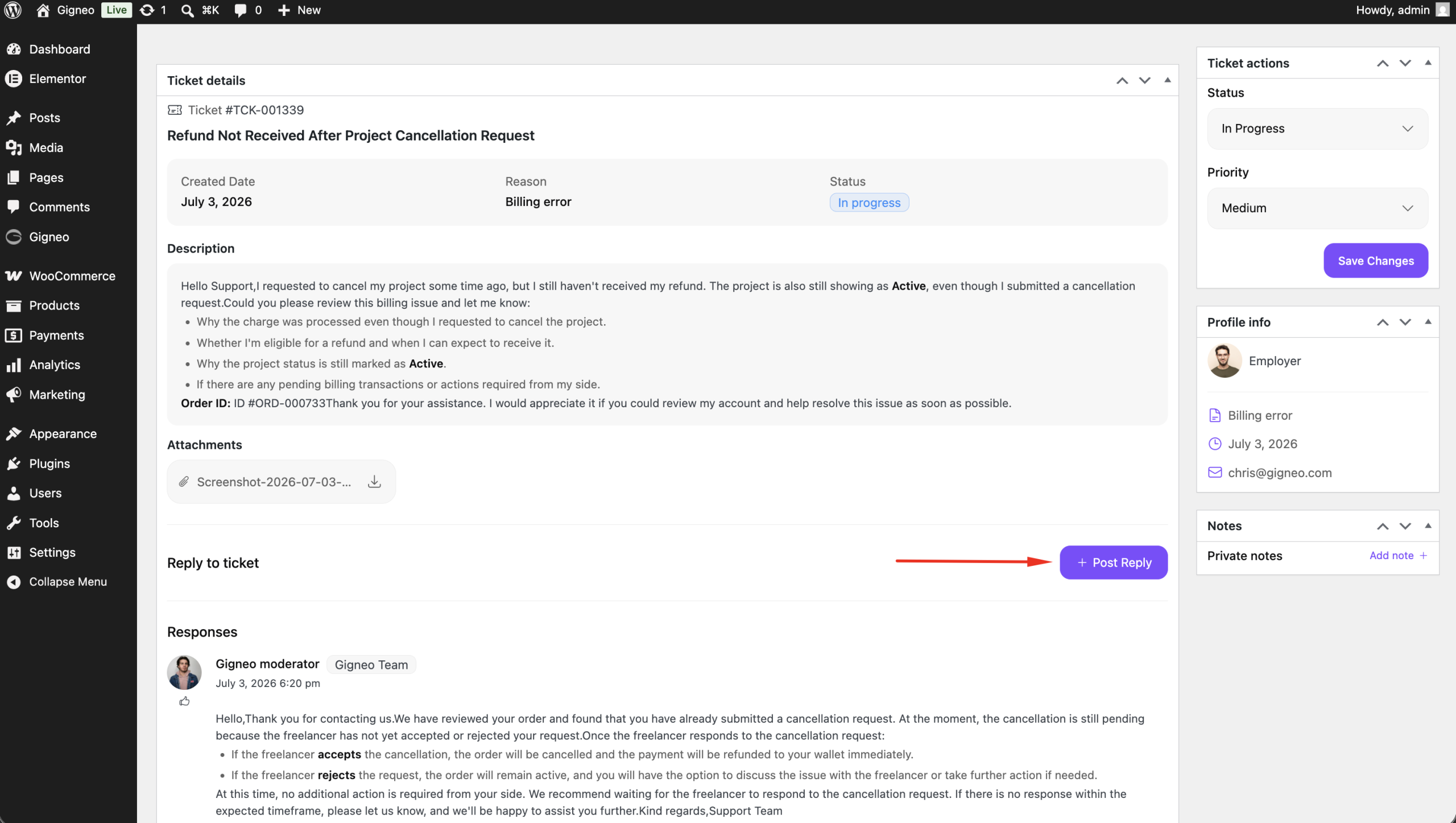
From here, administrators can:
- View all submitted tickets
- Read ticket conversations
- Reply to users
- Update ticket priority
- Change ticket status
Ticket Status
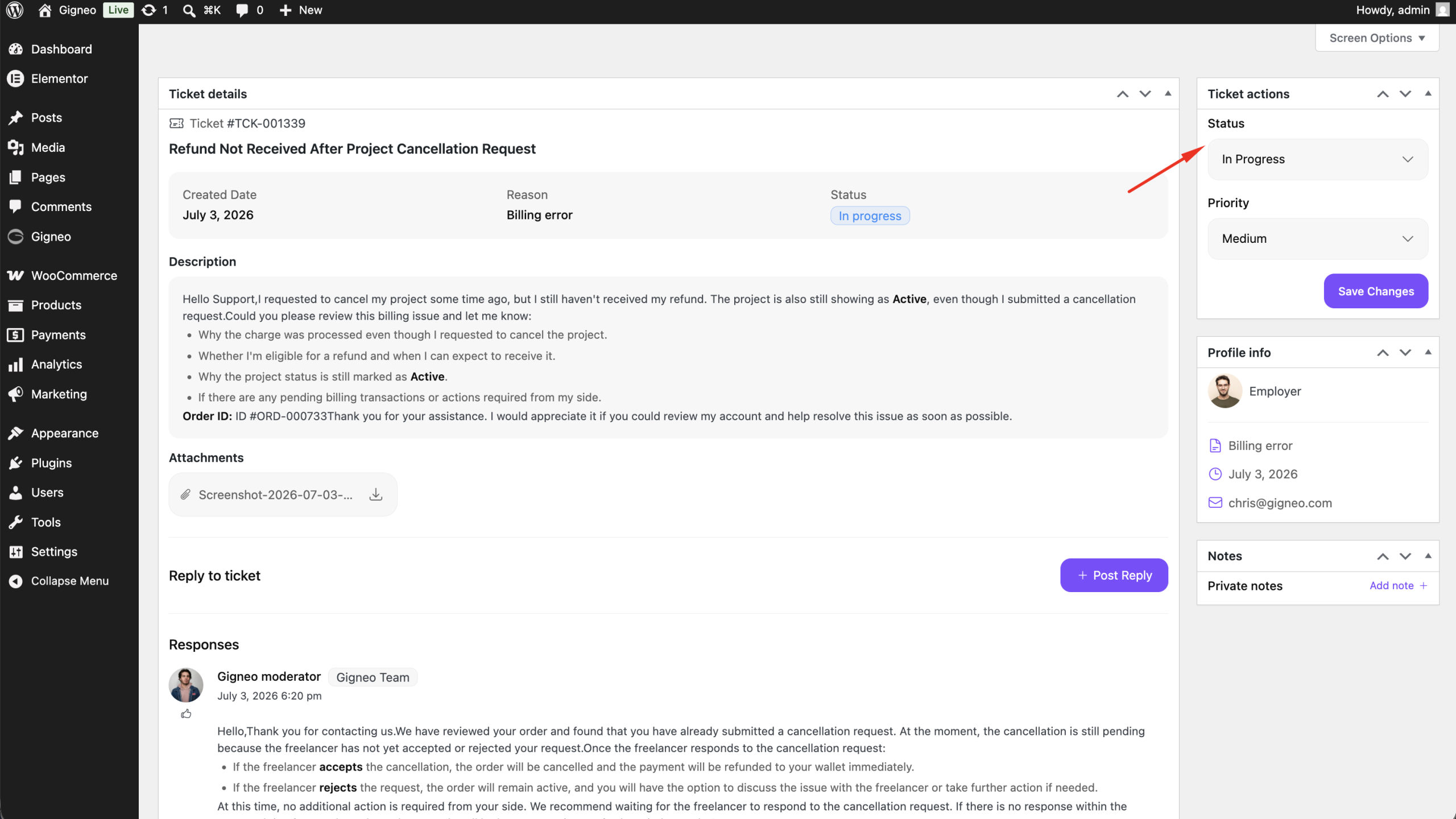
Administrators can update the ticket status throughout the support process.
Available statuses include:
- Open
- In Progress
- Closed
These statuses help users track the progress of their support requests.
Ticket Priority
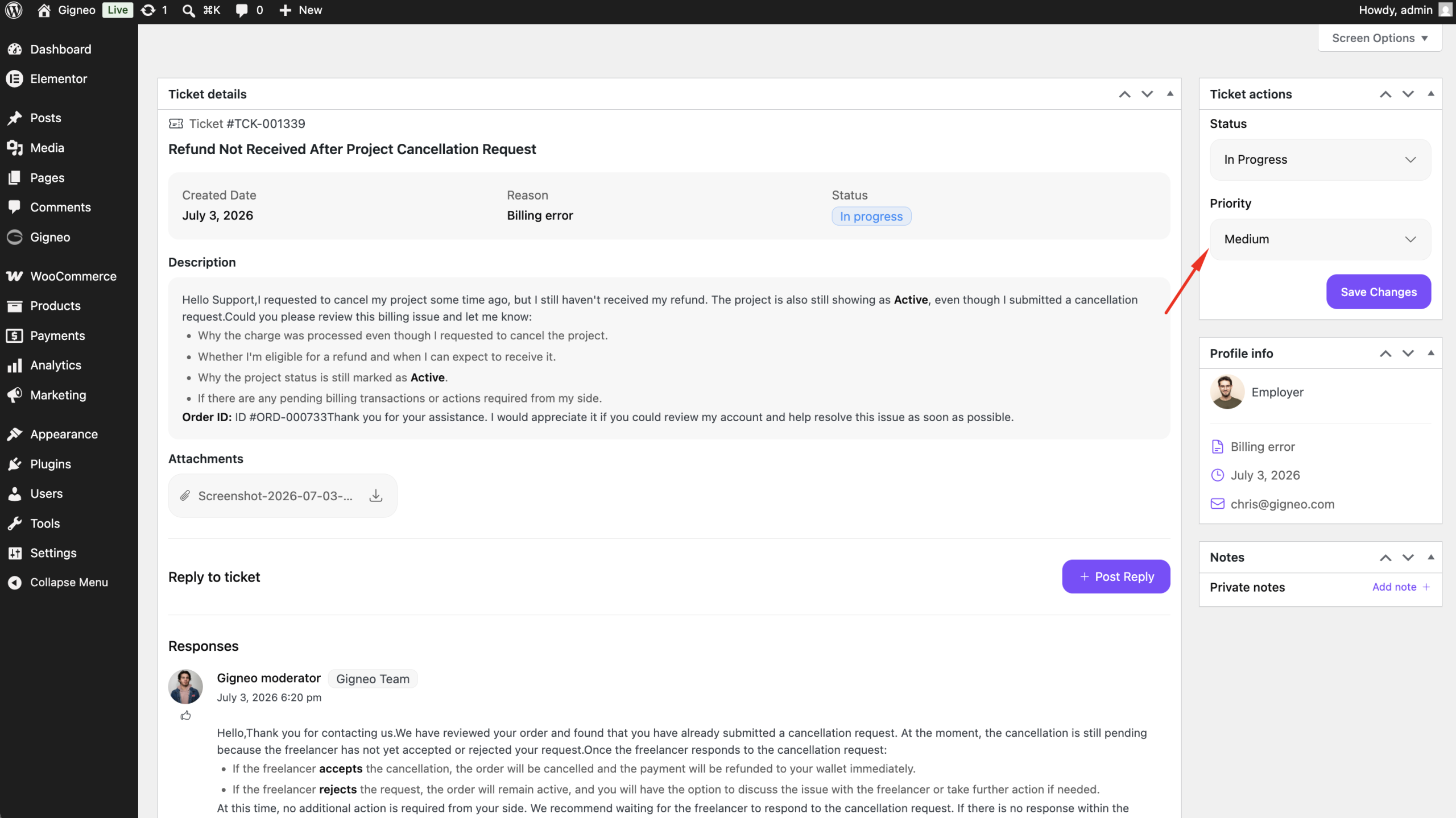
Administrators can also update the priority of each ticket based on its urgency.
This helps organize support requests and ensures important issues are handled first.
Benefits
The Support module allows you to:
- Provide a built-in support system for your marketplace.
- Allow users to create and manage support tickets.
- Reply directly to users through ticket conversations.
- Update ticket priority and status.
- Track support requests from a centralized dashboard.
This module streamlines communication between users and administrators, making it easier to provide timely support and resolve issues efficiently.