
The Live Chat module enables real-time communication between employers and freelancers throughout the hiring process.
Employers can start conversations before placing an order, allowing them to discuss project requirements, ask questions, and clarify expectations. Once an order is created, both parties can continue their conversation directly from the order.
This is a Gigneo Pro module and requires a minimum Business License or higher.
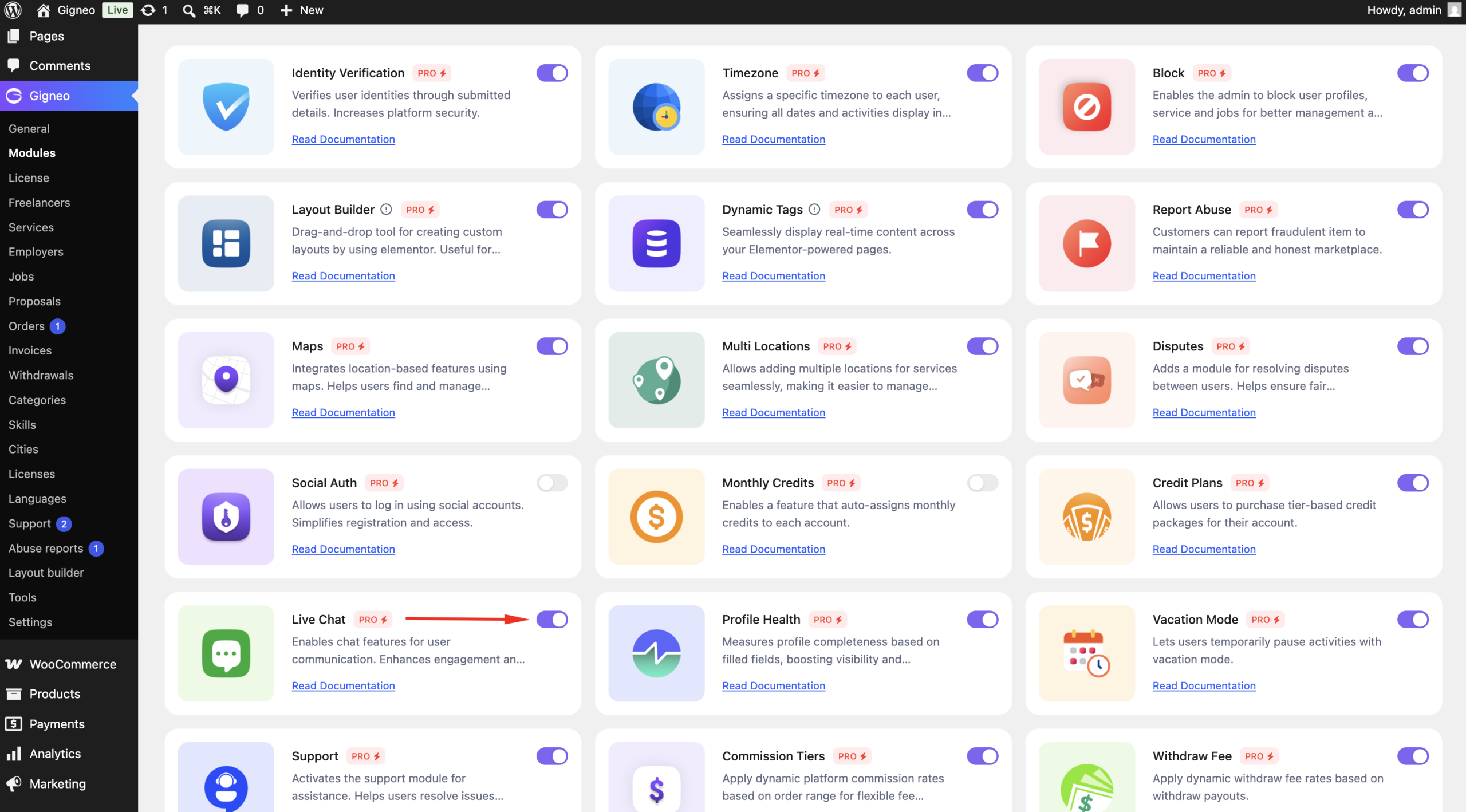
Enable the Module
Before using the Live Chat module, make sure your Gigneo Pro license is activated.
Navigate to:
WP Admin → Gigneo → Modules
Enable the Live Chat module.
Configure Chat Settings
Marketplace administrators can configure the Live Chat experience by navigating to:
WP Admin → Gigneo → Settings → Others
From here, administrators can configure:
- Enable or disable media attachments
- Allowed file types for uploads
- Maximum upload file size
- Maximum number of attachments
- Message filtering and moderation settings
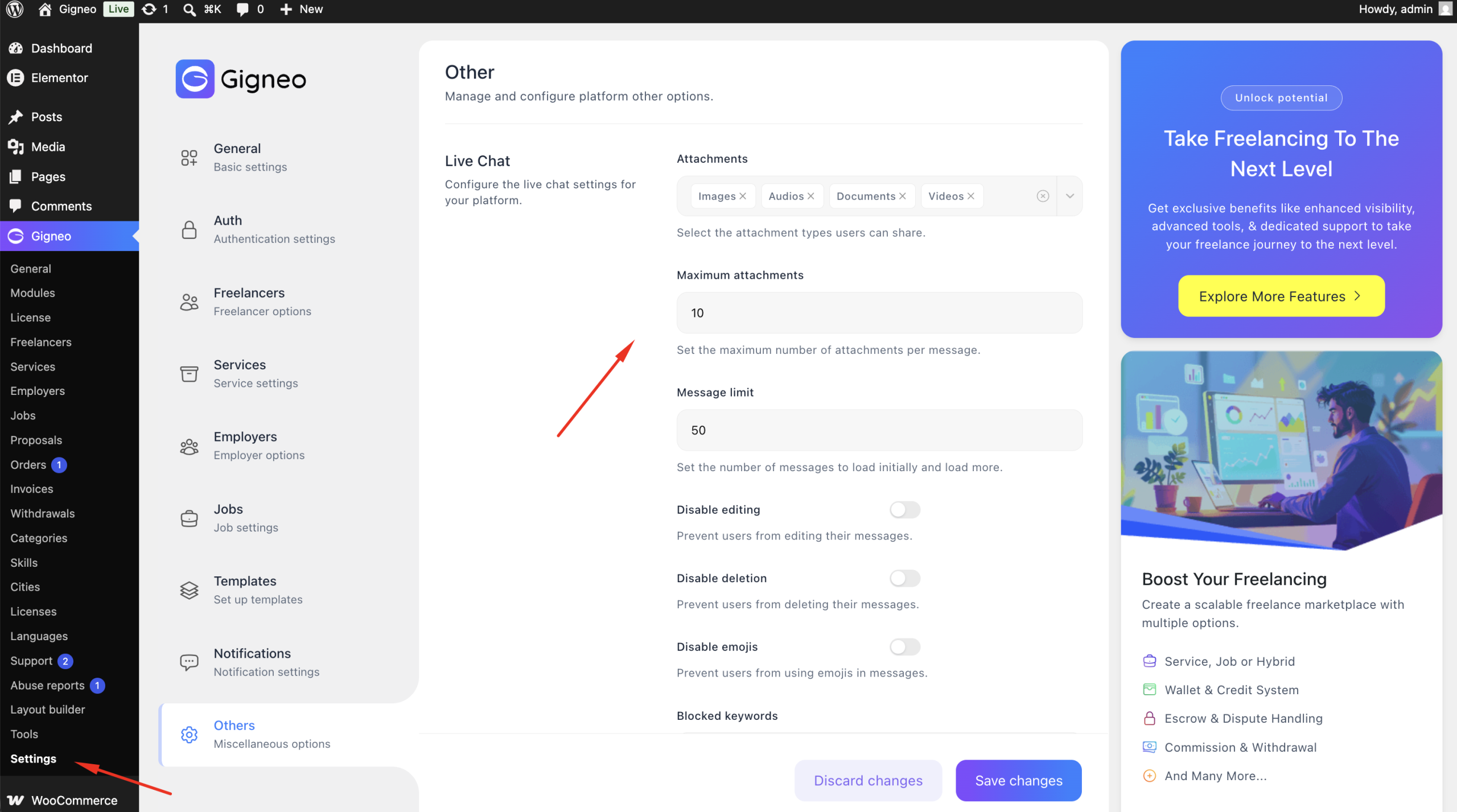
These settings help control how users communicate and share files across the marketplace.
Start a Conversation
Only employers can initiate a new conversation.
A Chat button is available on freelancer profiles, service pages, and other supported marketplace pages.
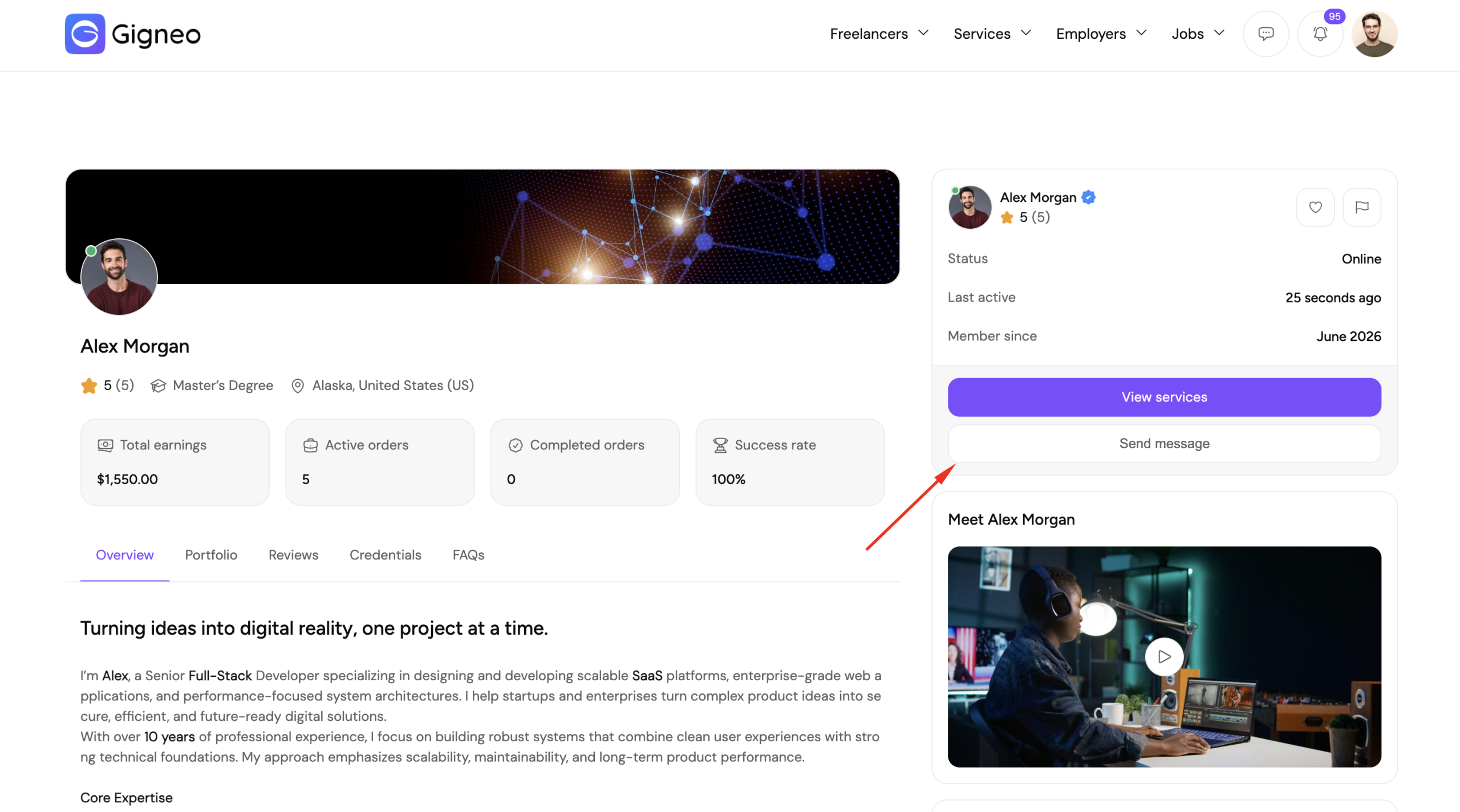
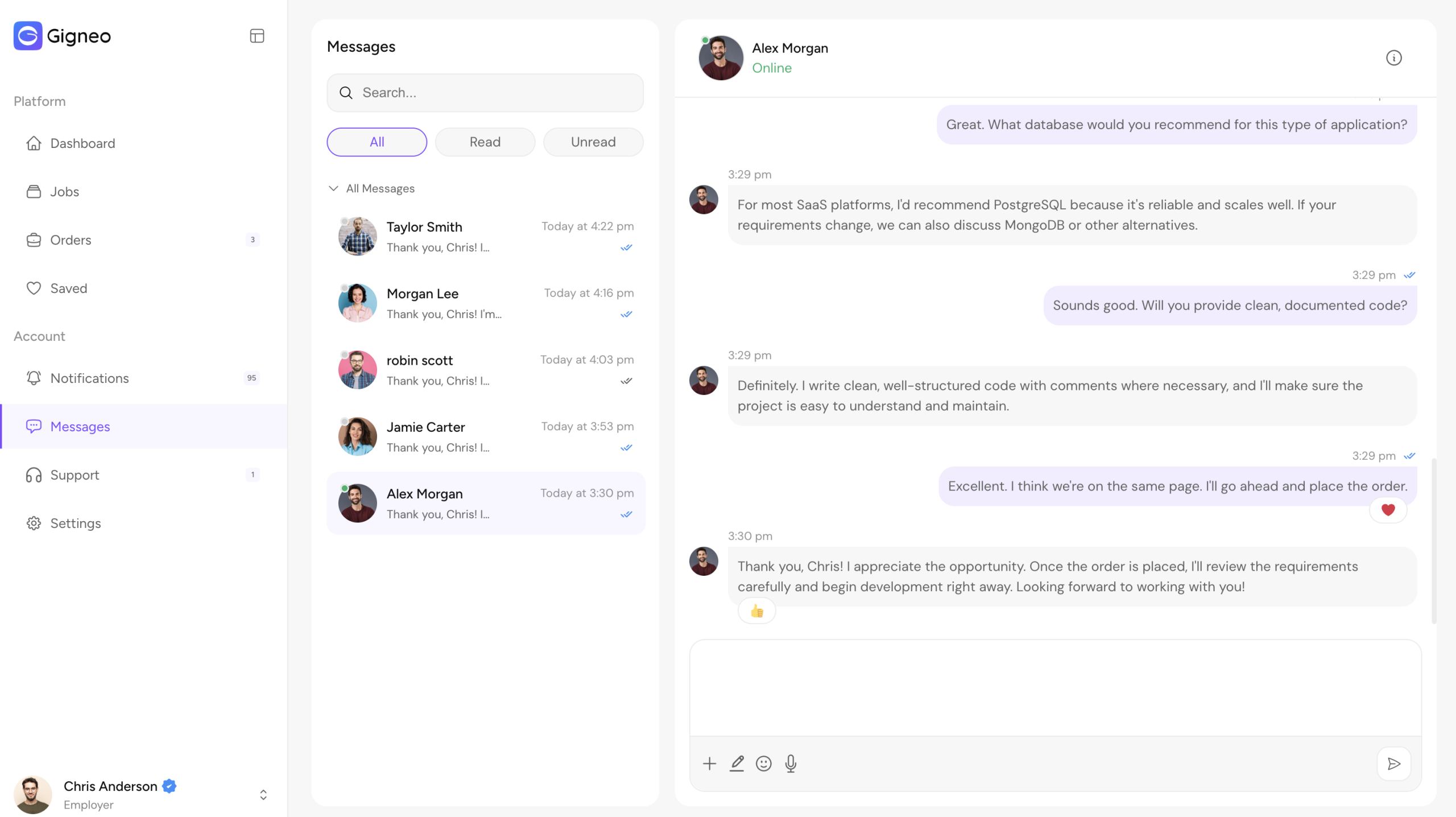
Once a conversation has started, both the employer and freelancer can continue messaging each other.
Admin Chat Monitoring
Marketplace administrators can monitor all conversations from:
WP Admin → Gigneo → Tools → Live Chat
From this page, administrators can:
- View all conversations
- Read chat messages
- Review shared attachments
- Monitor communication across the marketplace
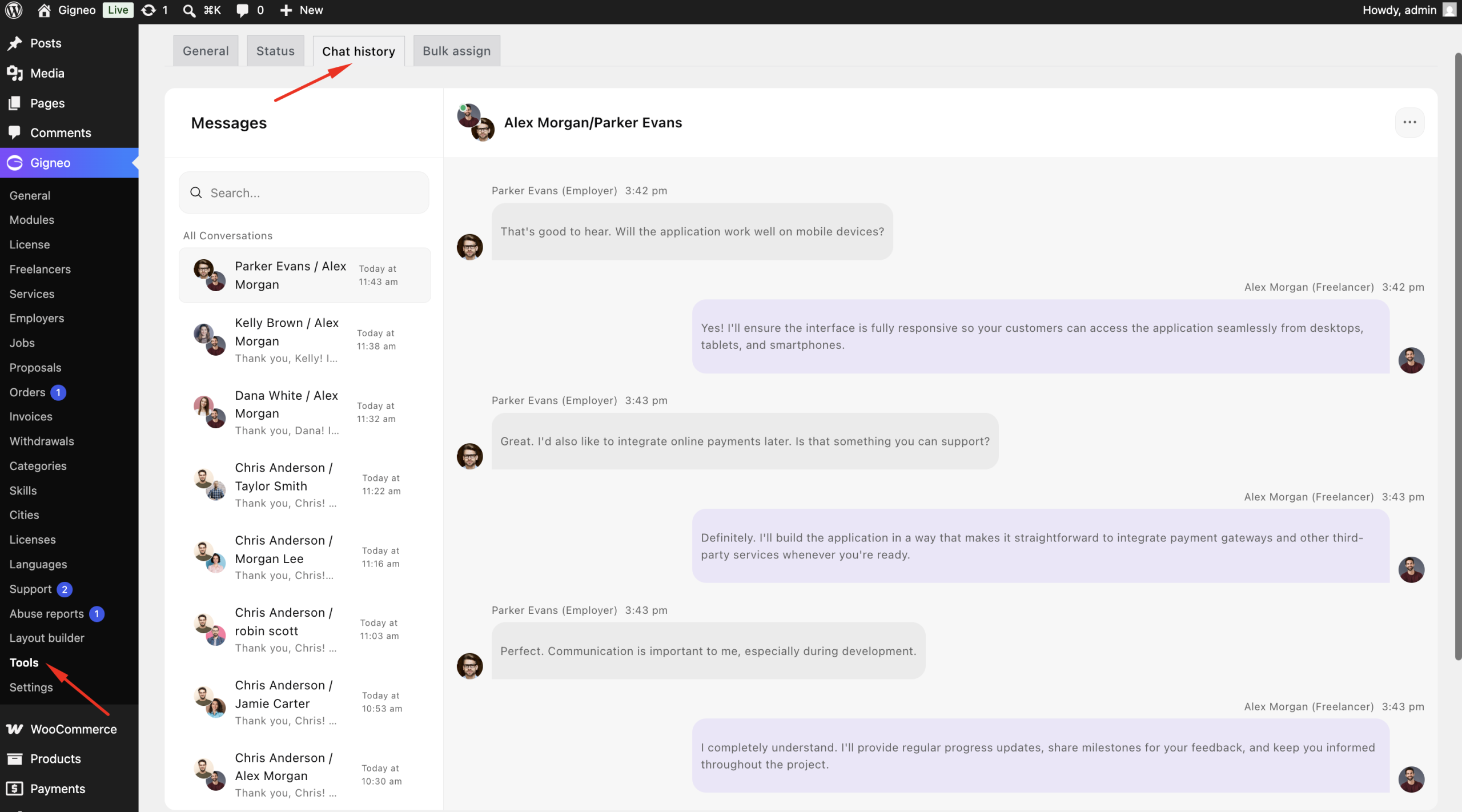
This helps administrators oversee marketplace activity and investigate issues when necessary.
Benefits
The Live Chat module helps you:
- Allow employers to initiate conversations with freelancers.
- Communicate before and after service or job orders.
- Share files securely during conversations.
- Configure upload limits and allowed file types.
- Filter messages using administrator settings.
- Monitor conversations from the WordPress admin dashboard.
This module creates a seamless communication experience while giving administrators the tools needed to manage and oversee marketplace interactions.