
The Credit Plans module allows marketplace administrators to create predefined credit packages with discounted pricing.
Instead of purchasing credits at the standard credit rate, users can choose from available credit plans and receive additional credits at a discounted price.
This is a Gigneo Pro module and requires a minimum Professional License or higher.
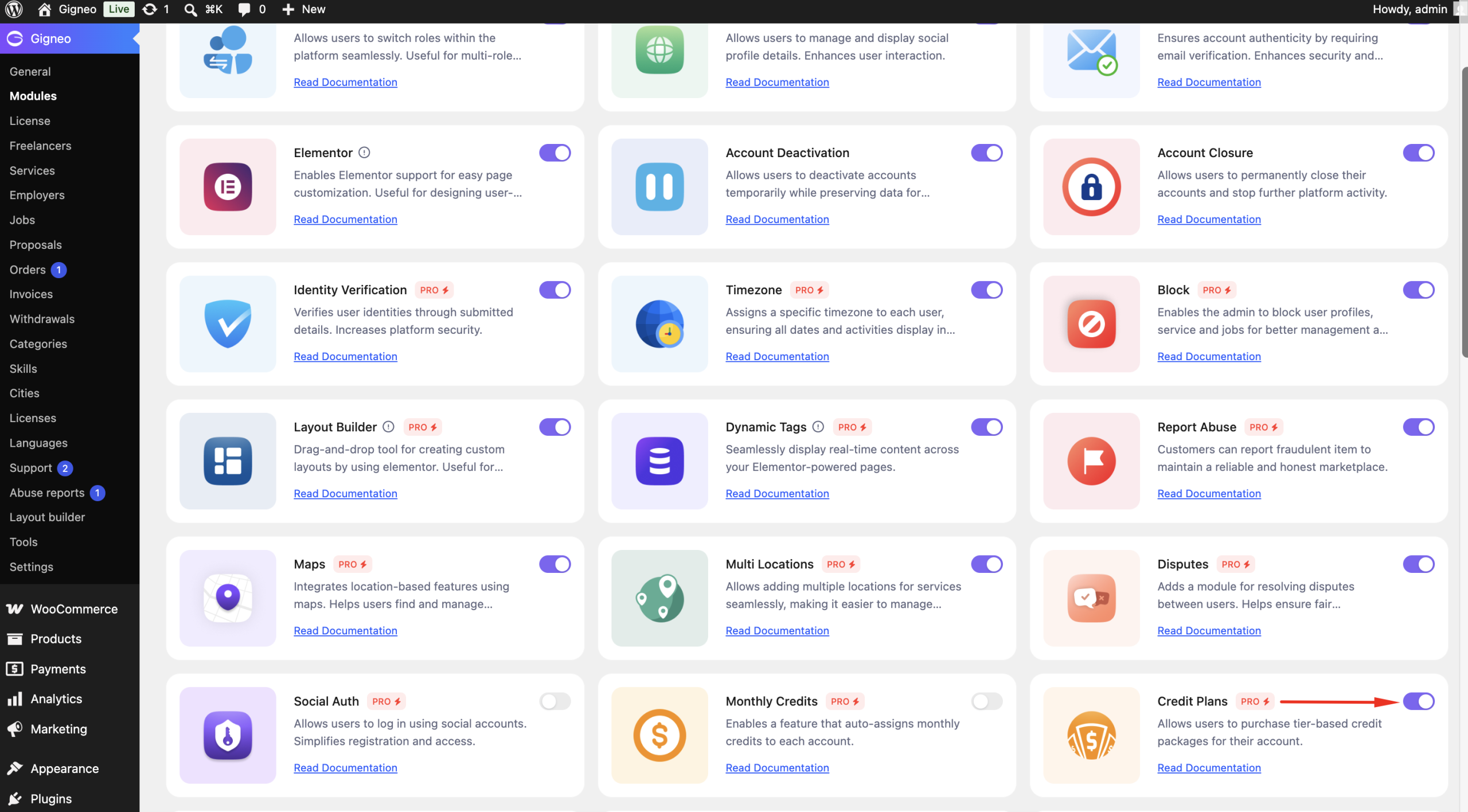
Enable the Module
Before using the Credit Plans module, make sure your Gigneo Pro license is activated.
Navigate to:
WP Admin → Gigneo → Modules
Enable the Credit Plans module.
Create Credit Plans
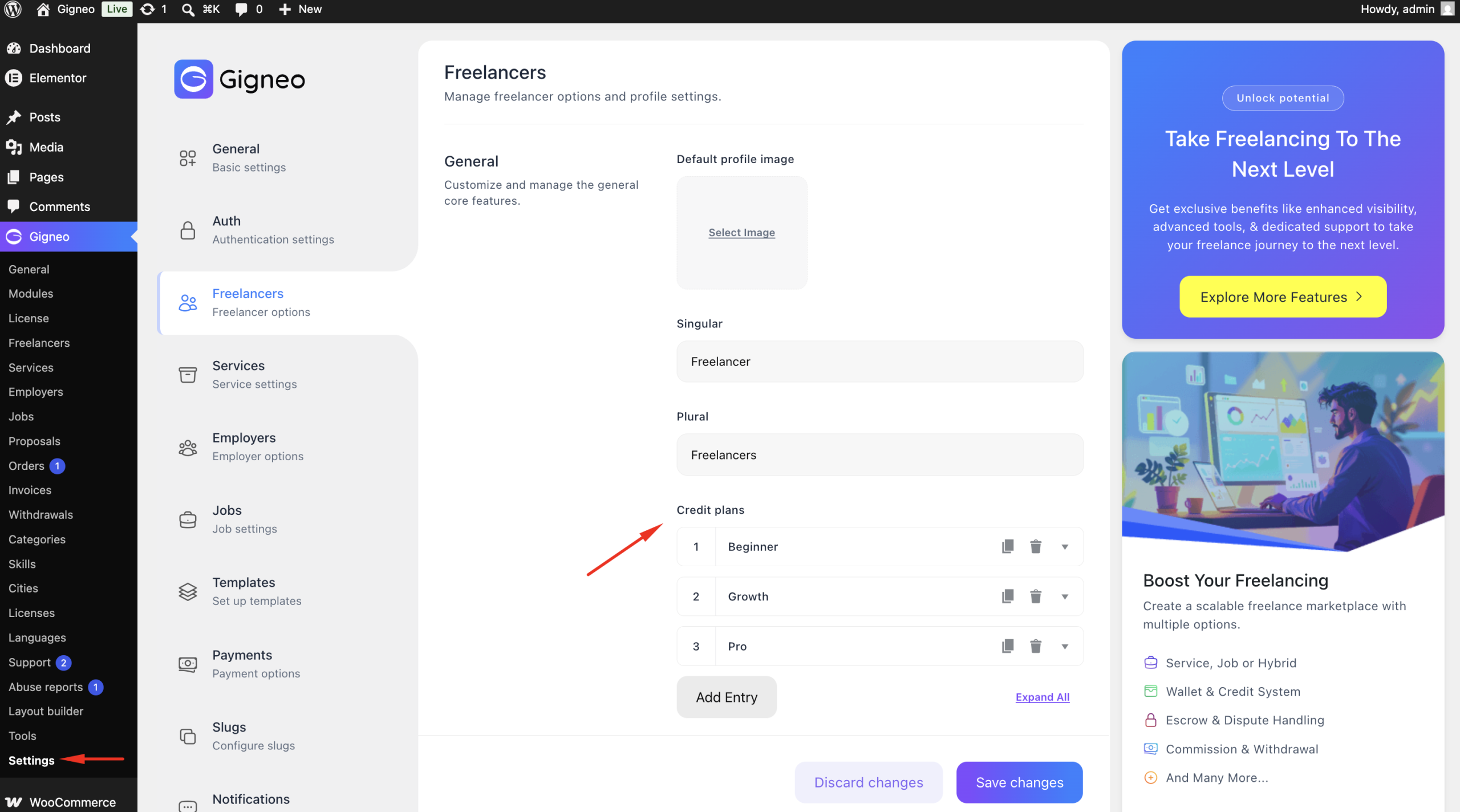
Navigate to:
WP Admin → Gigneo → Settings → Freelancers / Employers
Click Add New to create a new credit package.
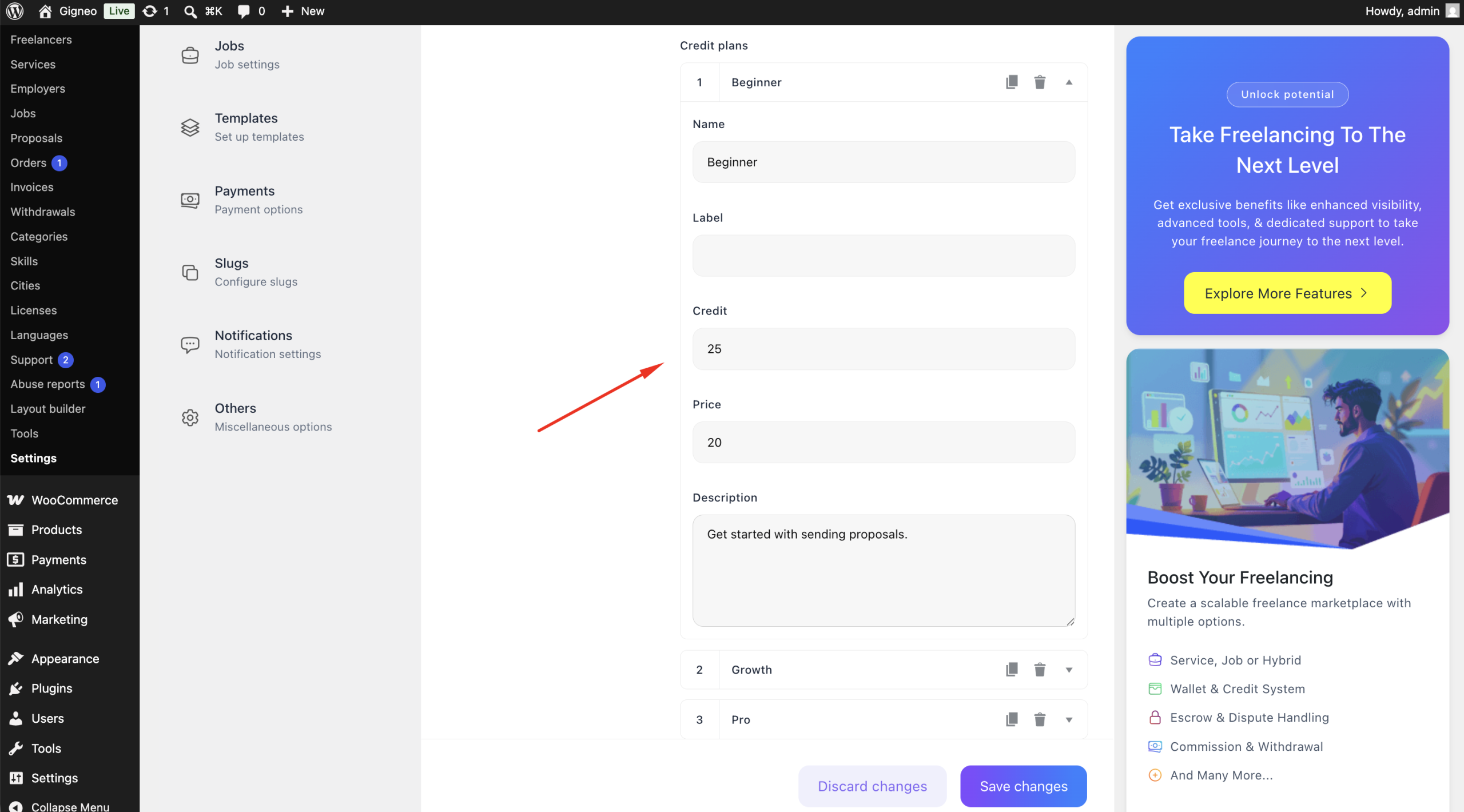
For each plan, you can configure:
- Plan Name
- Label
- Credits
- Price
- Description
Save the plan once all details have been configured.
Purchase Credit Plans
Users can purchase available credit plans from:
Dashboard → Credits
The available credit packages are displayed alongside the standard custom credit purchase option.
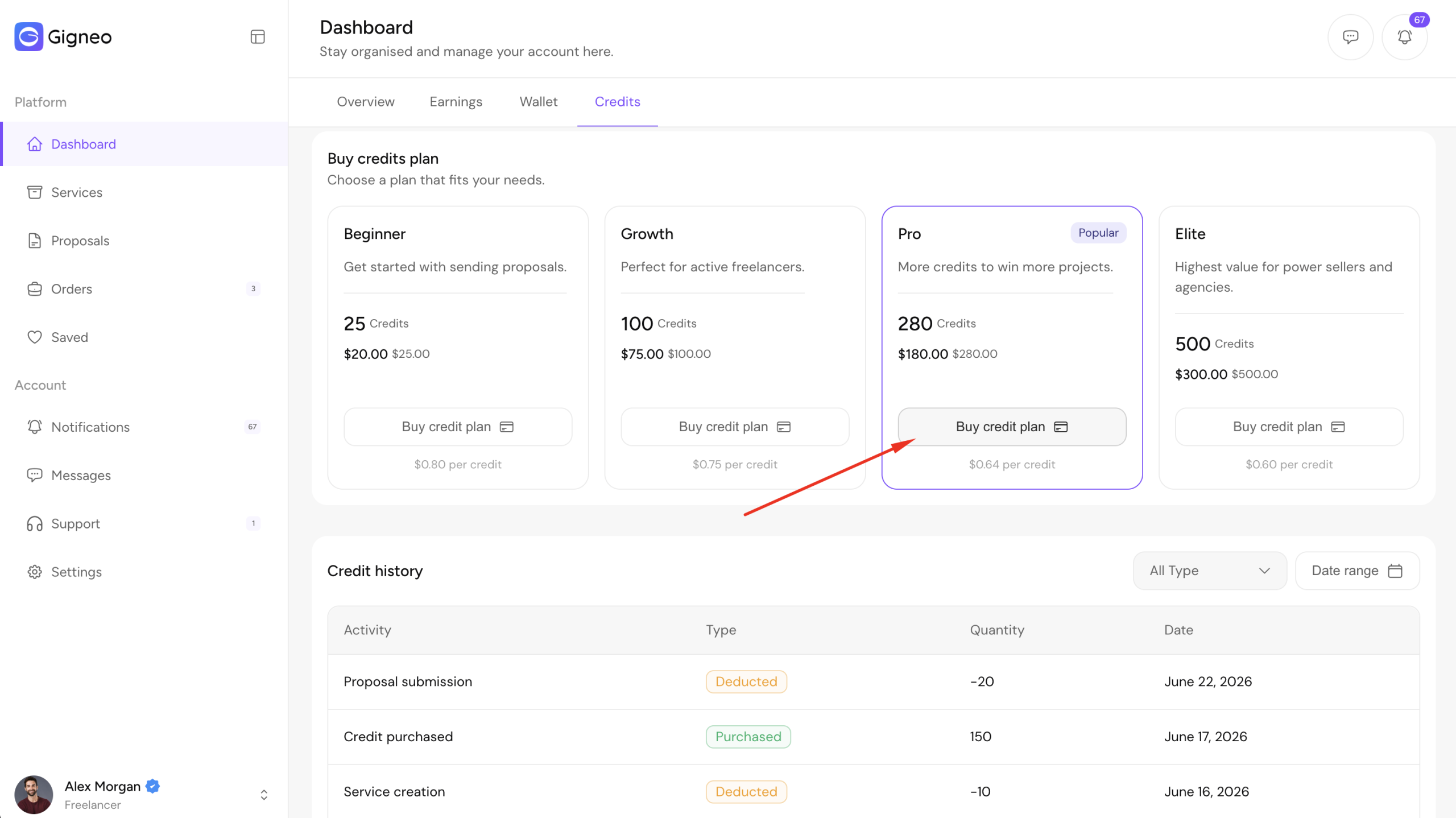
When a user purchases a credit plan, the discounted price is applied automatically and the purchased credits are added to their account instantly after successful payment.
Benefits
The Credit Plans module allows you to:
- Create predefined credit packages.
- Offer discounted pricing for bulk credit purchases.
- Encourage users to purchase more credits.
- Increase marketplace revenue.
- Provide flexible credit purchasing options for freelancers and employers.
This module is an effective way to boost credit sales while giving users attractive purchasing options.