
The Dynamic Tags module extends Elementor by allowing you to display dynamic marketplace information inside your custom layouts.
Instead of manually adding text, images, links, or other content, Dynamic Tags automatically pull the correct information from the current freelancer, employer, service, or job being viewed.
This makes your Elementor templates fully dynamic and reusable.
This is a Gigneo Pro module and requires a minimum Starter License or higher.
Enable the Module
Before using Dynamic Tags, make sure your Gigneo Pro license is activated.
Navigate to:
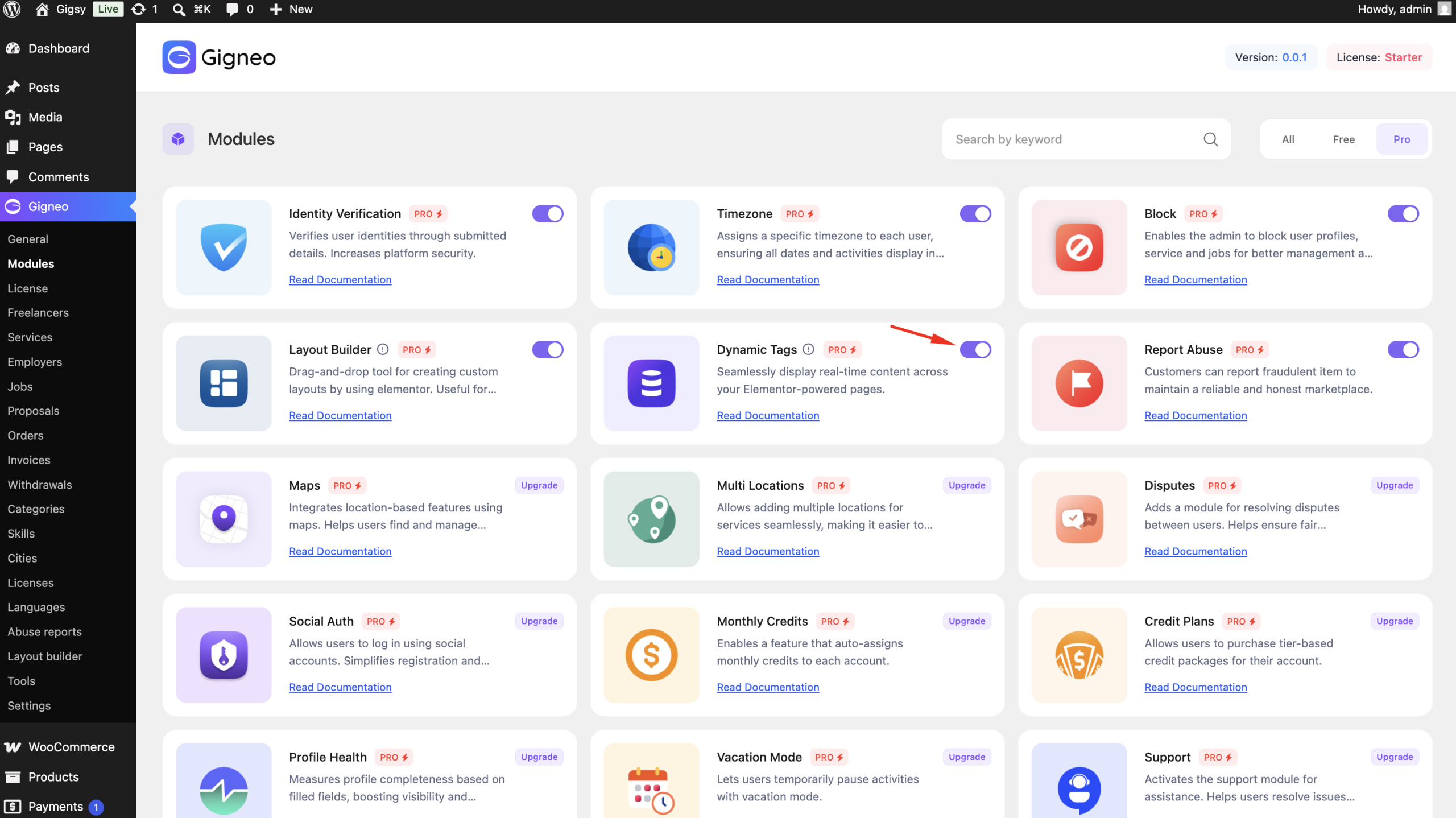
WP Admin → Gigneo → Modules
Enable the Dynamic Tags module.
Using Dynamic Tags
Open any Gigneo layout with Elementor.
For supported Elementor widgets such as headings, images, buttons, text, and links, click the Dynamic Tags icon next to the field you want to make dynamic.
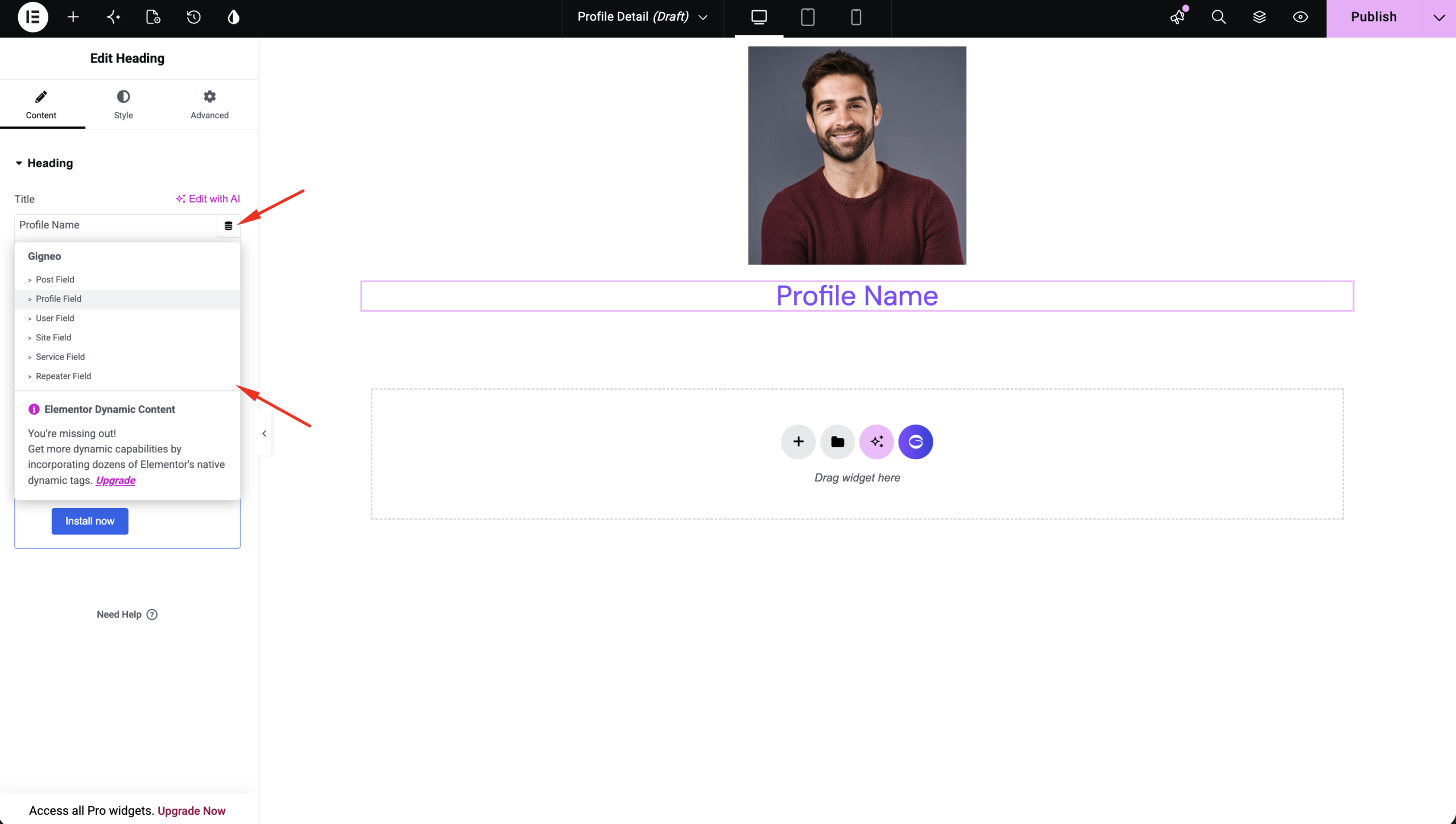
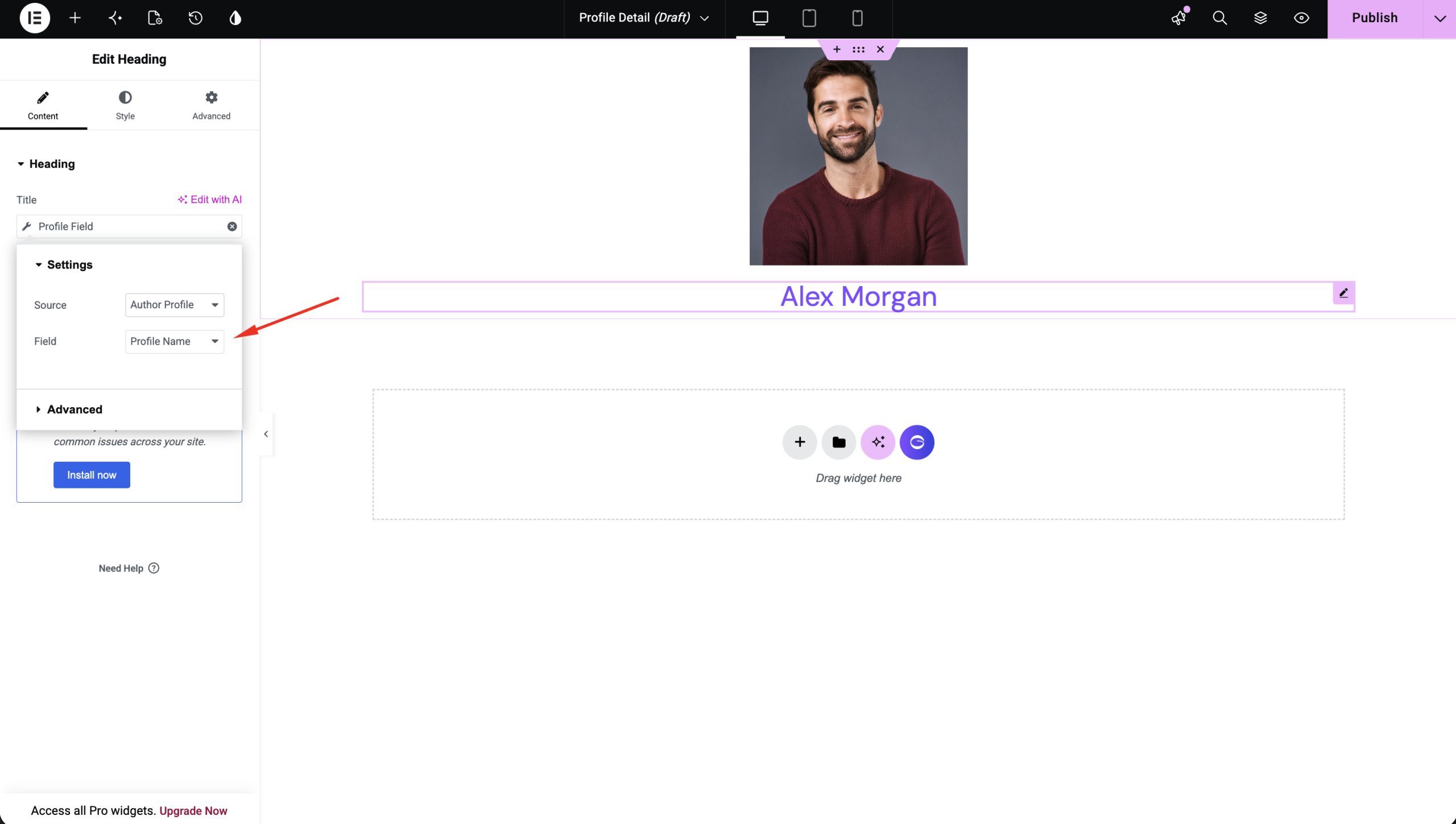
Choose the appropriate Gigneo Dynamic Tag, and the field will automatically display information from the current page.For example, on a Service Details template, a heading can automatically display the service title, while on a Freelancer Profile template, it can display the freelancer’s name.
Works with Layout Builder
Dynamic Tags work seamlessly with the Gigneo Layout Builder.
When creating custom layouts for freelancer profiles, employer profiles, services, or jobs, the tags automatically load data from the current page, making every template fully dynamic.
Benefits
With the Dynamic Tags module, you can:
- Display dynamic marketplace information automatically.
- Build reusable Elementor templates.
- Replace static content with live marketplace data.
- Create professional layouts without writing code.
This module makes it easy to design flexible, dynamic marketplace pages while keeping your layouts simple to manage.