
The Layout Builder gives you complete control over your marketplace design by allowing you to build custom layouts using Elementor.
Create custom headers, footers, freelancer profiles, employer profiles, service pages, and job pages without writing any code.
You can also control where each layout is displayed using powerful display conditions and create dynamic repeaters for custom marketplace templates.
This is a Gigneo Pro module and requires a minimum Starter License or higher.
Enable the Module
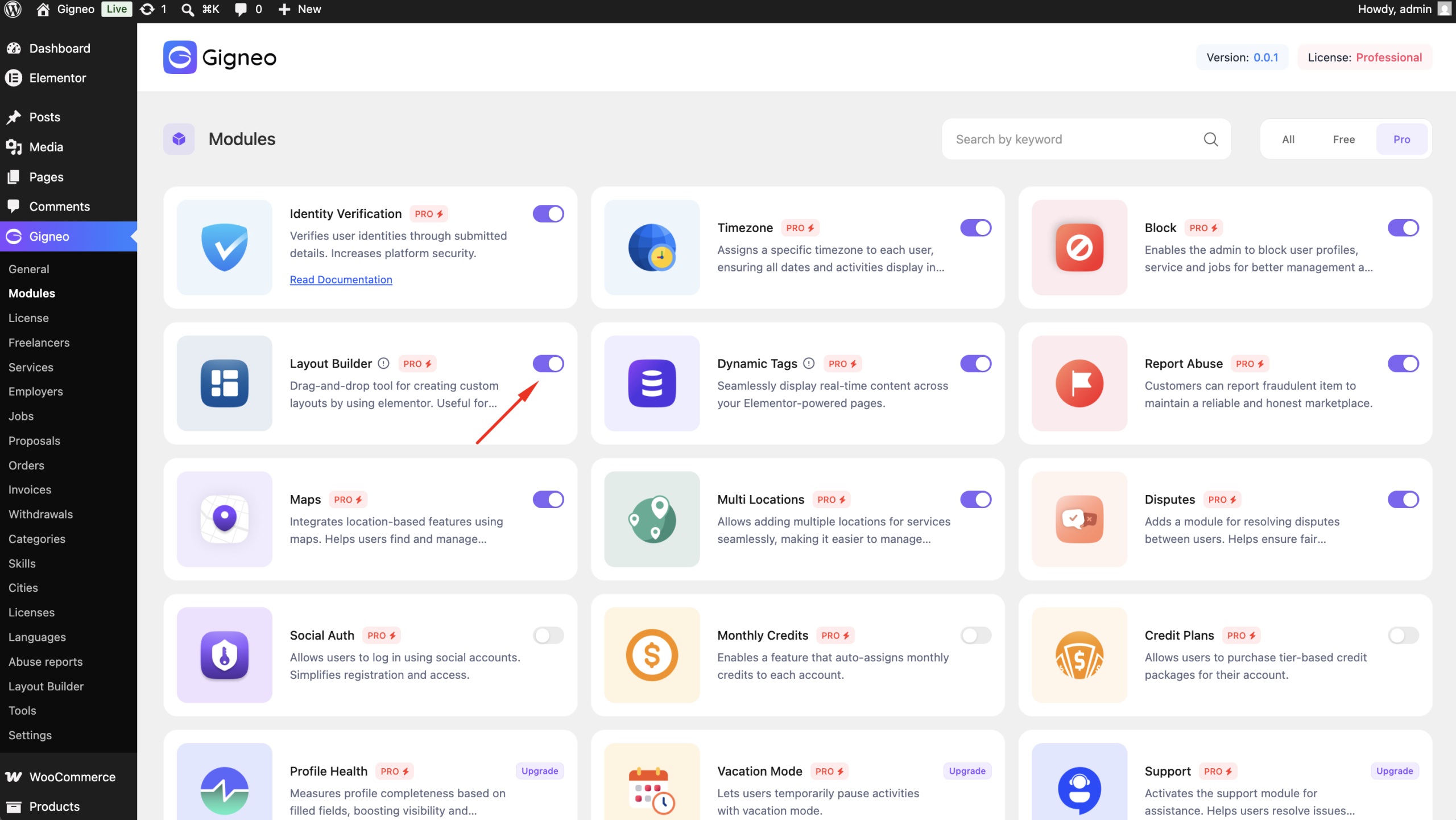
Before using the Layout Builder, make sure your Gigneo Pro license is activated.
Navigate to:
WP Admin → Gigneo → Modules
Enable the Layout Builder module.
Creating a Layout
Navigate to:
WP Admin → Gigneo → Layout Builder
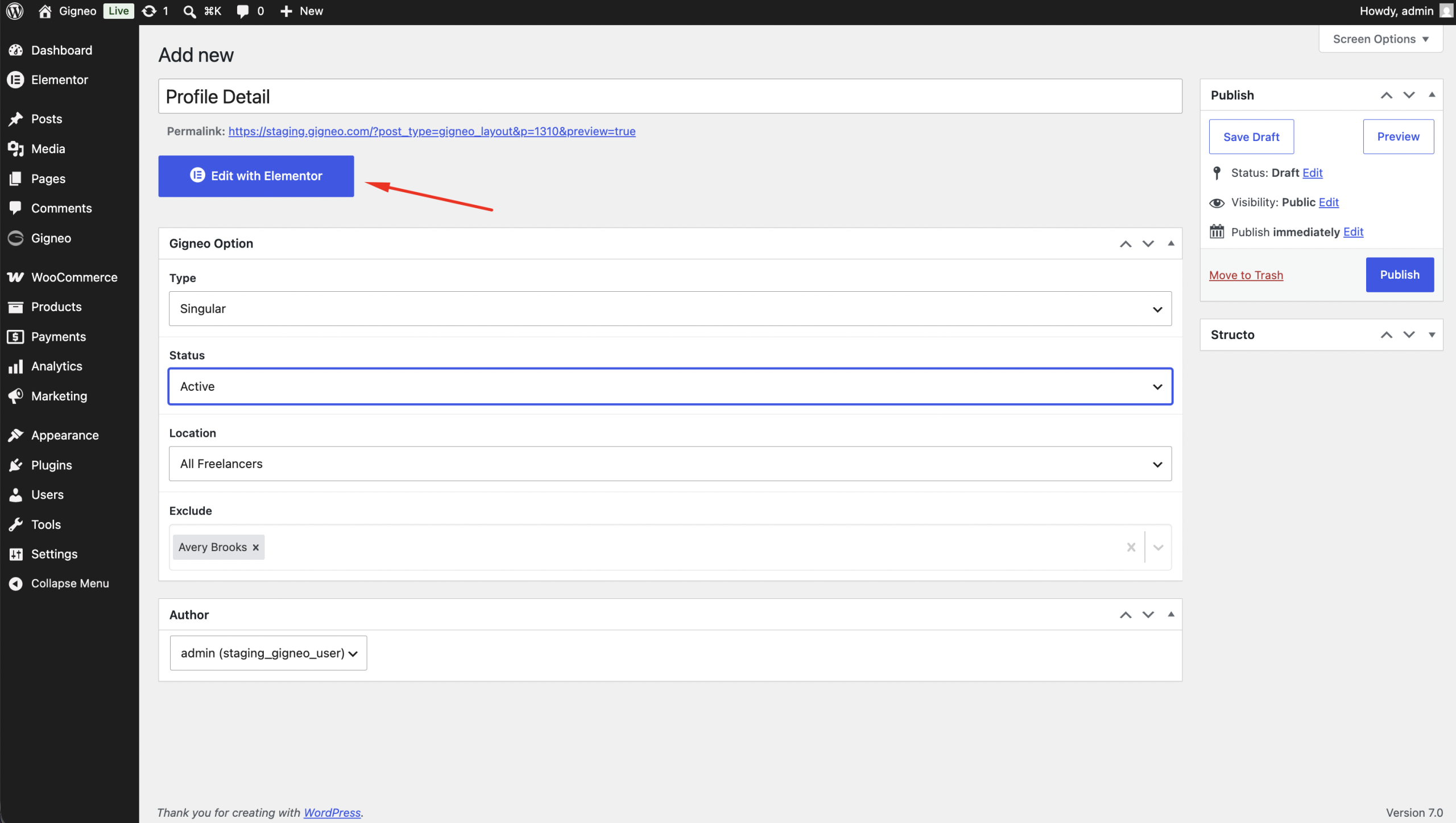
Click Add New Layout.
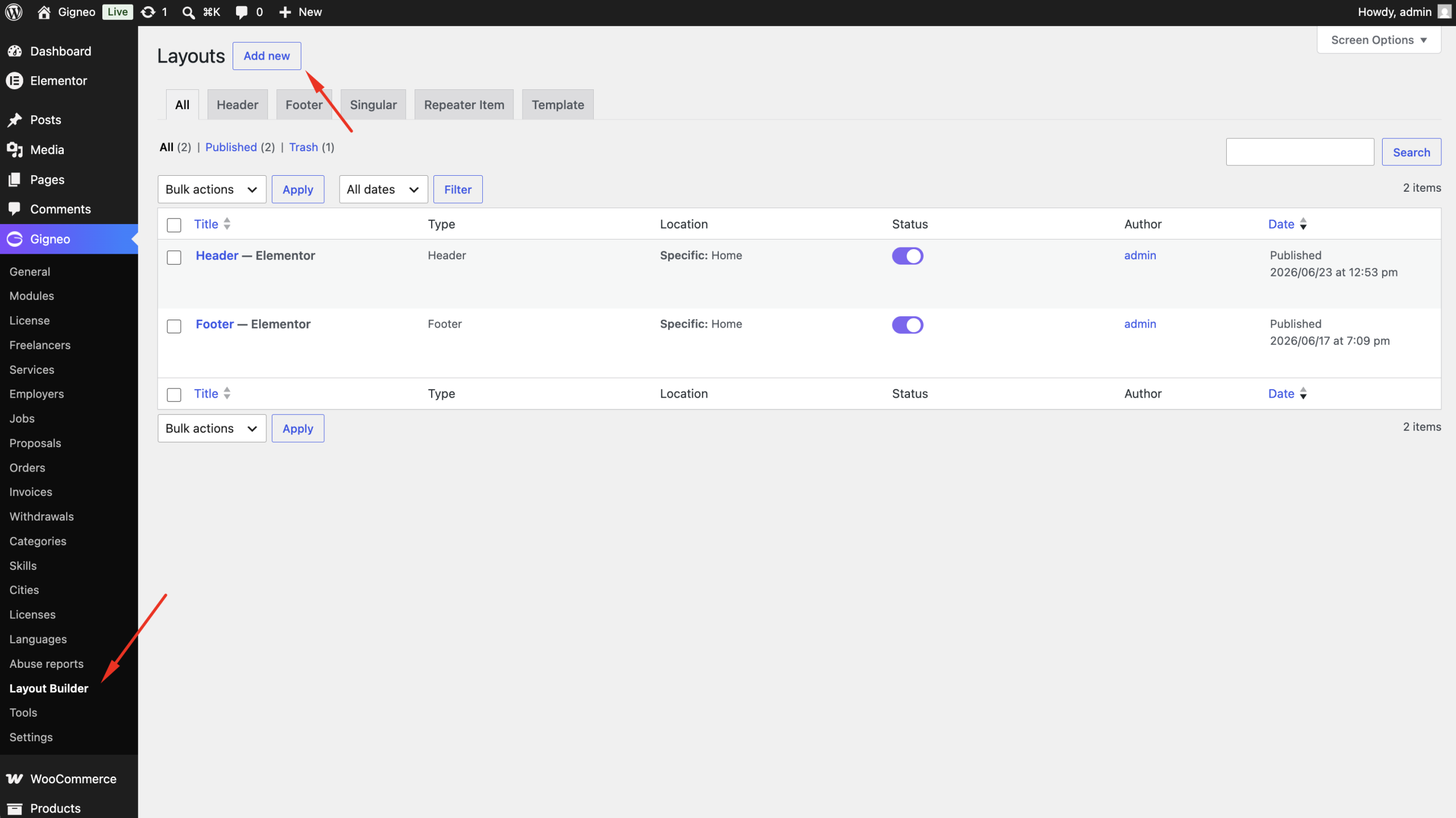
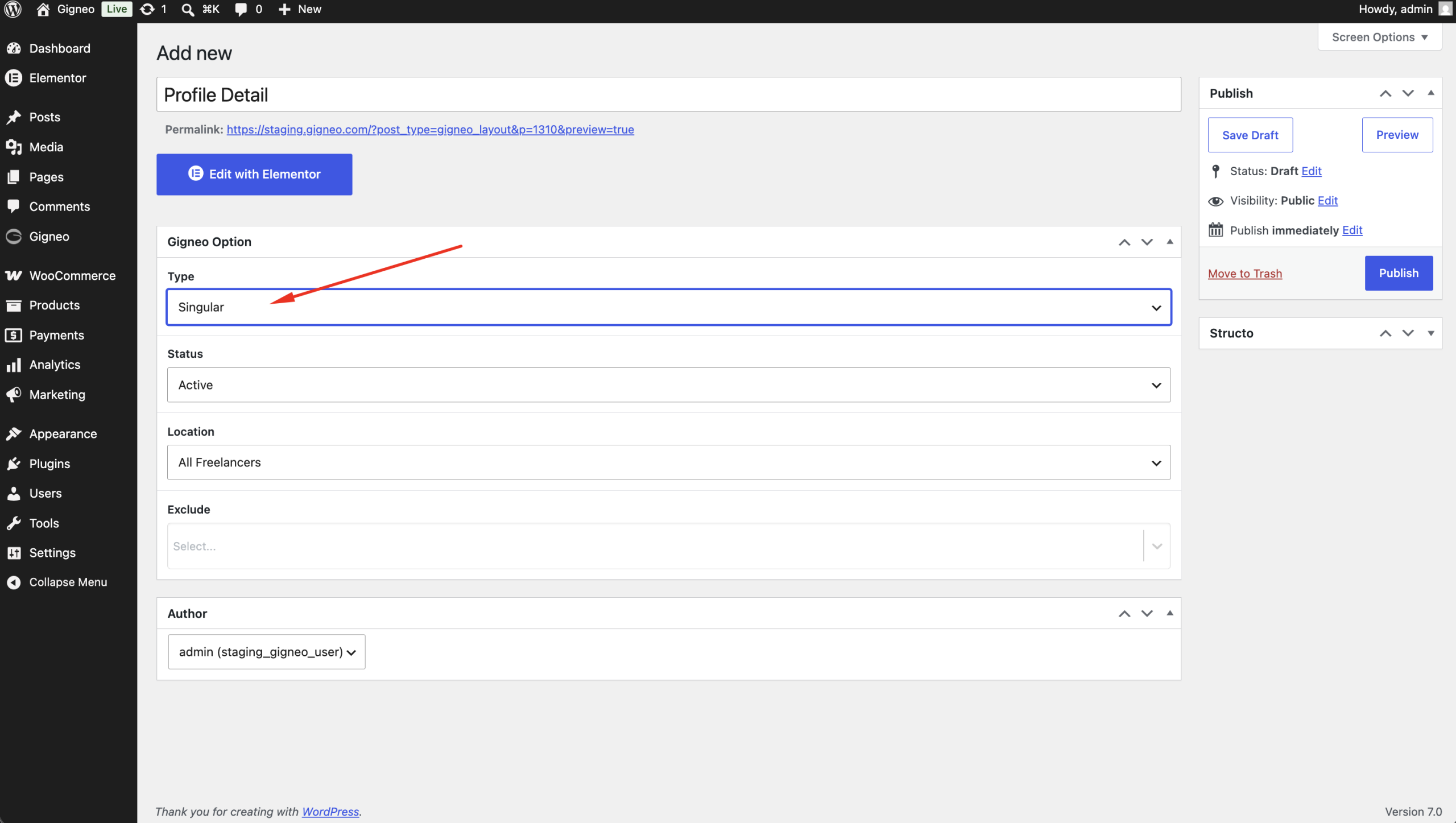
Select the layout type you want to create.
Available layouts include:
- Header
- Footer
- Freelancer Profile
- Employer Profile
- Service Details
- Job Details
- Repeater
Configure Display Conditions
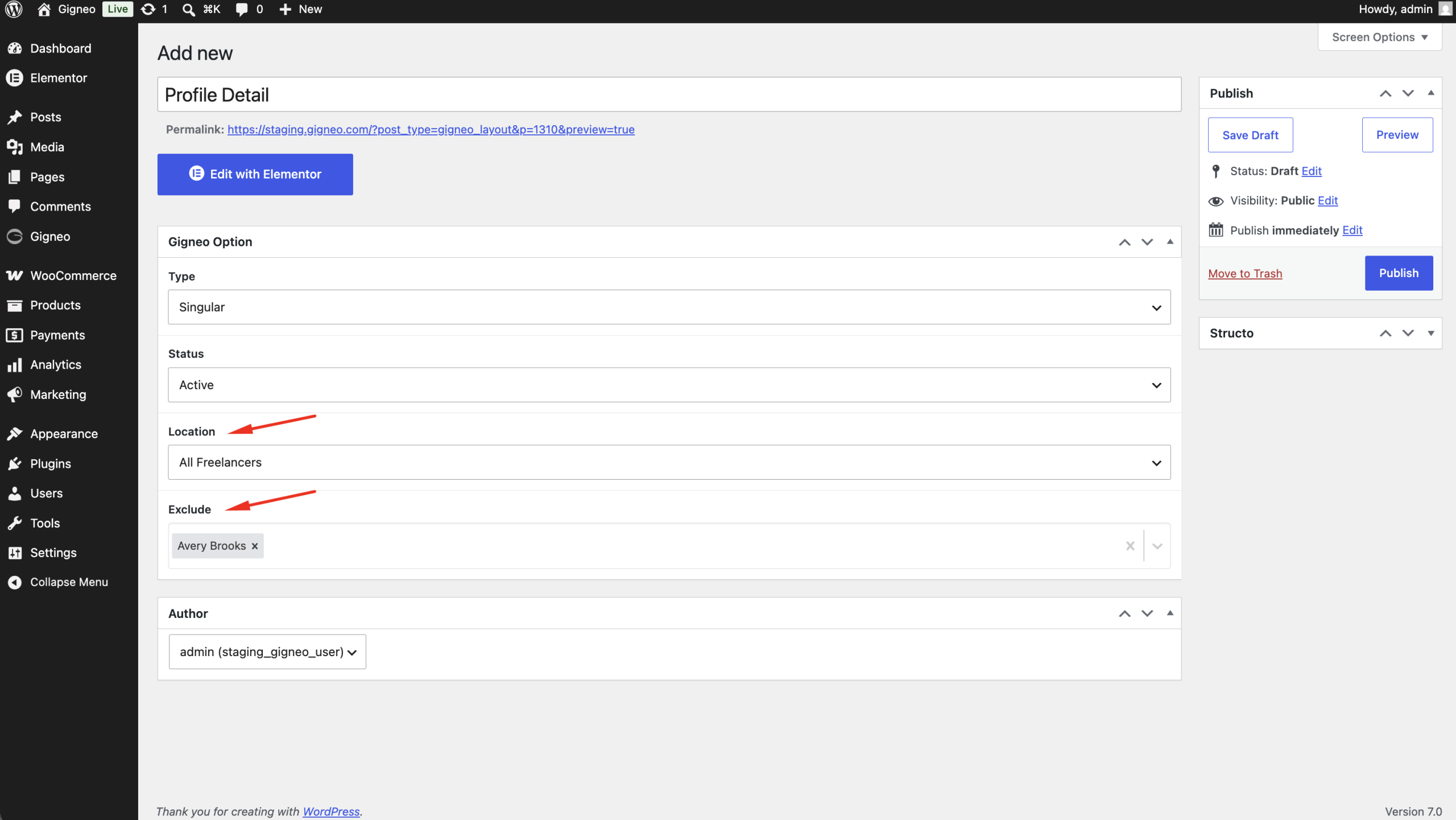
Before designing the layout, configure where it should appear.
Each layout allows you to select:
- Display Location
- Include Rules
- Exclude Rules
For example, if you’re creating a Service Details template, choose the Service Details display location.
You can further control where the template appears using Include and Exclude conditions.
Save the layout once the display settings are configured.
Edit with Elementor
After saving the layout, click Edit with Elementor.
Since this is a dynamic template, Elementor requires a preview post.
Open the Elementor settings and choose a preview item that matches the selected layout.
For example:
- Freelancer template → select a freelancer
- Employer template → select an employer
- Service template → select a service
- Job template → select a job
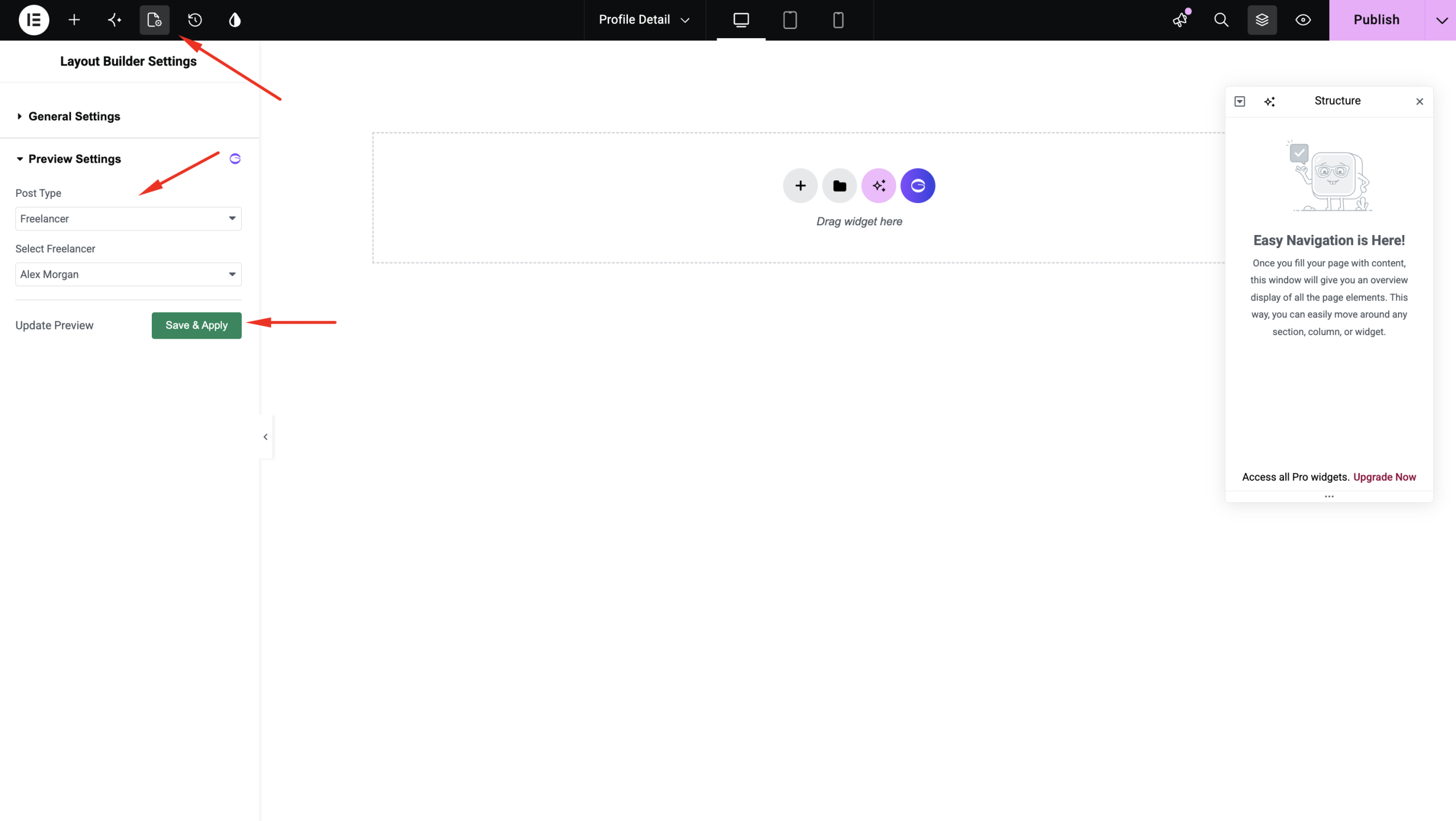
Elementor will now load the selected content, allowing you to build the layout using Gigneo widgets.
Design Your Layout
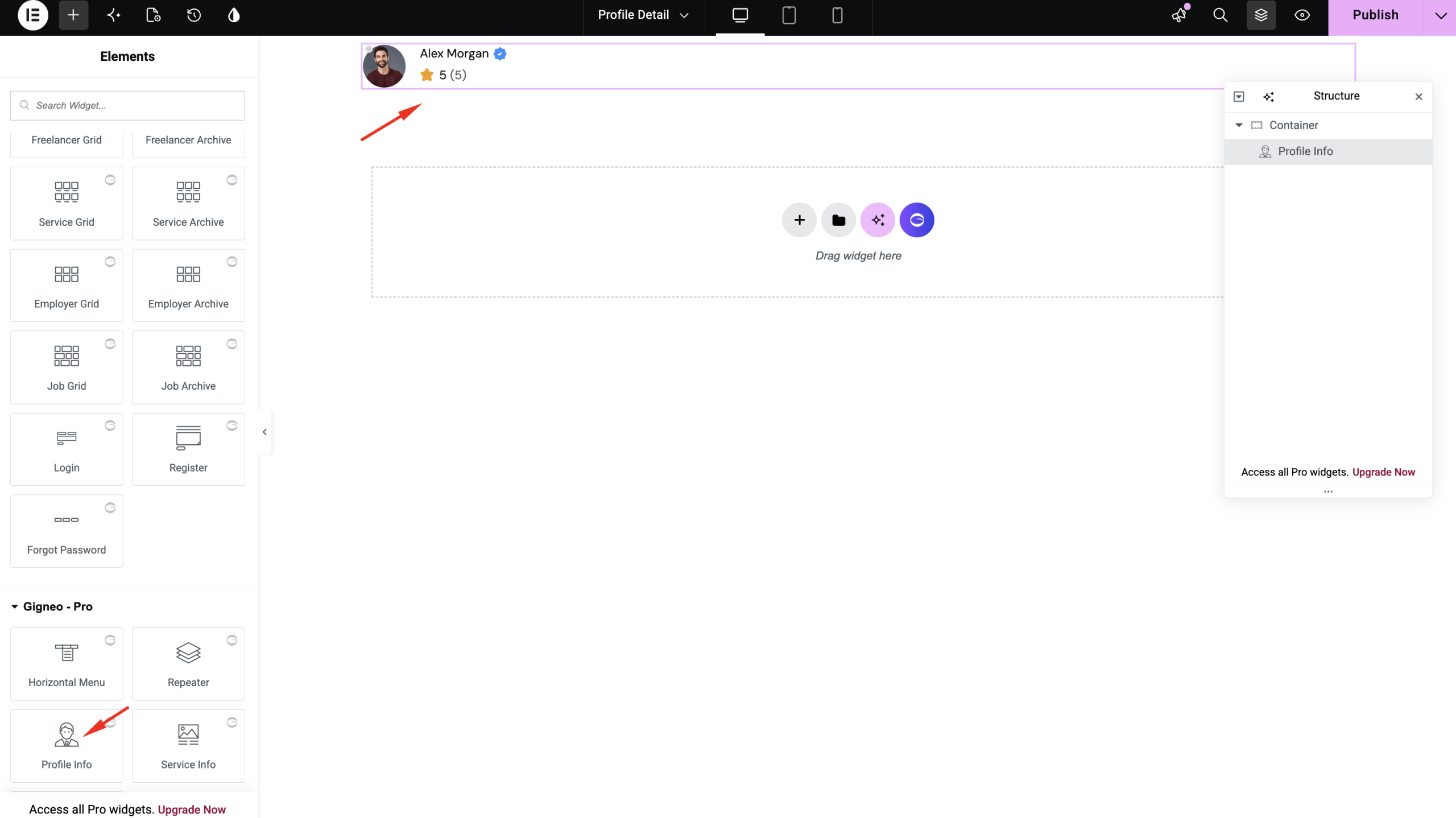
Use the available Gigneo Elementor Widgets to display dynamic marketplace information.
Depending on the layout type, widgets automatically display information from the selected preview item.
You can fully customize the page using Elementor’s drag-and-drop builder.
Creating Repeater Templates
Besides full-page layouts, Gigneo also supports reusable Repeater Templates.
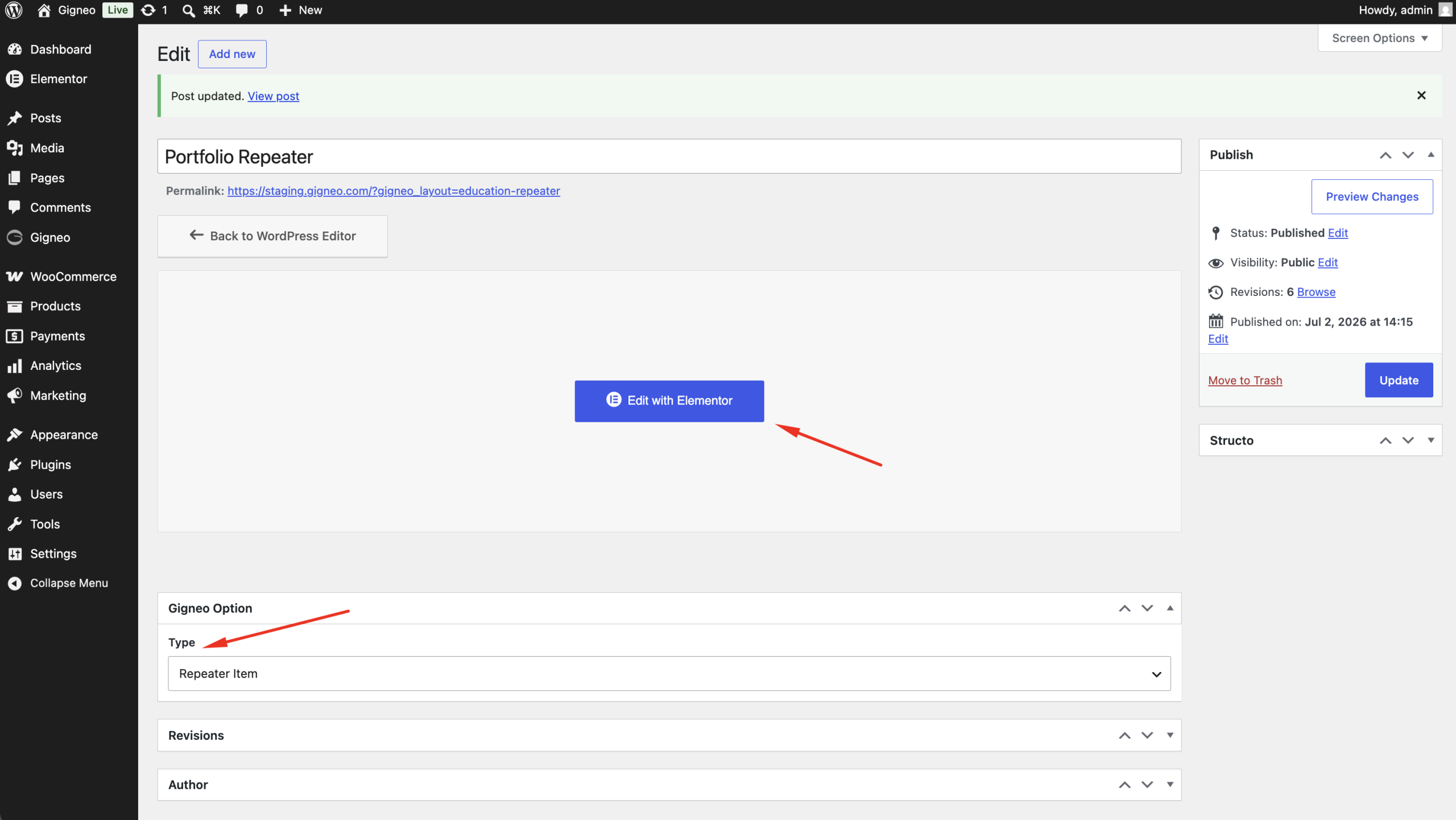
Repeater templates allow you to create custom layouts for repeating content such as:
- Portfolio
- Education
- Experience
- Awards
- Certificates
- FAQs
- Other repeater fields
Edit the Repeater Template
Click Edit with Elementor.
Just like Layout Builder templates, configure the Elementor preview settings by selecting a preview post.
For example:
- Freelancer repeater → select a freelancer
- Employer repeater → select an employer
- Service repeater → select a service
- Job repeater → select a job
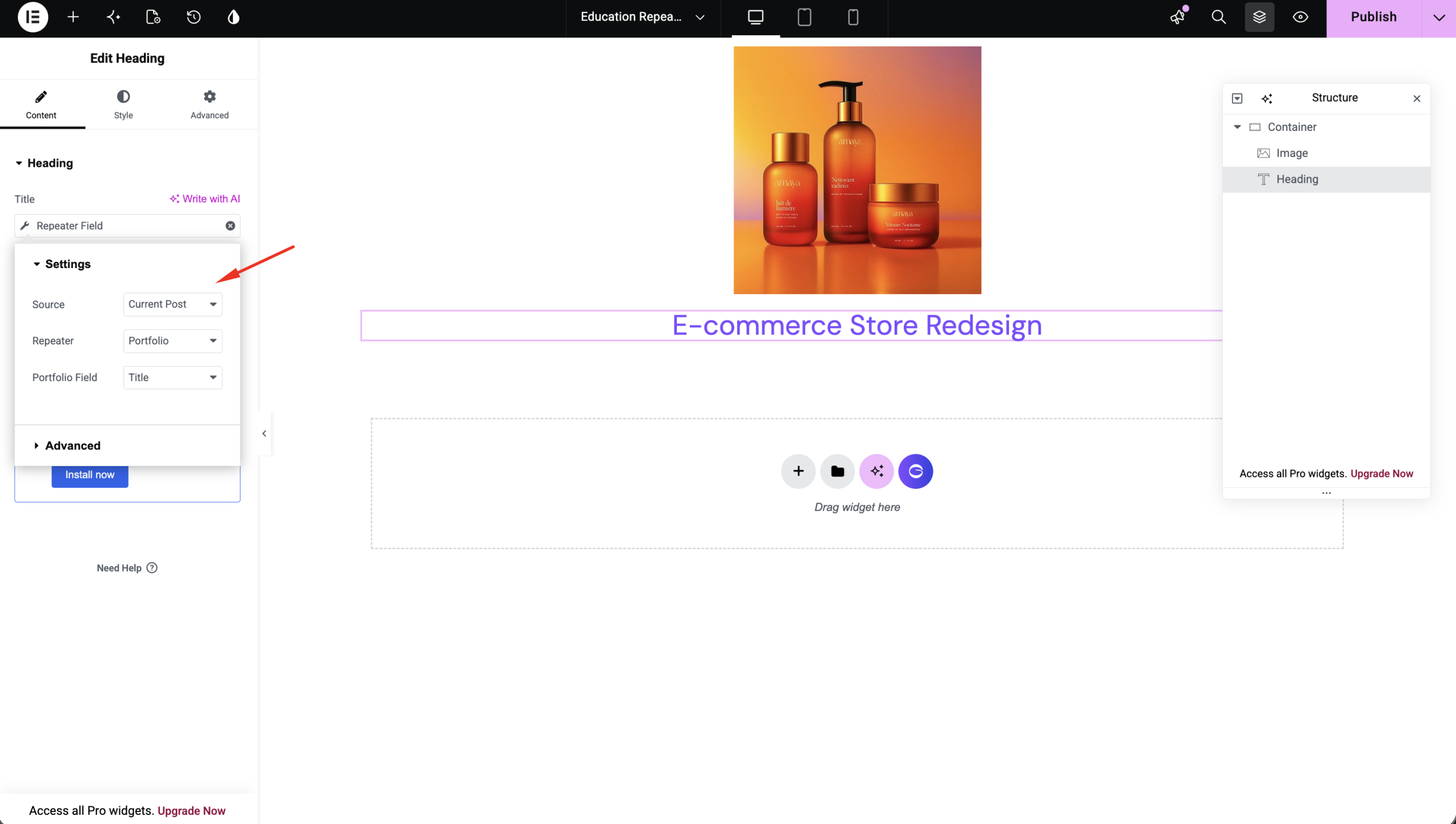
Design the repeater item using Elementor widgets.
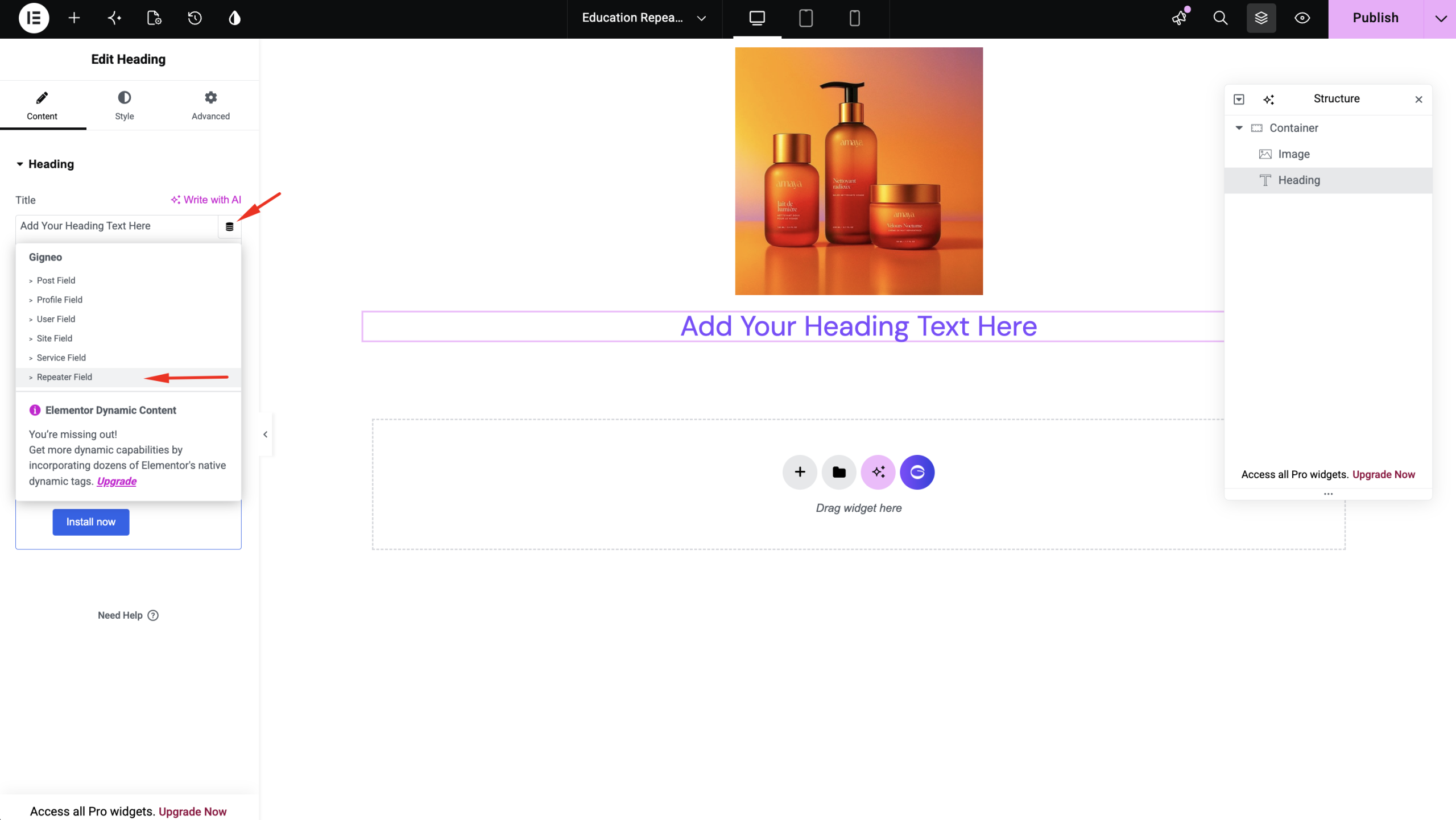
This template represents a single repeater item, not the entire list.
Display the Repeater
After publishing the repeater template, return to your Layout Builder template.
Edit the layout with Elementor.
Add the Repeater widget.
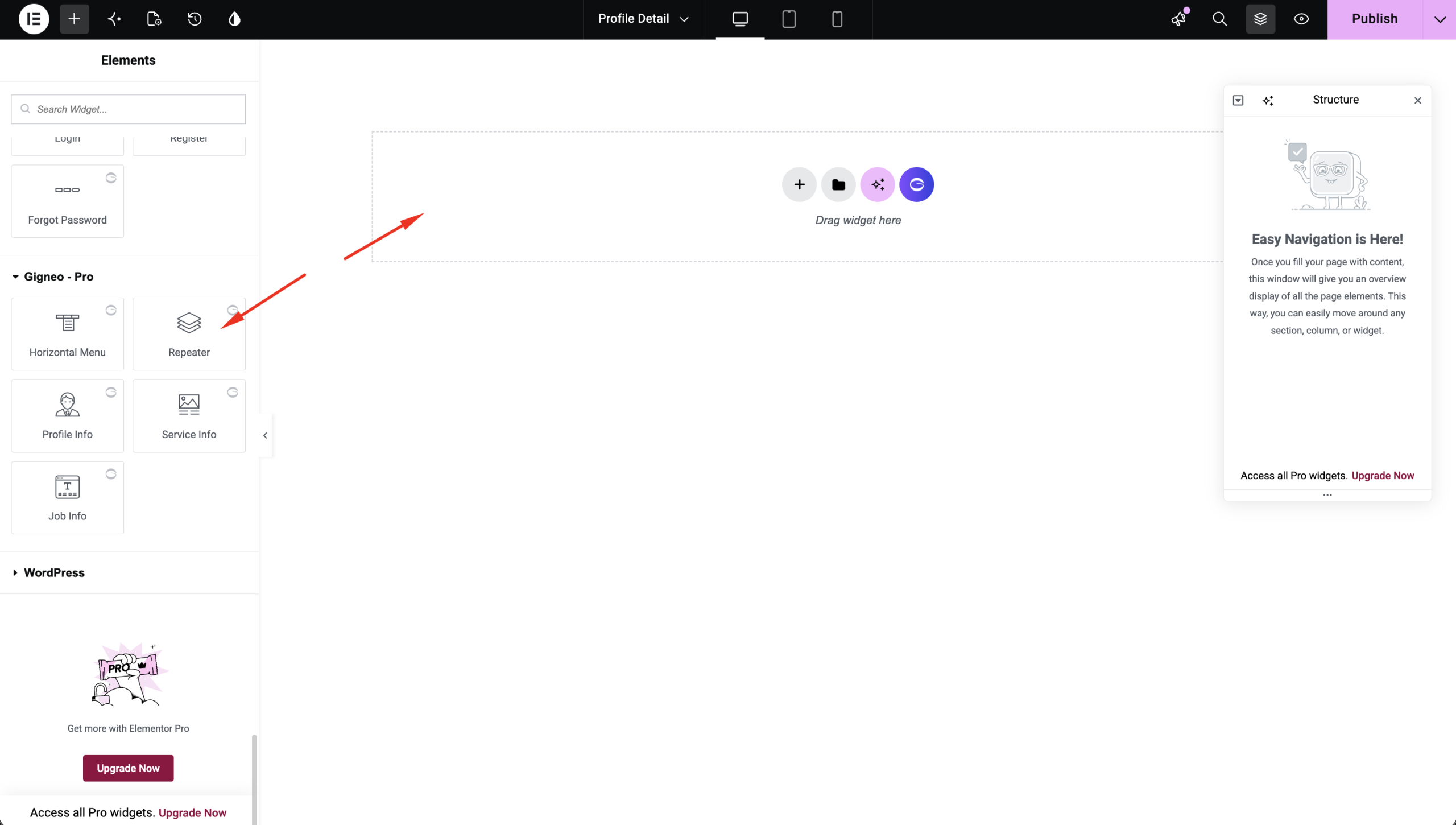
Choose:
- The repeater template you created
- Display type (Grid or Carousel)
- Number of items
- Columns
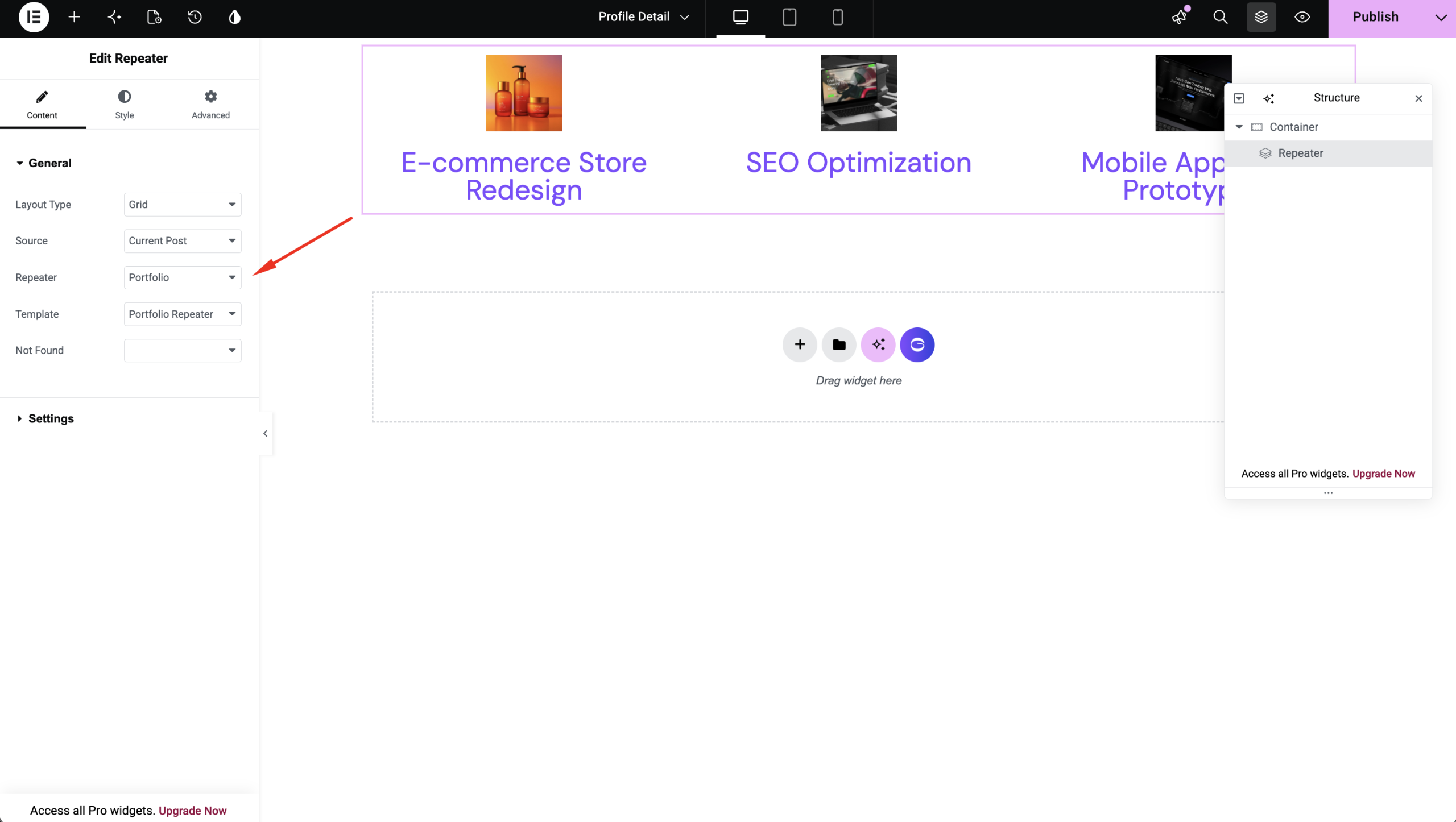
The widget will automatically load all repeater items using your custom template.
Sticky Header
When creating a Header layout, you can enable the Sticky Header option.
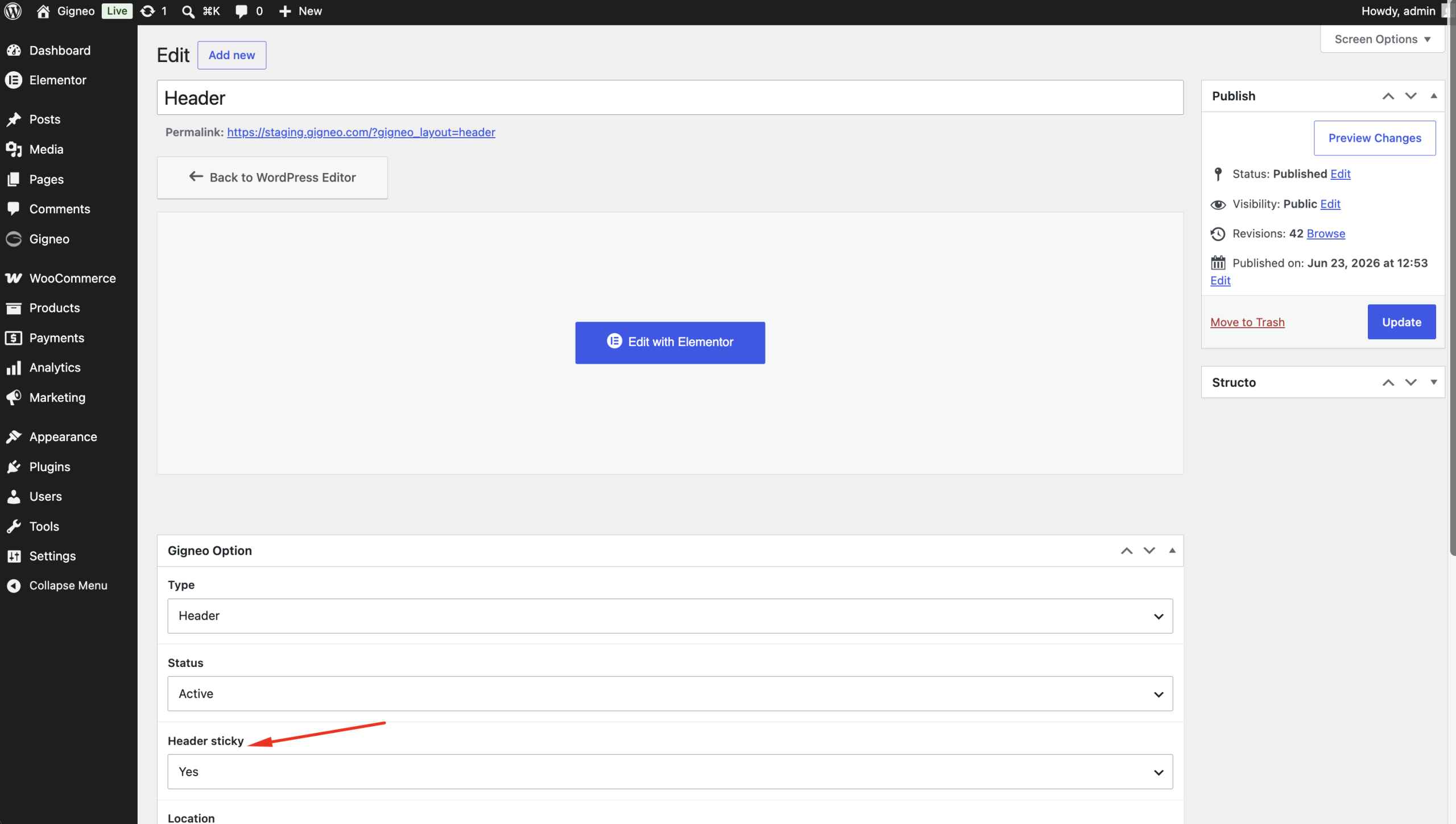
This keeps the header fixed while users scroll, improving navigation across the marketplace.
Display Conditions
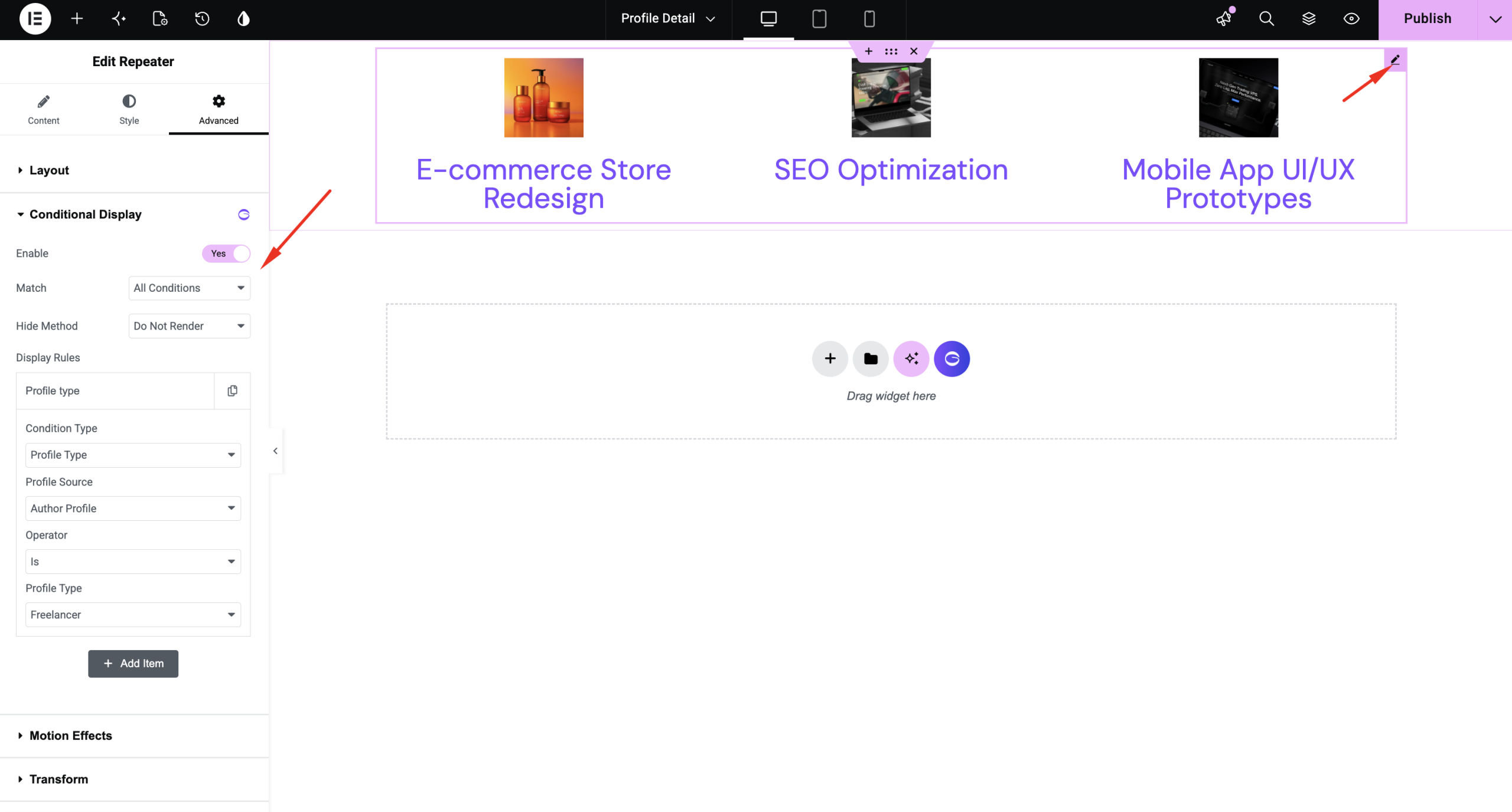
In addition to layout display conditions, Gigneo also provides Element Display Conditions inside Elementor.
This feature allows you to control the visibility of individual sections, containers, widgets, or elements based on marketplace-specific conditions without creating multiple templates.
Benefits
With the Gigneo Layout Builder you can:
- Create custom headers and footers
- Design freelancer and employer profile templates
- Build custom service and job detail pages
- Control layout visibility with display conditions
- Build reusable repeater templates
- Display repeaters in Grid or Carousel layouts
- Customize your marketplace visually using Elementor
- Build your marketplace without editing theme files
This gives you complete control over your marketplace design while keeping templates dynamic, reusable, and easy to manage.