
The Timezone module allows freelancers and employers to use their own local timezone across the marketplace.
When enabled, dates and times are automatically displayed according to each user’s selected timezone, providing a more personalized experience for users in different regions.
This is a Gigneo Pro module and requires a minimum Starter License or higher.
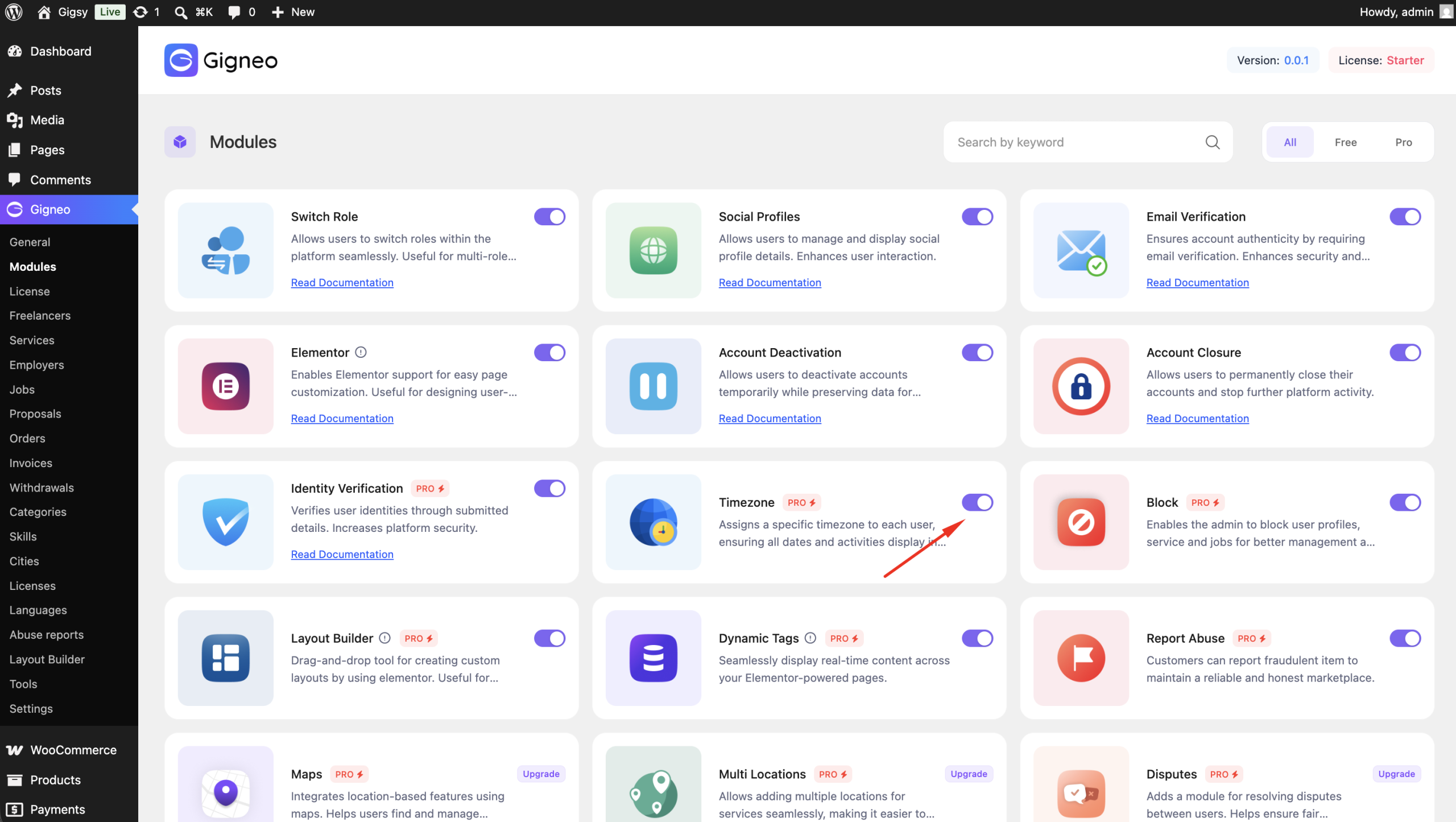
Enable the Module
Before using the Timezone module, make sure your Gigneo Pro license is activated.
Navigate to:
WP Admin → Gigneo → Modules
Enable the Timezone module.
Automatic Timezone Detection
Once enabled, Gigneo automatically detects the user’s system timezone when they visit the marketplace.
If the user has not selected a custom timezone, all supported dates and times will be displayed using their detected local timezone.
No manual configuration is required for this behavior.
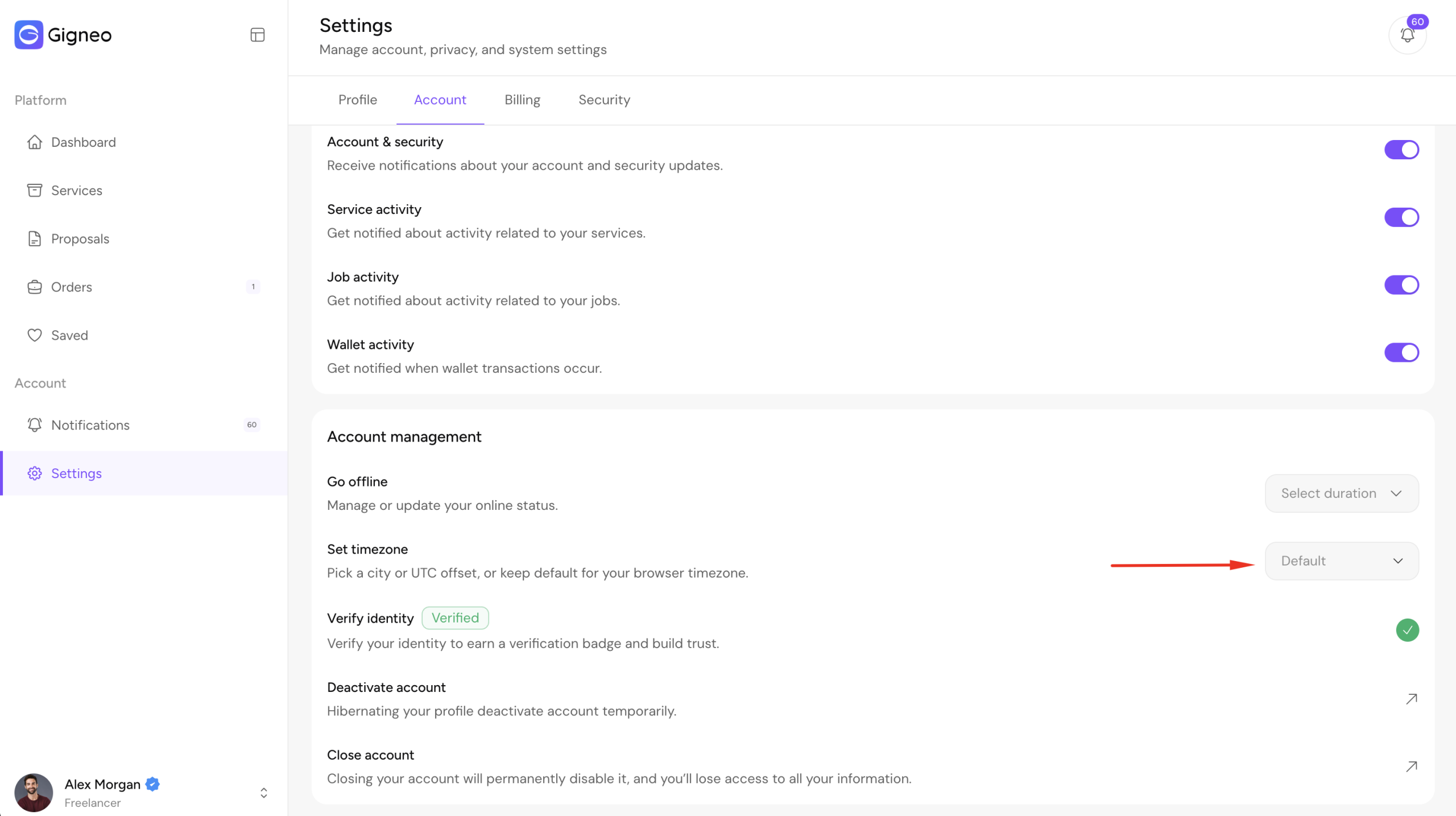
Set a Custom Timezone
Freelancers and employers can override the automatically detected timezone by navigating to:
Dashboard → Settings → Account
After selecting and saving a custom timezone, Gigneo will use that timezone instead of the detected system timezone.
Benefits
The Timezone module helps create a seamless experience for users worldwide by:
- Automatically detecting the user’s local system timezone
- Allowing users to set a preferred custom timezone
- Displaying dates and times consistently across the marketplace
- Reducing confusion for freelancers and employers working in different regions
This ensures every user views marketplace activity in the timezone that is most convenient for them.