
The Account Deactivation Module allows freelancers and employers to temporarily deactivate their marketplace accounts directly from their dashboard.
This feature is useful for users who want to pause marketplace activity without permanently deleting their account.
To manage this module, navigate to Gigneo → Modules.
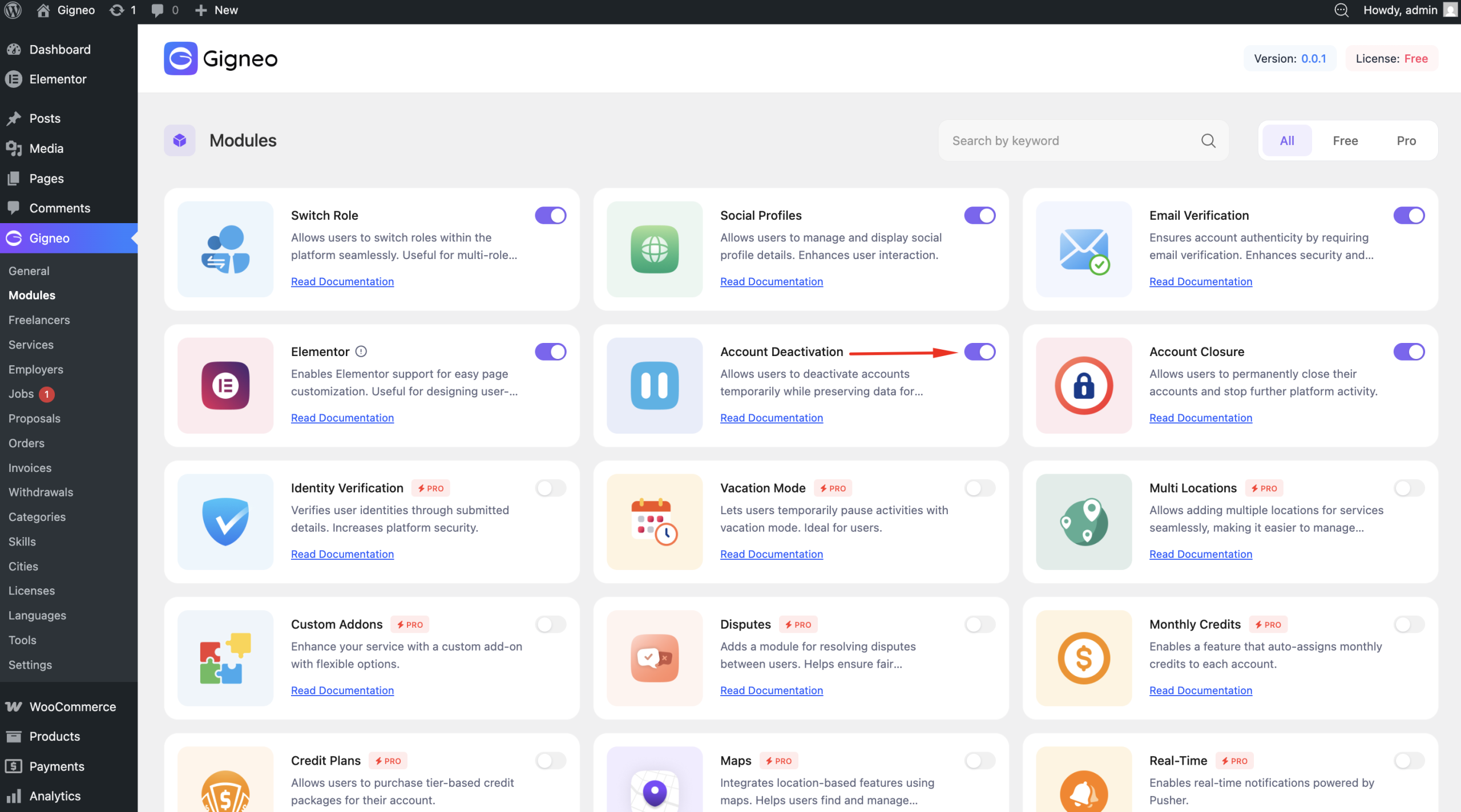
Once enabled, account deactivation options become available in user account settings.
Deactivation Process
Users can deactivate their accounts from Dashboard → Account and click the Deactivate Account action.
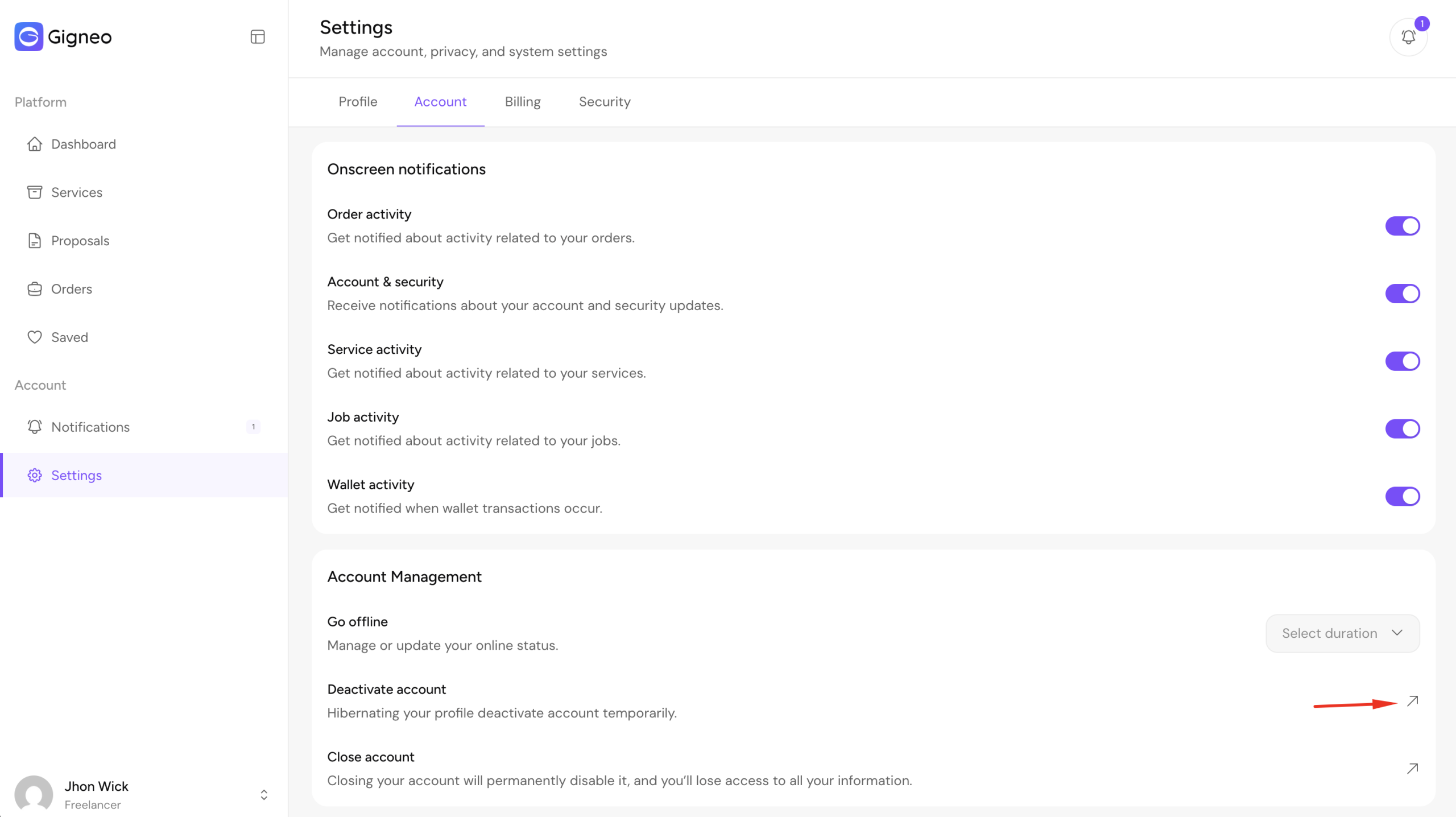
Clicking this option opens the account deactivation modal.
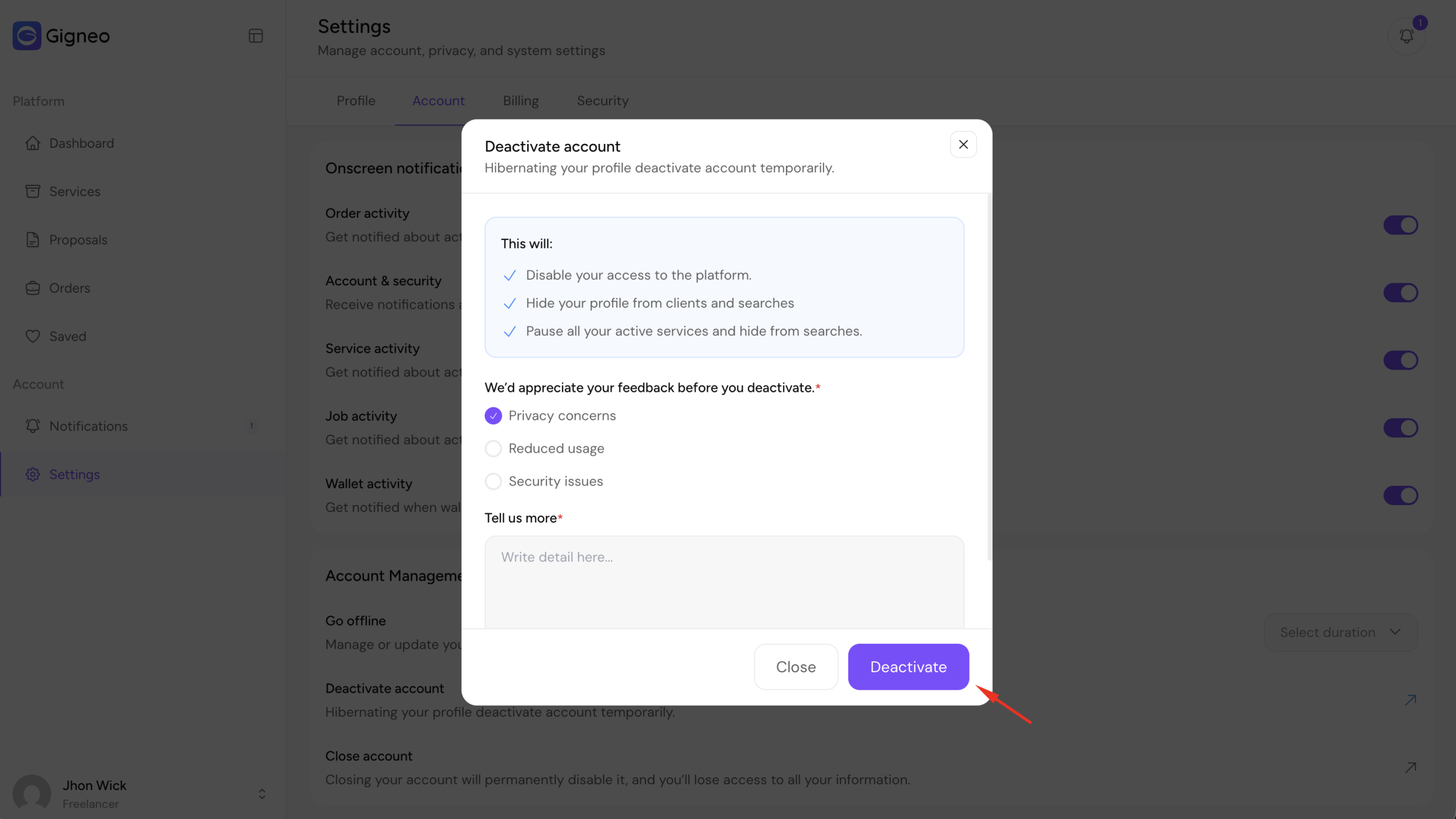
Inside the modal, users can:
- Select a deactivation reason
- Provide additional details or feedback
- Confirm account deactivation
The available deactivation reasons can be managed by the marketplace administrator from Gigneo → Settings → General.
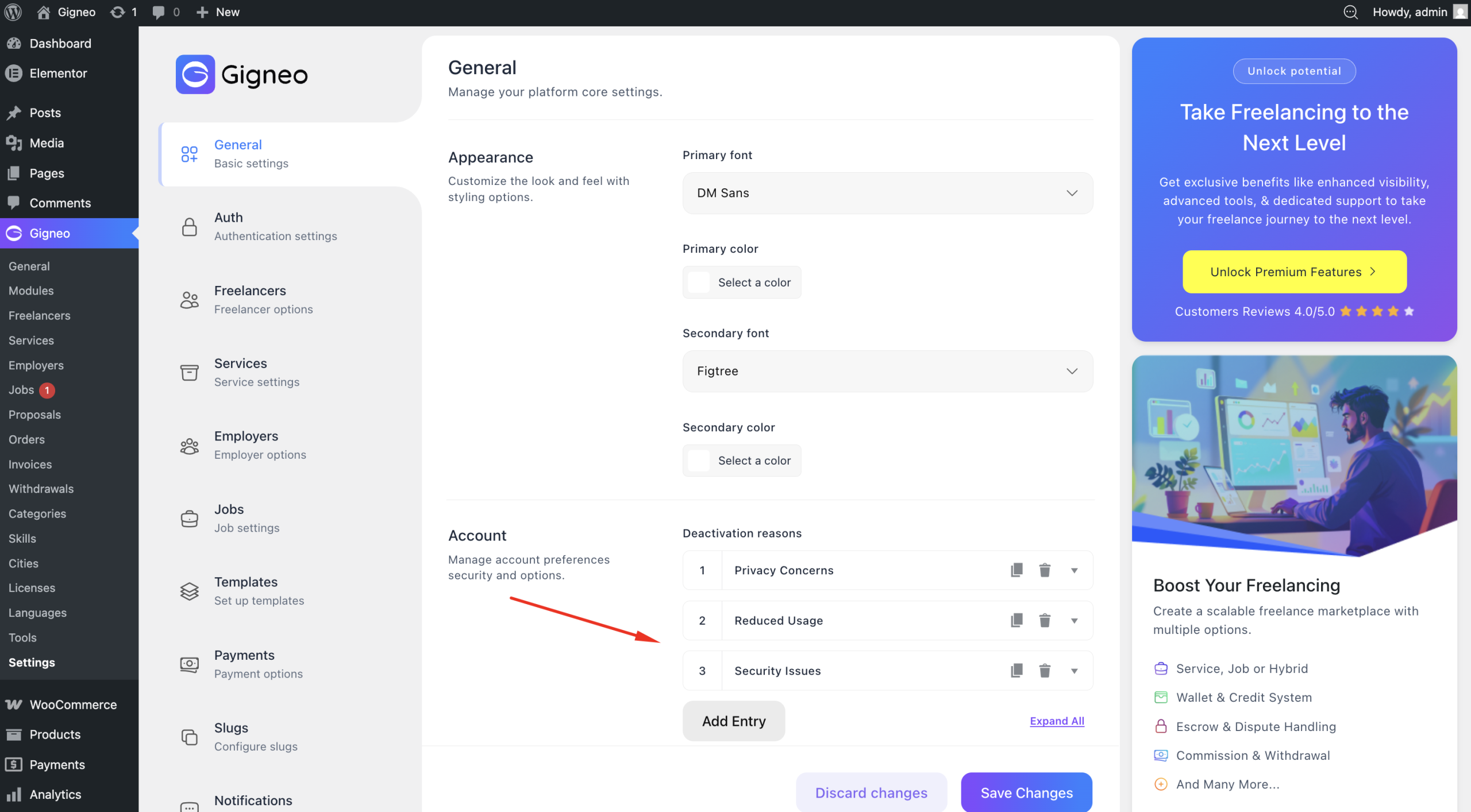
This allows marketplace owners to collect useful feedback and better understand why users deactivate their accounts.
What Happens After Deactivation
When an account is deactivated:
- User access to the platform is disabled
- The user is automatically logged out
- The profile is hidden from searches and public visibility
- Active services are paused and hidden from searches
This allows users to temporarily stop marketplace participation while safely preserving their account data.
Reactivating an Account
If a deactivated user attempts to log in again, they are redirected to the account deactivated page.
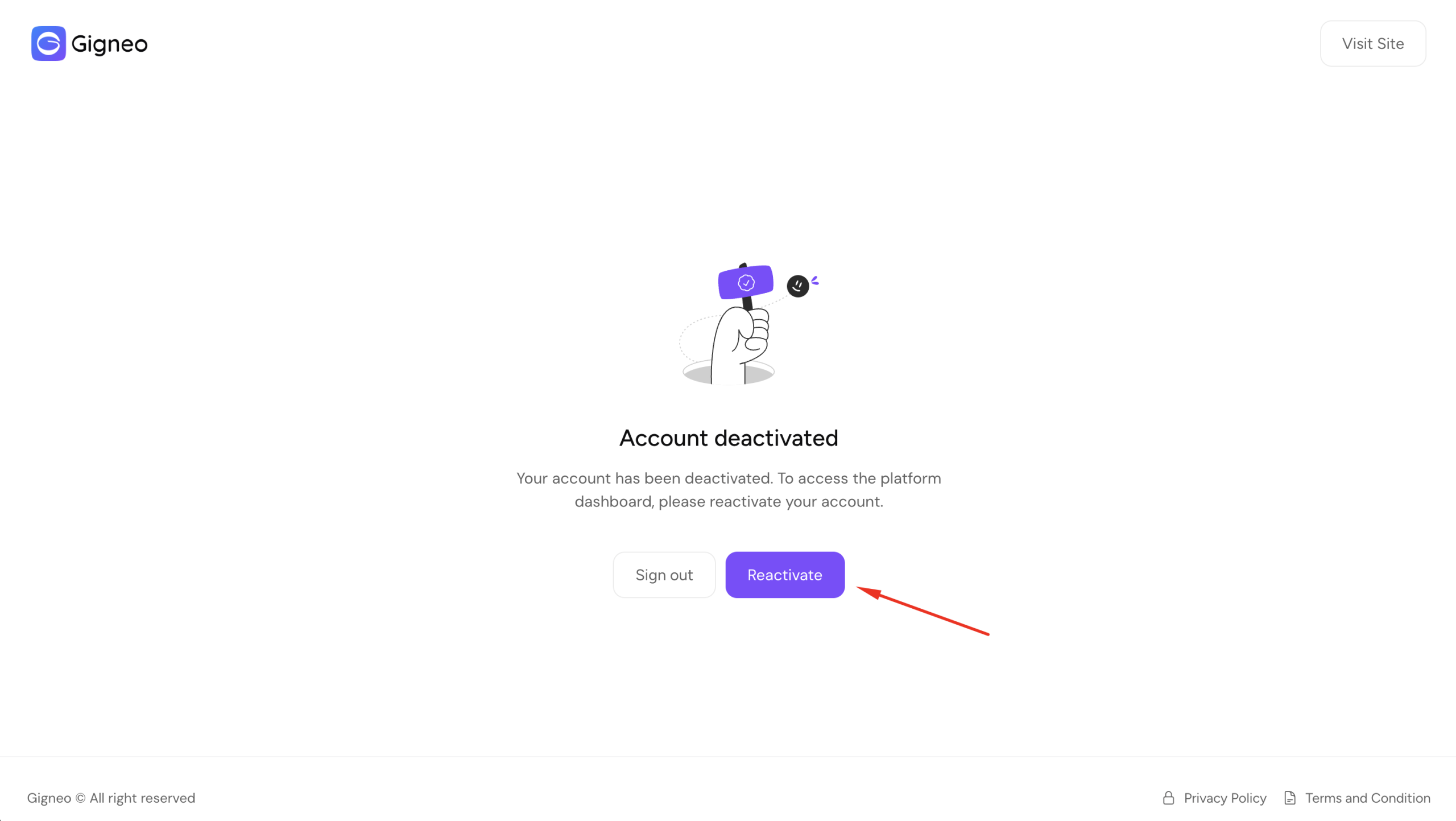
This page informs the user that the account is currently deactivated and provides a Reactivate Account button.
Users can reactivate their account directly from this screen and regain access to the marketplace.
Admin Account Status Management
Marketplace administrators can monitor account status directly from the WordPress admin dashboard.
Navigate to:
- Gigneo → Freelancers
- Gigneo → Employers
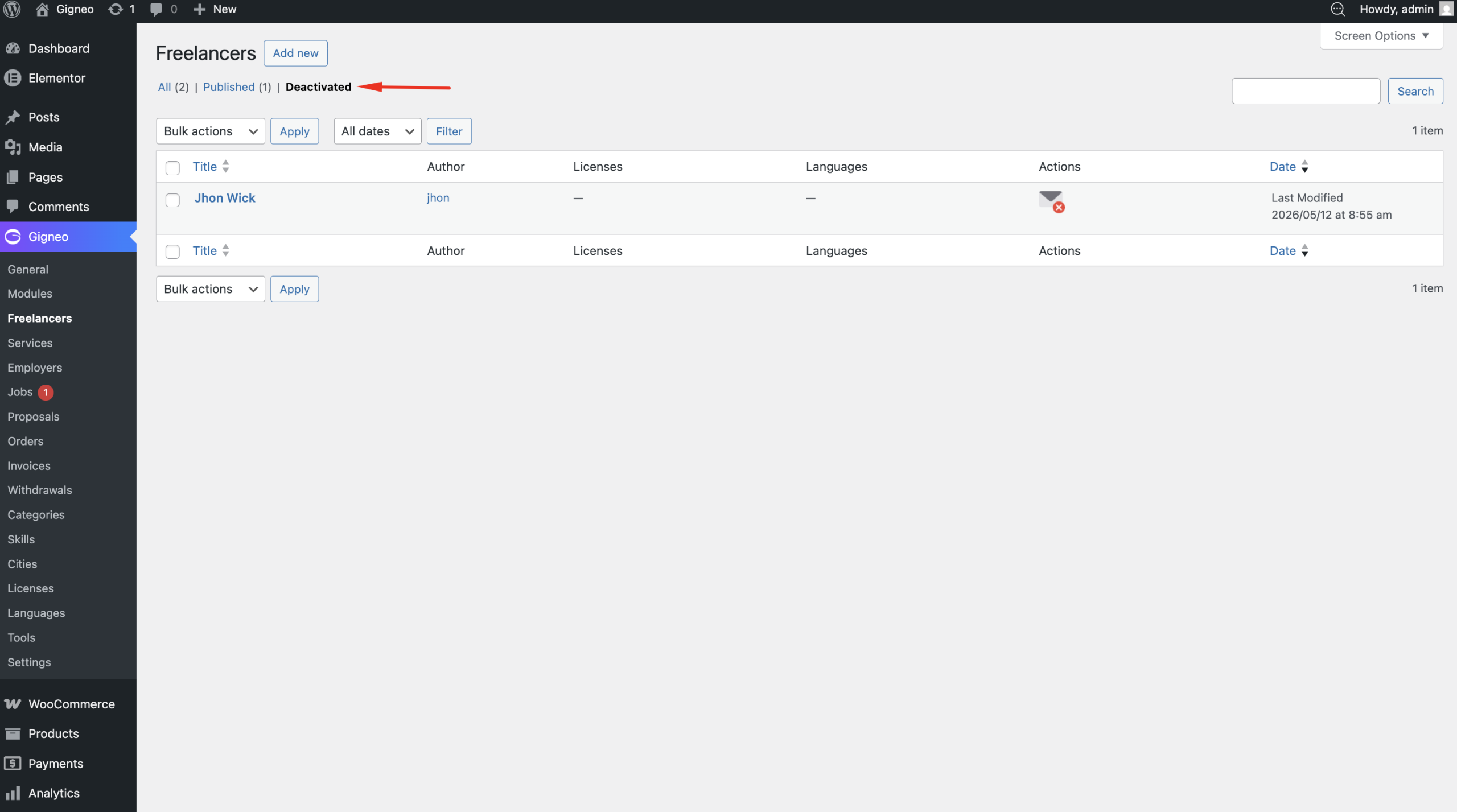
From the user management pages, administrators can view whether an account is active or deactivated.
This helps administrators manage inactive users and monitor overall marketplace activity.
Benefits of Account Deactivation
The Account Deactivation Module provides:
- Temporary account disabling
- Profile hiding from searches
- Service visibility control
- Flexible marketplace participation
- Better user privacy
- Controlled account access
- Easier account management for administrators
This feature creates a more flexible and user-friendly marketplace experience for both users and administrators.