
The Switch Role Module allows users to switch between Freelancer and Employer roles using a single account.
This module is ideal for marketplaces where users may want to both offer services as freelancers and hire other freelancers as employers.
It creates a more flexible marketplace experience by allowing users to operate across both sides of the platform without creating separate accounts.
To manage this module, navigate to Gigneo → Modules.
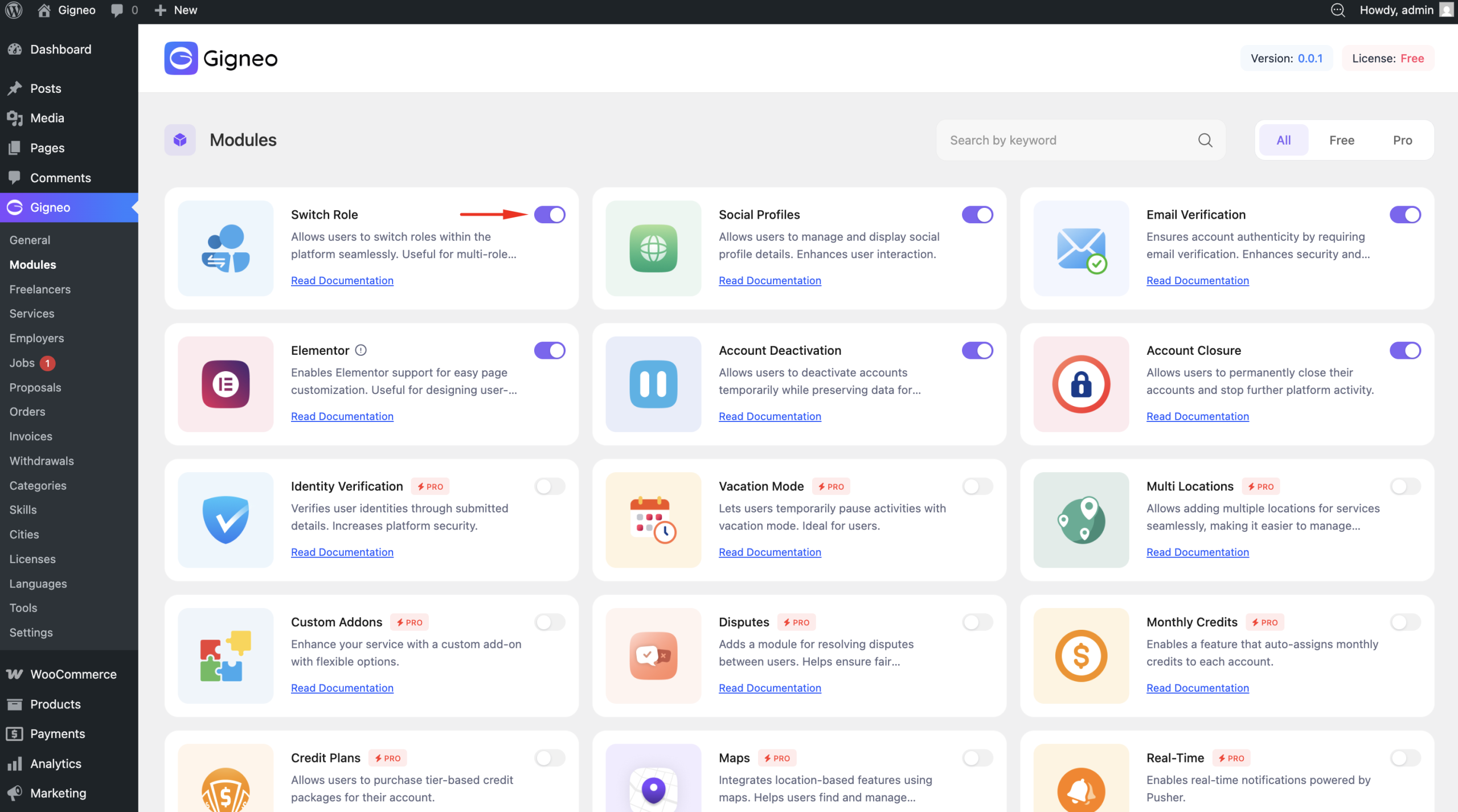
Once enabled, role switching functionality becomes available across the platform.
How It Works
With this module active, users can access both marketplace roles under one account.
A single account can operate as:
- Freelancer
- Employer
Users can switch between these roles directly from their dashboard.
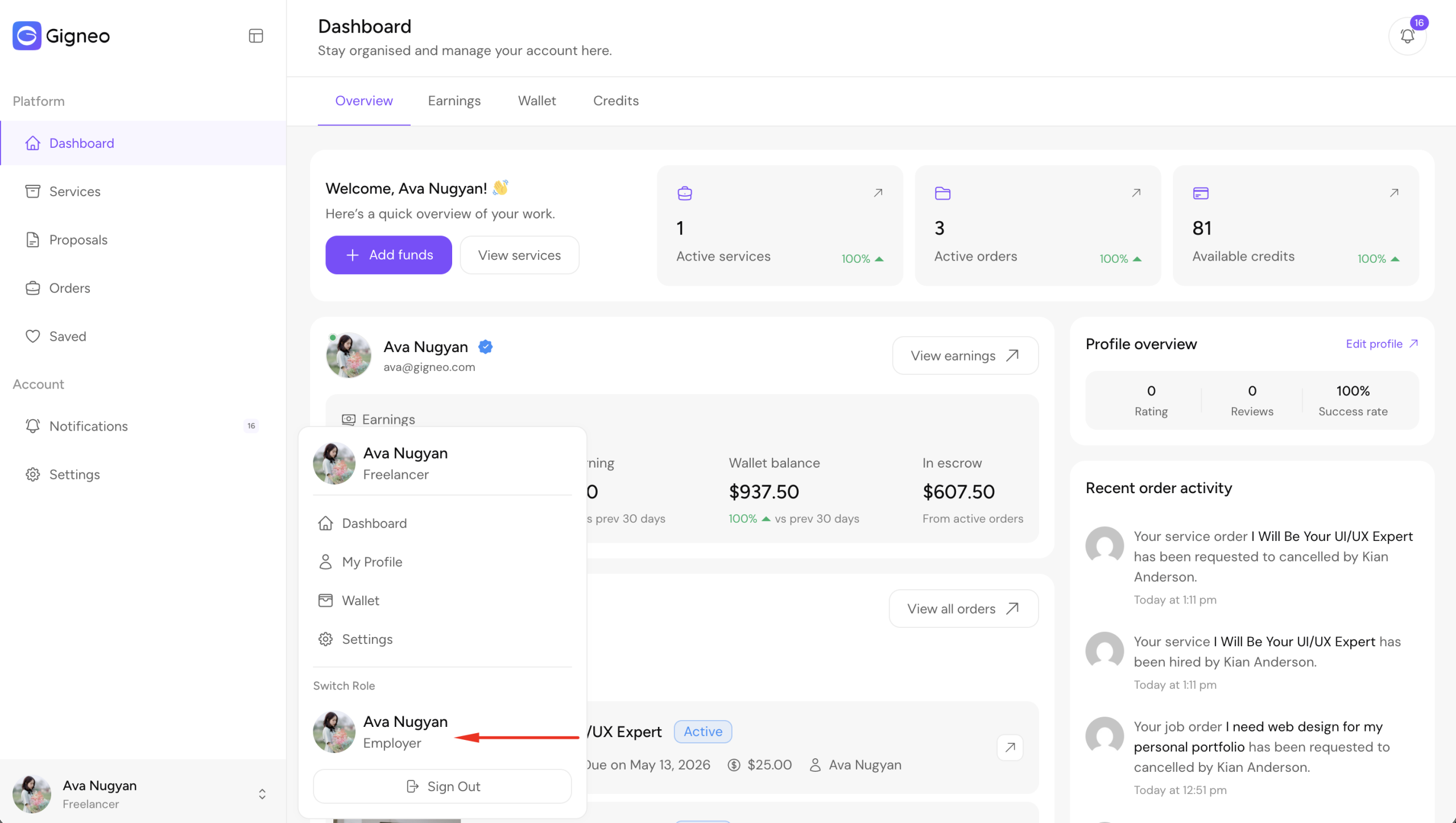
When a role is switched, the dashboard updates automatically to display the tools, menus, and features available for the selected role.
This makes role management seamless without requiring additional login credentials.
User Benefits
The Switch Role Module provides flexibility for users who participate in multiple marketplace activities.
For example:
- A freelancer can hire other freelancers for subcontracted work
- An employer can also offer services
- Users can both post jobs and apply for projects
- Marketplace participants can manage all activities from one account
This creates a more active and dynamic marketplace ecosystem.
Dashboard Experience
The role switch option is designed for instant access.
Once selected, the user is redirected to the corresponding dashboard for that role.
All role-specific activities remain separated within the same account, including:
- Orders
- Services
- Jobs
- Proposals
- Profile settings
This ensures organized account management while preserving role-specific workflows.
Admin Role Management
Marketplace administrators can also manually manage user roles from the WordPress admin dashboard.
Navigate to WP Admin → Users.
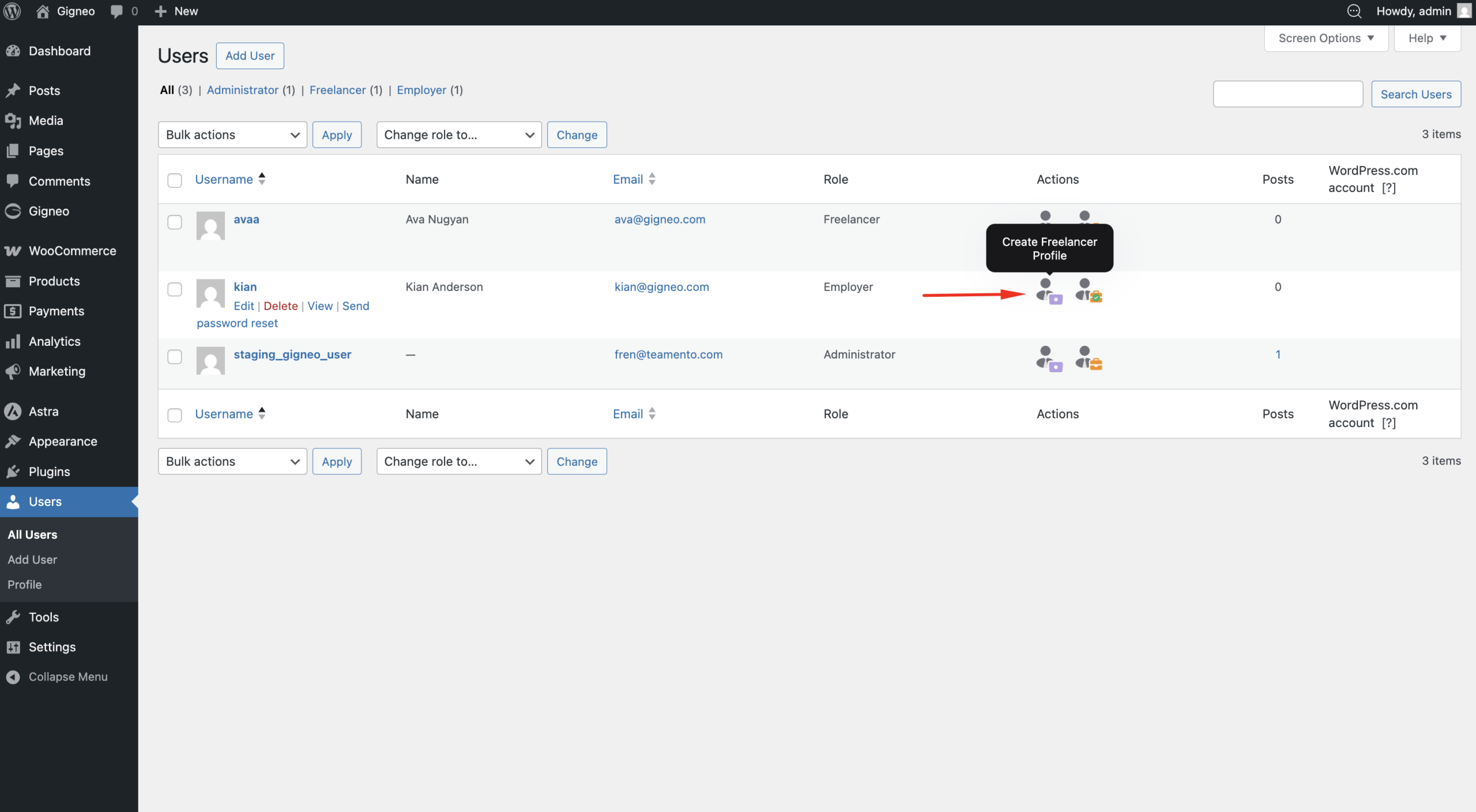
From the users list, administrators can create freelancer or employer profiles for existing users.
This is useful for manually onboarding users to the marketplace.
Setting Default User Role
Administrators can edit any user account and define the default active role.
Navigate to the user edit page to configure the preferred role.
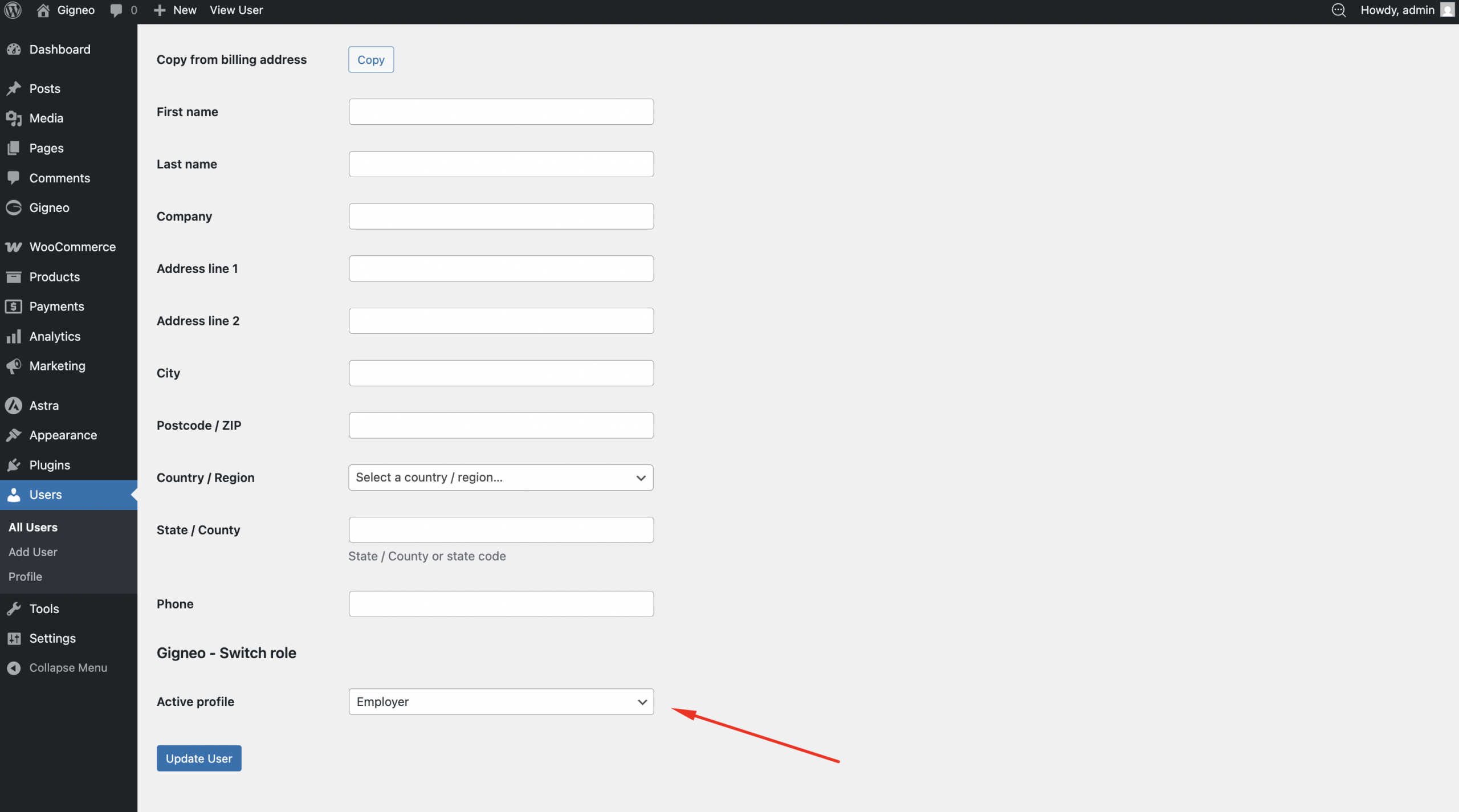
This determines which dashboard role the user will access by default when logging in.
Why Use This Module
The Switch Role Module is especially useful for hybrid marketplace models where users need flexibility.
It reduces account duplication, simplifies user management, and creates a smoother marketplace experience for both administrators and users.
By allowing users to move freely between freelancer and employer roles, this module helps build a more connected and efficient marketplace ecosystem.